Compare commits
2 commits
| Author | SHA1 | Date | |
|---|---|---|---|

|
ee133e9491 | ||
|
|
8c4a396240 |
|
|
@ -4,9 +4,3 @@ omit =
|
||||||
*/llama_stack/providers/*
|
*/llama_stack/providers/*
|
||||||
*/llama_stack/templates/*
|
*/llama_stack/templates/*
|
||||||
.venv/*
|
.venv/*
|
||||||
*/llama_stack/cli/scripts/*
|
|
||||||
*/llama_stack_ui/*
|
|
||||||
*/llama_stack/distribution/ui/*
|
|
||||||
*/llama_stack/strong_typing/*
|
|
||||||
*/llama_stack/env.py
|
|
||||||
*/__init__.py
|
|
||||||
|
|
|
||||||
|
|
@ -1,19 +0,0 @@
|
||||||
.venv
|
|
||||||
__pycache__
|
|
||||||
*.pyc
|
|
||||||
*.pyo
|
|
||||||
*.pyd
|
|
||||||
*.so
|
|
||||||
.git
|
|
||||||
.gitignore
|
|
||||||
htmlcov*
|
|
||||||
.coverage
|
|
||||||
coverage*
|
|
||||||
.cache
|
|
||||||
.mypy_cache
|
|
||||||
.pytest_cache
|
|
||||||
.ruff_cache
|
|
||||||
uv.lock
|
|
||||||
node_modules
|
|
||||||
build
|
|
||||||
/tmp
|
|
||||||
1
.gitattributes
vendored
|
|
@ -1 +0,0 @@
|
||||||
tests/**/recordings/** linguist-generated=true
|
|
||||||
2
.github/CODEOWNERS
vendored
|
|
@ -2,4 +2,4 @@
|
||||||
|
|
||||||
# These owners will be the default owners for everything in
|
# These owners will be the default owners for everything in
|
||||||
# the repo. Unless a later match takes precedence,
|
# the repo. Unless a later match takes precedence,
|
||||||
* @ashwinb @raghotham @ehhuang @leseb @bbrowning @mattf @franciscojavierarceo @cdoern
|
* @ashwinb @yanxi0830 @hardikjshah @raghotham @ehhuang @terrytangyuan @leseb @bbrowning @reluctantfuturist
|
||||||
|
|
|
||||||
4
.github/ISSUE_TEMPLATE/config.yml
vendored
|
|
@ -2,10 +2,10 @@ blank_issues_enabled: false
|
||||||
|
|
||||||
contact_links:
|
contact_links:
|
||||||
- name: Have you read the docs?
|
- name: Have you read the docs?
|
||||||
url: https://llamastack.github.io/providers/external/index.html
|
url: https://llama-stack.readthedocs.io/en/latest/index.html
|
||||||
about: Much help can be found in the docs
|
about: Much help can be found in the docs
|
||||||
- name: Start a discussion
|
- name: Start a discussion
|
||||||
url: https://github.com/llamastack/llama-stack/discussions/new/
|
url: https://github.com/meta-llama/llama-stack/discussions/new
|
||||||
about: Start a discussion on a topic
|
about: Start a discussion on a topic
|
||||||
- name: Chat on Discord
|
- name: Chat on Discord
|
||||||
url: https://discord.gg/llama-stack
|
url: https://discord.gg/llama-stack
|
||||||
|
|
|
||||||
30
.github/ISSUE_TEMPLATE/tech-debt.yml
vendored
|
|
@ -1,30 +0,0 @@
|
||||||
name: 🔧 Tech Debt
|
|
||||||
description: Something that is functional but should be improved or optimizied
|
|
||||||
labels: ["tech-debt"]
|
|
||||||
body:
|
|
||||||
- type: textarea
|
|
||||||
id: tech-debt-explanation
|
|
||||||
attributes:
|
|
||||||
label: 🤔 What is the technical debt you think should be addressed?
|
|
||||||
description: >
|
|
||||||
A clear and concise description of _what_ needs to be addressed - ensure you are describing
|
|
||||||
constitutes [technical debt](https://en.wikipedia.org/wiki/Technical_debt) and is not a bug
|
|
||||||
or feature request.
|
|
||||||
validations:
|
|
||||||
required: true
|
|
||||||
|
|
||||||
- type: textarea
|
|
||||||
id: tech-debt-motivation
|
|
||||||
attributes:
|
|
||||||
label: 💡 What is the benefit of addressing this technical debt?
|
|
||||||
description: >
|
|
||||||
A clear and concise description of _why_ this work is needed.
|
|
||||||
validations:
|
|
||||||
required: true
|
|
||||||
|
|
||||||
- type: textarea
|
|
||||||
id: other-thoughts
|
|
||||||
attributes:
|
|
||||||
label: Other thoughts
|
|
||||||
description: >
|
|
||||||
Any thoughts about how this may result in complexity in the codebase, or other trade-offs.
|
|
||||||
1
.github/TRIAGERS.md
vendored
|
|
@ -1 +1,2 @@
|
||||||
# This file documents Triage members in the Llama Stack community
|
# This file documents Triage members in the Llama Stack community
|
||||||
|
@bbrowning @booxter @franciscojavierarceo @leseb
|
||||||
|
|
|
||||||
|
|
@ -1,72 +0,0 @@
|
||||||
name: Install llama-stack-client
|
|
||||||
description: Install llama-stack-client based on branch context and client-version input
|
|
||||||
|
|
||||||
inputs:
|
|
||||||
client-version:
|
|
||||||
description: 'Client version to install on non-release branches (latest or published). Ignored on release branches.'
|
|
||||||
required: false
|
|
||||||
default: ""
|
|
||||||
sdk_install_url:
|
|
||||||
description: 'URL to install Python SDK from (for testing preview builds). If provided, overrides client-version.'
|
|
||||||
required: false
|
|
||||||
default: ""
|
|
||||||
|
|
||||||
outputs:
|
|
||||||
uv-extra-index-url:
|
|
||||||
description: 'UV_EXTRA_INDEX_URL to use (set for release branches)'
|
|
||||||
value: ${{ steps.configure.outputs.uv-extra-index-url }}
|
|
||||||
install-after-sync:
|
|
||||||
description: 'Whether to install client after uv sync'
|
|
||||||
value: ${{ steps.configure.outputs.install-after-sync }}
|
|
||||||
install-source:
|
|
||||||
description: 'Where to install client from after sync'
|
|
||||||
value: ${{ steps.configure.outputs.install-source }}
|
|
||||||
|
|
||||||
runs:
|
|
||||||
using: "composite"
|
|
||||||
steps:
|
|
||||||
- name: Configure client installation
|
|
||||||
id: configure
|
|
||||||
shell: bash
|
|
||||||
run: |
|
|
||||||
# If sdk_install_url is provided (e.g., from Stainless preview), use it directly
|
|
||||||
if [ -n "${{ inputs.sdk_install_url }}" ]; then
|
|
||||||
echo "Using provided sdk_install_url: ${{ inputs.sdk_install_url }}"
|
|
||||||
echo "install-after-sync=true" >> $GITHUB_OUTPUT
|
|
||||||
echo "install-source=${{ inputs.sdk_install_url }}" >> $GITHUB_OUTPUT
|
|
||||||
exit 0
|
|
||||||
fi
|
|
||||||
|
|
||||||
# Determine the branch we're working with
|
|
||||||
BRANCH="${{ github.base_ref || github.ref }}"
|
|
||||||
BRANCH="${BRANCH#refs/heads/}"
|
|
||||||
|
|
||||||
echo "Working with branch: $BRANCH"
|
|
||||||
|
|
||||||
# On release branches: use test.pypi for uv sync, then install from git
|
|
||||||
# On non-release branches: install based on client-version after sync
|
|
||||||
if [[ "$BRANCH" =~ ^release-[0-9]+\.[0-9]+\.x$ ]]; then
|
|
||||||
echo "Detected release branch: $BRANCH"
|
|
||||||
|
|
||||||
# Check if matching branch exists in client repo
|
|
||||||
if ! git ls-remote --exit-code --heads https://github.com/llamastack/llama-stack-client-python.git "$BRANCH" > /dev/null 2>&1; then
|
|
||||||
echo "::error::Branch $BRANCH not found in llama-stack-client-python repository"
|
|
||||||
echo "::error::Please create the matching release branch in llama-stack-client-python before testing"
|
|
||||||
exit 1
|
|
||||||
fi
|
|
||||||
|
|
||||||
# Configure to use test.pypi as extra index (PyPI is primary)
|
|
||||||
echo "uv-extra-index-url=https://test.pypi.org/simple/" >> $GITHUB_OUTPUT
|
|
||||||
echo "install-after-sync=true" >> $GITHUB_OUTPUT
|
|
||||||
echo "install-source=git+https://github.com/llamastack/llama-stack-client-python.git@$BRANCH" >> $GITHUB_OUTPUT
|
|
||||||
elif [ "${{ inputs.client-version }}" = "latest" ]; then
|
|
||||||
# Install from main git after sync
|
|
||||||
echo "install-after-sync=true" >> $GITHUB_OUTPUT
|
|
||||||
echo "install-source=git+https://github.com/llamastack/llama-stack-client-python.git@main" >> $GITHUB_OUTPUT
|
|
||||||
elif [ "${{ inputs.client-version }}" = "published" ]; then
|
|
||||||
# Use published version from PyPI (installed by sync)
|
|
||||||
echo "install-after-sync=false" >> $GITHUB_OUTPUT
|
|
||||||
elif [ -n "${{ inputs.client-version }}" ]; then
|
|
||||||
echo "::error::Invalid client-version: ${{ inputs.client-version }}"
|
|
||||||
exit 1
|
|
||||||
fi
|
|
||||||
137
.github/actions/run-and-record-tests/action.yml
vendored
|
|
@ -1,137 +0,0 @@
|
||||||
name: 'Run and Record Tests'
|
|
||||||
description: 'Run integration tests and handle recording/artifact upload'
|
|
||||||
|
|
||||||
inputs:
|
|
||||||
stack-config:
|
|
||||||
description: 'Stack configuration to use'
|
|
||||||
required: true
|
|
||||||
setup:
|
|
||||||
description: 'Setup to use for tests (e.g., ollama, gpt, vllm)'
|
|
||||||
required: false
|
|
||||||
default: ''
|
|
||||||
inference-mode:
|
|
||||||
description: 'Inference mode (record or replay)'
|
|
||||||
required: true
|
|
||||||
suite:
|
|
||||||
description: 'Test suite to use: base, responses, vision, etc.'
|
|
||||||
required: false
|
|
||||||
default: ''
|
|
||||||
subdirs:
|
|
||||||
description: 'Comma-separated list of test subdirectories to run; overrides suite'
|
|
||||||
required: false
|
|
||||||
default: ''
|
|
||||||
pattern:
|
|
||||||
description: 'Regex pattern to pass to pytest -k'
|
|
||||||
required: false
|
|
||||||
default: ''
|
|
||||||
target-branch:
|
|
||||||
description: 'Target branch for recording commits (for PRs, use the PR head branch)'
|
|
||||||
required: false
|
|
||||||
default: ''
|
|
||||||
is-fork-pr:
|
|
||||||
description: 'Whether this is a fork PR (recordings cannot be pushed to forks)'
|
|
||||||
required: false
|
|
||||||
default: 'false'
|
|
||||||
|
|
||||||
runs:
|
|
||||||
using: 'composite'
|
|
||||||
steps:
|
|
||||||
- name: Check Storage and Memory Available Before Tests
|
|
||||||
if: ${{ always() }}
|
|
||||||
shell: bash
|
|
||||||
run: |
|
|
||||||
free -h
|
|
||||||
df -h
|
|
||||||
|
|
||||||
- name: Run Integration Tests
|
|
||||||
shell: bash
|
|
||||||
run: |
|
|
||||||
SCRIPT_ARGS="--stack-config ${{ inputs.stack-config }} --inference-mode ${{ inputs.inference-mode }}"
|
|
||||||
|
|
||||||
# Add optional arguments only if they are provided
|
|
||||||
if [ -n '${{ inputs.setup }}' ]; then
|
|
||||||
SCRIPT_ARGS="$SCRIPT_ARGS --setup ${{ inputs.setup }}"
|
|
||||||
fi
|
|
||||||
if [ -n '${{ inputs.suite }}' ]; then
|
|
||||||
SCRIPT_ARGS="$SCRIPT_ARGS --suite ${{ inputs.suite }}"
|
|
||||||
fi
|
|
||||||
if [ -n '${{ inputs.subdirs }}' ]; then
|
|
||||||
SCRIPT_ARGS="$SCRIPT_ARGS --subdirs ${{ inputs.subdirs }}"
|
|
||||||
fi
|
|
||||||
if [ -n '${{ inputs.pattern }}' ]; then
|
|
||||||
SCRIPT_ARGS="$SCRIPT_ARGS --pattern ${{ inputs.pattern }}"
|
|
||||||
fi
|
|
||||||
|
|
||||||
echo "=== Running command ==="
|
|
||||||
echo "uv run --no-sync ./scripts/integration-tests.sh $SCRIPT_ARGS"
|
|
||||||
echo ""
|
|
||||||
|
|
||||||
uv run --no-sync ./scripts/integration-tests.sh $SCRIPT_ARGS | tee pytest-${{ inputs.inference-mode }}.log
|
|
||||||
|
|
||||||
|
|
||||||
- name: Commit and push recordings
|
|
||||||
if: ${{ inputs.inference-mode == 'record' || inputs.inference-mode == 'record-if-missing' }}
|
|
||||||
shell: bash
|
|
||||||
run: |
|
|
||||||
echo "Checking for recording changes"
|
|
||||||
git status --porcelain tests/integration/recordings/ tests/integration/*/recordings/
|
|
||||||
|
|
||||||
if [[ -n $(git status --porcelain tests/integration/recordings/ tests/integration/*/recordings/) ]]; then
|
|
||||||
echo "New recordings detected"
|
|
||||||
|
|
||||||
# Determine target branch: use target-branch input if provided, otherwise use current branch
|
|
||||||
TARGET_BRANCH="${{ inputs.target-branch }}"
|
|
||||||
if [ -z "$TARGET_BRANCH" ]; then
|
|
||||||
TARGET_BRANCH="${{ github.ref_name }}"
|
|
||||||
fi
|
|
||||||
echo "Target branch: $TARGET_BRANCH"
|
|
||||||
|
|
||||||
# Check if this is a fork PR
|
|
||||||
if [ "${{ inputs.is-fork-pr }}" = "true" ]; then
|
|
||||||
echo "::warning::This is a fork PR. Recordings were updated locally but cannot be pushed to the fork."
|
|
||||||
echo "::warning::Please download the workflow artifacts and commit the recordings manually."
|
|
||||||
else
|
|
||||||
echo "Committing and pushing recordings to branch: $TARGET_BRANCH"
|
|
||||||
git add tests/integration/recordings/ tests/integration/*/recordings/
|
|
||||||
|
|
||||||
git commit -m "Recordings update from CI (setup: ${{ inputs.setup }}, suite: ${{ inputs.suite }})"
|
|
||||||
|
|
||||||
git fetch origin "$TARGET_BRANCH"
|
|
||||||
git rebase "origin/$TARGET_BRANCH"
|
|
||||||
echo "Rebased successfully"
|
|
||||||
git push origin "HEAD:$TARGET_BRANCH"
|
|
||||||
echo "Pushed successfully to $TARGET_BRANCH"
|
|
||||||
fi
|
|
||||||
else
|
|
||||||
echo "No recording changes"
|
|
||||||
fi
|
|
||||||
|
|
||||||
- name: Upload recordings (for fork PRs)
|
|
||||||
if: ${{ inputs.is-fork-pr == 'true' && (inputs.inference-mode == 'record' || inputs.inference-mode == 'record-if-missing') }}
|
|
||||||
uses: actions/upload-artifact@ea165f8d65b6e75b540449e92b4886f43607fa02 # v4.6.2
|
|
||||||
with:
|
|
||||||
name: recordings-${{ github.run_id }}-${{ github.run_attempt || '1' }}-${{ strategy.job-index || github.job }}
|
|
||||||
path: |
|
|
||||||
tests/integration/recordings/
|
|
||||||
tests/integration/*/recordings/
|
|
||||||
retention-days: 7
|
|
||||||
if-no-files-found: ignore
|
|
||||||
|
|
||||||
- name: Write docker logs to file
|
|
||||||
if: ${{ always() }}
|
|
||||||
shell: bash
|
|
||||||
run: |
|
|
||||||
# Ollama logs (if ollama container exists)
|
|
||||||
sudo docker logs ollama > ollama-${{ inputs.inference-mode }}.log 2>&1 || true
|
|
||||||
# vllm logs (if vllm container exists)
|
|
||||||
sudo docker logs vllm > vllm-${{ inputs.inference-mode }}.log 2>&1 || true
|
|
||||||
# Note: distro container logs are now dumped in integration-tests.sh before container is removed
|
|
||||||
|
|
||||||
- name: Upload logs
|
|
||||||
if: ${{ always() }}
|
|
||||||
uses: actions/upload-artifact@ea165f8d65b6e75b540449e92b4886f43607fa02 # v4.6.2
|
|
||||||
with:
|
|
||||||
name: logs-${{ github.run_id }}-${{ github.run_attempt || '1' }}-${{ strategy.job-index || github.job }}-${{ github.action }}
|
|
||||||
path: |
|
|
||||||
*.log
|
|
||||||
retention-days: 1
|
|
||||||
16
.github/actions/setup-ollama/action.yml
vendored
|
|
@ -1,23 +1,9 @@
|
||||||
name: Setup Ollama
|
name: Setup Ollama
|
||||||
description: Start Ollama
|
description: Start Ollama
|
||||||
inputs:
|
|
||||||
suite:
|
|
||||||
description: 'Test suite to use: base, responses, vision, etc.'
|
|
||||||
required: false
|
|
||||||
default: ''
|
|
||||||
runs:
|
runs:
|
||||||
using: "composite"
|
using: "composite"
|
||||||
steps:
|
steps:
|
||||||
- name: Start Ollama
|
- name: Start Ollama
|
||||||
shell: bash
|
shell: bash
|
||||||
run: |
|
run: |
|
||||||
if [ "${{ inputs.suite }}" == "vision" ]; then
|
docker run -d --name ollama -p 11434:11434 docker.io/leseb/ollama-with-models
|
||||||
image="ollama-with-vision-model"
|
|
||||||
else
|
|
||||||
image="ollama-with-models"
|
|
||||||
fi
|
|
||||||
|
|
||||||
echo "Starting Ollama with image: $image"
|
|
||||||
docker run -d --name ollama -p 11434:11434 docker.io/llamastack/$image
|
|
||||||
echo "Verifying Ollama status..."
|
|
||||||
timeout 30 bash -c 'while ! curl -s -L http://127.0.0.1:11434; do sleep 1 && echo "."; done'
|
|
||||||
|
|
|
||||||
50
.github/actions/setup-runner/action.yml
vendored
|
|
@ -4,54 +4,24 @@ inputs:
|
||||||
python-version:
|
python-version:
|
||||||
description: The Python version to use
|
description: The Python version to use
|
||||||
required: false
|
required: false
|
||||||
default: "3.12"
|
default: "3.10"
|
||||||
client-version:
|
|
||||||
description: The llama-stack-client-python version to test against (latest or published)
|
|
||||||
required: false
|
|
||||||
default: "latest"
|
|
||||||
sdk_install_url:
|
|
||||||
description: 'URL to install Python SDK from (for testing preview builds). If provided, overrides client-version.'
|
|
||||||
required: false
|
|
||||||
default: ""
|
|
||||||
runs:
|
runs:
|
||||||
using: "composite"
|
using: "composite"
|
||||||
steps:
|
steps:
|
||||||
- name: Install uv
|
- name: Install uv
|
||||||
uses: astral-sh/setup-uv@1e862dfacbd1d6d858c55d9b792c756523627244 # v7.1.4
|
uses: astral-sh/setup-uv@6b9c6063abd6010835644d4c2e1bef4cf5cd0fca # v6.0.1
|
||||||
with:
|
with:
|
||||||
python-version: ${{ inputs.python-version }}
|
python-version: ${{ inputs.python-version }}
|
||||||
|
activate-environment: true
|
||||||
- name: Configure client installation
|
version: 0.7.6
|
||||||
id: client-config
|
|
||||||
uses: ./.github/actions/install-llama-stack-client
|
|
||||||
with:
|
|
||||||
client-version: ${{ inputs.client-version }}
|
|
||||||
sdk_install_url: ${{ inputs.sdk_install_url }}
|
|
||||||
|
|
||||||
- name: Install dependencies
|
- name: Install dependencies
|
||||||
shell: bash
|
shell: bash
|
||||||
env:
|
|
||||||
UV_EXTRA_INDEX_URL: ${{ steps.client-config.outputs.uv-extra-index-url }}
|
|
||||||
run: |
|
run: |
|
||||||
# Export UV env vars for current step and persist to GITHUB_ENV for subsequent steps
|
|
||||||
if [ -n "$UV_EXTRA_INDEX_URL" ]; then
|
|
||||||
export UV_INDEX_STRATEGY=unsafe-best-match
|
|
||||||
echo "UV_EXTRA_INDEX_URL=$UV_EXTRA_INDEX_URL" >> $GITHUB_ENV
|
|
||||||
echo "UV_INDEX_STRATEGY=$UV_INDEX_STRATEGY" >> $GITHUB_ENV
|
|
||||||
echo "Exported UV environment variables for current and subsequent steps"
|
|
||||||
fi
|
|
||||||
|
|
||||||
echo "Updating project dependencies via uv sync"
|
|
||||||
uv sync --all-groups
|
uv sync --all-groups
|
||||||
|
uv pip install ollama faiss-cpu
|
||||||
echo "Installing ad-hoc dependencies"
|
# always test against the latest version of the client
|
||||||
uv pip install faiss-cpu
|
# TODO: this is not necessarily a good idea. we need to test against both published and latest
|
||||||
|
# to find out backwards compatibility issues.
|
||||||
# Install specific client version after sync if needed
|
uv pip install git+https://github.com/meta-llama/llama-stack-client-python.git@main
|
||||||
if [ "${{ steps.client-config.outputs.install-after-sync }}" = "true" ]; then
|
uv pip install -e .
|
||||||
echo "Installing llama-stack-client from: ${{ steps.client-config.outputs.install-source }}"
|
|
||||||
uv pip install ${{ steps.client-config.outputs.install-source }}
|
|
||||||
fi
|
|
||||||
|
|
||||||
echo "Installed llama packages"
|
|
||||||
uv pip list | grep llama
|
|
||||||
|
|
|
||||||
|
|
@ -1,95 +0,0 @@
|
||||||
name: 'Setup Test Environment'
|
|
||||||
description: 'Common setup steps for integration tests including dependencies, providers, and build'
|
|
||||||
|
|
||||||
inputs:
|
|
||||||
python-version:
|
|
||||||
description: 'Python version to use'
|
|
||||||
required: true
|
|
||||||
client-version:
|
|
||||||
description: 'Client version (latest or published)'
|
|
||||||
required: true
|
|
||||||
sdk_install_url:
|
|
||||||
description: 'URL to install Python SDK from (for testing preview builds). If provided, overrides client-version.'
|
|
||||||
required: false
|
|
||||||
default: ''
|
|
||||||
setup:
|
|
||||||
description: 'Setup to configure (ollama, vllm, gpt, etc.)'
|
|
||||||
required: false
|
|
||||||
default: 'ollama'
|
|
||||||
suite:
|
|
||||||
description: 'Test suite to use: base, responses, vision, etc.'
|
|
||||||
required: false
|
|
||||||
default: ''
|
|
||||||
inference-mode:
|
|
||||||
description: 'Inference mode (record or replay)'
|
|
||||||
required: true
|
|
||||||
|
|
||||||
runs:
|
|
||||||
using: 'composite'
|
|
||||||
steps:
|
|
||||||
- name: Install dependencies
|
|
||||||
uses: ./.github/actions/setup-runner
|
|
||||||
with:
|
|
||||||
python-version: ${{ inputs.python-version }}
|
|
||||||
client-version: ${{ inputs.client-version }}
|
|
||||||
sdk_install_url: ${{ inputs.sdk_install_url }}
|
|
||||||
|
|
||||||
- name: Setup ollama
|
|
||||||
if: ${{ (inputs.setup == 'ollama' || inputs.setup == 'ollama-vision') && inputs.inference-mode == 'record' }}
|
|
||||||
uses: ./.github/actions/setup-ollama
|
|
||||||
with:
|
|
||||||
suite: ${{ inputs.suite }}
|
|
||||||
|
|
||||||
- name: Setup vllm
|
|
||||||
if: ${{ inputs.setup == 'vllm' && inputs.inference-mode == 'record' }}
|
|
||||||
uses: ./.github/actions/setup-vllm
|
|
||||||
|
|
||||||
- name: Start Postgres service
|
|
||||||
if: ${{ contains(inputs.setup, 'postgres') }}
|
|
||||||
shell: bash
|
|
||||||
run: |
|
|
||||||
sudo docker rm -f postgres-ci || true
|
|
||||||
sudo docker run -d --name postgres-ci \
|
|
||||||
-e POSTGRES_USER=llamastack \
|
|
||||||
-e POSTGRES_PASSWORD=llamastack \
|
|
||||||
-e POSTGRES_DB=llamastack \
|
|
||||||
-p 5432:5432 \
|
|
||||||
postgres:16
|
|
||||||
|
|
||||||
echo "Waiting for Postgres to become ready..."
|
|
||||||
for i in {1..30}; do
|
|
||||||
if sudo docker exec postgres-ci pg_isready -U llamastack -d llamastack >/dev/null 2>&1; then
|
|
||||||
echo "Postgres is ready"
|
|
||||||
break
|
|
||||||
fi
|
|
||||||
if [ "$i" -eq 30 ]; then
|
|
||||||
echo "Postgres failed to start in time"
|
|
||||||
sudo docker logs postgres-ci || true
|
|
||||||
exit 1
|
|
||||||
fi
|
|
||||||
sleep 2
|
|
||||||
done
|
|
||||||
|
|
||||||
- name: Verify client installation
|
|
||||||
shell: bash
|
|
||||||
run: |
|
|
||||||
echo "Verifying llama-stack-client installation:"
|
|
||||||
uv pip show llama-stack-client || echo "llama-stack-client not found"
|
|
||||||
echo ""
|
|
||||||
echo "All installed llama packages:"
|
|
||||||
uv pip list | grep llama || true
|
|
||||||
|
|
||||||
- name: Build Llama Stack
|
|
||||||
shell: bash
|
|
||||||
run: |
|
|
||||||
# Client is already installed by setup-runner (handles both main and release branches)
|
|
||||||
echo "Building Llama Stack"
|
|
||||||
|
|
||||||
LLAMA_STACK_DIR=. \
|
|
||||||
uv run --no-sync llama stack list-deps ci-tests | xargs -L1 uv pip install
|
|
||||||
|
|
||||||
- name: Configure git for commits
|
|
||||||
shell: bash
|
|
||||||
run: |
|
|
||||||
git config --local user.email "github-actions[bot]@users.noreply.github.com"
|
|
||||||
git config --local user.name "github-actions[bot]"
|
|
||||||
|
|
@ -1,35 +0,0 @@
|
||||||
name: Setup TypeScript client
|
|
||||||
description: Conditionally checkout and link llama-stack-client-typescript based on client-version
|
|
||||||
inputs:
|
|
||||||
client-version:
|
|
||||||
description: 'Client version (latest or published)'
|
|
||||||
required: true
|
|
||||||
|
|
||||||
outputs:
|
|
||||||
ts-client-path:
|
|
||||||
description: 'Path or version to use for TypeScript client'
|
|
||||||
value: ${{ steps.set-path.outputs.ts-client-path }}
|
|
||||||
|
|
||||||
runs:
|
|
||||||
using: "composite"
|
|
||||||
steps:
|
|
||||||
- name: Checkout TypeScript client (latest)
|
|
||||||
if: ${{ inputs.client-version == 'latest' }}
|
|
||||||
uses: actions/checkout@08c6903cd8c0fde910a37f88322edcfb5dd907a8 # v5.0.0
|
|
||||||
with:
|
|
||||||
repository: llamastack/llama-stack-client-typescript
|
|
||||||
ref: main
|
|
||||||
path: .ts-client-checkout
|
|
||||||
|
|
||||||
- name: Set TS_CLIENT_PATH
|
|
||||||
id: set-path
|
|
||||||
shell: bash
|
|
||||||
run: |
|
|
||||||
if [ "${{ inputs.client-version }}" = "latest" ]; then
|
|
||||||
echo "ts-client-path=${{ github.workspace }}/.ts-client-checkout" >> $GITHUB_OUTPUT
|
|
||||||
elif [ "${{ inputs.client-version }}" = "published" ]; then
|
|
||||||
echo "ts-client-path=^0.3.2" >> $GITHUB_OUTPUT
|
|
||||||
else
|
|
||||||
echo "::error::Invalid client-version: ${{ inputs.client-version }}"
|
|
||||||
exit 1
|
|
||||||
fi
|
|
||||||
28
.github/actions/setup-vllm/action.yml
vendored
|
|
@ -1,28 +0,0 @@
|
||||||
name: Setup VLLM
|
|
||||||
description: Start VLLM
|
|
||||||
runs:
|
|
||||||
using: "composite"
|
|
||||||
steps:
|
|
||||||
- name: Start VLLM
|
|
||||||
shell: bash
|
|
||||||
run: |
|
|
||||||
# Start vllm container
|
|
||||||
docker run -d \
|
|
||||||
--name vllm \
|
|
||||||
-p 8000:8000 \
|
|
||||||
--privileged=true \
|
|
||||||
quay.io/higginsd/vllm-cpu:65393ee064-qwen3 \
|
|
||||||
--host 0.0.0.0 \
|
|
||||||
--port 8000 \
|
|
||||||
--enable-auto-tool-choice \
|
|
||||||
--tool-call-parser hermes \
|
|
||||||
--model /root/.cache/Qwen3-0.6B \
|
|
||||||
--served-model-name Qwen/Qwen3-0.6B \
|
|
||||||
--max-model-len 8192
|
|
||||||
|
|
||||||
# Wait for vllm to be ready
|
|
||||||
echo "Waiting for vllm to be ready..."
|
|
||||||
timeout 900 bash -c 'until curl -f http://localhost:8000/health; do
|
|
||||||
echo "Waiting for vllm..."
|
|
||||||
sleep 5
|
|
||||||
done'
|
|
||||||
14
.github/dependabot.yml
vendored
|
|
@ -9,25 +9,15 @@ updates:
|
||||||
day: "saturday"
|
day: "saturday"
|
||||||
commit-message:
|
commit-message:
|
||||||
prefix: chore(github-deps)
|
prefix: chore(github-deps)
|
||||||
|
|
||||||
- package-ecosystem: "uv"
|
- package-ecosystem: "uv"
|
||||||
directory: "/"
|
directory: "/"
|
||||||
schedule:
|
schedule:
|
||||||
interval: "weekly"
|
interval: "weekly"
|
||||||
day: "saturday"
|
day: "saturday"
|
||||||
|
# ignore all non-security updates: https://docs.github.com/en/code-security/dependabot/dependabot-version-updates/configuration-options-for-the-dependabot.yml-file#open-pull-requests-limit
|
||||||
|
open-pull-requests-limit: 0
|
||||||
labels:
|
labels:
|
||||||
- type/dependencies
|
- type/dependencies
|
||||||
- python
|
- python
|
||||||
commit-message:
|
commit-message:
|
||||||
prefix: chore(python-deps)
|
prefix: chore(python-deps)
|
||||||
|
|
||||||
- package-ecosystem: npm
|
|
||||||
directory: "/llama_stack_ui"
|
|
||||||
schedule:
|
|
||||||
interval: "weekly"
|
|
||||||
day: "saturday"
|
|
||||||
labels:
|
|
||||||
- type/dependencies
|
|
||||||
- javascript
|
|
||||||
commit-message:
|
|
||||||
prefix: chore(ui-deps)
|
|
||||||
|
|
|
||||||
23
.github/mergify.yml
vendored
|
|
@ -1,23 +0,0 @@
|
||||||
pull_request_rules:
|
|
||||||
- name: ping author on conflicts and add 'needs-rebase' label
|
|
||||||
conditions:
|
|
||||||
- conflict
|
|
||||||
- -closed
|
|
||||||
actions:
|
|
||||||
label:
|
|
||||||
add:
|
|
||||||
- needs-rebase
|
|
||||||
comment:
|
|
||||||
message: >
|
|
||||||
This pull request has merge conflicts that must be resolved before it
|
|
||||||
can be merged. @{{author}} please rebase it.
|
|
||||||
https://docs.github.com/en/pull-requests/collaborating-with-pull-requests/working-with-forks/syncing-a-fork
|
|
||||||
|
|
||||||
- name: remove 'needs-rebase' label when conflict is resolved
|
|
||||||
conditions:
|
|
||||||
- -conflict
|
|
||||||
- -closed
|
|
||||||
actions:
|
|
||||||
label:
|
|
||||||
remove:
|
|
||||||
- needs-rebase
|
|
||||||
25
.github/workflows/README.md
vendored
|
|
@ -1,25 +0,0 @@
|
||||||
# Llama Stack CI
|
|
||||||
|
|
||||||
Llama Stack uses GitHub Actions for Continuous Integration (CI). Below is a table detailing what CI the project includes and the purpose.
|
|
||||||
|
|
||||||
| Name | File | Purpose |
|
|
||||||
| ---- | ---- | ------- |
|
|
||||||
| Backward Compatibility Check | [backward-compat.yml](backward-compat.yml) | Check backward compatibility for config.yaml files |
|
|
||||||
| API Conformance Tests | [conformance.yml](conformance.yml) | Run the API Conformance test suite on the changes. |
|
|
||||||
| Installer CI | [install-script-ci.yml](install-script-ci.yml) | Test the installation script |
|
|
||||||
| Integration Auth Tests | [integration-auth-tests.yml](integration-auth-tests.yml) | Run the integration test suite with Kubernetes authentication |
|
|
||||||
| SqlStore Integration Tests | [integration-sql-store-tests.yml](integration-sql-store-tests.yml) | Run the integration test suite with SqlStore |
|
|
||||||
| Integration Tests (Replay) | [integration-tests.yml](integration-tests.yml) | Run the integration test suites from tests/integration in replay mode |
|
|
||||||
| Vector IO Integration Tests | [integration-vector-io-tests.yml](integration-vector-io-tests.yml) | Run the integration test suite with various VectorIO providers |
|
|
||||||
| Pre-commit | [pre-commit.yml](pre-commit.yml) | Run pre-commit checks |
|
|
||||||
| Test Llama Stack Build | [providers-build.yml](providers-build.yml) | Test llama stack build |
|
|
||||||
| Test llama stack list-deps | [providers-list-deps.yml](providers-list-deps.yml) | Test llama stack list-deps |
|
|
||||||
| Python Package Build Test | [python-build-test.yml](python-build-test.yml) | Test building the llama-stack PyPI project |
|
|
||||||
| Integration Tests (Record) | [record-integration-tests.yml](record-integration-tests.yml) | Run the integration test suite from tests/integration |
|
|
||||||
| Check semantic PR titles | [semantic-pr.yml](semantic-pr.yml) | Ensure that PR titles follow the conventional commit spec |
|
|
||||||
| Stainless SDK Builds | [stainless-builds.yml](stainless-builds.yml) | Build Stainless SDK from OpenAPI spec changes |
|
|
||||||
| Close stale issues and PRs | [stale_bot.yml](stale_bot.yml) | Run the Stale Bot action |
|
|
||||||
| Test External Providers Installed via Module | [test-external-provider-module.yml](test-external-provider-module.yml) | Test External Provider installation via Python module |
|
|
||||||
| Test External API and Providers | [test-external.yml](test-external.yml) | Test the External API and Provider mechanisms |
|
|
||||||
| UI Tests | [ui-unit-tests.yml](ui-unit-tests.yml) | Run the UI test suite |
|
|
||||||
| Unit Tests | [unit-tests.yml](unit-tests.yml) | Run the unit test suite |
|
|
||||||
578
.github/workflows/backward-compat.yml
vendored
|
|
@ -1,578 +0,0 @@
|
||||||
name: Backward Compatibility Check
|
|
||||||
|
|
||||||
run-name: Check backward compatibility for config.yaml files
|
|
||||||
|
|
||||||
on:
|
|
||||||
pull_request:
|
|
||||||
branches:
|
|
||||||
- main
|
|
||||||
- 'release-[0-9]+.[0-9]+.[0-9]+.[0-9]+'
|
|
||||||
- 'release-[0-9]+.[0-9]+.[0-9]+'
|
|
||||||
- 'release-[0-9]+.[0-9]+'
|
|
||||||
paths:
|
|
||||||
- 'src/llama_stack/core/datatypes.py'
|
|
||||||
- 'src/llama_stack/providers/datatypes.py'
|
|
||||||
- 'src/llama_stack/distributions/**/config.yaml'
|
|
||||||
- 'tests/backward_compat/**'
|
|
||||||
- '.github/workflows/backward-compat.yml'
|
|
||||||
|
|
||||||
concurrency:
|
|
||||||
group: ${{ github.workflow }}-${{ github.ref }}
|
|
||||||
cancel-in-progress: true
|
|
||||||
|
|
||||||
jobs:
|
|
||||||
check-main-compatibility:
|
|
||||||
name: Check Compatibility with main
|
|
||||||
runs-on: ubuntu-latest
|
|
||||||
|
|
||||||
steps:
|
|
||||||
- name: Checkout PR branch
|
|
||||||
uses: actions/checkout@8e8c483db84b4bee98b60c0593521ed34d9990e8 # v6.0.1
|
|
||||||
with:
|
|
||||||
fetch-depth: 0 # Need full history to access main branch
|
|
||||||
|
|
||||||
- name: Set up Python
|
|
||||||
uses: actions/setup-python@83679a892e2d95755f2dac6acb0bfd1e9ac5d548 # v6.1.0
|
|
||||||
with:
|
|
||||||
python-version: '3.12'
|
|
||||||
|
|
||||||
- name: Install uv
|
|
||||||
uses: astral-sh/setup-uv@681c641aba71e4a1c380be3ab5e12ad51f415867 # v7.1.6
|
|
||||||
with:
|
|
||||||
enable-cache: true
|
|
||||||
|
|
||||||
- name: Install dependencies
|
|
||||||
run: |
|
|
||||||
uv sync --group dev
|
|
||||||
|
|
||||||
- name: Extract config.yaml files from main branch
|
|
||||||
id: extract_configs
|
|
||||||
run: |
|
|
||||||
# Get list of config.yaml paths from main
|
|
||||||
git fetch origin main
|
|
||||||
CONFIG_PATHS=$(git ls-tree -r --name-only origin/main | grep "src/llama_stack/distributions/.*/config.yaml$" || true)
|
|
||||||
|
|
||||||
if [ -z "$CONFIG_PATHS" ]; then
|
|
||||||
echo "No config.yaml files found in main branch"
|
|
||||||
exit 1
|
|
||||||
fi
|
|
||||||
|
|
||||||
# Extract all configs to a temp directory
|
|
||||||
mkdir -p /tmp/main_configs
|
|
||||||
echo "Extracting configs from main branch:"
|
|
||||||
|
|
||||||
while IFS= read -r config_path; do
|
|
||||||
if [ -z "$config_path" ]; then
|
|
||||||
continue
|
|
||||||
fi
|
|
||||||
|
|
||||||
# Extract filename for storage
|
|
||||||
filename=$(basename $(dirname "$config_path"))
|
|
||||||
echo " - $filename (from $config_path)"
|
|
||||||
|
|
||||||
git show origin/main:"$config_path" > "/tmp/main_configs/${filename}.yaml"
|
|
||||||
done <<< "$CONFIG_PATHS"
|
|
||||||
|
|
||||||
echo ""
|
|
||||||
echo "Extracted $(ls /tmp/main_configs/*.yaml | wc -l) config files"
|
|
||||||
|
|
||||||
- name: Test all configs from main
|
|
||||||
id: test_configs
|
|
||||||
continue-on-error: true
|
|
||||||
run: |
|
|
||||||
# Run pytest once with all configs parameterized
|
|
||||||
if COMPAT_TEST_CONFIGS_DIR=/tmp/main_configs uv run pytest tests/backward_compat/test_run_config.py -v; then
|
|
||||||
echo "failed=false" >> $GITHUB_OUTPUT
|
|
||||||
else
|
|
||||||
echo "failed=true" >> $GITHUB_OUTPUT
|
|
||||||
exit 1
|
|
||||||
fi
|
|
||||||
|
|
||||||
- name: Check for breaking change acknowledgment
|
|
||||||
id: check_ack
|
|
||||||
if: steps.test_configs.outputs.failed == 'true'
|
|
||||||
run: |
|
|
||||||
echo "Breaking changes detected. Checking for acknowledgment..."
|
|
||||||
|
|
||||||
# Check PR title for '!:' marker (conventional commits)
|
|
||||||
PR_TITLE="${{ github.event.pull_request.title }}"
|
|
||||||
if [[ "$PR_TITLE" =~ ^[a-z]+\!: ]]; then
|
|
||||||
echo "✓ Breaking change acknowledged in PR title"
|
|
||||||
echo "acknowledged=true" >> $GITHUB_OUTPUT
|
|
||||||
exit 0
|
|
||||||
fi
|
|
||||||
|
|
||||||
# Check commit messages for BREAKING CHANGE:
|
|
||||||
if git log origin/main..HEAD --format=%B | grep -q "BREAKING CHANGE:"; then
|
|
||||||
echo "✓ Breaking change acknowledged in commit message"
|
|
||||||
echo "acknowledged=true" >> $GITHUB_OUTPUT
|
|
||||||
exit 0
|
|
||||||
fi
|
|
||||||
|
|
||||||
echo "✗ Breaking change NOT acknowledged"
|
|
||||||
echo "acknowledged=false" >> $GITHUB_OUTPUT
|
|
||||||
env:
|
|
||||||
GH_TOKEN: ${{ github.token }}
|
|
||||||
|
|
||||||
- name: Evaluate results
|
|
||||||
if: always()
|
|
||||||
run: |
|
|
||||||
FAILED="${{ steps.test_configs.outputs.failed }}"
|
|
||||||
ACKNOWLEDGED="${{ steps.check_ack.outputs.acknowledged }}"
|
|
||||||
|
|
||||||
if [[ "$FAILED" == "true" ]]; then
|
|
||||||
if [[ "$ACKNOWLEDGED" == "true" ]]; then
|
|
||||||
echo ""
|
|
||||||
echo "⚠️ WARNING: Breaking changes detected but acknowledged"
|
|
||||||
echo ""
|
|
||||||
echo "This PR introduces backward-incompatible changes to config.yaml."
|
|
||||||
echo "The changes have been properly acknowledged."
|
|
||||||
echo ""
|
|
||||||
exit 0 # Pass the check
|
|
||||||
else
|
|
||||||
echo ""
|
|
||||||
echo "❌ ERROR: Breaking changes detected without acknowledgment"
|
|
||||||
echo ""
|
|
||||||
echo "This PR introduces backward-incompatible changes to config.yaml"
|
|
||||||
echo "that will break existing user configurations."
|
|
||||||
echo ""
|
|
||||||
echo "To acknowledge this breaking change, do ONE of:"
|
|
||||||
echo " 1. Add '!:' to your PR title (e.g., 'feat!: change xyz')"
|
|
||||||
echo " 2. Add the 'breaking-change' label to this PR"
|
|
||||||
echo " 3. Include 'BREAKING CHANGE:' in a commit message"
|
|
||||||
echo ""
|
|
||||||
exit 1 # Fail the check
|
|
||||||
fi
|
|
||||||
fi
|
|
||||||
|
|
||||||
test-integration-main:
|
|
||||||
name: Run Integration Tests with main Config
|
|
||||||
runs-on: ubuntu-latest
|
|
||||||
|
|
||||||
steps:
|
|
||||||
- name: Checkout PR branch
|
|
||||||
uses: actions/checkout@8e8c483db84b4bee98b60c0593521ed34d9990e8 # v6.0.1
|
|
||||||
with:
|
|
||||||
fetch-depth: 0
|
|
||||||
|
|
||||||
- name: Extract ci-tests config.yaml from main
|
|
||||||
run: |
|
|
||||||
git fetch origin main
|
|
||||||
git show origin/main:src/llama_stack/distributions/ci-tests/config.yaml > /tmp/main-ci-tests-config.yaml
|
|
||||||
echo "Extracted ci-tests config.yaml from main branch"
|
|
||||||
|
|
||||||
- name: Setup test environment
|
|
||||||
uses: ./.github/actions/setup-test-environment
|
|
||||||
with:
|
|
||||||
python-version: '3.12'
|
|
||||||
client-version: 'latest'
|
|
||||||
setup: 'ollama'
|
|
||||||
suite: 'base'
|
|
||||||
inference-mode: 'replay'
|
|
||||||
|
|
||||||
- name: Run integration tests with main config
|
|
||||||
id: test_integration
|
|
||||||
continue-on-error: true
|
|
||||||
uses: ./.github/actions/run-and-record-tests
|
|
||||||
with:
|
|
||||||
stack-config: /tmp/main-ci-tests-config.yaml
|
|
||||||
setup: 'ollama'
|
|
||||||
inference-mode: 'replay'
|
|
||||||
suite: 'base'
|
|
||||||
|
|
||||||
- name: Check for breaking change acknowledgment
|
|
||||||
id: check_ack
|
|
||||||
if: steps.test_integration.outcome == 'failure'
|
|
||||||
run: |
|
|
||||||
echo "Integration tests failed. Checking for acknowledgment..."
|
|
||||||
|
|
||||||
# Check PR title for '!:' marker (conventional commits)
|
|
||||||
PR_TITLE="${{ github.event.pull_request.title }}"
|
|
||||||
if [[ "$PR_TITLE" =~ ^[a-z]+\!: ]]; then
|
|
||||||
echo "✓ Breaking change acknowledged in PR title"
|
|
||||||
echo "acknowledged=true" >> $GITHUB_OUTPUT
|
|
||||||
exit 0
|
|
||||||
fi
|
|
||||||
|
|
||||||
# Check commit messages for BREAKING CHANGE:
|
|
||||||
if git log origin/main..HEAD --format=%B | grep -q "BREAKING CHANGE:"; then
|
|
||||||
echo "✓ Breaking change acknowledged in commit message"
|
|
||||||
echo "acknowledged=true" >> $GITHUB_OUTPUT
|
|
||||||
exit 0
|
|
||||||
fi
|
|
||||||
|
|
||||||
echo "✗ Breaking change NOT acknowledged"
|
|
||||||
echo "acknowledged=false" >> $GITHUB_OUTPUT
|
|
||||||
env:
|
|
||||||
GH_TOKEN: ${{ github.token }}
|
|
||||||
|
|
||||||
- name: Evaluate integration test results
|
|
||||||
if: always()
|
|
||||||
run: |
|
|
||||||
TEST_FAILED="${{ steps.test_integration.outcome == 'failure' }}"
|
|
||||||
ACKNOWLEDGED="${{ steps.check_ack.outputs.acknowledged }}"
|
|
||||||
|
|
||||||
if [[ "$TEST_FAILED" == "true" ]]; then
|
|
||||||
if [[ "$ACKNOWLEDGED" == "true" ]]; then
|
|
||||||
echo ""
|
|
||||||
echo "⚠️ WARNING: Integration tests failed with main config but acknowledged"
|
|
||||||
echo ""
|
|
||||||
exit 0 # Pass the check
|
|
||||||
else
|
|
||||||
echo ""
|
|
||||||
echo "❌ ERROR: Integration tests failed with main config without acknowledgment"
|
|
||||||
echo ""
|
|
||||||
echo "To acknowledge this breaking change, do ONE of:"
|
|
||||||
echo " 1. Add '!:' to your PR title (e.g., 'feat!: change xyz')"
|
|
||||||
echo " 2. Include 'BREAKING CHANGE:' in a commit message"
|
|
||||||
echo ""
|
|
||||||
exit 1 # Fail the check
|
|
||||||
fi
|
|
||||||
fi
|
|
||||||
|
|
||||||
test-integration-release:
|
|
||||||
name: Run Integration Tests with Latest Release (Informational)
|
|
||||||
runs-on: ubuntu-latest
|
|
||||||
|
|
||||||
steps:
|
|
||||||
- name: Checkout PR branch
|
|
||||||
uses: actions/checkout@8e8c483db84b4bee98b60c0593521ed34d9990e8 # v6.0.1
|
|
||||||
with:
|
|
||||||
fetch-depth: 0
|
|
||||||
|
|
||||||
- name: Get latest release
|
|
||||||
id: get_release
|
|
||||||
run: |
|
|
||||||
# Get the latest release from GitHub
|
|
||||||
LATEST_TAG=$(gh release list --limit 1 --json tagName --jq '.[0].tagName' 2>/dev/null || echo "")
|
|
||||||
|
|
||||||
if [ -z "$LATEST_TAG" ]; then
|
|
||||||
echo "No releases found, skipping release compatibility check"
|
|
||||||
echo "has_release=false" >> $GITHUB_OUTPUT
|
|
||||||
exit 0
|
|
||||||
fi
|
|
||||||
|
|
||||||
echo "Latest release: $LATEST_TAG"
|
|
||||||
echo "has_release=true" >> $GITHUB_OUTPUT
|
|
||||||
echo "tag=$LATEST_TAG" >> $GITHUB_OUTPUT
|
|
||||||
env:
|
|
||||||
GH_TOKEN: ${{ github.token }}
|
|
||||||
|
|
||||||
- name: Extract ci-tests config.yaml from release
|
|
||||||
if: steps.get_release.outputs.has_release == 'true'
|
|
||||||
id: extract_config
|
|
||||||
run: |
|
|
||||||
RELEASE_TAG="${{ steps.get_release.outputs.tag }}"
|
|
||||||
|
|
||||||
# Try with src/ prefix first (newer releases), then without (older releases)
|
|
||||||
if git show "$RELEASE_TAG:src/llama_stack/distributions/ci-tests/config.yaml" > /tmp/release-ci-tests-config.yaml 2>/dev/null; then
|
|
||||||
echo "Extracted ci-tests config.yaml from release $RELEASE_TAG (src/ path)"
|
|
||||||
echo "has_config=true" >> $GITHUB_OUTPUT
|
|
||||||
elif git show "$RELEASE_TAG:llama_stack/distributions/ci-tests/config.yaml" > /tmp/release-ci-tests-config.yaml 2>/dev/null; then
|
|
||||||
echo "Extracted ci-tests config.yaml from release $RELEASE_TAG (old path)"
|
|
||||||
echo "has_config=true" >> $GITHUB_OUTPUT
|
|
||||||
else
|
|
||||||
echo "::warning::ci-tests/config.yaml not found in release $RELEASE_TAG"
|
|
||||||
echo "has_config=false" >> $GITHUB_OUTPUT
|
|
||||||
fi
|
|
||||||
|
|
||||||
- name: Setup test environment
|
|
||||||
if: steps.get_release.outputs.has_release == 'true' && steps.extract_config.outputs.has_config == 'true'
|
|
||||||
uses: ./.github/actions/setup-test-environment
|
|
||||||
with:
|
|
||||||
python-version: '3.12'
|
|
||||||
client-version: 'latest'
|
|
||||||
setup: 'ollama'
|
|
||||||
suite: 'base'
|
|
||||||
inference-mode: 'replay'
|
|
||||||
|
|
||||||
- name: Run integration tests with release config (PR branch)
|
|
||||||
id: test_release_pr
|
|
||||||
if: steps.get_release.outputs.has_release == 'true' && steps.extract_config.outputs.has_config == 'true'
|
|
||||||
continue-on-error: true
|
|
||||||
uses: ./.github/actions/run-and-record-tests
|
|
||||||
with:
|
|
||||||
stack-config: /tmp/release-ci-tests-config.yaml
|
|
||||||
setup: 'ollama'
|
|
||||||
inference-mode: 'replay'
|
|
||||||
suite: 'base'
|
|
||||||
|
|
||||||
- name: Checkout main branch to test baseline
|
|
||||||
if: steps.get_release.outputs.has_release == 'true' && steps.extract_config.outputs.has_config == 'true'
|
|
||||||
run: |
|
|
||||||
git checkout origin/main
|
|
||||||
|
|
||||||
- name: Setup test environment for main
|
|
||||||
if: steps.get_release.outputs.has_release == 'true' && steps.extract_config.outputs.has_config == 'true'
|
|
||||||
uses: ./.github/actions/setup-test-environment
|
|
||||||
with:
|
|
||||||
python-version: '3.12'
|
|
||||||
client-version: 'latest'
|
|
||||||
setup: 'ollama'
|
|
||||||
suite: 'base'
|
|
||||||
inference-mode: 'replay'
|
|
||||||
|
|
||||||
- name: Run integration tests with release config (main branch)
|
|
||||||
id: test_release_main
|
|
||||||
if: steps.get_release.outputs.has_release == 'true' && steps.extract_config.outputs.has_config == 'true'
|
|
||||||
continue-on-error: true
|
|
||||||
uses: ./.github/actions/run-and-record-tests
|
|
||||||
with:
|
|
||||||
stack-config: /tmp/release-ci-tests-config.yaml
|
|
||||||
setup: 'ollama'
|
|
||||||
inference-mode: 'replay'
|
|
||||||
suite: 'base'
|
|
||||||
|
|
||||||
- name: Report results and post PR comment
|
|
||||||
if: always() && steps.get_release.outputs.has_release == 'true' && steps.extract_config.outputs.has_config == 'true'
|
|
||||||
run: |
|
|
||||||
RELEASE_TAG="${{ steps.get_release.outputs.tag }}"
|
|
||||||
PR_OUTCOME="${{ steps.test_release_pr.outcome }}"
|
|
||||||
MAIN_OUTCOME="${{ steps.test_release_main.outcome }}"
|
|
||||||
|
|
||||||
if [[ "$PR_OUTCOME" == "failure" && "$MAIN_OUTCOME" == "success" ]]; then
|
|
||||||
# NEW breaking change - PR fails but main passes
|
|
||||||
echo "::error::🚨 This PR introduces a NEW breaking change!"
|
|
||||||
|
|
||||||
# Check if we already posted a comment (to avoid spam on every push)
|
|
||||||
EXISTING_COMMENT=$(gh pr view ${{ github.event.pull_request.number }} --json comments --jq '.comments[] | select(.body | contains("🚨 New Breaking Change Detected") and contains("Integration tests")) | .id' | head -1)
|
|
||||||
|
|
||||||
if [[ -z "$EXISTING_COMMENT" ]]; then
|
|
||||||
gh pr comment ${{ github.event.pull_request.number }} --body "## 🚨 New Breaking Change Detected
|
|
||||||
|
|
||||||
**Integration tests against release \`$RELEASE_TAG\` are now failing**
|
|
||||||
|
|
||||||
⚠️ This PR introduces a breaking change that affects compatibility with the latest release.
|
|
||||||
|
|
||||||
- Users on release \`$RELEASE_TAG\` may not be able to upgrade
|
|
||||||
- Existing configurations may break
|
|
||||||
|
|
||||||
The tests pass on \`main\` but fail with this PR's changes.
|
|
||||||
|
|
||||||
> **Note:** This is informational only and does not block merge.
|
|
||||||
> Consider whether this breaking change is acceptable for users."
|
|
||||||
else
|
|
||||||
echo "Comment already exists, skipping to avoid spam"
|
|
||||||
fi
|
|
||||||
|
|
||||||
cat >> $GITHUB_STEP_SUMMARY <<EOF
|
|
||||||
## 🚨 NEW Breaking Change Detected
|
|
||||||
|
|
||||||
**Integration tests against release \`$RELEASE_TAG\` FAILED**
|
|
||||||
|
|
||||||
⚠️ **This PR introduces a NEW breaking change**
|
|
||||||
|
|
||||||
- Tests **PASS** on main branch ✅
|
|
||||||
- Tests **FAIL** on PR branch ❌
|
|
||||||
- Users on release \`$RELEASE_TAG\` may not be able to upgrade
|
|
||||||
- Existing configurations may break
|
|
||||||
|
|
||||||
> **Note:** This is informational only and does not block merge.
|
|
||||||
> Consider whether this breaking change is acceptable for users.
|
|
||||||
EOF
|
|
||||||
|
|
||||||
elif [[ "$PR_OUTCOME" == "failure" ]]; then
|
|
||||||
# Existing breaking change - both PR and main fail
|
|
||||||
echo "::warning::Breaking change already exists in main branch"
|
|
||||||
|
|
||||||
cat >> $GITHUB_STEP_SUMMARY <<EOF
|
|
||||||
## ⚠️ Release Compatibility Test Failed (Existing Issue)
|
|
||||||
|
|
||||||
**Integration tests against release \`$RELEASE_TAG\` FAILED**
|
|
||||||
|
|
||||||
- Tests **FAIL** on main branch ❌
|
|
||||||
- Tests **FAIL** on PR branch ❌
|
|
||||||
- This breaking change already exists in main (not introduced by this PR)
|
|
||||||
|
|
||||||
> **Note:** This is informational only.
|
|
||||||
EOF
|
|
||||||
|
|
||||||
else
|
|
||||||
# Success - tests pass
|
|
||||||
cat >> $GITHUB_STEP_SUMMARY <<EOF
|
|
||||||
## ✅ Release Compatibility Test Passed
|
|
||||||
|
|
||||||
Integration tests against release \`$RELEASE_TAG\` passed successfully.
|
|
||||||
This PR maintains compatibility with the latest release.
|
|
||||||
EOF
|
|
||||||
fi
|
|
||||||
env:
|
|
||||||
GH_TOKEN: ${{ github.token }}
|
|
||||||
|
|
||||||
check-schema-release-compatibility:
|
|
||||||
name: Check Schema Compatibility with Latest Release (Informational)
|
|
||||||
runs-on: ubuntu-latest
|
|
||||||
|
|
||||||
steps:
|
|
||||||
- name: Checkout PR branch
|
|
||||||
uses: actions/checkout@8e8c483db84b4bee98b60c0593521ed34d9990e8 # v6.0.1
|
|
||||||
with:
|
|
||||||
fetch-depth: 0
|
|
||||||
|
|
||||||
- name: Set up Python
|
|
||||||
uses: actions/setup-python@83679a892e2d95755f2dac6acb0bfd1e9ac5d548 # v6.1.0
|
|
||||||
with:
|
|
||||||
python-version: '3.12'
|
|
||||||
|
|
||||||
- name: Install uv
|
|
||||||
uses: astral-sh/setup-uv@681c641aba71e4a1c380be3ab5e12ad51f415867 # v7.1.6
|
|
||||||
with:
|
|
||||||
enable-cache: true
|
|
||||||
|
|
||||||
- name: Install dependencies
|
|
||||||
run: |
|
|
||||||
uv sync --group dev
|
|
||||||
|
|
||||||
- name: Get latest release
|
|
||||||
id: get_release
|
|
||||||
run: |
|
|
||||||
# Get the latest release from GitHub
|
|
||||||
LATEST_TAG=$(gh release list --limit 1 --json tagName --jq '.[0].tagName' 2>/dev/null || echo "")
|
|
||||||
|
|
||||||
if [ -z "$LATEST_TAG" ]; then
|
|
||||||
echo "No releases found, skipping release compatibility check"
|
|
||||||
echo "has_release=false" >> $GITHUB_OUTPUT
|
|
||||||
exit 0
|
|
||||||
fi
|
|
||||||
|
|
||||||
echo "Latest release: $LATEST_TAG"
|
|
||||||
echo "has_release=true" >> $GITHUB_OUTPUT
|
|
||||||
echo "tag=$LATEST_TAG" >> $GITHUB_OUTPUT
|
|
||||||
env:
|
|
||||||
GH_TOKEN: ${{ github.token }}
|
|
||||||
|
|
||||||
- name: Extract configs from release
|
|
||||||
if: steps.get_release.outputs.has_release == 'true'
|
|
||||||
id: extract_release_configs
|
|
||||||
run: |
|
|
||||||
RELEASE_TAG="${{ steps.get_release.outputs.tag }}"
|
|
||||||
|
|
||||||
# Get config.yaml files from the release (try both src/ and old path)
|
|
||||||
CONFIG_PATHS=$(git ls-tree -r --name-only "$RELEASE_TAG" | grep "llama_stack/distributions/.*/config.yaml$" || true)
|
|
||||||
|
|
||||||
if [ -z "$CONFIG_PATHS" ]; then
|
|
||||||
echo "::warning::No config.yaml files found in release $RELEASE_TAG"
|
|
||||||
echo "has_configs=false" >> $GITHUB_OUTPUT
|
|
||||||
exit 0
|
|
||||||
fi
|
|
||||||
|
|
||||||
# Extract all configs to a temp directory
|
|
||||||
mkdir -p /tmp/release_configs
|
|
||||||
echo "Extracting configs from release $RELEASE_TAG:"
|
|
||||||
|
|
||||||
while IFS= read -r config_path; do
|
|
||||||
if [ -z "$config_path" ]; then
|
|
||||||
continue
|
|
||||||
fi
|
|
||||||
|
|
||||||
filename=$(basename $(dirname "$config_path"))
|
|
||||||
echo " - $filename (from $config_path)"
|
|
||||||
|
|
||||||
git show "$RELEASE_TAG:$config_path" > "/tmp/release_configs/${filename}.yaml" 2>/dev/null || true
|
|
||||||
done <<< "$CONFIG_PATHS"
|
|
||||||
|
|
||||||
echo ""
|
|
||||||
echo "Extracted $(ls /tmp/release_configs/*.yaml 2>/dev/null | wc -l) config files"
|
|
||||||
echo "has_configs=true" >> $GITHUB_OUTPUT
|
|
||||||
|
|
||||||
- name: Test against release configs (PR branch)
|
|
||||||
id: test_schema_pr
|
|
||||||
if: steps.get_release.outputs.has_release == 'true' && steps.extract_release_configs.outputs.has_configs == 'true'
|
|
||||||
continue-on-error: true
|
|
||||||
run: |
|
|
||||||
RELEASE_TAG="${{ steps.get_release.outputs.tag }}"
|
|
||||||
COMPAT_TEST_CONFIGS_DIR=/tmp/release_configs uv run pytest tests/backward_compat/test_run_config.py -v --tb=short
|
|
||||||
|
|
||||||
- name: Checkout main branch to test baseline
|
|
||||||
if: steps.get_release.outputs.has_release == 'true' && steps.extract_release_configs.outputs.has_configs == 'true'
|
|
||||||
run: |
|
|
||||||
git checkout origin/main
|
|
||||||
|
|
||||||
- name: Install dependencies for main
|
|
||||||
if: steps.get_release.outputs.has_release == 'true' && steps.extract_release_configs.outputs.has_configs == 'true'
|
|
||||||
run: |
|
|
||||||
uv sync --group dev
|
|
||||||
|
|
||||||
- name: Test against release configs (main branch)
|
|
||||||
id: test_schema_main
|
|
||||||
if: steps.get_release.outputs.has_release == 'true' && steps.extract_release_configs.outputs.has_configs == 'true'
|
|
||||||
continue-on-error: true
|
|
||||||
run: |
|
|
||||||
RELEASE_TAG="${{ steps.get_release.outputs.tag }}"
|
|
||||||
COMPAT_TEST_CONFIGS_DIR=/tmp/release_configs uv run pytest tests/backward_compat/test_run_config.py -v --tb=short
|
|
||||||
|
|
||||||
- name: Report results and post PR comment
|
|
||||||
if: always() && steps.get_release.outputs.has_release == 'true' && steps.extract_release_configs.outputs.has_configs == 'true'
|
|
||||||
run: |
|
|
||||||
RELEASE_TAG="${{ steps.get_release.outputs.tag }}"
|
|
||||||
PR_OUTCOME="${{ steps.test_schema_pr.outcome }}"
|
|
||||||
MAIN_OUTCOME="${{ steps.test_schema_main.outcome }}"
|
|
||||||
|
|
||||||
if [[ "$PR_OUTCOME" == "failure" && "$MAIN_OUTCOME" == "success" ]]; then
|
|
||||||
# NEW breaking change - PR fails but main passes
|
|
||||||
echo "::error::🚨 This PR introduces a NEW schema breaking change!"
|
|
||||||
|
|
||||||
# Check if we already posted a comment (to avoid spam on every push)
|
|
||||||
EXISTING_COMMENT=$(gh pr view ${{ github.event.pull_request.number }} --json comments --jq '.comments[] | select(.body | contains("🚨 New Schema Breaking Change Detected")) | .id' | head -1)
|
|
||||||
|
|
||||||
if [[ -z "$EXISTING_COMMENT" ]]; then
|
|
||||||
gh pr comment ${{ github.event.pull_request.number }} --body "## 🚨 New Schema Breaking Change Detected
|
|
||||||
|
|
||||||
**Schema validation against release \`$RELEASE_TAG\` is now failing**
|
|
||||||
|
|
||||||
⚠️ This PR introduces a schema breaking change that affects compatibility with the latest release.
|
|
||||||
|
|
||||||
- Users on release \`$RELEASE_TAG\` will not be able to upgrade
|
|
||||||
- Existing config.yaml configurations will fail validation
|
|
||||||
|
|
||||||
The tests pass on \`main\` but fail with this PR's changes.
|
|
||||||
|
|
||||||
> **Note:** This is informational only and does not block merge.
|
|
||||||
> Consider whether this breaking change is acceptable for users."
|
|
||||||
else
|
|
||||||
echo "Comment already exists, skipping to avoid spam"
|
|
||||||
fi
|
|
||||||
|
|
||||||
cat >> $GITHUB_STEP_SUMMARY <<EOF
|
|
||||||
## 🚨 NEW Schema Breaking Change Detected
|
|
||||||
|
|
||||||
**Schema validation against release \`$RELEASE_TAG\` FAILED**
|
|
||||||
|
|
||||||
⚠️ **This PR introduces a NEW schema breaking change**
|
|
||||||
|
|
||||||
- Tests **PASS** on main branch ✅
|
|
||||||
- Tests **FAIL** on PR branch ❌
|
|
||||||
- Users on release \`$RELEASE_TAG\` will not be able to upgrade
|
|
||||||
- Existing config.yaml configurations will fail validation
|
|
||||||
|
|
||||||
> **Note:** This is informational only and does not block merge.
|
|
||||||
> Consider whether this breaking change is acceptable for users.
|
|
||||||
EOF
|
|
||||||
|
|
||||||
elif [[ "$PR_OUTCOME" == "failure" ]]; then
|
|
||||||
# Existing breaking change - both PR and main fail
|
|
||||||
echo "::warning::Schema breaking change already exists in main branch"
|
|
||||||
|
|
||||||
cat >> $GITHUB_STEP_SUMMARY <<EOF
|
|
||||||
## ⚠️ Release Schema Compatibility Failed (Existing Issue)
|
|
||||||
|
|
||||||
**Schema validation against release \`$RELEASE_TAG\` FAILED**
|
|
||||||
|
|
||||||
- Tests **FAIL** on main branch ❌
|
|
||||||
- Tests **FAIL** on PR branch ❌
|
|
||||||
- This schema breaking change already exists in main (not introduced by this PR)
|
|
||||||
|
|
||||||
> **Note:** This is informational only.
|
|
||||||
EOF
|
|
||||||
|
|
||||||
else
|
|
||||||
# Success - tests pass
|
|
||||||
cat >> $GITHUB_STEP_SUMMARY <<EOF
|
|
||||||
## ✅ Release Schema Compatibility Passed
|
|
||||||
|
|
||||||
All config.yaml configs from release \`$RELEASE_TAG\` are compatible.
|
|
||||||
This PR maintains backward compatibility with the latest release.
|
|
||||||
EOF
|
|
||||||
fi
|
|
||||||
env:
|
|
||||||
GH_TOKEN: ${{ github.token }}
|
|
||||||
29
.github/workflows/changelog.yml
vendored
Normal file
|
|
@ -0,0 +1,29 @@
|
||||||
|
name: Update Changelog
|
||||||
|
|
||||||
|
on:
|
||||||
|
release:
|
||||||
|
types: [published, unpublished, created, edited, deleted, released]
|
||||||
|
|
||||||
|
permissions:
|
||||||
|
contents: read
|
||||||
|
|
||||||
|
jobs:
|
||||||
|
generate_changelog:
|
||||||
|
name: Generate changelog
|
||||||
|
permissions:
|
||||||
|
contents: write # for peter-evans/create-pull-request to create branch
|
||||||
|
pull-requests: write # for peter-evans/create-pull-request to create a PR
|
||||||
|
runs-on: ubuntu-latest
|
||||||
|
steps:
|
||||||
|
- uses: actions/checkout@11bd71901bbe5b1630ceea73d27597364c9af683 # v4.2.2
|
||||||
|
with:
|
||||||
|
ref: main
|
||||||
|
fetch-depth: 0
|
||||||
|
- run: |
|
||||||
|
python ./scripts/gen-changelog.py
|
||||||
|
- uses: peter-evans/create-pull-request@271a8d0340265f705b14b6d32b9829c1cb33d45e # v7.0.8
|
||||||
|
with:
|
||||||
|
title: 'docs: update CHANGELOG.md for ${{ github.ref_name }}'
|
||||||
|
commit-message: 'docs: update CHANGELOG.md for ${{ github.ref_name }}'
|
||||||
|
branch: create-pull-request/changelog
|
||||||
|
signoff: true
|
||||||
161
.github/workflows/conformance.yml
vendored
|
|
@ -1,161 +0,0 @@
|
||||||
# API Conformance Tests
|
|
||||||
# This workflow ensures that API changes maintain backward compatibility and don't break existing integrations
|
|
||||||
# It runs schema validation and OpenAPI diff checks to catch breaking changes early
|
|
||||||
#
|
|
||||||
# The workflow handles both monolithic and split API specifications:
|
|
||||||
# - If split specs exist (stable/experimental/deprecated), they are stitched together for comparison
|
|
||||||
# - If only monolithic spec exists, it is used directly
|
|
||||||
# This allows for clean API organization while maintaining robust conformance testing
|
|
||||||
|
|
||||||
name: API Conformance Tests
|
|
||||||
|
|
||||||
run-name: Run the API Conformance test suite on the changes.
|
|
||||||
|
|
||||||
on:
|
|
||||||
push:
|
|
||||||
branches: [ main ]
|
|
||||||
pull_request:
|
|
||||||
branches: [ main ]
|
|
||||||
types: [opened, synchronize, reopened, edited]
|
|
||||||
paths:
|
|
||||||
- 'docs/static/llama-stack-spec.yaml' # Legacy monolithic spec
|
|
||||||
- 'docs/static/stable-llama-stack-spec.yaml' # Stable APIs spec
|
|
||||||
- 'docs/static/experimental-llama-stack-spec.yaml' # Experimental APIs spec
|
|
||||||
- 'docs/static/deprecated-llama-stack-spec.yaml' # Deprecated APIs spec
|
|
||||||
- '.github/workflows/conformance.yml' # This workflow itself
|
|
||||||
|
|
||||||
concurrency:
|
|
||||||
group: ${{ github.workflow }}-${{ github.ref == 'refs/heads/main' && github.run_id || github.ref }}
|
|
||||||
# Cancel in-progress runs when new commits are pushed to avoid wasting CI resources
|
|
||||||
cancel-in-progress: true
|
|
||||||
|
|
||||||
jobs:
|
|
||||||
# Job to check if API schema changes maintain backward compatibility
|
|
||||||
check-schema-compatibility:
|
|
||||||
runs-on: ubuntu-latest
|
|
||||||
steps:
|
|
||||||
- name: Checkout PR Code
|
|
||||||
uses: actions/checkout@8e8c483db84b4bee98b60c0593521ed34d9990e8 # v6.0.1
|
|
||||||
with:
|
|
||||||
fetch-depth: 0
|
|
||||||
|
|
||||||
# Check if we should skip conformance testing due to breaking changes
|
|
||||||
- name: Check if conformance test should be skipped
|
|
||||||
id: skip-check
|
|
||||||
env:
|
|
||||||
PR_TITLE: ${{ github.event.pull_request.title }}
|
|
||||||
run: |
|
|
||||||
# Skip if title contains "!:" indicating breaking change (like "feat!:")
|
|
||||||
if [[ "$PR_TITLE" == *"!:"* ]]; then
|
|
||||||
echo "skip=true" >> $GITHUB_OUTPUT
|
|
||||||
exit 0
|
|
||||||
fi
|
|
||||||
|
|
||||||
# Get all commits in this PR and check for BREAKING CHANGE footer
|
|
||||||
git log --format="%B" ${{ github.event.pull_request.base.sha }}..${{ github.event.pull_request.head.sha }} | \
|
|
||||||
grep -q "BREAKING CHANGE:" && echo "skip=true" >> $GITHUB_OUTPUT || echo "skip=false" >> $GITHUB_OUTPUT
|
|
||||||
shell: bash
|
|
||||||
# Checkout the base branch to compare against (usually main)
|
|
||||||
# This allows us to diff the current changes against the previous state
|
|
||||||
- name: Checkout Base Branch
|
|
||||||
if: steps.skip-check.outputs.skip != 'true'
|
|
||||||
uses: actions/checkout@8e8c483db84b4bee98b60c0593521ed34d9990e8 # v6.0.1
|
|
||||||
with:
|
|
||||||
ref: ${{ github.event.pull_request.base.ref }}
|
|
||||||
path: 'base'
|
|
||||||
|
|
||||||
|
|
||||||
# Cache oasdiff to avoid checksum failures and speed up builds
|
|
||||||
- name: Cache oasdiff
|
|
||||||
if: steps.skip-check.outputs.skip != 'true'
|
|
||||||
id: cache-oasdiff
|
|
||||||
uses: actions/cache@9255dc7a253b0ccc959486e2bca901246202afeb
|
|
||||||
with:
|
|
||||||
path: ~/oasdiff
|
|
||||||
key: oasdiff-${{ runner.os }}
|
|
||||||
|
|
||||||
# Install oasdiff: https://github.com/oasdiff/oasdiff, a tool for detecting breaking changes in OpenAPI specs.
|
|
||||||
- name: Install oasdiff
|
|
||||||
if: steps.skip-check.outputs.skip != 'true' && steps.cache-oasdiff.outputs.cache-hit != 'true'
|
|
||||||
run: |
|
|
||||||
curl -fsSL https://raw.githubusercontent.com/oasdiff/oasdiff/main/install.sh | sh
|
|
||||||
cp /usr/local/bin/oasdiff ~/oasdiff
|
|
||||||
|
|
||||||
# Setup cached oasdiff
|
|
||||||
- name: Setup cached oasdiff
|
|
||||||
if: steps.skip-check.outputs.skip != 'true' && steps.cache-oasdiff.outputs.cache-hit == 'true'
|
|
||||||
run: |
|
|
||||||
sudo cp ~/oasdiff /usr/local/bin/oasdiff
|
|
||||||
sudo chmod +x /usr/local/bin/oasdiff
|
|
||||||
|
|
||||||
# Install yq for YAML processing
|
|
||||||
- name: Install yq
|
|
||||||
run: |
|
|
||||||
sudo wget -qO /usr/local/bin/yq https://github.com/mikefarah/yq/releases/latest/download/yq_linux_amd64
|
|
||||||
sudo chmod +x /usr/local/bin/yq
|
|
||||||
|
|
||||||
# Verify API specs exist for conformance testing
|
|
||||||
- name: Check API Specs
|
|
||||||
if: steps.skip-check.outputs.skip != 'true'
|
|
||||||
run: |
|
|
||||||
echo "Checking for API specification files..."
|
|
||||||
|
|
||||||
# Check current branch
|
|
||||||
if [ -f "docs/static/stable-llama-stack-spec.yaml" ]; then
|
|
||||||
echo "✓ Found stable API spec in current branch"
|
|
||||||
CURRENT_SPEC="docs/static/stable-llama-stack-spec.yaml"
|
|
||||||
elif [ -f "docs/static/llama-stack-spec.yaml" ]; then
|
|
||||||
echo "✓ Found monolithic API spec in current branch"
|
|
||||||
CURRENT_SPEC="docs/static/llama-stack-spec.yaml"
|
|
||||||
else
|
|
||||||
echo "❌ No API specs found in current branch"
|
|
||||||
exit 1
|
|
||||||
fi
|
|
||||||
|
|
||||||
# Check base branch
|
|
||||||
if [ -f "base/docs/static/stable-llama-stack-spec.yaml" ]; then
|
|
||||||
echo "✓ Found stable API spec in base branch"
|
|
||||||
BASE_SPEC="base/docs/static/stable-llama-stack-spec.yaml"
|
|
||||||
elif [ -f "base/docs/static/llama-stack-spec.yaml" ]; then
|
|
||||||
echo "✓ Found monolithic API spec in base branch"
|
|
||||||
BASE_SPEC="base/docs/static/llama-stack-spec.yaml"
|
|
||||||
else
|
|
||||||
echo "❌ No API specs found in base branch"
|
|
||||||
exit 1
|
|
||||||
fi
|
|
||||||
|
|
||||||
# Export for next step
|
|
||||||
echo "BASE_SPEC=${BASE_SPEC}" >> $GITHUB_ENV
|
|
||||||
echo "CURRENT_SPEC=${CURRENT_SPEC}" >> $GITHUB_ENV
|
|
||||||
|
|
||||||
echo "Will compare: ${BASE_SPEC} -> ${CURRENT_SPEC}"
|
|
||||||
|
|
||||||
# Run oasdiff to detect breaking changes in the API specification
|
|
||||||
# This step will fail if incompatible changes are detected, preventing breaking changes from being merged
|
|
||||||
- name: Run OpenAPI Breaking Change Diff
|
|
||||||
if: steps.skip-check.outputs.skip != 'true'
|
|
||||||
run: |
|
|
||||||
oasdiff breaking --fail-on ERR $BASE_SPEC $CURRENT_SPEC --match-path '^/v1/'
|
|
||||||
|
|
||||||
# Run oasdiff to detect breaking changes in the API specification when compared to the OpenAI openAPI spec
|
|
||||||
- name: Run OpenAPI Breaking Change Diff Against OpenAI API
|
|
||||||
if: steps.skip-check.outputs.skip != 'true'
|
|
||||||
continue-on-error: true
|
|
||||||
shell: bash
|
|
||||||
run: |
|
|
||||||
OPENAI_SPEC=docs/static/openai-spec-2.3.0.yml
|
|
||||||
LLAMA_STACK_SPEC=docs/static/llama-stack-spec.yaml
|
|
||||||
|
|
||||||
# Compare Llama Stack spec against OpenAI spec.
|
|
||||||
# This finds breaking changes in our implementation of common endpoints.
|
|
||||||
# By using our spec as the base, we avoid errors for endpoints we don't implement.
|
|
||||||
oasdiff breaking --fail-on ERR \
|
|
||||||
"$LLAMA_STACK_SPEC" \
|
|
||||||
"$OPENAI_SPEC" \
|
|
||||||
--strip-prefix-base "/v1"
|
|
||||||
|
|
||||||
# Report when test is skipped
|
|
||||||
- name: Report skip reason
|
|
||||||
if: steps.skip-check.outputs.skip == 'true'
|
|
||||||
run: |
|
|
||||||
echo "Conformance test skipped due to breaking change indicator"
|
|
||||||
355
.github/workflows/gha_workflow_llama_stack_tests.yml
vendored
Normal file
|
|
@ -0,0 +1,355 @@
|
||||||
|
name: "Run Llama-stack Tests"
|
||||||
|
|
||||||
|
on:
|
||||||
|
#### Temporarily disable PR runs until tests run as intended within mainline.
|
||||||
|
#TODO Add this back.
|
||||||
|
#pull_request_target:
|
||||||
|
# types: ["opened"]
|
||||||
|
# branches:
|
||||||
|
# - 'main'
|
||||||
|
# paths:
|
||||||
|
# - 'llama_stack/**/*.py'
|
||||||
|
# - 'tests/**/*.py'
|
||||||
|
|
||||||
|
workflow_dispatch:
|
||||||
|
inputs:
|
||||||
|
runner:
|
||||||
|
description: 'GHA Runner Scale Set label to run workflow on.'
|
||||||
|
required: true
|
||||||
|
default: "llama-stack-gha-runner-gpu"
|
||||||
|
|
||||||
|
checkout_reference:
|
||||||
|
description: "The branch, tag, or SHA to checkout"
|
||||||
|
required: true
|
||||||
|
default: "main"
|
||||||
|
|
||||||
|
debug:
|
||||||
|
description: 'Run debugging steps?'
|
||||||
|
required: false
|
||||||
|
default: "true"
|
||||||
|
|
||||||
|
sleep_time:
|
||||||
|
description: '[DEBUG] sleep time for debugging'
|
||||||
|
required: true
|
||||||
|
default: "0"
|
||||||
|
|
||||||
|
provider_id:
|
||||||
|
description: 'ID of your provider'
|
||||||
|
required: true
|
||||||
|
default: "meta_reference"
|
||||||
|
|
||||||
|
model_id:
|
||||||
|
description: 'Shorthand name for target model ID (llama_3b or llama_8b)'
|
||||||
|
required: true
|
||||||
|
default: "llama_3b"
|
||||||
|
|
||||||
|
model_override_3b:
|
||||||
|
description: 'Specify shorthand model for <llama_3b> '
|
||||||
|
required: false
|
||||||
|
default: "Llama3.2-3B-Instruct"
|
||||||
|
|
||||||
|
model_override_8b:
|
||||||
|
description: 'Specify shorthand model for <llama_8b> '
|
||||||
|
required: false
|
||||||
|
default: "Llama3.1-8B-Instruct"
|
||||||
|
|
||||||
|
env:
|
||||||
|
# ID used for each test's provider config
|
||||||
|
PROVIDER_ID: "${{ inputs.provider_id || 'meta_reference' }}"
|
||||||
|
|
||||||
|
# Path to model checkpoints within EFS volume
|
||||||
|
MODEL_CHECKPOINT_DIR: "/data/llama"
|
||||||
|
|
||||||
|
# Path to directory to run tests from
|
||||||
|
TESTS_PATH: "${{ github.workspace }}/llama_stack/providers/tests"
|
||||||
|
|
||||||
|
# Keep track of a list of model IDs that are valid to use within pytest fixture marks
|
||||||
|
AVAILABLE_MODEL_IDs: "llama_3b llama_8b"
|
||||||
|
|
||||||
|
# Shorthand name for model ID, used in pytest fixture marks
|
||||||
|
MODEL_ID: "${{ inputs.model_id || 'llama_3b' }}"
|
||||||
|
|
||||||
|
# Override the `llama_3b` / `llama_8b' models, else use the default.
|
||||||
|
LLAMA_3B_OVERRIDE: "${{ inputs.model_override_3b || 'Llama3.2-3B-Instruct' }}"
|
||||||
|
LLAMA_8B_OVERRIDE: "${{ inputs.model_override_8b || 'Llama3.1-8B-Instruct' }}"
|
||||||
|
|
||||||
|
# Defines which directories in TESTS_PATH to exclude from the test loop
|
||||||
|
EXCLUDED_DIRS: "__pycache__"
|
||||||
|
|
||||||
|
# Defines the output xml reports generated after a test is run
|
||||||
|
REPORTS_GEN: ""
|
||||||
|
|
||||||
|
jobs:
|
||||||
|
execute_workflow:
|
||||||
|
name: Execute workload on Self-Hosted GPU k8s runner
|
||||||
|
permissions:
|
||||||
|
pull-requests: write
|
||||||
|
defaults:
|
||||||
|
run:
|
||||||
|
shell: bash
|
||||||
|
runs-on: ${{ inputs.runner != '' && inputs.runner || 'llama-stack-gha-runner-gpu' }}
|
||||||
|
if: always()
|
||||||
|
steps:
|
||||||
|
|
||||||
|
##############################
|
||||||
|
#### INITIAL DEBUG CHECKS ####
|
||||||
|
##############################
|
||||||
|
- name: "[DEBUG] Check content of the EFS mount"
|
||||||
|
id: debug_efs_volume
|
||||||
|
continue-on-error: true
|
||||||
|
if: inputs.debug == 'true'
|
||||||
|
run: |
|
||||||
|
echo "========= Content of the EFS mount ============="
|
||||||
|
ls -la ${{ env.MODEL_CHECKPOINT_DIR }}
|
||||||
|
|
||||||
|
- name: "[DEBUG] Get runner container OS information"
|
||||||
|
id: debug_os_info
|
||||||
|
if: ${{ inputs.debug == 'true' }}
|
||||||
|
run: |
|
||||||
|
cat /etc/os-release
|
||||||
|
|
||||||
|
- name: "[DEBUG] Print environment variables"
|
||||||
|
id: debug_env_vars
|
||||||
|
if: ${{ inputs.debug == 'true' }}
|
||||||
|
run: |
|
||||||
|
echo "PROVIDER_ID = ${PROVIDER_ID}"
|
||||||
|
echo "MODEL_CHECKPOINT_DIR = ${MODEL_CHECKPOINT_DIR}"
|
||||||
|
echo "AVAILABLE_MODEL_IDs = ${AVAILABLE_MODEL_IDs}"
|
||||||
|
echo "MODEL_ID = ${MODEL_ID}"
|
||||||
|
echo "LLAMA_3B_OVERRIDE = ${LLAMA_3B_OVERRIDE}"
|
||||||
|
echo "LLAMA_8B_OVERRIDE = ${LLAMA_8B_OVERRIDE}"
|
||||||
|
echo "EXCLUDED_DIRS = ${EXCLUDED_DIRS}"
|
||||||
|
echo "REPORTS_GEN = ${REPORTS_GEN}"
|
||||||
|
|
||||||
|
############################
|
||||||
|
#### MODEL INPUT CHECKS ####
|
||||||
|
############################
|
||||||
|
|
||||||
|
- name: "Check if env.model_id is valid"
|
||||||
|
id: check_model_id
|
||||||
|
run: |
|
||||||
|
if [[ " ${AVAILABLE_MODEL_IDs[@]} " =~ " ${MODEL_ID} " ]]; then
|
||||||
|
echo "Model ID '${MODEL_ID}' is valid."
|
||||||
|
else
|
||||||
|
echo "Model ID '${MODEL_ID}' is invalid. Terminating workflow."
|
||||||
|
exit 1
|
||||||
|
fi
|
||||||
|
|
||||||
|
#######################
|
||||||
|
#### CODE CHECKOUT ####
|
||||||
|
#######################
|
||||||
|
- name: "Checkout 'meta-llama/llama-stack' repository"
|
||||||
|
id: checkout_repo
|
||||||
|
uses: actions/checkout@11bd71901bbe5b1630ceea73d27597364c9af683 # v4.2.2
|
||||||
|
with:
|
||||||
|
ref: ${{ inputs.branch }}
|
||||||
|
|
||||||
|
- name: "[DEBUG] Content of the repository after checkout"
|
||||||
|
id: debug_content_after_checkout
|
||||||
|
if: ${{ inputs.debug == 'true' }}
|
||||||
|
run: |
|
||||||
|
ls -la ${GITHUB_WORKSPACE}
|
||||||
|
|
||||||
|
##########################################################
|
||||||
|
#### OPTIONAL SLEEP DEBUG ####
|
||||||
|
# #
|
||||||
|
# Use to "exec" into the test k8s POD and run tests #
|
||||||
|
# manually to identify what dependencies are being used. #
|
||||||
|
# #
|
||||||
|
##########################################################
|
||||||
|
- name: "[DEBUG] sleep"
|
||||||
|
id: debug_sleep
|
||||||
|
if: ${{ inputs.debug == 'true' && inputs.sleep_time != '' }}
|
||||||
|
run: |
|
||||||
|
sleep ${{ inputs.sleep_time }}
|
||||||
|
|
||||||
|
############################
|
||||||
|
#### UPDATE SYSTEM PATH ####
|
||||||
|
############################
|
||||||
|
- name: "Update path: execute"
|
||||||
|
id: path_update_exec
|
||||||
|
run: |
|
||||||
|
# .local/bin is needed for certain libraries installed below to be recognized
|
||||||
|
# when calling their executable to install sub-dependencies
|
||||||
|
mkdir -p ${HOME}/.local/bin
|
||||||
|
echo "${HOME}/.local/bin" >> "$GITHUB_PATH"
|
||||||
|
|
||||||
|
#####################################
|
||||||
|
#### UPDATE CHECKPOINT DIRECTORY ####
|
||||||
|
#####################################
|
||||||
|
- name: "Update checkpoint directory"
|
||||||
|
id: checkpoint_update
|
||||||
|
run: |
|
||||||
|
echo "Checkpoint directory: ${MODEL_CHECKPOINT_DIR}/$LLAMA_3B_OVERRIDE"
|
||||||
|
if [ "${MODEL_ID}" = "llama_3b" ] && [ -d "${MODEL_CHECKPOINT_DIR}/${LLAMA_3B_OVERRIDE}" ]; then
|
||||||
|
echo "MODEL_CHECKPOINT_DIR=${MODEL_CHECKPOINT_DIR}/${LLAMA_3B_OVERRIDE}" >> "$GITHUB_ENV"
|
||||||
|
elif [ "${MODEL_ID}" = "llama_8b" ] && [ -d "${MODEL_CHECKPOINT_DIR}/${LLAMA_8B_OVERRIDE}" ]; then
|
||||||
|
echo "MODEL_CHECKPOINT_DIR=${MODEL_CHECKPOINT_DIR}/${LLAMA_8B_OVERRIDE}" >> "$GITHUB_ENV"
|
||||||
|
else
|
||||||
|
echo "MODEL_ID & LLAMA_*B_OVERRIDE are not a valid pairing. Terminating workflow."
|
||||||
|
exit 1
|
||||||
|
fi
|
||||||
|
|
||||||
|
- name: "[DEBUG] Checkpoint update check"
|
||||||
|
id: debug_checkpoint_update
|
||||||
|
if: ${{ inputs.debug == 'true' }}
|
||||||
|
run: |
|
||||||
|
echo "MODEL_CHECKPOINT_DIR (after update) = ${MODEL_CHECKPOINT_DIR}"
|
||||||
|
|
||||||
|
##################################
|
||||||
|
#### DEPENDENCY INSTALLATIONS ####
|
||||||
|
##################################
|
||||||
|
- name: "Installing 'apt' required packages"
|
||||||
|
id: install_apt
|
||||||
|
run: |
|
||||||
|
echo "[STEP] Installing 'apt' required packages"
|
||||||
|
sudo apt update -y
|
||||||
|
sudo apt install -y python3 python3-pip npm wget
|
||||||
|
|
||||||
|
- name: "Installing packages with 'curl'"
|
||||||
|
id: install_curl
|
||||||
|
run: |
|
||||||
|
curl -fsSL https://ollama.com/install.sh | sh
|
||||||
|
|
||||||
|
- name: "Installing packages with 'wget'"
|
||||||
|
id: install_wget
|
||||||
|
run: |
|
||||||
|
wget https://repo.continuum.io/miniconda/Miniconda3-latest-Linux-x86_64.sh
|
||||||
|
chmod +x Miniconda3-latest-Linux-x86_64.sh
|
||||||
|
./Miniconda3-latest-Linux-x86_64.sh -b install -c pytorch -c nvidia faiss-gpu=1.9.0
|
||||||
|
# Add miniconda3 bin to system path
|
||||||
|
echo "${HOME}/miniconda3/bin" >> "$GITHUB_PATH"
|
||||||
|
|
||||||
|
- name: "Installing packages with 'npm'"
|
||||||
|
id: install_npm_generic
|
||||||
|
run: |
|
||||||
|
sudo npm install -g junit-merge
|
||||||
|
|
||||||
|
- name: "Installing pip dependencies"
|
||||||
|
id: install_pip_generic
|
||||||
|
run: |
|
||||||
|
echo "[STEP] Installing 'llama-stack' models"
|
||||||
|
pip install -U pip setuptools
|
||||||
|
pip install -r requirements.txt
|
||||||
|
pip install -e .
|
||||||
|
pip install -U \
|
||||||
|
torch torchvision \
|
||||||
|
pytest pytest_asyncio \
|
||||||
|
fairscale lm-format-enforcer \
|
||||||
|
zmq chardet pypdf \
|
||||||
|
pandas sentence_transformers together \
|
||||||
|
aiosqlite
|
||||||
|
- name: "Installing packages with conda"
|
||||||
|
id: install_conda_generic
|
||||||
|
run: |
|
||||||
|
conda install -q -c pytorch -c nvidia faiss-gpu=1.9.0
|
||||||
|
|
||||||
|
#############################################################
|
||||||
|
#### TESTING TO BE DONE FOR BOTH PRS AND MANUAL DISPATCH ####
|
||||||
|
#############################################################
|
||||||
|
- name: "Run Tests: Loop"
|
||||||
|
id: run_tests_loop
|
||||||
|
working-directory: "${{ github.workspace }}"
|
||||||
|
run: |
|
||||||
|
pattern=""
|
||||||
|
for dir in llama_stack/providers/tests/*; do
|
||||||
|
if [ -d "$dir" ]; then
|
||||||
|
dir_name=$(basename "$dir")
|
||||||
|
if [[ ! " $EXCLUDED_DIRS " =~ " $dir_name " ]]; then
|
||||||
|
for file in "$dir"/test_*.py; do
|
||||||
|
test_name=$(basename "$file")
|
||||||
|
new_file="result-${dir_name}-${test_name}.xml"
|
||||||
|
if torchrun $(which pytest) -s -v ${TESTS_PATH}/${dir_name}/${test_name} -m "${PROVIDER_ID} and ${MODEL_ID}" \
|
||||||
|
--junitxml="${{ github.workspace }}/${new_file}"; then
|
||||||
|
echo "Ran test: ${test_name}"
|
||||||
|
else
|
||||||
|
echo "Did NOT run test: ${test_name}"
|
||||||
|
fi
|
||||||
|
pattern+="${new_file} "
|
||||||
|
done
|
||||||
|
fi
|
||||||
|
fi
|
||||||
|
done
|
||||||
|
echo "REPORTS_GEN=$pattern" >> "$GITHUB_ENV"
|
||||||
|
|
||||||
|
- name: "Test Summary: Merge"
|
||||||
|
id: test_summary_merge
|
||||||
|
working-directory: "${{ github.workspace }}"
|
||||||
|
run: |
|
||||||
|
echo "Merging the following test result files: ${REPORTS_GEN}"
|
||||||
|
# Defaults to merging them into 'merged-test-results.xml'
|
||||||
|
junit-merge ${{ env.REPORTS_GEN }}
|
||||||
|
|
||||||
|
############################################
|
||||||
|
#### AUTOMATIC TESTING ON PULL REQUESTS ####
|
||||||
|
############################################
|
||||||
|
|
||||||
|
#### Run tests ####
|
||||||
|
|
||||||
|
- name: "PR - Run Tests"
|
||||||
|
id: pr_run_tests
|
||||||
|
working-directory: "${{ github.workspace }}"
|
||||||
|
if: github.event_name == 'pull_request_target'
|
||||||
|
run: |
|
||||||
|
echo "[STEP] Running PyTest tests at 'GITHUB_WORKSPACE' path: ${GITHUB_WORKSPACE} | path: ${{ github.workspace }}"
|
||||||
|
# (Optional) Add more tests here.
|
||||||
|
|
||||||
|
# Merge test results with 'merged-test-results.xml' from above.
|
||||||
|
# junit-merge <new-test-results> merged-test-results.xml
|
||||||
|
|
||||||
|
#### Create test summary ####
|
||||||
|
|
||||||
|
- name: "PR - Test Summary"
|
||||||
|
id: pr_test_summary_create
|
||||||
|
if: github.event_name == 'pull_request_target'
|
||||||
|
uses: test-summary/action@31493c76ec9e7aa675f1585d3ed6f1da69269a86 # v2.4
|
||||||
|
with:
|
||||||
|
paths: "${{ github.workspace }}/merged-test-results.xml"
|
||||||
|
output: test-summary.md
|
||||||
|
|
||||||
|
- name: "PR - Upload Test Summary"
|
||||||
|
id: pr_test_summary_upload
|
||||||
|
if: github.event_name == 'pull_request_target'
|
||||||
|
uses: actions/upload-artifact@ea165f8d65b6e75b540449e92b4886f43607fa02 # v4.6.2
|
||||||
|
with:
|
||||||
|
name: test-summary
|
||||||
|
path: test-summary.md
|
||||||
|
|
||||||
|
#### Update PR request ####
|
||||||
|
|
||||||
|
- name: "PR - Update comment"
|
||||||
|
id: pr_update_comment
|
||||||
|
if: github.event_name == 'pull_request_target'
|
||||||
|
uses: thollander/actions-comment-pull-request@24bffb9b452ba05a4f3f77933840a6a841d1b32b # v3.0.1
|
||||||
|
with:
|
||||||
|
filePath: test-summary.md
|
||||||
|
|
||||||
|
########################
|
||||||
|
#### MANUAL TESTING ####
|
||||||
|
########################
|
||||||
|
|
||||||
|
#### Run tests ####
|
||||||
|
|
||||||
|
- name: "Manual - Run Tests: Prep"
|
||||||
|
id: manual_run_tests
|
||||||
|
working-directory: "${{ github.workspace }}"
|
||||||
|
if: github.event_name == 'workflow_dispatch'
|
||||||
|
run: |
|
||||||
|
echo "[STEP] Running PyTest tests at 'GITHUB_WORKSPACE' path: ${{ github.workspace }}"
|
||||||
|
|
||||||
|
#TODO Use this when collection errors are resolved
|
||||||
|
# pytest -s -v -m "${PROVIDER_ID} and ${MODEL_ID}" --junitxml="${{ github.workspace }}/merged-test-results.xml"
|
||||||
|
|
||||||
|
# (Optional) Add more tests here.
|
||||||
|
|
||||||
|
# Merge test results with 'merged-test-results.xml' from above.
|
||||||
|
# junit-merge <new-test-results> merged-test-results.xml
|
||||||
|
|
||||||
|
#### Create test summary ####
|
||||||
|
|
||||||
|
- name: "Manual - Test Summary"
|
||||||
|
id: manual_test_summary
|
||||||
|
if: always() && github.event_name == 'workflow_dispatch'
|
||||||
|
uses: test-summary/action@31493c76ec9e7aa675f1585d3ed6f1da69269a86 # v2.4
|
||||||
|
with:
|
||||||
|
paths: "${{ github.workspace }}/merged-test-results.xml"
|
||||||
38
.github/workflows/install-script-ci.yml
vendored
|
|
@ -1,14 +1,12 @@
|
||||||
name: Installer CI
|
name: Installer CI
|
||||||
|
|
||||||
run-name: Test the installation script
|
|
||||||
|
|
||||||
on:
|
on:
|
||||||
pull_request:
|
pull_request:
|
||||||
paths:
|
paths:
|
||||||
- 'scripts/install.sh'
|
- 'install.sh'
|
||||||
push:
|
push:
|
||||||
paths:
|
paths:
|
||||||
- 'scripts/install.sh'
|
- 'install.sh'
|
||||||
schedule:
|
schedule:
|
||||||
- cron: '0 2 * * *' # every day at 02:00 UTC
|
- cron: '0 2 * * *' # every day at 02:00 UTC
|
||||||
|
|
||||||
|
|
@ -16,33 +14,13 @@ jobs:
|
||||||
lint:
|
lint:
|
||||||
runs-on: ubuntu-latest
|
runs-on: ubuntu-latest
|
||||||
steps:
|
steps:
|
||||||
- uses: actions/checkout@8e8c483db84b4bee98b60c0593521ed34d9990e8 # 6.0.1
|
- uses: actions/checkout@11bd71901bbe5b1630ceea73d27597364c9af683 # 4.2.2
|
||||||
- name: Run ShellCheck on install.sh
|
- name: Run ShellCheck on install.sh
|
||||||
run: shellcheck scripts/install.sh
|
run: shellcheck install.sh
|
||||||
smoke-test-on-dev:
|
smoke-test:
|
||||||
|
needs: lint
|
||||||
runs-on: ubuntu-latest
|
runs-on: ubuntu-latest
|
||||||
steps:
|
steps:
|
||||||
- name: Checkout repository
|
- uses: actions/checkout@11bd71901bbe5b1630ceea73d27597364c9af683 # 4.2.2
|
||||||
uses: actions/checkout@8e8c483db84b4bee98b60c0593521ed34d9990e8 # v6.0.1
|
|
||||||
|
|
||||||
- name: Install dependencies
|
|
||||||
uses: ./.github/actions/setup-runner
|
|
||||||
|
|
||||||
- name: Build a single provider
|
|
||||||
run: |
|
|
||||||
BUILD_ARGS="--build-arg INSTALL_MODE=editable --build-arg DISTRO_NAME=starter"
|
|
||||||
if [ -n "${UV_EXTRA_INDEX_URL:-}" ]; then
|
|
||||||
BUILD_ARGS="$BUILD_ARGS --build-arg UV_EXTRA_INDEX_URL=$UV_EXTRA_INDEX_URL"
|
|
||||||
fi
|
|
||||||
if [ -n "${UV_INDEX_STRATEGY:-}" ]; then
|
|
||||||
BUILD_ARGS="$BUILD_ARGS --build-arg UV_INDEX_STRATEGY=$UV_INDEX_STRATEGY"
|
|
||||||
fi
|
|
||||||
docker build . \
|
|
||||||
-f containers/Containerfile \
|
|
||||||
$BUILD_ARGS \
|
|
||||||
--tag llama-stack:starter-ci
|
|
||||||
|
|
||||||
- name: Run installer end-to-end
|
- name: Run installer end-to-end
|
||||||
run: |
|
run: ./install.sh
|
||||||
IMAGE_ID=$(docker images --format "{{.Repository}}:{{.Tag}}" | head -n 1)
|
|
||||||
./scripts/install.sh --image $IMAGE_ID
|
|
||||||
|
|
|
||||||
102
.github/workflows/integration-auth-tests.yml
vendored
|
|
@ -1,20 +1,13 @@
|
||||||
name: Integration Auth Tests
|
name: Integration Auth Tests
|
||||||
|
|
||||||
run-name: Run the integration test suite with Kubernetes authentication
|
|
||||||
|
|
||||||
on:
|
on:
|
||||||
push:
|
push:
|
||||||
branches:
|
branches: [ main ]
|
||||||
- main
|
|
||||||
- 'release-[0-9]+.[0-9]+.x'
|
|
||||||
pull_request:
|
pull_request:
|
||||||
branches:
|
branches: [ main ]
|
||||||
- main
|
|
||||||
- 'release-[0-9]+.[0-9]+.x'
|
|
||||||
paths:
|
paths:
|
||||||
- 'distributions/**'
|
- 'distributions/**'
|
||||||
- 'src/llama_stack/**'
|
- 'llama_stack/**'
|
||||||
- '!src/llama_stack_ui/**'
|
|
||||||
- 'tests/integration/**'
|
- 'tests/integration/**'
|
||||||
- 'uv.lock'
|
- 'uv.lock'
|
||||||
- 'pyproject.toml'
|
- 'pyproject.toml'
|
||||||
|
|
@ -22,7 +15,7 @@ on:
|
||||||
- '.github/workflows/integration-auth-tests.yml' # This workflow
|
- '.github/workflows/integration-auth-tests.yml' # This workflow
|
||||||
|
|
||||||
concurrency:
|
concurrency:
|
||||||
group: ${{ github.workflow }}-${{ github.ref == 'refs/heads/main' && github.run_id || github.ref }}
|
group: ${{ github.workflow }}-${{ github.ref }}
|
||||||
cancel-in-progress: true
|
cancel-in-progress: true
|
||||||
|
|
||||||
jobs:
|
jobs:
|
||||||
|
|
@ -35,14 +28,18 @@ jobs:
|
||||||
|
|
||||||
steps:
|
steps:
|
||||||
- name: Checkout repository
|
- name: Checkout repository
|
||||||
uses: actions/checkout@8e8c483db84b4bee98b60c0593521ed34d9990e8 # v6.0.1
|
uses: actions/checkout@11bd71901bbe5b1630ceea73d27597364c9af683 # v4.2.2
|
||||||
|
|
||||||
- name: Install dependencies
|
- name: Install dependencies
|
||||||
uses: ./.github/actions/setup-runner
|
uses: ./.github/actions/setup-runner
|
||||||
|
|
||||||
|
- name: Build Llama Stack
|
||||||
|
run: |
|
||||||
|
llama stack build --template ollama --image-type venv
|
||||||
|
|
||||||
- name: Install minikube
|
- name: Install minikube
|
||||||
if: ${{ matrix.auth-provider == 'kubernetes' }}
|
if: ${{ matrix.auth-provider == 'kubernetes' }}
|
||||||
uses: medyagh/setup-minikube@e9e035a86bbc3caea26a450bd4dbf9d0c453682e # v0.0.21
|
uses: medyagh/setup-minikube@cea33675329b799adccc9526aa5daccc26cd5052 # v0.0.19
|
||||||
|
|
||||||
- name: Start minikube
|
- name: Start minikube
|
||||||
if: ${{ matrix.auth-provider == 'oauth2_token' }}
|
if: ${{ matrix.auth-provider == 'oauth2_token' }}
|
||||||
|
|
@ -72,53 +69,26 @@ jobs:
|
||||||
if: ${{ matrix.auth-provider == 'oauth2_token' }}
|
if: ${{ matrix.auth-provider == 'oauth2_token' }}
|
||||||
run: |
|
run: |
|
||||||
run_dir=$(mktemp -d)
|
run_dir=$(mktemp -d)
|
||||||
cat <<EOF > $run_dir/config.yaml
|
cat <<'EOF' > $run_dir/run.yaml
|
||||||
version: '2'
|
version: '2'
|
||||||
image_name: kube
|
image_name: kube
|
||||||
apis: []
|
apis: []
|
||||||
providers: {}
|
providers: {}
|
||||||
storage:
|
|
||||||
backends:
|
|
||||||
kv_default:
|
|
||||||
type: kv_sqlite
|
|
||||||
db_path: $run_dir/kvstore.db
|
|
||||||
sql_default:
|
|
||||||
type: sql_sqlite
|
|
||||||
db_path: $run_dir/sql_store.db
|
|
||||||
stores:
|
|
||||||
metadata:
|
|
||||||
namespace: registry
|
|
||||||
backend: kv_default
|
|
||||||
inference:
|
|
||||||
table_name: inference_store
|
|
||||||
backend: sql_default
|
|
||||||
conversations:
|
|
||||||
table_name: openai_conversations
|
|
||||||
backend: sql_default
|
|
||||||
prompts:
|
|
||||||
namespace: prompts
|
|
||||||
backend: kv_default
|
|
||||||
server:
|
server:
|
||||||
port: 8321
|
port: 8321
|
||||||
EOF
|
EOF
|
||||||
yq eval '.server.auth.provider_config.type = "${{ matrix.auth-provider }}"' -i $run_dir/config.yaml
|
yq eval '.server.auth = {"provider_type": "${{ matrix.auth-provider }}"}' -i $run_dir/run.yaml
|
||||||
yq eval '.server.auth.provider_config.tls_cafile = "${{ env.KUBERNETES_CA_CERT_PATH }}"' -i $run_dir/config.yaml
|
yq eval '.server.auth.config = {"tls_cafile": "${{ env.KUBERNETES_CA_CERT_PATH }}", "issuer": "${{ env.KUBERNETES_ISSUER }}", "audience": "${{ env.KUBERNETES_AUDIENCE }}"}' -i $run_dir/run.yaml
|
||||||
yq eval '.server.auth.provider_config.issuer = "${{ env.KUBERNETES_ISSUER }}"' -i $run_dir/config.yaml
|
yq eval '.server.auth.config.jwks = {"uri": "${{ env.KUBERNETES_API_SERVER_URL }}", "token": "${{ env.TOKEN }}"}' -i $run_dir/run.yaml
|
||||||
yq eval '.server.auth.provider_config.audience = "${{ env.KUBERNETES_AUDIENCE }}"' -i $run_dir/config.yaml
|
cat $run_dir/run.yaml
|
||||||
yq eval '.server.auth.provider_config.jwks.uri = "${{ env.KUBERNETES_API_SERVER_URL }}"' -i $run_dir/config.yaml
|
|
||||||
yq eval '.server.auth.provider_config.jwks.token = "${{ env.TOKEN }}"' -i $run_dir/config.yaml
|
|
||||||
cat $run_dir/config.yaml
|
|
||||||
|
|
||||||
# avoid line breaks in the server log, especially because we grep it below.
|
nohup uv run llama stack run $run_dir/run.yaml --image-type venv > server.log 2>&1 &
|
||||||
export LLAMA_STACK_LOG_WIDTH=200
|
|
||||||
nohup uv run llama stack run $run_dir/config.yaml > server.log 2>&1 &
|
|
||||||
|
|
||||||
- name: Wait for Llama Stack server to be ready
|
- name: Wait for Llama Stack server to be ready
|
||||||
run: |
|
run: |
|
||||||
echo "Waiting for Llama Stack server..."
|
echo "Waiting for Llama Stack server..."
|
||||||
for i in {1..30}; do
|
for i in {1..30}; do
|
||||||
# Note: /v1/health does not require authentication
|
if curl -s -L -H "Authorization: Bearer $(cat llama-stack-auth-token)" http://localhost:8321/v1/health | grep -q "OK"; then
|
||||||
if curl -s -L http://localhost:8321/v1/health | grep -q "OK"; then
|
|
||||||
echo "Llama Stack server is up!"
|
echo "Llama Stack server is up!"
|
||||||
if grep -q "Enabling authentication with provider: ${{ matrix.auth-provider }}" server.log; then
|
if grep -q "Enabling authentication with provider: ${{ matrix.auth-provider }}" server.log; then
|
||||||
echo "Llama Stack server is configured to use ${{ matrix.auth-provider }} auth"
|
echo "Llama Stack server is configured to use ${{ matrix.auth-provider }} auth"
|
||||||
|
|
@ -137,40 +107,4 @@ jobs:
|
||||||
|
|
||||||
- name: Test auth
|
- name: Test auth
|
||||||
run: |
|
run: |
|
||||||
# Function to test API endpoint with authentication
|
curl -s -L -H "Authorization: Bearer $(cat llama-stack-auth-token)" http://127.0.0.1:8321/v1/providers|jq
|
||||||
# Usage: test_endpoint <curl_args> <user_token_file> <expected_status> [output_file]
|
|
||||||
test_endpoint() {
|
|
||||||
local curl_args="$1"
|
|
||||||
local user_token_file=$2
|
|
||||||
local expected_status=$3
|
|
||||||
local output_file=${4:-/dev/null}
|
|
||||||
|
|
||||||
local status
|
|
||||||
local extra_curl_args=(-s -L -o "$output_file" -w "%{http_code}")
|
|
||||||
|
|
||||||
if [ "$user_token_file" != "none" ]; then
|
|
||||||
extra_curl_args+=(-H "Authorization: Bearer $(cat $user_token_file)")
|
|
||||||
fi
|
|
||||||
|
|
||||||
set -x
|
|
||||||
status=$(curl $curl_args "${extra_curl_args[@]}")
|
|
||||||
set +x
|
|
||||||
|
|
||||||
if [ "$status" = "$expected_status" ]; then
|
|
||||||
echo " ✓ Status: $status (expected $expected_status)"
|
|
||||||
return 0
|
|
||||||
else
|
|
||||||
echo " ✗ Status: $status (expected $expected_status)"
|
|
||||||
exit 1
|
|
||||||
fi
|
|
||||||
}
|
|
||||||
|
|
||||||
echo "Testing /v1/version without token (should succeed)..."
|
|
||||||
test_endpoint "http://127.0.0.1:8321/v1/version" "none" "200" || exit 1
|
|
||||||
|
|
||||||
echo "Testing /v1/providers without token (should fail with 401)..."
|
|
||||||
test_endpoint "http://127.0.0.1:8321/v1/providers" "none" "401" || exit 1
|
|
||||||
|
|
||||||
echo "Testing /v1/providers with valid token (should succeed)..."
|
|
||||||
test_endpoint "http://127.0.0.1:8321/v1/providers" "llama-stack-auth-token" "200" "providers.json" || exit 1
|
|
||||||
cat providers.json | jq . > /dev/null && echo " ✓ Valid JSON response"
|
|
||||||
|
|
|
||||||
|
|
@ -1,76 +0,0 @@
|
||||||
name: SqlStore Integration Tests
|
|
||||||
|
|
||||||
run-name: Run the integration test suite with SqlStore
|
|
||||||
|
|
||||||
on:
|
|
||||||
push:
|
|
||||||
branches:
|
|
||||||
- main
|
|
||||||
- 'release-[0-9]+.[0-9]+.x'
|
|
||||||
pull_request:
|
|
||||||
branches:
|
|
||||||
- main
|
|
||||||
- 'release-[0-9]+.[0-9]+.x'
|
|
||||||
paths:
|
|
||||||
- 'src/llama_stack/providers/utils/sqlstore/**'
|
|
||||||
- 'tests/integration/sqlstore/**'
|
|
||||||
- 'uv.lock'
|
|
||||||
- 'pyproject.toml'
|
|
||||||
- 'requirements.txt'
|
|
||||||
- '.github/workflows/integration-sql-store-tests.yml' # This workflow
|
|
||||||
|
|
||||||
concurrency:
|
|
||||||
group: ${{ github.workflow }}-${{ github.ref == 'refs/heads/main' && github.run_id || github.ref }}
|
|
||||||
cancel-in-progress: true
|
|
||||||
|
|
||||||
jobs:
|
|
||||||
test-postgres:
|
|
||||||
runs-on: ubuntu-latest
|
|
||||||
strategy:
|
|
||||||
matrix:
|
|
||||||
python-version: ["3.12", "3.13"]
|
|
||||||
fail-fast: false
|
|
||||||
|
|
||||||
services:
|
|
||||||
postgres:
|
|
||||||
image: postgres:15
|
|
||||||
env:
|
|
||||||
POSTGRES_USER: llamastack
|
|
||||||
POSTGRES_PASSWORD: llamastack
|
|
||||||
POSTGRES_DB: llamastack
|
|
||||||
ports:
|
|
||||||
- 5432:5432
|
|
||||||
options: >-
|
|
||||||
--health-cmd pg_isready
|
|
||||||
--health-interval 10s
|
|
||||||
--health-timeout 5s
|
|
||||||
--health-retries 5
|
|
||||||
|
|
||||||
steps:
|
|
||||||
- name: Checkout repository
|
|
||||||
uses: actions/checkout@8e8c483db84b4bee98b60c0593521ed34d9990e8 # v6.0.1
|
|
||||||
|
|
||||||
- name: Install dependencies
|
|
||||||
uses: ./.github/actions/setup-runner
|
|
||||||
with:
|
|
||||||
python-version: ${{ matrix.python-version }}
|
|
||||||
|
|
||||||
- name: Run SqlStore Integration Tests
|
|
||||||
env:
|
|
||||||
ENABLE_POSTGRES_TESTS: "true"
|
|
||||||
POSTGRES_HOST: localhost
|
|
||||||
POSTGRES_PORT: 5432
|
|
||||||
POSTGRES_DB: llamastack
|
|
||||||
POSTGRES_USER: llamastack
|
|
||||||
POSTGRES_PASSWORD: llamastack
|
|
||||||
run: |
|
|
||||||
uv run pytest -sv tests/integration/providers/utils/sqlstore/
|
|
||||||
|
|
||||||
- name: Upload test logs
|
|
||||||
if: ${{ always() }}
|
|
||||||
uses: actions/upload-artifact@b7c566a772e6b6bfb58ed0dc250532a479d7789f # v6.0.0
|
|
||||||
with:
|
|
||||||
name: postgres-test-logs-${{ github.run_id }}-${{ github.run_attempt }}-${{ matrix.python-version }}
|
|
||||||
path: |
|
|
||||||
*.log
|
|
||||||
retention-days: 1
|
|
||||||
229
.github/workflows/integration-tests.yml
vendored
|
|
@ -1,163 +1,120 @@
|
||||||
name: Integration Tests (Replay)
|
name: Integration Tests
|
||||||
|
|
||||||
run-name: Run the integration test suites from tests/integration in replay mode
|
|
||||||
|
|
||||||
on:
|
on:
|
||||||
push:
|
push:
|
||||||
branches:
|
branches: [ main ]
|
||||||
- main
|
|
||||||
- 'release-[0-9]+.[0-9]+.x'
|
|
||||||
pull_request:
|
pull_request:
|
||||||
branches:
|
branches: [ main ]
|
||||||
- main
|
|
||||||
- 'release-[0-9]+.[0-9]+.x'
|
|
||||||
types: [opened, synchronize, reopened]
|
|
||||||
paths:
|
paths:
|
||||||
- 'src/llama_stack/**'
|
- 'llama_stack/**'
|
||||||
- '!src/llama_stack_ui/**'
|
- 'tests/integration/**'
|
||||||
- 'tests/**'
|
|
||||||
- 'uv.lock'
|
- 'uv.lock'
|
||||||
- 'pyproject.toml'
|
- 'pyproject.toml'
|
||||||
|
- 'requirements.txt'
|
||||||
- '.github/workflows/integration-tests.yml' # This workflow
|
- '.github/workflows/integration-tests.yml' # This workflow
|
||||||
- '.github/actions/setup-ollama/action.yml'
|
|
||||||
- '.github/actions/setup-test-environment/action.yml'
|
|
||||||
- '.github/actions/run-and-record-tests/action.yml'
|
|
||||||
- 'scripts/integration-tests.sh'
|
|
||||||
- 'scripts/generate_ci_matrix.py'
|
|
||||||
schedule:
|
|
||||||
# If changing the cron schedule, update the provider in the test-matrix job
|
|
||||||
- cron: '0 0 * * *' # (test latest client) Daily at 12 AM UTC
|
|
||||||
workflow_dispatch:
|
|
||||||
inputs:
|
|
||||||
test-all-client-versions:
|
|
||||||
description: 'Test against both the latest and published versions'
|
|
||||||
type: boolean
|
|
||||||
default: false
|
|
||||||
test-setup:
|
|
||||||
description: 'Test against a specific setup'
|
|
||||||
type: string
|
|
||||||
default: 'ollama'
|
|
||||||
workflow_call:
|
|
||||||
inputs:
|
|
||||||
sdk_install_url:
|
|
||||||
required: false
|
|
||||||
type: string
|
|
||||||
description: 'URL to install Python SDK from (for testing preview builds)'
|
|
||||||
matrix_key:
|
|
||||||
required: false
|
|
||||||
type: string
|
|
||||||
default: 'default'
|
|
||||||
description: 'Matrix configuration key from ci_matrix.json (e.g., "default", "stainless")'
|
|
||||||
pr_head_sha:
|
|
||||||
required: false
|
|
||||||
type: string
|
|
||||||
description: 'The SHA of the pull request head to checkout'
|
|
||||||
pr_head_ref:
|
|
||||||
required: false
|
|
||||||
type: string
|
|
||||||
description: 'The branch name of the pull request head (for recording commits)'
|
|
||||||
is_fork_pr:
|
|
||||||
required: false
|
|
||||||
type: boolean
|
|
||||||
default: false
|
|
||||||
description: 'Whether this is a fork PR (cannot push recordings to forks)'
|
|
||||||
test-all-client-versions:
|
|
||||||
required: false
|
|
||||||
type: boolean
|
|
||||||
default: false
|
|
||||||
description: 'Test against both the latest and published versions'
|
|
||||||
|
|
||||||
concurrency:
|
concurrency:
|
||||||
# Skip concurrency for pushes to main - each commit should be tested independently
|
group: ${{ github.workflow }}-${{ github.ref }}
|
||||||
group: ${{ github.workflow }}-${{ github.ref == 'refs/heads/main' && github.run_id || github.ref }}
|
|
||||||
cancel-in-progress: true
|
cancel-in-progress: true
|
||||||
|
|
||||||
jobs:
|
jobs:
|
||||||
generate-matrix:
|
test-matrix:
|
||||||
runs-on: ubuntu-latest
|
runs-on: ubuntu-latest
|
||||||
outputs:
|
|
||||||
matrix: ${{ steps.set-matrix.outputs.matrix }}
|
|
||||||
steps:
|
|
||||||
- name: Checkout repository
|
|
||||||
uses: actions/checkout@8e8c483db84b4bee98b60c0593521ed34d9990e8 # v6.0.1
|
|
||||||
with:
|
|
||||||
ref: ${{ inputs.pr_head_sha || github.event.pull_request.head.sha || github.sha }}
|
|
||||||
|
|
||||||
- name: Generate test matrix
|
|
||||||
id: set-matrix
|
|
||||||
run: |
|
|
||||||
# Generate matrix from CI_MATRIX in tests/integration/ci_matrix.json
|
|
||||||
# Supports schedule-based, manual input, and workflow_call overrides
|
|
||||||
MATRIX=$(PYTHONPATH=. python3 scripts/generate_ci_matrix.py \
|
|
||||||
--schedule "${{ github.event.schedule }}" \
|
|
||||||
--test-setup "${{ github.event.inputs.test-setup || '' }}" \
|
|
||||||
--matrix-key "${{ inputs.matrix_key || 'default' }}")
|
|
||||||
echo "matrix=$MATRIX" >> $GITHUB_OUTPUT
|
|
||||||
echo "Generated matrix: $MATRIX"
|
|
||||||
|
|
||||||
run-replay-mode-tests:
|
|
||||||
needs: generate-matrix
|
|
||||||
runs-on: ubuntu-latest
|
|
||||||
name: ${{ format('Integration Tests ({0}, {1}, {2}, client={3}, {4})', matrix.client, matrix.config.setup, matrix.python-version, matrix.client-version, matrix.config.suite) }}
|
|
||||||
|
|
||||||
strategy:
|
strategy:
|
||||||
fail-fast: false
|
|
||||||
matrix:
|
matrix:
|
||||||
client: [library, docker, server]
|
# Listing tests manually since some of them currently fail
|
||||||
# Use Python 3.13 only on nightly schedule (daily latest client test), otherwise use 3.12
|
# TODO: generate matrix list from tests/integration when fixed
|
||||||
python-version: ${{ github.event.schedule == '0 0 * * *' && fromJSON('["3.12", "3.13"]') || fromJSON('["3.12"]') }}
|
test-type: [agents, inference, datasets, inspect, scoring, post_training, providers, tool_runtime, vector_io]
|
||||||
node-version: [22]
|
client-type: [library, http]
|
||||||
client-version: ${{ (github.event.schedule == '0 0 * * *' || github.event.inputs.test-all-client-versions == 'true' || inputs.test-all-client-versions == true) && fromJSON('["published", "latest"]') || fromJSON('["latest"]') }}
|
python-version: ["3.10", "3.11", "3.12"]
|
||||||
# Test configurations: Generated from CI_MATRIX in tests/integration/ci_matrix.json
|
fail-fast: false # we want to run all tests regardless of failure
|
||||||
# See scripts/generate_ci_matrix.py for generation logic
|
|
||||||
config: ${{ fromJSON(needs.generate-matrix.outputs.matrix).include }}
|
|
||||||
|
|
||||||
steps:
|
steps:
|
||||||
- name: Checkout repository
|
- name: Checkout repository
|
||||||
uses: actions/checkout@8e8c483db84b4bee98b60c0593521ed34d9990e8 # v6.0.1
|
uses: actions/checkout@11bd71901bbe5b1630ceea73d27597364c9af683 # v4.2.2
|
||||||
with:
|
|
||||||
ref: ${{ inputs.pr_head_sha || github.event.pull_request.head.sha || github.sha }}
|
|
||||||
|
|
||||||
- name: Setup test environment
|
- name: Install dependencies
|
||||||
if: ${{ matrix.config.allowed_clients == null || contains(matrix.config.allowed_clients, matrix.client) }}
|
uses: ./.github/actions/setup-runner
|
||||||
uses: ./.github/actions/setup-test-environment
|
|
||||||
with:
|
with:
|
||||||
python-version: ${{ matrix.python-version }}
|
python-version: ${{ matrix.python-version }}
|
||||||
client-version: ${{ matrix.client-version }}
|
|
||||||
sdk_install_url: ${{ inputs.sdk_install_url || '' }}
|
|
||||||
setup: ${{ matrix.config.setup }}
|
|
||||||
suite: ${{ matrix.config.suite }}
|
|
||||||
inference-mode: ${{ matrix.config.inference_mode || 'replay' }}
|
|
||||||
|
|
||||||
- name: Setup Node.js for TypeScript client tests
|
- name: Setup ollama
|
||||||
if: ${{ matrix.client == 'server' }}
|
uses: ./.github/actions/setup-ollama
|
||||||
uses: actions/setup-node@395ad3262231945c25e8478fd5baf05154b1d79f # v6.1.0
|
|
||||||
with:
|
|
||||||
node-version: ${{matrix.node-version}}
|
|
||||||
cache: 'npm'
|
|
||||||
cache-dependency-path: tests/integration/client-typescript/package-lock.json
|
|
||||||
|
|
||||||
- name: Setup TypeScript client
|
- name: Build Llama Stack
|
||||||
if: ${{ matrix.client == 'server' }}
|
run: |
|
||||||
id: setup-ts-client
|
uv run llama stack build --template ollama --image-type venv
|
||||||
uses: ./.github/actions/setup-typescript-client
|
|
||||||
with:
|
|
||||||
client-version: ${{ matrix.client-version }}
|
|
||||||
|
|
||||||
- name: Run tests
|
- name: Start Llama Stack server in background
|
||||||
if: ${{ matrix.config.allowed_clients == null || contains(matrix.config.allowed_clients, matrix.client) }}
|
if: matrix.client-type == 'http'
|
||||||
uses: ./.github/actions/run-and-record-tests
|
|
||||||
env:
|
env:
|
||||||
OPENAI_API_KEY: dummy
|
INFERENCE_MODEL: "meta-llama/Llama-3.2-3B-Instruct"
|
||||||
TS_CLIENT_PATH: ${{ steps.setup-ts-client.outputs.ts-client-path || '' }}
|
run: |
|
||||||
|
LLAMA_STACK_LOG_FILE=server.log nohup uv run llama stack run ./llama_stack/templates/ollama/run.yaml --image-type venv --env OLLAMA_URL="http://0.0.0.0:11434" &
|
||||||
|
|
||||||
|
- name: Wait for Llama Stack server to be ready
|
||||||
|
if: matrix.client-type == 'http'
|
||||||
|
run: |
|
||||||
|
echo "Waiting for Llama Stack server..."
|
||||||
|
for i in {1..30}; do
|
||||||
|
if curl -s http://localhost:8321/v1/health | grep -q "OK"; then
|
||||||
|
echo "Llama Stack server is up!"
|
||||||
|
exit 0
|
||||||
|
fi
|
||||||
|
sleep 1
|
||||||
|
done
|
||||||
|
echo "Llama Stack server failed to start"
|
||||||
|
cat server.log
|
||||||
|
exit 1
|
||||||
|
|
||||||
|
- name: Verify Ollama status is OK
|
||||||
|
if: matrix.client-type == 'http'
|
||||||
|
run: |
|
||||||
|
echo "Verifying Ollama status..."
|
||||||
|
ollama_status=$(curl -s -L http://127.0.0.1:8321/v1/providers/ollama|jq --raw-output .health.status)
|
||||||
|
echo "Ollama status: $ollama_status"
|
||||||
|
if [ "$ollama_status" != "OK" ]; then
|
||||||
|
echo "Ollama health check failed"
|
||||||
|
exit 1
|
||||||
|
fi
|
||||||
|
|
||||||
|
- name: Check Storage and Memory Available Before Tests
|
||||||
|
if: ${{ always() }}
|
||||||
|
run: |
|
||||||
|
free -h
|
||||||
|
df -h
|
||||||
|
|
||||||
|
- name: Run Integration Tests
|
||||||
|
env:
|
||||||
|
INFERENCE_MODEL: "meta-llama/Llama-3.2-3B-Instruct"
|
||||||
|
OLLAMA_URL: "http://0.0.0.0:11434"
|
||||||
|
run: |
|
||||||
|
if [ "${{ matrix.client-type }}" == "library" ]; then
|
||||||
|
stack_config="ollama"
|
||||||
|
else
|
||||||
|
stack_config="http://localhost:8321"
|
||||||
|
fi
|
||||||
|
uv run pytest -s -v tests/integration/${{ matrix.test-type }} --stack-config=${stack_config} \
|
||||||
|
-k "not(builtin_tool or safety_with_image or code_interpreter or test_rag)" \
|
||||||
|
--text-model="meta-llama/Llama-3.2-3B-Instruct" \
|
||||||
|
--embedding-model=all-MiniLM-L6-v2
|
||||||
|
|
||||||
|
- name: Check Storage and Memory Available After Tests
|
||||||
|
if: ${{ always() }}
|
||||||
|
run: |
|
||||||
|
free -h
|
||||||
|
df -h
|
||||||
|
|
||||||
|
- name: Write ollama logs to file
|
||||||
|
if: ${{ always() }}
|
||||||
|
run: |
|
||||||
|
sudo docker logs ollama > ollama.log
|
||||||
|
|
||||||
|
- name: Upload all logs to artifacts
|
||||||
|
if: ${{ always() }}
|
||||||
|
uses: actions/upload-artifact@ea165f8d65b6e75b540449e92b4886f43607fa02 # v4.6.2
|
||||||
with:
|
with:
|
||||||
stack-config: >-
|
name: logs-${{ github.run_id }}-${{ github.run_attempt }}-${{ matrix.client-type }}-${{ matrix.test-type }}-${{ matrix.python-version }}
|
||||||
${{ matrix.config.stack_config
|
path: |
|
||||||
|| (matrix.client == 'library' && 'ci-tests')
|
*.log
|
||||||
|| (matrix.client == 'server' && 'server:ci-tests')
|
retention-days: 1
|
||||||
|| 'docker:ci-tests' }}
|
|
||||||
setup: ${{ matrix.config.setup }}
|
|
||||||
inference-mode: ${{ matrix.config.inference_mode || 'replay' }}
|
|
||||||
suite: ${{ matrix.config.suite }}
|
|
||||||
target-branch: ${{ inputs.pr_head_ref || '' }}
|
|
||||||
is-fork-pr: ${{ inputs.is_fork_pr && 'true' || (github.event.pull_request.head.repo.full_name != github.repository && 'true' || 'false') }}
|
|
||||||
|
|
|
||||||
206
.github/workflows/integration-vector-io-tests.yml
vendored
|
|
@ -1,206 +0,0 @@
|
||||||
name: Vector IO Integration Tests
|
|
||||||
|
|
||||||
run-name: Run the integration test suite with various VectorIO providers
|
|
||||||
|
|
||||||
on:
|
|
||||||
push:
|
|
||||||
branches:
|
|
||||||
- main
|
|
||||||
- 'release-[0-9]+.[0-9]+.x'
|
|
||||||
pull_request:
|
|
||||||
branches:
|
|
||||||
- main
|
|
||||||
- 'release-[0-9]+.[0-9]+.x'
|
|
||||||
paths:
|
|
||||||
- 'src/llama_stack/**'
|
|
||||||
- '!src/llama_stack_ui/**'
|
|
||||||
- 'tests/integration/vector_io/**'
|
|
||||||
- 'uv.lock'
|
|
||||||
- 'pyproject.toml'
|
|
||||||
- 'requirements.txt'
|
|
||||||
- '.github/workflows/integration-vector-io-tests.yml' # This workflow
|
|
||||||
schedule:
|
|
||||||
- cron: '0 0 * * *' # (test on python 3.13) Daily at 12 AM UTC
|
|
||||||
|
|
||||||
concurrency:
|
|
||||||
group: ${{ github.workflow }}-${{ github.ref == 'refs/heads/main' && github.run_id || github.ref }}
|
|
||||||
cancel-in-progress: true
|
|
||||||
|
|
||||||
jobs:
|
|
||||||
test-matrix:
|
|
||||||
runs-on: ubuntu-latest
|
|
||||||
strategy:
|
|
||||||
matrix:
|
|
||||||
vector-io-provider: ["inline::faiss", "inline::sqlite-vec", "inline::milvus", "remote::chromadb", "remote::pgvector", "remote::weaviate", "remote::qdrant"]
|
|
||||||
python-version: ${{ github.event.schedule == '0 0 * * *' && fromJSON('["3.12", "3.13"]') || fromJSON('["3.12"]') }}
|
|
||||||
fail-fast: false # we want to run all tests regardless of failure
|
|
||||||
|
|
||||||
steps:
|
|
||||||
- name: Checkout repository
|
|
||||||
uses: actions/checkout@8e8c483db84b4bee98b60c0593521ed34d9990e8 # v6.0.1
|
|
||||||
|
|
||||||
- name: Install dependencies
|
|
||||||
uses: ./.github/actions/setup-runner
|
|
||||||
with:
|
|
||||||
python-version: ${{ matrix.python-version }}
|
|
||||||
|
|
||||||
- name: Setup Chroma
|
|
||||||
if: matrix.vector-io-provider == 'remote::chromadb'
|
|
||||||
run: |
|
|
||||||
docker run --rm -d --pull always \
|
|
||||||
--name chromadb \
|
|
||||||
-p 8000:8000 \
|
|
||||||
-v ~/chroma:/chroma/chroma \
|
|
||||||
-e IS_PERSISTENT=TRUE \
|
|
||||||
-e ANONYMIZED_TELEMETRY=FALSE \
|
|
||||||
chromadb/chroma:latest
|
|
||||||
|
|
||||||
- name: Setup Weaviate
|
|
||||||
if: matrix.vector-io-provider == 'remote::weaviate'
|
|
||||||
run: |
|
|
||||||
docker run --rm -d --pull always \
|
|
||||||
--name weaviate \
|
|
||||||
-p 8080:8080 -p 50051:50051 \
|
|
||||||
cr.weaviate.io/semitechnologies/weaviate:1.32.0
|
|
||||||
|
|
||||||
- name: Start PGVector DB
|
|
||||||
if: matrix.vector-io-provider == 'remote::pgvector'
|
|
||||||
run: |
|
|
||||||
docker run -d \
|
|
||||||
--name pgvector \
|
|
||||||
-e POSTGRES_USER=llamastack \
|
|
||||||
-e POSTGRES_PASSWORD=llamastack \
|
|
||||||
-e POSTGRES_DB=llamastack \
|
|
||||||
-p 5432:5432 \
|
|
||||||
pgvector/pgvector:pg17
|
|
||||||
|
|
||||||
- name: Wait for PGVector to be ready
|
|
||||||
if: matrix.vector-io-provider == 'remote::pgvector'
|
|
||||||
run: |
|
|
||||||
echo "Waiting for Postgres to be ready..."
|
|
||||||
for i in {1..30}; do
|
|
||||||
if docker exec pgvector pg_isready -U llamastack > /dev/null 2>&1; then
|
|
||||||
echo "Postgres is ready!"
|
|
||||||
break
|
|
||||||
fi
|
|
||||||
echo "Not ready yet... ($i)"
|
|
||||||
sleep 1
|
|
||||||
done
|
|
||||||
|
|
||||||
- name: Enable pgvector extension
|
|
||||||
if: matrix.vector-io-provider == 'remote::pgvector'
|
|
||||||
run: |
|
|
||||||
PGPASSWORD=llamastack psql -h localhost -U llamastack -d llamastack \
|
|
||||||
-c "CREATE EXTENSION IF NOT EXISTS vector;"
|
|
||||||
|
|
||||||
- name: Setup Qdrant
|
|
||||||
if: matrix.vector-io-provider == 'remote::qdrant'
|
|
||||||
run: |
|
|
||||||
docker run --rm -d --pull always \
|
|
||||||
--name qdrant \
|
|
||||||
-p 6333:6333 \
|
|
||||||
qdrant/qdrant
|
|
||||||
|
|
||||||
- name: Wait for Qdrant to be ready
|
|
||||||
if: matrix.vector-io-provider == 'remote::qdrant'
|
|
||||||
run: |
|
|
||||||
echo "Waiting for Qdrant to be ready..."
|
|
||||||
for i in {1..30}; do
|
|
||||||
if curl -s http://localhost:6333/collections | grep -q '"status":"ok"'; then
|
|
||||||
echo "Qdrant is ready!"
|
|
||||||
exit 0
|
|
||||||
fi
|
|
||||||
sleep 2
|
|
||||||
done
|
|
||||||
echo "Qdrant failed to start"
|
|
||||||
docker logs qdrant
|
|
||||||
exit 1
|
|
||||||
|
|
||||||
- name: Wait for ChromaDB to be ready
|
|
||||||
if: matrix.vector-io-provider == 'remote::chromadb'
|
|
||||||
run: |
|
|
||||||
echo "Waiting for ChromaDB to be ready..."
|
|
||||||
for i in {1..30}; do
|
|
||||||
if curl -s http://localhost:8000/api/v2/heartbeat | grep -q "nanosecond heartbeat"; then
|
|
||||||
echo "ChromaDB is ready!"
|
|
||||||
exit 0
|
|
||||||
fi
|
|
||||||
sleep 2
|
|
||||||
done
|
|
||||||
echo "ChromaDB failed to start"
|
|
||||||
docker logs chromadb
|
|
||||||
exit 1
|
|
||||||
|
|
||||||
- name: Wait for Weaviate to be ready
|
|
||||||
if: matrix.vector-io-provider == 'remote::weaviate'
|
|
||||||
run: |
|
|
||||||
echo "Waiting for Weaviate to be ready..."
|
|
||||||
for i in {1..30}; do
|
|
||||||
if curl -s http://localhost:8080 | grep -q "https://weaviate.io/developers/weaviate/current/"; then
|
|
||||||
echo "Weaviate is ready!"
|
|
||||||
exit 0
|
|
||||||
fi
|
|
||||||
sleep 2
|
|
||||||
done
|
|
||||||
echo "Weaviate failed to start"
|
|
||||||
docker logs weaviate
|
|
||||||
exit 1
|
|
||||||
|
|
||||||
- name: Build Llama Stack
|
|
||||||
run: |
|
|
||||||
uv run --no-sync llama stack list-deps ci-tests | xargs -L1 uv pip install
|
|
||||||
|
|
||||||
- name: Check Storage and Memory Available Before Tests
|
|
||||||
if: ${{ always() }}
|
|
||||||
run: |
|
|
||||||
free -h
|
|
||||||
df -h
|
|
||||||
|
|
||||||
- name: Run Vector IO Integration Tests
|
|
||||||
env:
|
|
||||||
ENABLE_CHROMADB: ${{ matrix.vector-io-provider == 'remote::chromadb' && 'true' || '' }}
|
|
||||||
CHROMADB_URL: ${{ matrix.vector-io-provider == 'remote::chromadb' && 'http://localhost:8000' || '' }}
|
|
||||||
ENABLE_PGVECTOR: ${{ matrix.vector-io-provider == 'remote::pgvector' && 'true' || '' }}
|
|
||||||
PGVECTOR_HOST: ${{ matrix.vector-io-provider == 'remote::pgvector' && 'localhost' || '' }}
|
|
||||||
PGVECTOR_PORT: ${{ matrix.vector-io-provider == 'remote::pgvector' && '5432' || '' }}
|
|
||||||
PGVECTOR_DB: ${{ matrix.vector-io-provider == 'remote::pgvector' && 'llamastack' || '' }}
|
|
||||||
PGVECTOR_USER: ${{ matrix.vector-io-provider == 'remote::pgvector' && 'llamastack' || '' }}
|
|
||||||
PGVECTOR_PASSWORD: ${{ matrix.vector-io-provider == 'remote::pgvector' && 'llamastack' || '' }}
|
|
||||||
ENABLE_QDRANT: ${{ matrix.vector-io-provider == 'remote::qdrant' && 'true' || '' }}
|
|
||||||
QDRANT_URL: ${{ matrix.vector-io-provider == 'remote::qdrant' && 'http://localhost:6333' || '' }}
|
|
||||||
ENABLE_WEAVIATE: ${{ matrix.vector-io-provider == 'remote::weaviate' && 'true' || '' }}
|
|
||||||
WEAVIATE_CLUSTER_URL: ${{ matrix.vector-io-provider == 'remote::weaviate' && 'localhost:8080' || '' }}
|
|
||||||
run: |
|
|
||||||
uv run --no-sync \
|
|
||||||
pytest -sv --stack-config="files=inline::localfs,inference=inline::sentence-transformers,vector_io=${{ matrix.vector-io-provider }}" \
|
|
||||||
tests/integration/vector_io
|
|
||||||
|
|
||||||
- name: Check Storage and Memory Available After Tests
|
|
||||||
if: ${{ always() }}
|
|
||||||
run: |
|
|
||||||
free -h
|
|
||||||
df -h
|
|
||||||
|
|
||||||
- name: Create sanitized provider name
|
|
||||||
if: ${{ always() }}
|
|
||||||
run: |
|
|
||||||
echo "SANITIZED_PROVIDER=$(echo "${{ matrix.vector-io-provider }}" | tr ':' '_')" >> $GITHUB_ENV
|
|
||||||
|
|
||||||
- name: Write ChromaDB logs to file
|
|
||||||
if: ${{ always() && matrix.vector-io-provider == 'remote::chromadb' }}
|
|
||||||
run: |
|
|
||||||
docker logs chromadb > chromadb.log
|
|
||||||
|
|
||||||
- name: Write Qdrant logs to file
|
|
||||||
if: ${{ always() && matrix.vector-io-provider == 'remote::qdrant' }}
|
|
||||||
run: |
|
|
||||||
docker logs qdrant > qdrant.log
|
|
||||||
|
|
||||||
- name: Upload all logs to artifacts
|
|
||||||
if: ${{ always() }}
|
|
||||||
uses: actions/upload-artifact@b7c566a772e6b6bfb58ed0dc250532a479d7789f # v6.0.0
|
|
||||||
with:
|
|
||||||
name: vector-io-logs-${{ github.run_id }}-${{ github.run_attempt }}-${{ env.SANITIZED_PROVIDER }}-${{ matrix.python-version }}
|
|
||||||
path: |
|
|
||||||
*.log
|
|
||||||
retention-days: 1
|
|
||||||
156
.github/workflows/pre-commit.yml
vendored
|
|
@ -1,181 +1,45 @@
|
||||||
name: Pre-commit
|
name: Pre-commit
|
||||||
|
|
||||||
run-name: Run pre-commit checks
|
|
||||||
|
|
||||||
on:
|
on:
|
||||||
pull_request:
|
pull_request:
|
||||||
push:
|
push:
|
||||||
branches:
|
branches: [main]
|
||||||
- main
|
|
||||||
- 'release-[0-9]+.[0-9]+.x'
|
|
||||||
|
|
||||||
concurrency:
|
concurrency:
|
||||||
group: ${{ github.workflow }}-${{ github.ref == 'refs/heads/main' && github.run_id || github.ref }}
|
group: ${{ github.workflow }}-${{ github.ref }}
|
||||||
cancel-in-progress: true
|
cancel-in-progress: true
|
||||||
|
|
||||||
jobs:
|
jobs:
|
||||||
pre-commit:
|
pre-commit:
|
||||||
runs-on: ubuntu-latest
|
runs-on: ubuntu-latest
|
||||||
strategy:
|
|
||||||
matrix:
|
|
||||||
node-version: [22]
|
|
||||||
permissions:
|
|
||||||
contents: write
|
|
||||||
pull-requests: write
|
|
||||||
|
|
||||||
steps:
|
steps:
|
||||||
- name: Checkout code
|
- name: Checkout code
|
||||||
uses: actions/checkout@8e8c483db84b4bee98b60c0593521ed34d9990e8 # v6.0.1
|
uses: actions/checkout@11bd71901bbe5b1630ceea73d27597364c9af683 # v4.2.2
|
||||||
with:
|
|
||||||
# For dependabot PRs, we need to checkout with a token that can push changes
|
|
||||||
token: ${{ github.actor == 'dependabot[bot]' && secrets.GITHUB_TOKEN || github.token }}
|
|
||||||
# Fetch full history for dependabot PRs to allow commits
|
|
||||||
fetch-depth: ${{ github.actor == 'dependabot[bot]' && 0 || 1 }}
|
|
||||||
|
|
||||||
- name: Set up Python
|
- name: Set up Python
|
||||||
uses: actions/setup-python@83679a892e2d95755f2dac6acb0bfd1e9ac5d548 # v6.1.0
|
uses: actions/setup-python@a26af69be951a213d495a4c3e4e4022e16d87065 # v5.6.0
|
||||||
with:
|
with:
|
||||||
python-version: '3.12'
|
python-version: '3.11'
|
||||||
cache: pip
|
cache: pip
|
||||||
cache-dependency-path: |
|
cache-dependency-path: |
|
||||||
**/requirements*.txt
|
**/requirements*.txt
|
||||||
.pre-commit-config.yaml
|
.pre-commit-config.yaml
|
||||||
|
|
||||||
- name: Set up Node.js
|
- uses: pre-commit/action@2c7b3805fd2a0fd8c1884dcaebf91fc102a13ecd # v3.0.1
|
||||||
uses: actions/setup-node@395ad3262231945c25e8478fd5baf05154b1d79f # v6.1.0
|
|
||||||
with:
|
|
||||||
node-version: ${{matrix.node-version}}
|
|
||||||
cache: 'npm'
|
|
||||||
cache-dependency-path: 'src/llama_stack_ui/'
|
|
||||||
|
|
||||||
- name: Set up uv
|
|
||||||
uses: astral-sh/setup-uv@681c641aba71e4a1c380be3ab5e12ad51f415867 # v7.1.6
|
|
||||||
|
|
||||||
- name: Install npm dependencies
|
|
||||||
run: npm ci
|
|
||||||
working-directory: src/llama_stack_ui
|
|
||||||
|
|
||||||
- name: Install pre-commit
|
|
||||||
run: python -m pip install 'pre-commit>=4.4.0'
|
|
||||||
|
|
||||||
- name: Cache pre-commit
|
|
||||||
uses: actions/cache@9255dc7a253b0ccc959486e2bca901246202afeb # v4
|
|
||||||
with:
|
|
||||||
path: ~/.cache/pre-commit
|
|
||||||
key: pre-commit-3|${{ env.pythonLocation }}|${{ hashFiles('.pre-commit-config.yaml') }}
|
|
||||||
|
|
||||||
- name: Run pre-commit
|
|
||||||
id: precommit
|
|
||||||
run: |
|
|
||||||
set +e
|
|
||||||
pre-commit run --show-diff-on-failure --color=always --all-files 2>&1 | tee /tmp/precommit.log
|
|
||||||
status=${PIPESTATUS[0]}
|
|
||||||
echo "status=$status" >> $GITHUB_OUTPUT
|
|
||||||
exit 0
|
|
||||||
env:
|
env:
|
||||||
SKIP: no-commit-to-branch,mypy
|
SKIP: no-commit-to-branch
|
||||||
RUFF_OUTPUT_FORMAT: github
|
RUFF_OUTPUT_FORMAT: github
|
||||||
|
|
||||||
- name: Check pre-commit results
|
- name: Verify if there are any diff files after pre-commit
|
||||||
if: steps.precommit.outputs.status != '0'
|
|
||||||
run: |
|
run: |
|
||||||
echo "::error::Pre-commit hooks failed. Please run 'pre-commit run --all-files' locally and commit the fixes."
|
git diff --exit-code || (echo "There are uncommitted changes, run pre-commit locally and commit again" && exit 1)
|
||||||
echo ""
|
|
||||||
echo "Failed hooks output:"
|
|
||||||
cat /tmp/precommit.log
|
|
||||||
exit 1
|
|
||||||
|
|
||||||
- name: Debug
|
|
||||||
run: |
|
|
||||||
echo "github.ref: ${{ github.ref }}"
|
|
||||||
echo "github.actor: ${{ github.actor }}"
|
|
||||||
|
|
||||||
- name: Commit changes for dependabot PRs
|
|
||||||
if: github.actor == 'dependabot[bot]'
|
|
||||||
run: |
|
|
||||||
if ! git diff --exit-code || [ -n "$(git ls-files --others --exclude-standard)" ]; then
|
|
||||||
git config --local user.email "github-actions[bot]@users.noreply.github.com"
|
|
||||||
git config --local user.name "github-actions[bot]"
|
|
||||||
|
|
||||||
# Ensure we're on the correct branch
|
|
||||||
git checkout -B ${{ github.head_ref }}
|
|
||||||
git add -A
|
|
||||||
git commit -m "Apply pre-commit fixes"
|
|
||||||
|
|
||||||
# Pull latest changes from the PR branch and rebase our commit on top
|
|
||||||
git pull --rebase origin ${{ github.head_ref }}
|
|
||||||
|
|
||||||
# Push to the PR branch
|
|
||||||
git push origin ${{ github.head_ref }}
|
|
||||||
echo "Pre-commit fixes committed and pushed"
|
|
||||||
else
|
|
||||||
echo "No changes to commit"
|
|
||||||
fi
|
|
||||||
|
|
||||||
- name: Verify no uncommitted changes
|
|
||||||
if: github.actor != 'dependabot[bot]'
|
|
||||||
run: |
|
|
||||||
if ! git diff --exit-code; then
|
|
||||||
echo "::error::There are uncommitted changes after pre-commit. Please run 'pre-commit run --all-files' locally and commit the fixes."
|
|
||||||
echo "::warning::Files with changes:"
|
|
||||||
git diff --name-status
|
|
||||||
exit 1
|
|
||||||
fi
|
|
||||||
|
|
||||||
- name: Verify if there are any new files after pre-commit
|
- name: Verify if there are any new files after pre-commit
|
||||||
if: github.actor != 'dependabot[bot]'
|
|
||||||
run: |
|
run: |
|
||||||
unstaged_files=$(git ls-files --others --exclude-standard)
|
unstaged_files=$(git ls-files --others --exclude-standard)
|
||||||
if [ -n "$unstaged_files" ]; then
|
if [ -n "$unstaged_files" ]; then
|
||||||
echo "::error::There are new untracked files after pre-commit. Please run 'pre-commit run --all-files' locally and commit the fixes."
|
echo "There are uncommitted new files, run pre-commit locally and commit again"
|
||||||
echo "::warning::New files:"
|
|
||||||
echo "$unstaged_files"
|
echo "$unstaged_files"
|
||||||
exit 1
|
exit 1
|
||||||
fi
|
fi
|
||||||
|
|
||||||
- name: Configure client installation
|
|
||||||
id: client-config
|
|
||||||
uses: ./.github/actions/install-llama-stack-client
|
|
||||||
|
|
||||||
- name: Sync dev + type_checking dependencies
|
|
||||||
env:
|
|
||||||
UV_EXTRA_INDEX_URL: ${{ steps.client-config.outputs.uv-extra-index-url }}
|
|
||||||
run: |
|
|
||||||
if [ -n "$UV_EXTRA_INDEX_URL" ]; then
|
|
||||||
export UV_INDEX_STRATEGY="unsafe-best-match"
|
|
||||||
fi
|
|
||||||
|
|
||||||
uv sync --group dev --group type_checking
|
|
||||||
|
|
||||||
# Install specific client version after sync if needed
|
|
||||||
if [ "${{ steps.client-config.outputs.install-after-sync }}" = "true" ]; then
|
|
||||||
echo "Installing llama-stack-client from: ${{ steps.client-config.outputs.install-source }}"
|
|
||||||
uv pip install ${{ steps.client-config.outputs.install-source }}
|
|
||||||
fi
|
|
||||||
|
|
||||||
- name: Run mypy (full type_checking)
|
|
||||||
env:
|
|
||||||
UV_EXTRA_INDEX_URL: ${{ steps.client-config.outputs.uv-extra-index-url }}
|
|
||||||
run: |
|
|
||||||
if [ -n "$UV_EXTRA_INDEX_URL" ]; then
|
|
||||||
export UV_INDEX_STRATEGY="unsafe-best-match"
|
|
||||||
fi
|
|
||||||
|
|
||||||
set +e
|
|
||||||
uv run --group dev --group type_checking mypy
|
|
||||||
status=$?
|
|
||||||
if [ $status -ne 0 ]; then
|
|
||||||
echo "::error::Full mypy failed. Reproduce locally with 'uv run pre-commit run mypy-full --hook-stage manual --all-files'."
|
|
||||||
fi
|
|
||||||
exit $status
|
|
||||||
|
|
||||||
- name: Check if any unused recordings
|
|
||||||
run: |
|
|
||||||
set -e
|
|
||||||
PYTHONPATH=$PWD uv run ./scripts/cleanup_recordings.py --delete
|
|
||||||
changes=$(git status --short tests/integration | grep 'recordings' || true)
|
|
||||||
if [ -n "$changes" ]; then
|
|
||||||
echo "::error::Unused integration recordings detected. Run 'PYTHONPATH=$(pwd) uv run ./scripts/cleanup_recordings.py --delete' locally and commit the deletions."
|
|
||||||
echo "$changes"
|
|
||||||
exit 1
|
|
||||||
fi
|
|
||||||
|
|
|
||||||
134
.github/workflows/providers-build.yml
vendored
|
|
@ -1,88 +1,69 @@
|
||||||
name: Test Llama Stack Build
|
name: Test Llama Stack Build
|
||||||
|
|
||||||
run-name: Test llama stack build
|
|
||||||
|
|
||||||
on:
|
on:
|
||||||
push:
|
push:
|
||||||
branches:
|
branches:
|
||||||
- main
|
- main
|
||||||
paths:
|
paths:
|
||||||
- 'src/llama_stack/cli/stack/build.py'
|
- 'llama_stack/cli/stack/build.py'
|
||||||
- 'src/llama_stack/cli/stack/_build.py'
|
- 'llama_stack/cli/stack/_build.py'
|
||||||
- 'src/llama_stack/core/build.*'
|
- 'llama_stack/distribution/build.*'
|
||||||
- 'src/llama_stack/core/*.sh'
|
- 'llama_stack/distribution/*.sh'
|
||||||
- '.github/workflows/providers-build.yml'
|
- '.github/workflows/providers-build.yml'
|
||||||
- 'src/llama_stack/distributions/**'
|
- 'llama_stack/templates/**'
|
||||||
- 'pyproject.toml'
|
|
||||||
- 'containers/Containerfile'
|
|
||||||
- '.dockerignore'
|
|
||||||
|
|
||||||
pull_request:
|
pull_request:
|
||||||
paths:
|
paths:
|
||||||
- 'src/llama_stack/cli/stack/build.py'
|
- 'llama_stack/cli/stack/build.py'
|
||||||
- 'src/llama_stack/cli/stack/_build.py'
|
- 'llama_stack/cli/stack/_build.py'
|
||||||
- 'src/llama_stack/core/build.*'
|
- 'llama_stack/distribution/build.*'
|
||||||
- 'src/llama_stack/core/*.sh'
|
- 'llama_stack/distribution/*.sh'
|
||||||
- '.github/workflows/providers-build.yml'
|
- '.github/workflows/providers-build.yml'
|
||||||
- 'src/llama_stack/distributions/**'
|
- 'llama_stack/templates/**'
|
||||||
- 'pyproject.toml'
|
|
||||||
- 'containers/Containerfile'
|
|
||||||
- '.dockerignore'
|
|
||||||
|
|
||||||
concurrency:
|
concurrency:
|
||||||
group: ${{ github.workflow }}-${{ github.ref == 'refs/heads/main' && github.run_id || github.ref }}
|
group: ${{ github.workflow }}-${{ github.ref }}
|
||||||
cancel-in-progress: true
|
cancel-in-progress: true
|
||||||
|
|
||||||
jobs:
|
jobs:
|
||||||
generate-matrix:
|
generate-matrix:
|
||||||
runs-on: ubuntu-latest
|
runs-on: ubuntu-latest
|
||||||
outputs:
|
outputs:
|
||||||
distros: ${{ steps.set-matrix.outputs.distros }}
|
templates: ${{ steps.set-matrix.outputs.templates }}
|
||||||
steps:
|
steps:
|
||||||
- name: Checkout repository
|
- name: Checkout repository
|
||||||
uses: actions/checkout@8e8c483db84b4bee98b60c0593521ed34d9990e8 # v6.0.1
|
uses: actions/checkout@11bd71901bbe5b1630ceea73d27597364c9af683 # v4.2.2
|
||||||
|
|
||||||
- name: Generate Distribution List
|
- name: Generate Template List
|
||||||
id: set-matrix
|
id: set-matrix
|
||||||
run: |
|
run: |
|
||||||
distros=$(ls src/llama_stack/distributions/*/*build.yaml | awk -F'/' '{print $(NF-1)}' | jq -R -s -c 'split("\n")[:-1]')
|
templates=$(ls llama_stack/templates/*/*build.yaml | awk -F'/' '{print $(NF-1)}' | jq -R -s -c 'split("\n")[:-1]')
|
||||||
echo "distros=$distros" >> "$GITHUB_OUTPUT"
|
echo "templates=$templates" >> "$GITHUB_OUTPUT"
|
||||||
|
|
||||||
build:
|
build:
|
||||||
needs: generate-matrix
|
needs: generate-matrix
|
||||||
runs-on: ubuntu-latest
|
runs-on: ubuntu-latest
|
||||||
strategy:
|
strategy:
|
||||||
matrix:
|
matrix:
|
||||||
distro: ${{ fromJson(needs.generate-matrix.outputs.distros) }}
|
template: ${{ fromJson(needs.generate-matrix.outputs.templates) }}
|
||||||
image-type: [venv, container]
|
image-type: [venv, container]
|
||||||
fail-fast: false # We want to run all jobs even if some fail
|
fail-fast: false # We want to run all jobs even if some fail
|
||||||
|
|
||||||
steps:
|
steps:
|
||||||
- name: Checkout repository
|
- name: Checkout repository
|
||||||
uses: actions/checkout@8e8c483db84b4bee98b60c0593521ed34d9990e8 # v6.0.1
|
uses: actions/checkout@11bd71901bbe5b1630ceea73d27597364c9af683 # v4.2.2
|
||||||
|
|
||||||
- name: Install dependencies
|
- name: Install dependencies
|
||||||
uses: ./.github/actions/setup-runner
|
uses: ./.github/actions/setup-runner
|
||||||
|
|
||||||
- name: Install distribution into venv
|
- name: Print build dependencies
|
||||||
if: matrix.image-type == 'venv'
|
|
||||||
run: |
|
run: |
|
||||||
uv run llama stack list-deps ${{ matrix.distro }} | xargs -L1 uv pip install
|
uv run llama stack build --template ${{ matrix.template }} --image-type ${{ matrix.image-type }} --image-name test --print-deps-only
|
||||||
|
|
||||||
- name: Build container image
|
- name: Run Llama Stack Build
|
||||||
if: matrix.image-type == 'container'
|
|
||||||
run: |
|
run: |
|
||||||
BUILD_ARGS="--build-arg INSTALL_MODE=editable --build-arg DISTRO_NAME=${{ matrix.distro }}"
|
# USE_COPY_NOT_MOUNT is set to true since mounting is not supported by docker buildx, we use COPY instead
|
||||||
if [ -n "${UV_EXTRA_INDEX_URL:-}" ]; then
|
# LLAMA_STACK_DIR is set to the current directory so we are building from the source
|
||||||
BUILD_ARGS="$BUILD_ARGS --build-arg UV_EXTRA_INDEX_URL=$UV_EXTRA_INDEX_URL"
|
USE_COPY_NOT_MOUNT=true LLAMA_STACK_DIR=. uv run llama stack build --template ${{ matrix.template }} --image-type ${{ matrix.image-type }} --image-name test
|
||||||
fi
|
|
||||||
if [ -n "${UV_INDEX_STRATEGY:-}" ]; then
|
|
||||||
BUILD_ARGS="$BUILD_ARGS --build-arg UV_INDEX_STRATEGY=$UV_INDEX_STRATEGY"
|
|
||||||
fi
|
|
||||||
docker build . \
|
|
||||||
-f containers/Containerfile \
|
|
||||||
$BUILD_ARGS \
|
|
||||||
--tag llama-stack:${{ matrix.distro }}-ci
|
|
||||||
|
|
||||||
- name: Print dependencies in the image
|
- name: Print dependencies in the image
|
||||||
if: matrix.image-type == 'venv'
|
if: matrix.image-type == 'venv'
|
||||||
|
|
@ -93,51 +74,36 @@ jobs:
|
||||||
runs-on: ubuntu-latest
|
runs-on: ubuntu-latest
|
||||||
steps:
|
steps:
|
||||||
- name: Checkout repository
|
- name: Checkout repository
|
||||||
uses: actions/checkout@8e8c483db84b4bee98b60c0593521ed34d9990e8 # v6.0.1
|
uses: actions/checkout@11bd71901bbe5b1630ceea73d27597364c9af683 # v4.2.2
|
||||||
|
|
||||||
- name: Install dependencies
|
- name: Install dependencies
|
||||||
uses: ./.github/actions/setup-runner
|
uses: ./.github/actions/setup-runner
|
||||||
|
|
||||||
- name: Build a single provider
|
- name: Build a single provider
|
||||||
run: |
|
run: |
|
||||||
uv pip install -e .
|
USE_COPY_NOT_MOUNT=true LLAMA_STACK_DIR=. uv run llama stack build --image-type venv --image-name test --providers inference=remote::ollama
|
||||||
uv run --no-sync llama stack list-deps --providers inference=remote::ollama | xargs -L1 uv pip install
|
|
||||||
build-custom-container-distribution:
|
build-custom-container-distribution:
|
||||||
runs-on: ubuntu-latest
|
runs-on: ubuntu-latest
|
||||||
steps:
|
steps:
|
||||||
- name: Checkout repository
|
- name: Checkout repository
|
||||||
uses: actions/checkout@8e8c483db84b4bee98b60c0593521ed34d9990e8 # v6.0.1
|
uses: actions/checkout@11bd71901bbe5b1630ceea73d27597364c9af683 # v4.2.2
|
||||||
|
|
||||||
- name: Install dependencies
|
- name: Install dependencies
|
||||||
uses: ./.github/actions/setup-runner
|
uses: ./.github/actions/setup-runner
|
||||||
|
|
||||||
- name: Build container image
|
- name: Build a single provider
|
||||||
run: |
|
run: |
|
||||||
BASE_IMAGE=$(yq -r '.distribution_spec.container_image // "python:3.12-slim"' src/llama_stack/distributions/ci-tests/config.yaml)
|
yq -i '.image_type = "container"' llama_stack/templates/starter/build.yaml
|
||||||
BUILD_ARGS="--build-arg INSTALL_MODE=editable --build-arg DISTRO_NAME=ci-tests"
|
yq -i '.image_name = "test"' llama_stack/templates/starter/build.yaml
|
||||||
BUILD_ARGS="$BUILD_ARGS --build-arg BASE_IMAGE=$BASE_IMAGE"
|
USE_COPY_NOT_MOUNT=true LLAMA_STACK_DIR=. uv run llama stack build --config llama_stack/templates/starter/build.yaml
|
||||||
BUILD_ARGS="$BUILD_ARGS --build-arg RUN_CONFIG_PATH=/workspace/src/llama_stack/distributions/ci-tests/config.yaml"
|
|
||||||
if [ -n "${UV_EXTRA_INDEX_URL:-}" ]; then
|
|
||||||
BUILD_ARGS="$BUILD_ARGS --build-arg UV_EXTRA_INDEX_URL=$UV_EXTRA_INDEX_URL"
|
|
||||||
fi
|
|
||||||
if [ -n "${UV_INDEX_STRATEGY:-}" ]; then
|
|
||||||
BUILD_ARGS="$BUILD_ARGS --build-arg UV_INDEX_STRATEGY=$UV_INDEX_STRATEGY"
|
|
||||||
fi
|
|
||||||
docker build . \
|
|
||||||
-f containers/Containerfile \
|
|
||||||
$BUILD_ARGS \
|
|
||||||
-t llama-stack:ci-tests
|
|
||||||
|
|
||||||
- name: Inspect the container image entrypoint
|
- name: Inspect the container image entrypoint
|
||||||
run: |
|
run: |
|
||||||
IMAGE_ID=$(docker images --format "{{.Repository}}:{{.Tag}}" | head -n 1)
|
IMAGE_ID=$(docker images --format "{{.Repository}}:{{.Tag}}" | head -n 1)
|
||||||
if [ -z "$IMAGE_ID" ]; then
|
|
||||||
echo "No image found"
|
|
||||||
exit 1
|
|
||||||
fi
|
|
||||||
entrypoint=$(docker inspect --format '{{ .Config.Entrypoint }}' $IMAGE_ID)
|
entrypoint=$(docker inspect --format '{{ .Config.Entrypoint }}' $IMAGE_ID)
|
||||||
echo "Entrypoint: $entrypoint"
|
echo "Entrypoint: $entrypoint"
|
||||||
if [ "$entrypoint" != "[/usr/local/bin/llama-stack-entrypoint.sh]" ]; then
|
if [ "$entrypoint" != "[python -m llama_stack.distribution.server.server --config /app/run.yaml]" ]; then
|
||||||
echo "Entrypoint is not correct"
|
echo "Entrypoint is not correct"
|
||||||
exit 1
|
exit 1
|
||||||
fi
|
fi
|
||||||
|
|
@ -146,44 +112,32 @@ jobs:
|
||||||
runs-on: ubuntu-latest
|
runs-on: ubuntu-latest
|
||||||
steps:
|
steps:
|
||||||
- name: Checkout repository
|
- name: Checkout repository
|
||||||
uses: actions/checkout@8e8c483db84b4bee98b60c0593521ed34d9990e8 # v6.0.1
|
uses: actions/checkout@11bd71901bbe5b1630ceea73d27597364c9af683 # v4.2.2
|
||||||
|
|
||||||
- name: Install dependencies
|
- name: Install dependencies
|
||||||
uses: ./.github/actions/setup-runner
|
uses: ./.github/actions/setup-runner
|
||||||
|
|
||||||
- name: Pin distribution to UBI9 base
|
- name: Pin template to UBI9 base
|
||||||
run: |
|
run: |
|
||||||
yq -i '
|
yq -i '
|
||||||
|
.image_type = "container" |
|
||||||
|
.image_name = "ubi9-test" |
|
||||||
.distribution_spec.container_image = "registry.access.redhat.com/ubi9:latest"
|
.distribution_spec.container_image = "registry.access.redhat.com/ubi9:latest"
|
||||||
' src/llama_stack/distributions/ci-tests/config.yaml
|
' llama_stack/templates/starter/build.yaml
|
||||||
|
|
||||||
- name: Build UBI9 container image
|
- name: Build dev container (UBI9)
|
||||||
|
env:
|
||||||
|
USE_COPY_NOT_MOUNT: "true"
|
||||||
|
LLAMA_STACK_DIR: "."
|
||||||
run: |
|
run: |
|
||||||
BASE_IMAGE=$(yq -r '.distribution_spec.container_image // "registry.access.redhat.com/ubi9:latest"' src/llama_stack/distributions/ci-tests/config.yaml)
|
uv run llama stack build --config llama_stack/templates/starter/build.yaml
|
||||||
BUILD_ARGS="--build-arg INSTALL_MODE=editable --build-arg DISTRO_NAME=ci-tests"
|
|
||||||
BUILD_ARGS="$BUILD_ARGS --build-arg BASE_IMAGE=$BASE_IMAGE"
|
|
||||||
BUILD_ARGS="$BUILD_ARGS --build-arg RUN_CONFIG_PATH=/workspace/src/llama_stack/distributions/ci-tests/config.yaml"
|
|
||||||
if [ -n "${UV_EXTRA_INDEX_URL:-}" ]; then
|
|
||||||
BUILD_ARGS="$BUILD_ARGS --build-arg UV_EXTRA_INDEX_URL=$UV_EXTRA_INDEX_URL"
|
|
||||||
fi
|
|
||||||
if [ -n "${UV_INDEX_STRATEGY:-}" ]; then
|
|
||||||
BUILD_ARGS="$BUILD_ARGS --build-arg UV_INDEX_STRATEGY=$UV_INDEX_STRATEGY"
|
|
||||||
fi
|
|
||||||
docker build . \
|
|
||||||
-f containers/Containerfile \
|
|
||||||
$BUILD_ARGS \
|
|
||||||
-t llama-stack:ci-tests-ubi9
|
|
||||||
|
|
||||||
- name: Inspect UBI9 image
|
- name: Inspect UBI9 image
|
||||||
run: |
|
run: |
|
||||||
IMAGE_ID=$(docker images --format "{{.Repository}}:{{.Tag}}" | head -n 1)
|
IMAGE_ID=$(docker images --format "{{.Repository}}:{{.Tag}}" | head -n 1)
|
||||||
if [ -z "$IMAGE_ID" ]; then
|
|
||||||
echo "No image found"
|
|
||||||
exit 1
|
|
||||||
fi
|
|
||||||
entrypoint=$(docker inspect --format '{{ .Config.Entrypoint }}' $IMAGE_ID)
|
entrypoint=$(docker inspect --format '{{ .Config.Entrypoint }}' $IMAGE_ID)
|
||||||
echo "Entrypoint: $entrypoint"
|
echo "Entrypoint: $entrypoint"
|
||||||
if [ "$entrypoint" != "[/usr/local/bin/llama-stack-entrypoint.sh]" ]; then
|
if [ "$entrypoint" != "[python -m llama_stack.distribution.server.server --config /app/run.yaml]" ]; then
|
||||||
echo "Entrypoint is not correct"
|
echo "Entrypoint is not correct"
|
||||||
exit 1
|
exit 1
|
||||||
fi
|
fi
|
||||||
|
|
|
||||||
105
.github/workflows/providers-list-deps.yml
vendored
|
|
@ -1,105 +0,0 @@
|
||||||
name: Test llama stack list-deps
|
|
||||||
|
|
||||||
run-name: Test llama stack list-deps
|
|
||||||
|
|
||||||
on:
|
|
||||||
push:
|
|
||||||
branches:
|
|
||||||
- main
|
|
||||||
paths:
|
|
||||||
- 'src/llama_stack/cli/stack/list_deps.py'
|
|
||||||
- 'src/llama_stack/cli/stack/_list_deps.py'
|
|
||||||
- 'src/llama_stack/core/build.*'
|
|
||||||
- 'src/llama_stack/core/*.sh'
|
|
||||||
- '.github/workflows/providers-list-deps.yml'
|
|
||||||
- 'src/llama_stack/templates/**'
|
|
||||||
- 'pyproject.toml'
|
|
||||||
|
|
||||||
pull_request:
|
|
||||||
paths:
|
|
||||||
- 'src/llama_stack/cli/stack/list_deps.py'
|
|
||||||
- 'src/llama_stack/cli/stack/_list_deps.py'
|
|
||||||
- 'src/llama_stack/core/build.*'
|
|
||||||
- 'src/llama_stack/core/*.sh'
|
|
||||||
- '.github/workflows/providers-list-deps.yml'
|
|
||||||
- 'src/llama_stack/templates/**'
|
|
||||||
- 'pyproject.toml'
|
|
||||||
|
|
||||||
concurrency:
|
|
||||||
group: ${{ github.workflow }}-${{ github.ref }}
|
|
||||||
cancel-in-progress: true
|
|
||||||
|
|
||||||
jobs:
|
|
||||||
generate-matrix:
|
|
||||||
runs-on: ubuntu-latest
|
|
||||||
outputs:
|
|
||||||
distros: ${{ steps.set-matrix.outputs.distros }}
|
|
||||||
steps:
|
|
||||||
- name: Checkout repository
|
|
||||||
uses: actions/checkout@8e8c483db84b4bee98b60c0593521ed34d9990e8 # v6.0.1
|
|
||||||
|
|
||||||
- name: Generate Distribution List
|
|
||||||
id: set-matrix
|
|
||||||
run: |
|
|
||||||
distros=$(ls src/llama_stack/distributions/*/*build.yaml | awk -F'/' '{print $(NF-1)}' | jq -R -s -c 'split("\n")[:-1]')
|
|
||||||
echo "distros=$distros" >> "$GITHUB_OUTPUT"
|
|
||||||
|
|
||||||
list-deps:
|
|
||||||
needs: generate-matrix
|
|
||||||
runs-on: ubuntu-latest
|
|
||||||
strategy:
|
|
||||||
matrix:
|
|
||||||
distro: ${{ fromJson(needs.generate-matrix.outputs.distros) }}
|
|
||||||
image-type: [venv, container]
|
|
||||||
fail-fast: false # We want to run all jobs even if some fail
|
|
||||||
|
|
||||||
steps:
|
|
||||||
- name: Checkout repository
|
|
||||||
uses: actions/checkout@8e8c483db84b4bee98b60c0593521ed34d9990e8 # v6.0.1
|
|
||||||
|
|
||||||
- name: Install dependencies
|
|
||||||
uses: ./.github/actions/setup-runner
|
|
||||||
|
|
||||||
- name: Print dependencies
|
|
||||||
run: |
|
|
||||||
uv run llama stack list-deps ${{ matrix.distro }}
|
|
||||||
|
|
||||||
- name: Install Distro using llama stack list-deps
|
|
||||||
run: |
|
|
||||||
# USE_COPY_NOT_MOUNT is set to true since mounting is not supported by docker buildx, we use COPY instead
|
|
||||||
# LLAMA_STACK_DIR is set to the current directory so we are building from the source
|
|
||||||
USE_COPY_NOT_MOUNT=true LLAMA_STACK_DIR=. uv run llama stack list-deps ${{ matrix.distro }} | xargs -L1 uv pip install
|
|
||||||
|
|
||||||
- name: Print dependencies in the image
|
|
||||||
if: matrix.image-type == 'venv'
|
|
||||||
run: |
|
|
||||||
uv pip list
|
|
||||||
|
|
||||||
show-single-provider:
|
|
||||||
runs-on: ubuntu-latest
|
|
||||||
steps:
|
|
||||||
- name: Checkout repository
|
|
||||||
uses: actions/checkout@8e8c483db84b4bee98b60c0593521ed34d9990e8 # v6.0.1
|
|
||||||
|
|
||||||
- name: Install dependencies
|
|
||||||
uses: ./.github/actions/setup-runner
|
|
||||||
|
|
||||||
- name: Show a single provider
|
|
||||||
run: |
|
|
||||||
USE_COPY_NOT_MOUNT=true LLAMA_STACK_DIR=. uv run llama stack list-deps --providers inference=remote::ollama
|
|
||||||
|
|
||||||
list-deps-from-config:
|
|
||||||
runs-on: ubuntu-latest
|
|
||||||
steps:
|
|
||||||
- name: Checkout repository
|
|
||||||
uses: actions/checkout@8e8c483db84b4bee98b60c0593521ed34d9990e8 # v6.0.1
|
|
||||||
|
|
||||||
- name: Install dependencies
|
|
||||||
uses: ./.github/actions/setup-runner
|
|
||||||
|
|
||||||
- name: list-des from Config
|
|
||||||
env:
|
|
||||||
USE_COPY_NOT_MOUNT: "true"
|
|
||||||
LLAMA_STACK_DIR: "."
|
|
||||||
run: |
|
|
||||||
uv run llama stack list-deps src/llama_stack/distributions/ci-tests/config.yaml
|
|
||||||
50
.github/workflows/python-build-test.yml
vendored
|
|
@ -1,50 +0,0 @@
|
||||||
name: Python Package Build Test
|
|
||||||
|
|
||||||
run-name: Test building the llama-stack PyPI project
|
|
||||||
|
|
||||||
on:
|
|
||||||
push:
|
|
||||||
branches:
|
|
||||||
- main
|
|
||||||
pull_request:
|
|
||||||
branches:
|
|
||||||
- main
|
|
||||||
paths-ignore:
|
|
||||||
- 'src/llama_stack_ui/**'
|
|
||||||
|
|
||||||
jobs:
|
|
||||||
build:
|
|
||||||
runs-on: ubuntu-latest
|
|
||||||
strategy:
|
|
||||||
matrix:
|
|
||||||
python-version: ['3.12', '3.13']
|
|
||||||
|
|
||||||
steps:
|
|
||||||
- name: Checkout repository
|
|
||||||
uses: actions/checkout@8e8c483db84b4bee98b60c0593521ed34d9990e8 # v6.0.1
|
|
||||||
|
|
||||||
- name: Install uv
|
|
||||||
uses: astral-sh/setup-uv@681c641aba71e4a1c380be3ab5e12ad51f415867 # v7.1.6
|
|
||||||
with:
|
|
||||||
python-version: ${{ matrix.python-version }}
|
|
||||||
activate-environment: true
|
|
||||||
|
|
||||||
- name: Build Llama Stack API package
|
|
||||||
working-directory: src/llama_stack_api
|
|
||||||
run: uv build
|
|
||||||
|
|
||||||
- name: Build Llama Stack package
|
|
||||||
run: uv build
|
|
||||||
|
|
||||||
- name: Install Llama Stack package (with api stubs from local build)
|
|
||||||
run: |
|
|
||||||
uv pip install --find-links src/llama_stack_api/dist dist/*.whl
|
|
||||||
|
|
||||||
- name: Verify Llama Stack package
|
|
||||||
run: |
|
|
||||||
uv pip list
|
|
||||||
uv pip show llama-stack
|
|
||||||
command -v llama
|
|
||||||
llama stack list-apis
|
|
||||||
llama stack list-providers inference
|
|
||||||
llama stack list-deps starter
|
|
||||||
73
.github/workflows/record-integration-tests.yml
vendored
|
|
@ -1,73 +0,0 @@
|
||||||
# This workflow should be run manually when needing to re-record tests. This happens when you have
|
|
||||||
# - added a new test
|
|
||||||
# - or changed an existing test such that a new inference call is made
|
|
||||||
# You should make a PR and then run this workflow on that PR branch. The workflow will re-record the
|
|
||||||
# tests and commit the recordings to the PR branch.
|
|
||||||
name: Integration Tests (Record)
|
|
||||||
|
|
||||||
run-name: Run the integration test suite from tests/integration
|
|
||||||
|
|
||||||
on:
|
|
||||||
workflow_dispatch:
|
|
||||||
inputs:
|
|
||||||
test-setup:
|
|
||||||
description: 'Test against a specific setup'
|
|
||||||
type: string
|
|
||||||
default: 'ollama'
|
|
||||||
suite:
|
|
||||||
description: 'Test suite to use: base, responses, vision, etc.'
|
|
||||||
type: string
|
|
||||||
default: ''
|
|
||||||
subdirs:
|
|
||||||
description: 'Comma-separated list of test subdirectories to run; overrides suite'
|
|
||||||
type: string
|
|
||||||
default: ''
|
|
||||||
pattern:
|
|
||||||
description: 'Regex pattern to pass to pytest -k'
|
|
||||||
type: string
|
|
||||||
default: ''
|
|
||||||
|
|
||||||
jobs:
|
|
||||||
record-tests:
|
|
||||||
runs-on: ubuntu-latest
|
|
||||||
|
|
||||||
permissions:
|
|
||||||
contents: write
|
|
||||||
|
|
||||||
steps:
|
|
||||||
- name: Echo workflow inputs
|
|
||||||
run: |
|
|
||||||
echo "::group::Workflow Inputs"
|
|
||||||
echo "branch: ${{ github.ref_name }}"
|
|
||||||
echo "test-setup: ${{ inputs.test-setup }}"
|
|
||||||
echo "suite: ${{ inputs.suite }}"
|
|
||||||
echo "subdirs: ${{ inputs.subdirs }}"
|
|
||||||
echo "pattern: ${{ inputs.pattern }}"
|
|
||||||
echo "::endgroup::"
|
|
||||||
|
|
||||||
- name: Checkout repository
|
|
||||||
uses: actions/checkout@8e8c483db84b4bee98b60c0593521ed34d9990e8 # v6.0.1
|
|
||||||
with:
|
|
||||||
fetch-depth: 0
|
|
||||||
|
|
||||||
- name: Setup test environment
|
|
||||||
uses: ./.github/actions/setup-test-environment
|
|
||||||
with:
|
|
||||||
python-version: "3.12" # Use single Python version for recording
|
|
||||||
client-version: "latest"
|
|
||||||
setup: ${{ inputs.test-setup || 'ollama' }}
|
|
||||||
suite: ${{ inputs.suite }}
|
|
||||||
inference-mode: 'record'
|
|
||||||
|
|
||||||
- name: Run and record tests
|
|
||||||
uses: ./.github/actions/run-and-record-tests
|
|
||||||
env:
|
|
||||||
# Set OPENAI_API_KEY if using gpt setup
|
|
||||||
OPENAI_API_KEY: ${{ inputs.test-setup == 'gpt' && secrets.OPENAI_API_KEY || '' }}
|
|
||||||
with:
|
|
||||||
stack-config: 'server:ci-tests' # recording must be done with server since more tests are run
|
|
||||||
setup: ${{ inputs.test-setup || 'ollama' }}
|
|
||||||
inference-mode: 'record'
|
|
||||||
suite: ${{ inputs.suite }}
|
|
||||||
subdirs: ${{ inputs.subdirs }}
|
|
||||||
pattern: ${{ inputs.pattern }}
|
|
||||||
6
.github/workflows/semantic-pr.yml
vendored
|
|
@ -1,7 +1,5 @@
|
||||||
name: Check semantic PR titles
|
name: Check semantic PR titles
|
||||||
|
|
||||||
run-name: Ensure that PR titles follow the conventional commit spec
|
|
||||||
|
|
||||||
on:
|
on:
|
||||||
pull_request_target:
|
pull_request_target:
|
||||||
types:
|
types:
|
||||||
|
|
@ -11,7 +9,7 @@ on:
|
||||||
- synchronize
|
- synchronize
|
||||||
|
|
||||||
concurrency:
|
concurrency:
|
||||||
group: ${{ github.workflow }}-${{ github.event.pull_request.number }}
|
group: ${{ github.workflow }}-${{ github.ref }}
|
||||||
cancel-in-progress: true
|
cancel-in-progress: true
|
||||||
|
|
||||||
permissions:
|
permissions:
|
||||||
|
|
@ -22,6 +20,6 @@ jobs:
|
||||||
runs-on: ubuntu-latest
|
runs-on: ubuntu-latest
|
||||||
steps:
|
steps:
|
||||||
- name: Check PR Title's semantic conformance
|
- name: Check PR Title's semantic conformance
|
||||||
uses: amannn/action-semantic-pull-request@48f256284bd46cdaab1048c3721360e808335d50 # v6.1.1
|
uses: amannn/action-semantic-pull-request@0723387faaf9b38adef4775cd42cfd5155ed6017 # v5.5.3
|
||||||
env:
|
env:
|
||||||
GITHUB_TOKEN: ${{ secrets.GITHUB_TOKEN }}
|
GITHUB_TOKEN: ${{ secrets.GITHUB_TOKEN }}
|
||||||
|
|
|
||||||
227
.github/workflows/stainless-builds.yml
vendored
|
|
@ -1,227 +0,0 @@
|
||||||
name: Stainless SDK Builds
|
|
||||||
run-name: Build Stainless SDK from OpenAPI spec changes
|
|
||||||
|
|
||||||
# This workflow uses pull_request_target, which allows it to run on pull requests
|
|
||||||
# from forks with access to secrets. This is safe because the workflow definition
|
|
||||||
# comes from the base branch (trusted), and the action only reads OpenAPI spec
|
|
||||||
# files without executing any code from the PR.
|
|
||||||
|
|
||||||
on:
|
|
||||||
pull_request_target:
|
|
||||||
types:
|
|
||||||
- opened
|
|
||||||
- synchronize
|
|
||||||
- reopened
|
|
||||||
- closed
|
|
||||||
paths:
|
|
||||||
- "client-sdks/stainless/**"
|
|
||||||
- ".github/workflows/stainless-builds.yml" # this workflow
|
|
||||||
workflow_dispatch:
|
|
||||||
inputs:
|
|
||||||
pr_number:
|
|
||||||
description: 'PR number to run Stainless build for'
|
|
||||||
required: true
|
|
||||||
type: number
|
|
||||||
sdk_install_url:
|
|
||||||
description: 'Python SDK install URL (optional, for testing specific builds)'
|
|
||||||
required: false
|
|
||||||
type: string
|
|
||||||
|
|
||||||
concurrency:
|
|
||||||
group: ${{ github.workflow }}-${{ github.event.pull_request.number || inputs.pr_number || github.run_id }}
|
|
||||||
cancel-in-progress: true
|
|
||||||
|
|
||||||
env:
|
|
||||||
# Stainless organization name.
|
|
||||||
STAINLESS_ORG: llamastack
|
|
||||||
|
|
||||||
# Stainless project name.
|
|
||||||
STAINLESS_PROJECT: llama-stack-client
|
|
||||||
|
|
||||||
# Path to your OpenAPI spec.
|
|
||||||
OAS_PATH: ./client-sdks/stainless/openapi.yml
|
|
||||||
|
|
||||||
# Path to your Stainless config. Optional; only provide this if you prefer
|
|
||||||
# to maintain the ground truth Stainless config in your own repo.
|
|
||||||
CONFIG_PATH: ./client-sdks/stainless/config.yml
|
|
||||||
|
|
||||||
# When to fail the job based on build conclusion.
|
|
||||||
# Options: "never" | "note" | "warning" | "error" | "fatal".
|
|
||||||
FAIL_ON: error
|
|
||||||
|
|
||||||
# In your repo secrets, configure:
|
|
||||||
# - STAINLESS_API_KEY: a Stainless API key, which you can generate on the
|
|
||||||
# Stainless organization dashboard
|
|
||||||
|
|
||||||
jobs:
|
|
||||||
compute-branch:
|
|
||||||
runs-on: ubuntu-latest
|
|
||||||
outputs:
|
|
||||||
preview_branch: ${{ steps.compute.outputs.preview_branch }}
|
|
||||||
base_branch: ${{ steps.compute.outputs.base_branch }}
|
|
||||||
merge_branch: ${{ steps.compute.outputs.merge_branch }}
|
|
||||||
pr_head_repo: ${{ steps.compute.outputs.pr_head_repo }}
|
|
||||||
pr_head_ref: ${{ steps.compute.outputs.pr_head_ref }}
|
|
||||||
pr_head_sha: ${{ steps.compute.outputs.pr_head_sha }}
|
|
||||||
pr_base_sha: ${{ steps.compute.outputs.pr_base_sha }}
|
|
||||||
pr_base_ref: ${{ steps.compute.outputs.pr_base_ref }}
|
|
||||||
pr_title: ${{ steps.compute.outputs.pr_title }}
|
|
||||||
is_fork_pr: ${{ steps.compute.outputs.is_fork_pr }}
|
|
||||||
steps:
|
|
||||||
- name: Fetch PR details for workflow_dispatch
|
|
||||||
if: github.event_name == 'workflow_dispatch'
|
|
||||||
id: fetch-pr
|
|
||||||
env:
|
|
||||||
GH_TOKEN: ${{ github.token }}
|
|
||||||
run: |
|
|
||||||
PR_DATA=$(gh pr view ${{ inputs.pr_number }} --repo ${{ github.repository }} --json headRefName,headRepository,headRefOid,baseRefName,baseRefOid,headRepositoryOwner,title)
|
|
||||||
echo "pr_data=$PR_DATA" >> $GITHUB_OUTPUT
|
|
||||||
|
|
||||||
- name: Compute branch names
|
|
||||||
id: compute
|
|
||||||
run: |
|
|
||||||
if [ "${{ github.event_name }}" = "workflow_dispatch" ]; then
|
|
||||||
# Extract from fetched PR data
|
|
||||||
PR_DATA='${{ steps.fetch-pr.outputs.pr_data }}'
|
|
||||||
FORK_OWNER=$(echo "$PR_DATA" | jq -r '.headRepositoryOwner.login')
|
|
||||||
REPO_NAME=$(echo "$PR_DATA" | jq -r '.headRepository.name')
|
|
||||||
HEAD_REPO="${FORK_OWNER}/${REPO_NAME}"
|
|
||||||
BRANCH_NAME=$(echo "$PR_DATA" | jq -r '.headRefName')
|
|
||||||
HEAD_SHA=$(echo "$PR_DATA" | jq -r '.headRefOid')
|
|
||||||
BASE_SHA=$(echo "$PR_DATA" | jq -r '.baseRefOid')
|
|
||||||
BASE_REF=$(echo "$PR_DATA" | jq -r '.baseRefName')
|
|
||||||
PR_TITLE=$(echo "$PR_DATA" | jq -r '.title')
|
|
||||||
else
|
|
||||||
# Use pull_request_target event data
|
|
||||||
HEAD_REPO="${{ github.event.pull_request.head.repo.full_name }}"
|
|
||||||
BRANCH_NAME="${{ github.event.pull_request.head.ref }}"
|
|
||||||
FORK_OWNER="${{ github.event.pull_request.head.repo.owner.login }}"
|
|
||||||
HEAD_SHA="${{ github.event.pull_request.head.sha }}"
|
|
||||||
BASE_SHA="${{ github.event.pull_request.base.sha }}"
|
|
||||||
BASE_REF="${{ github.event.pull_request.base.ref }}"
|
|
||||||
PR_TITLE="${{ github.event.pull_request.title }}"
|
|
||||||
fi
|
|
||||||
|
|
||||||
BASE_REPO="${{ github.repository }}"
|
|
||||||
|
|
||||||
if [ "$HEAD_REPO" != "$BASE_REPO" ]; then
|
|
||||||
# Fork PR: prefix with fork owner for isolation
|
|
||||||
if [ -z "$FORK_OWNER" ]; then
|
|
||||||
echo "Error: Fork PR detected but fork owner is empty" >&2
|
|
||||||
exit 1
|
|
||||||
fi
|
|
||||||
PREVIEW_BRANCH="preview/${FORK_OWNER}/${BRANCH_NAME}"
|
|
||||||
BASE_BRANCH="preview/base/${FORK_OWNER}/${BRANCH_NAME}"
|
|
||||||
IS_FORK_PR="true"
|
|
||||||
else
|
|
||||||
# Same-repo PR
|
|
||||||
PREVIEW_BRANCH="preview/${BRANCH_NAME}"
|
|
||||||
BASE_BRANCH="preview/base/${BRANCH_NAME}"
|
|
||||||
IS_FORK_PR="false"
|
|
||||||
fi
|
|
||||||
|
|
||||||
echo "preview_branch=${PREVIEW_BRANCH}" >> $GITHUB_OUTPUT
|
|
||||||
echo "base_branch=${BASE_BRANCH}" >> $GITHUB_OUTPUT
|
|
||||||
echo "merge_branch=${PREVIEW_BRANCH}" >> $GITHUB_OUTPUT
|
|
||||||
echo "pr_head_repo=${HEAD_REPO}" >> $GITHUB_OUTPUT
|
|
||||||
echo "pr_head_ref=${BRANCH_NAME}" >> $GITHUB_OUTPUT
|
|
||||||
echo "pr_head_sha=${HEAD_SHA}" >> $GITHUB_OUTPUT
|
|
||||||
echo "pr_base_sha=${BASE_SHA}" >> $GITHUB_OUTPUT
|
|
||||||
echo "pr_base_ref=${BASE_REF}" >> $GITHUB_OUTPUT
|
|
||||||
echo "pr_title=${PR_TITLE}" >> $GITHUB_OUTPUT
|
|
||||||
echo "is_fork_pr=${IS_FORK_PR}" >> $GITHUB_OUTPUT
|
|
||||||
|
|
||||||
preview:
|
|
||||||
needs: compute-branch
|
|
||||||
# Skip preview if workflow_dispatch provides sdk_install_url, or if PR is being closed
|
|
||||||
if: |
|
|
||||||
(github.event_name == 'workflow_dispatch' && inputs.sdk_install_url == '') ||
|
|
||||||
(github.event_name == 'pull_request_target' && github.event.action != 'closed')
|
|
||||||
runs-on: ubuntu-latest
|
|
||||||
permissions:
|
|
||||||
contents: read
|
|
||||||
pull-requests: write
|
|
||||||
outputs:
|
|
||||||
sdk_install_url: ${{ fromJSON(steps.run-preview.outputs.outcomes || '{}').python.install_url || '' }}
|
|
||||||
steps:
|
|
||||||
# Checkout the PR's code to access the OpenAPI spec and config files.
|
|
||||||
# This is necessary to read the spec/config from the PR (including from forks).
|
|
||||||
- name: Checkout repository
|
|
||||||
uses: actions/checkout@8e8c483db84b4bee98b60c0593521ed34d9990e8 # v6.0.1
|
|
||||||
with:
|
|
||||||
repository: ${{ needs.compute-branch.outputs.pr_head_repo }}
|
|
||||||
ref: ${{ needs.compute-branch.outputs.pr_head_sha }}
|
|
||||||
fetch-depth: 2
|
|
||||||
|
|
||||||
- name: Run preview builds
|
|
||||||
id: run-preview
|
|
||||||
uses: stainless-api/upload-openapi-spec-action/preview@11792f827da87f9411ca0b491d7514b94dcb815f # 1.9.0
|
|
||||||
env:
|
|
||||||
PR_NUMBER: ${{ inputs.pr_number || github.event.pull_request.number }}
|
|
||||||
with:
|
|
||||||
stainless_api_key: ${{ secrets.STAINLESS_API_KEY }}
|
|
||||||
org: ${{ env.STAINLESS_ORG }}
|
|
||||||
project: ${{ env.STAINLESS_PROJECT }}
|
|
||||||
oas_path: ${{ env.OAS_PATH }}
|
|
||||||
config_path: ${{ env.CONFIG_PATH }}
|
|
||||||
fail_on: ${{ env.FAIL_ON }}
|
|
||||||
base_sha: ${{ needs.compute-branch.outputs.pr_base_sha }}
|
|
||||||
base_ref: ${{ needs.compute-branch.outputs.pr_base_ref }}
|
|
||||||
head_sha: ${{ needs.compute-branch.outputs.pr_head_sha }}
|
|
||||||
branch: ${{ needs.compute-branch.outputs.preview_branch }}
|
|
||||||
base_branch: ${{ needs.compute-branch.outputs.base_branch }}
|
|
||||||
commit_message: ${{ needs.compute-branch.outputs.pr_title }}
|
|
||||||
make_comment: true
|
|
||||||
|
|
||||||
run-integration-tests:
|
|
||||||
needs: [compute-branch, preview]
|
|
||||||
if: |
|
|
||||||
always() &&
|
|
||||||
(needs.preview.result == 'success' || needs.preview.result == 'skipped') &&
|
|
||||||
(github.event_name == 'workflow_dispatch' || github.event.action != 'closed')
|
|
||||||
uses: ./.github/workflows/integration-tests.yml
|
|
||||||
with:
|
|
||||||
# Use provided sdk_install_url from workflow_dispatch, or from preview build
|
|
||||||
sdk_install_url: ${{ inputs.sdk_install_url || needs.preview.outputs.sdk_install_url }}
|
|
||||||
matrix_key: 'stainless'
|
|
||||||
test-all-client-versions: false
|
|
||||||
pr_head_sha: ${{ needs.compute-branch.outputs.pr_head_sha }}
|
|
||||||
pr_head_ref: ${{ needs.compute-branch.outputs.pr_head_ref }}
|
|
||||||
is_fork_pr: ${{ needs.compute-branch.outputs.is_fork_pr == 'true' }}
|
|
||||||
|
|
||||||
merge:
|
|
||||||
needs: compute-branch
|
|
||||||
if: github.event_name == 'pull_request_target' && github.event.action == 'closed' && github.event.pull_request.merged == true
|
|
||||||
runs-on: ubuntu-latest
|
|
||||||
permissions:
|
|
||||||
contents: read
|
|
||||||
pull-requests: write
|
|
||||||
steps:
|
|
||||||
# Checkout the PR's code to access the OpenAPI spec and config files.
|
|
||||||
# This is necessary to read the spec/config from the PR (including from forks).
|
|
||||||
- name: Checkout repository
|
|
||||||
uses: actions/checkout@8e8c483db84b4bee98b60c0593521ed34d9990e8 # v6.0.1
|
|
||||||
with:
|
|
||||||
repository: ${{ needs.compute-branch.outputs.pr_head_repo }}
|
|
||||||
ref: ${{ needs.compute-branch.outputs.pr_head_sha }}
|
|
||||||
fetch-depth: 2
|
|
||||||
|
|
||||||
# Note that this only merges in changes that happened on the last build on
|
|
||||||
# the computed preview branch. It's possible that there are OAS/config
|
|
||||||
# changes that haven't been built, if the preview job didn't finish
|
|
||||||
# before this step starts. In theory we want to wait for all builds
|
|
||||||
# against the preview branch to complete, but assuming that
|
|
||||||
# the preview job happens before the PR merge, it should be fine.
|
|
||||||
- name: Run merge build
|
|
||||||
uses: stainless-api/upload-openapi-spec-action/merge@11792f827da87f9411ca0b491d7514b94dcb815f # 1.9.0
|
|
||||||
with:
|
|
||||||
stainless_api_key: ${{ secrets.STAINLESS_API_KEY }}
|
|
||||||
org: ${{ env.STAINLESS_ORG }}
|
|
||||||
project: ${{ env.STAINLESS_PROJECT }}
|
|
||||||
oas_path: ${{ env.OAS_PATH }}
|
|
||||||
config_path: ${{ env.CONFIG_PATH }}
|
|
||||||
fail_on: ${{ env.FAIL_ON }}
|
|
||||||
base_sha: ${{ needs.compute-branch.outputs.pr_base_sha }}
|
|
||||||
base_ref: ${{ needs.compute-branch.outputs.pr_base_ref }}
|
|
||||||
head_sha: ${{ needs.compute-branch.outputs.pr_head_sha }}
|
|
||||||
merge_branch: ${{ needs.compute-branch.outputs.merge_branch }}
|
|
||||||
4
.github/workflows/stale_bot.yml
vendored
|
|
@ -1,7 +1,5 @@
|
||||||
name: Close stale issues and PRs
|
name: Close stale issues and PRs
|
||||||
|
|
||||||
run-name: Run the Stale Bot action
|
|
||||||
|
|
||||||
on:
|
on:
|
||||||
schedule:
|
schedule:
|
||||||
- cron: '0 0 * * *' # every day at midnight
|
- cron: '0 0 * * *' # every day at midnight
|
||||||
|
|
@ -24,7 +22,7 @@ jobs:
|
||||||
runs-on: ubuntu-latest
|
runs-on: ubuntu-latest
|
||||||
steps:
|
steps:
|
||||||
- name: Stale Action
|
- name: Stale Action
|
||||||
uses: actions/stale@997185467fa4f803885201cee163a9f38240193d # v10.1.1
|
uses: actions/stale@5bef64f19d7facfb25b37b414482c7164d639639 # v9.1.0
|
||||||
with:
|
with:
|
||||||
stale-issue-label: 'stale'
|
stale-issue-label: 'stale'
|
||||||
stale-issue-message: >
|
stale-issue-message: >
|
||||||
|
|
|
||||||
|
|
@ -1,86 +0,0 @@
|
||||||
name: Test External Providers Installed via Module
|
|
||||||
|
|
||||||
run-name: Test External Provider installation via Python module
|
|
||||||
|
|
||||||
on:
|
|
||||||
push:
|
|
||||||
branches: [ main ]
|
|
||||||
pull_request:
|
|
||||||
branches: [ main ]
|
|
||||||
paths:
|
|
||||||
- 'src/llama_stack/**'
|
|
||||||
- 'tests/integration/**'
|
|
||||||
- 'uv.lock'
|
|
||||||
- 'pyproject.toml'
|
|
||||||
- 'tests/external/*'
|
|
||||||
- '.github/workflows/test-external-provider-module.yml' # This workflow
|
|
||||||
|
|
||||||
jobs:
|
|
||||||
test-external-providers-from-module:
|
|
||||||
# This workflow is disabled. See https://github.com/meta-llama/llama-stack/pull/2975#issuecomment-3138702984 for details
|
|
||||||
if: false
|
|
||||||
runs-on: ubuntu-latest
|
|
||||||
strategy:
|
|
||||||
matrix:
|
|
||||||
image-type: [venv]
|
|
||||||
# We don't do container yet, it's tricky to install a package from the host into the
|
|
||||||
# container and point 'uv pip install' to the correct path...
|
|
||||||
steps:
|
|
||||||
- name: Checkout repository
|
|
||||||
uses: actions/checkout@8e8c483db84b4bee98b60c0593521ed34d9990e8 # v6.0.1
|
|
||||||
|
|
||||||
- name: Install dependencies
|
|
||||||
uses: ./.github/actions/setup-runner
|
|
||||||
|
|
||||||
- name: Install Ramalama
|
|
||||||
shell: bash
|
|
||||||
run: |
|
|
||||||
uv pip install ramalama
|
|
||||||
|
|
||||||
- name: Run Ramalama
|
|
||||||
shell: bash
|
|
||||||
run: |
|
|
||||||
nohup ramalama serve llama3.2:3b-instruct-fp16 > ramalama_server.log 2>&1 &
|
|
||||||
- name: Apply image type to config file
|
|
||||||
run: |
|
|
||||||
yq -i '.image_type = "${{ matrix.image-type }}"' tests/external/ramalama-stack/config.yaml
|
|
||||||
cat tests/external/ramalama-stack/config.yaml
|
|
||||||
|
|
||||||
- name: Install distribution dependencies
|
|
||||||
run: |
|
|
||||||
uv run llama stack list-deps tests/external/ramalama-stack/build.yaml | xargs -L1 uv pip install
|
|
||||||
|
|
||||||
- name: Start Llama Stack server in background
|
|
||||||
if: ${{ matrix.image-type }} == 'venv'
|
|
||||||
env:
|
|
||||||
INFERENCE_MODEL: "llama3.2:3b-instruct-fp16"
|
|
||||||
LLAMA_STACK_LOG_FILE: "server.log"
|
|
||||||
run: |
|
|
||||||
# Use the virtual environment created by the build step (name comes from build config)
|
|
||||||
source ramalama-stack-test/bin/activate
|
|
||||||
uv pip list
|
|
||||||
nohup llama stack run tests/external/ramalama-stack/config.yaml > server.log 2>&1 &
|
|
||||||
|
|
||||||
- name: Wait for Llama Stack server to be ready
|
|
||||||
run: |
|
|
||||||
for i in {1..30}; do
|
|
||||||
if ! grep -q "successfully connected to Ramalama" server.log; then
|
|
||||||
echo "Waiting for Llama Stack server to load the provider..."
|
|
||||||
sleep 1
|
|
||||||
else
|
|
||||||
echo "Provider loaded"
|
|
||||||
exit 0
|
|
||||||
fi
|
|
||||||
done
|
|
||||||
echo "Provider failed to load"
|
|
||||||
cat server.log
|
|
||||||
exit 1
|
|
||||||
|
|
||||||
- name: Upload all logs to artifacts
|
|
||||||
if: ${{ always() }}
|
|
||||||
uses: actions/upload-artifact@b7c566a772e6b6bfb58ed0dc250532a479d7789f # v6.0.0
|
|
||||||
with:
|
|
||||||
name: logs-${{ github.run_id }}-${{ github.run_attempt }}-external-provider-module-test
|
|
||||||
path: |
|
|
||||||
*.log
|
|
||||||
retention-days: 1
|
|
||||||
73
.github/workflows/test-external-providers.yml
vendored
Normal file
|
|
@ -0,0 +1,73 @@
|
||||||
|
name: Test External Providers
|
||||||
|
|
||||||
|
on:
|
||||||
|
push:
|
||||||
|
branches: [ main ]
|
||||||
|
pull_request:
|
||||||
|
branches: [ main ]
|
||||||
|
paths:
|
||||||
|
- 'llama_stack/**'
|
||||||
|
- 'tests/integration/**'
|
||||||
|
- 'uv.lock'
|
||||||
|
- 'pyproject.toml'
|
||||||
|
- 'requirements.txt'
|
||||||
|
- '.github/workflows/test-external-providers.yml' # This workflow
|
||||||
|
|
||||||
|
jobs:
|
||||||
|
test-external-providers:
|
||||||
|
runs-on: ubuntu-latest
|
||||||
|
strategy:
|
||||||
|
matrix:
|
||||||
|
image-type: [venv]
|
||||||
|
# We don't do container yet, it's tricky to install a package from the host into the
|
||||||
|
# container and point 'uv pip install' to the correct path...
|
||||||
|
steps:
|
||||||
|
- name: Checkout repository
|
||||||
|
uses: actions/checkout@11bd71901bbe5b1630ceea73d27597364c9af683 # v4.2.2
|
||||||
|
|
||||||
|
- name: Install dependencies
|
||||||
|
uses: ./.github/actions/setup-runner
|
||||||
|
|
||||||
|
- name: Apply image type to config file
|
||||||
|
run: |
|
||||||
|
yq -i '.image_type = "${{ matrix.image-type }}"' tests/external-provider/llama-stack-provider-ollama/custom-distro.yaml
|
||||||
|
cat tests/external-provider/llama-stack-provider-ollama/custom-distro.yaml
|
||||||
|
|
||||||
|
- name: Setup directory for Ollama custom provider
|
||||||
|
run: |
|
||||||
|
mkdir -p tests/external-provider/llama-stack-provider-ollama/src/
|
||||||
|
cp -a llama_stack/providers/remote/inference/ollama/ tests/external-provider/llama-stack-provider-ollama/src/llama_stack_provider_ollama
|
||||||
|
|
||||||
|
- name: Create provider configuration
|
||||||
|
run: |
|
||||||
|
mkdir -p /home/runner/.llama/providers.d/remote/inference
|
||||||
|
cp tests/external-provider/llama-stack-provider-ollama/custom_ollama.yaml /home/runner/.llama/providers.d/remote/inference/custom_ollama.yaml
|
||||||
|
|
||||||
|
- name: Build distro from config file
|
||||||
|
run: |
|
||||||
|
USE_COPY_NOT_MOUNT=true LLAMA_STACK_DIR=. llama stack build --config tests/external-provider/llama-stack-provider-ollama/custom-distro.yaml
|
||||||
|
|
||||||
|
- name: Start Llama Stack server in background
|
||||||
|
if: ${{ matrix.image-type }} == 'venv'
|
||||||
|
env:
|
||||||
|
INFERENCE_MODEL: "meta-llama/Llama-3.2-3B-Instruct"
|
||||||
|
run: |
|
||||||
|
# Use the virtual environment created by the build step (name comes from build config)
|
||||||
|
source ci-test/bin/activate
|
||||||
|
uv pip list
|
||||||
|
nohup llama stack run tests/external-provider/llama-stack-provider-ollama/run.yaml --image-type ${{ matrix.image-type }} > server.log 2>&1 &
|
||||||
|
|
||||||
|
- name: Wait for Llama Stack server to be ready
|
||||||
|
run: |
|
||||||
|
for i in {1..30}; do
|
||||||
|
if ! grep -q "Successfully loaded external provider remote::custom_ollama" server.log; then
|
||||||
|
echo "Waiting for Llama Stack server to load the provider..."
|
||||||
|
sleep 1
|
||||||
|
else
|
||||||
|
echo "Provider loaded"
|
||||||
|
exit 0
|
||||||
|
fi
|
||||||
|
done
|
||||||
|
echo "Provider failed to load"
|
||||||
|
cat server.log
|
||||||
|
exit 1
|
||||||
92
.github/workflows/test-external.yml
vendored
|
|
@ -1,92 +0,0 @@
|
||||||
name: Test External API and Providers
|
|
||||||
|
|
||||||
run-name: Test the External API and Provider mechanisms
|
|
||||||
|
|
||||||
on:
|
|
||||||
push:
|
|
||||||
branches: [ main ]
|
|
||||||
pull_request:
|
|
||||||
branches: [ main ]
|
|
||||||
paths:
|
|
||||||
- 'src/llama_stack/**'
|
|
||||||
- '!src/llama_stack_ui/**'
|
|
||||||
- 'tests/integration/**'
|
|
||||||
- 'uv.lock'
|
|
||||||
- 'pyproject.toml'
|
|
||||||
- 'requirements.txt'
|
|
||||||
- 'tests/external/*'
|
|
||||||
- '.github/workflows/test-external.yml' # This workflow
|
|
||||||
|
|
||||||
jobs:
|
|
||||||
test-external:
|
|
||||||
runs-on: ubuntu-latest
|
|
||||||
strategy:
|
|
||||||
matrix:
|
|
||||||
image-type: [venv]
|
|
||||||
# We don't do container yet, it's tricky to install a package from the host into the
|
|
||||||
# container and point 'uv pip install' to the correct path...
|
|
||||||
steps:
|
|
||||||
- name: Checkout repository
|
|
||||||
uses: actions/checkout@8e8c483db84b4bee98b60c0593521ed34d9990e8 # v6.0.1
|
|
||||||
|
|
||||||
- name: Install dependencies
|
|
||||||
uses: ./.github/actions/setup-runner
|
|
||||||
|
|
||||||
- name: Create API configuration
|
|
||||||
run: |
|
|
||||||
mkdir -p /home/runner/.llama/apis.d
|
|
||||||
cp tests/external/weather.yaml /home/runner/.llama/apis.d/weather.yaml
|
|
||||||
|
|
||||||
- name: Create provider configuration
|
|
||||||
run: |
|
|
||||||
mkdir -p /home/runner/.llama/providers.d/remote/weather
|
|
||||||
cp tests/external/kaze.yaml /home/runner/.llama/providers.d/remote/weather/kaze.yaml
|
|
||||||
|
|
||||||
- name: Print distro dependencies
|
|
||||||
run: |
|
|
||||||
uv run --no-sync llama stack list-deps tests/external/config.yaml
|
|
||||||
|
|
||||||
- name: Build distro from config file
|
|
||||||
run: |
|
|
||||||
uv venv ci-test
|
|
||||||
source ci-test/bin/activate
|
|
||||||
uv pip install -e .
|
|
||||||
LLAMA_STACK_LOGGING=all=CRITICAL llama stack list-deps tests/external/config.yaml | xargs -L1 uv pip install
|
|
||||||
|
|
||||||
- name: Start Llama Stack server in background
|
|
||||||
if: ${{ matrix.image-type }} == 'venv'
|
|
||||||
env:
|
|
||||||
INFERENCE_MODEL: "meta-llama/Llama-3.2-3B-Instruct"
|
|
||||||
LLAMA_STACK_LOG_FILE: "server.log"
|
|
||||||
run: |
|
|
||||||
# Use the virtual environment created by the build step (name comes from build config)
|
|
||||||
source ci-test/bin/activate
|
|
||||||
uv pip list
|
|
||||||
nohup llama stack run tests/external/config.yaml > server.log 2>&1 &
|
|
||||||
|
|
||||||
- name: Wait for Llama Stack server to be ready
|
|
||||||
run: |
|
|
||||||
echo "Waiting for Llama Stack server..."
|
|
||||||
for i in {1..30}; do
|
|
||||||
if curl -sSf http://localhost:8321/v1/health | grep -q "OK"; then
|
|
||||||
echo "Llama Stack server is up!"
|
|
||||||
exit 0
|
|
||||||
fi
|
|
||||||
sleep 1
|
|
||||||
done
|
|
||||||
echo "Llama Stack server failed to start"
|
|
||||||
cat server.log
|
|
||||||
exit 1
|
|
||||||
|
|
||||||
- name: Test external API
|
|
||||||
run: |
|
|
||||||
curl -sSf http://localhost:8321/v1/weather/locations
|
|
||||||
|
|
||||||
- name: Upload all logs to artifacts
|
|
||||||
if: ${{ always() }}
|
|
||||||
uses: actions/upload-artifact@b7c566a772e6b6bfb58ed0dc250532a479d7789f # v6.0.0
|
|
||||||
with:
|
|
||||||
name: logs-${{ github.run_id }}-${{ github.run_attempt }}-external-test
|
|
||||||
path: |
|
|
||||||
*.log
|
|
||||||
retention-days: 1
|
|
||||||
69
.github/workflows/tests.yml
vendored
Normal file
|
|
@ -0,0 +1,69 @@
|
||||||
|
name: auto-tests
|
||||||
|
|
||||||
|
on:
|
||||||
|
# pull_request:
|
||||||
|
workflow_dispatch:
|
||||||
|
inputs:
|
||||||
|
commit_sha:
|
||||||
|
description: 'Specific Commit SHA to trigger on'
|
||||||
|
required: false
|
||||||
|
default: $GITHUB_SHA # default to the last commit of $GITHUB_REF branch
|
||||||
|
|
||||||
|
jobs:
|
||||||
|
test-llama-stack-as-library:
|
||||||
|
runs-on: ubuntu-latest
|
||||||
|
env:
|
||||||
|
TOGETHER_API_KEY: ${{ secrets.TOGETHER_API_KEY }}
|
||||||
|
FIREWORKS_API_KEY: ${{ secrets.FIREWORKS_API_KEY }}
|
||||||
|
TAVILY_SEARCH_API_KEY: ${{ secrets.TAVILY_SEARCH_API_KEY }}
|
||||||
|
strategy:
|
||||||
|
matrix:
|
||||||
|
provider: [fireworks, together]
|
||||||
|
steps:
|
||||||
|
- uses: actions/checkout@11bd71901bbe5b1630ceea73d27597364c9af683 # v4.2.2
|
||||||
|
with:
|
||||||
|
ref: ${{ github.event.inputs.commit_sha }}
|
||||||
|
|
||||||
|
- name: Echo commit SHA
|
||||||
|
run: |
|
||||||
|
echo "Triggered on commit SHA: ${{ github.event.inputs.commit_sha }}"
|
||||||
|
git rev-parse HEAD
|
||||||
|
|
||||||
|
- name: Install dependencies
|
||||||
|
run: |
|
||||||
|
python -m pip install --upgrade pip
|
||||||
|
pip install -r requirements.txt pytest
|
||||||
|
pip install -e .
|
||||||
|
|
||||||
|
- name: Build providers
|
||||||
|
run: |
|
||||||
|
llama stack build --template ${{ matrix.provider }} --image-type venv
|
||||||
|
|
||||||
|
- name: Install the latest llama-stack-client & llama-models packages
|
||||||
|
run: |
|
||||||
|
pip install -e git+https://github.com/meta-llama/llama-stack-client-python.git#egg=llama-stack-client
|
||||||
|
pip install -e git+https://github.com/meta-llama/llama-models.git#egg=llama-models
|
||||||
|
|
||||||
|
- name: Run client-sdk test
|
||||||
|
working-directory: "${{ github.workspace }}"
|
||||||
|
env:
|
||||||
|
REPORT_OUTPUT: md_report.md
|
||||||
|
shell: bash
|
||||||
|
run: |
|
||||||
|
pip install --upgrade pytest-md-report
|
||||||
|
echo "REPORT_FILE=${REPORT_OUTPUT}" >> "$GITHUB_ENV"
|
||||||
|
|
||||||
|
export INFERENCE_MODEL=meta-llama/Llama-3.1-8B-Instruct
|
||||||
|
LLAMA_STACK_CONFIG=./llama_stack/templates/${{ matrix.provider }}/run.yaml pytest --md-report --md-report-verbose=1 ./tests/client-sdk/inference/ --md-report-output "$REPORT_OUTPUT"
|
||||||
|
|
||||||
|
- name: Output reports to the job summary
|
||||||
|
if: always()
|
||||||
|
shell: bash
|
||||||
|
run: |
|
||||||
|
if [ -f "$REPORT_FILE" ]; then
|
||||||
|
echo "<details><summary> Test Report for ${{ matrix.provider }} </summary>" >> $GITHUB_STEP_SUMMARY
|
||||||
|
echo "" >> $GITHUB_STEP_SUMMARY
|
||||||
|
cat "$REPORT_FILE" >> $GITHUB_STEP_SUMMARY
|
||||||
|
echo "" >> $GITHUB_STEP_SUMMARY
|
||||||
|
echo "</details>" >> $GITHUB_STEP_SUMMARY
|
||||||
|
fi
|
||||||
55
.github/workflows/ui-unit-tests.yml
vendored
|
|
@ -1,55 +0,0 @@
|
||||||
name: UI Tests
|
|
||||||
|
|
||||||
run-name: Run the UI test suite
|
|
||||||
|
|
||||||
on:
|
|
||||||
push:
|
|
||||||
branches: [ main ]
|
|
||||||
pull_request:
|
|
||||||
branches: [ main ]
|
|
||||||
paths:
|
|
||||||
- 'src/llama_stack_ui/**'
|
|
||||||
- '.github/workflows/ui-unit-tests.yml' # This workflow
|
|
||||||
workflow_dispatch:
|
|
||||||
|
|
||||||
concurrency:
|
|
||||||
group: ${{ github.workflow }}-${{ github.ref == 'refs/heads/main' && github.run_id || github.ref }}
|
|
||||||
cancel-in-progress: true
|
|
||||||
|
|
||||||
jobs:
|
|
||||||
ui-tests:
|
|
||||||
runs-on: ubuntu-latest
|
|
||||||
strategy:
|
|
||||||
fail-fast: false
|
|
||||||
matrix:
|
|
||||||
node-version: [22]
|
|
||||||
|
|
||||||
steps:
|
|
||||||
- name: Checkout repository
|
|
||||||
uses: actions/checkout@8e8c483db84b4bee98b60c0593521ed34d9990e8 # v6.0.1
|
|
||||||
|
|
||||||
- name: Setup Node.js
|
|
||||||
uses: actions/setup-node@395ad3262231945c25e8478fd5baf05154b1d79f # v6.1.0
|
|
||||||
with:
|
|
||||||
node-version: ${{ matrix.node-version }}
|
|
||||||
cache: 'npm'
|
|
||||||
cache-dependency-path: 'src/llama_stack_ui/package-lock.json'
|
|
||||||
|
|
||||||
- name: Install dependencies
|
|
||||||
working-directory: src/llama_stack_ui
|
|
||||||
run: npm ci
|
|
||||||
|
|
||||||
- name: Run linting
|
|
||||||
working-directory: src/llama_stack_ui
|
|
||||||
run: npm run lint
|
|
||||||
|
|
||||||
- name: Run format check
|
|
||||||
working-directory: src/llama_stack_ui
|
|
||||||
run: npm run format:check
|
|
||||||
|
|
||||||
- name: Run unit tests
|
|
||||||
working-directory: src/llama_stack_ui
|
|
||||||
env:
|
|
||||||
CI: true
|
|
||||||
|
|
||||||
run: npm test -- --coverage --watchAll=false --passWithNoTests
|
|
||||||
25
.github/workflows/unit-tests.yml
vendored
|
|
@ -1,19 +1,12 @@
|
||||||
name: Unit Tests
|
name: Unit Tests
|
||||||
|
|
||||||
run-name: Run the unit test suite
|
|
||||||
|
|
||||||
on:
|
on:
|
||||||
push:
|
push:
|
||||||
branches:
|
branches: [ main ]
|
||||||
- main
|
|
||||||
- 'release-[0-9]+.[0-9]+.x'
|
|
||||||
pull_request:
|
pull_request:
|
||||||
branches:
|
branches: [ main ]
|
||||||
- main
|
|
||||||
- 'release-[0-9]+.[0-9]+.x'
|
|
||||||
paths:
|
paths:
|
||||||
- 'src/llama_stack/**'
|
- 'llama_stack/**'
|
||||||
- '!src/llama_stack_ui/**'
|
|
||||||
- 'tests/unit/**'
|
- 'tests/unit/**'
|
||||||
- 'uv.lock'
|
- 'uv.lock'
|
||||||
- 'pyproject.toml'
|
- 'pyproject.toml'
|
||||||
|
|
@ -22,7 +15,7 @@ on:
|
||||||
workflow_dispatch:
|
workflow_dispatch:
|
||||||
|
|
||||||
concurrency:
|
concurrency:
|
||||||
group: ${{ github.workflow }}-${{ github.ref == 'refs/heads/main' && github.run_id || github.ref }}
|
group: ${{ github.workflow }}-${{ github.ref }}
|
||||||
cancel-in-progress: true
|
cancel-in-progress: true
|
||||||
|
|
||||||
jobs:
|
jobs:
|
||||||
|
|
@ -32,24 +25,24 @@ jobs:
|
||||||
fail-fast: false
|
fail-fast: false
|
||||||
matrix:
|
matrix:
|
||||||
python:
|
python:
|
||||||
|
- "3.10"
|
||||||
|
- "3.11"
|
||||||
- "3.12"
|
- "3.12"
|
||||||
- "3.13"
|
- "3.13"
|
||||||
steps:
|
steps:
|
||||||
- name: Checkout repository
|
- name: Checkout repository
|
||||||
uses: actions/checkout@8e8c483db84b4bee98b60c0593521ed34d9990e8 # v6.0.1
|
uses: actions/checkout@11bd71901bbe5b1630ceea73d27597364c9af683 # v4.2.2
|
||||||
|
|
||||||
- name: Install dependencies
|
- name: Install dependencies
|
||||||
uses: ./.github/actions/setup-runner
|
uses: ./.github/actions/setup-runner
|
||||||
with:
|
|
||||||
python-version: ${{ matrix.python }}
|
|
||||||
|
|
||||||
- name: Run unit tests
|
- name: Run unit tests
|
||||||
run: |
|
run: |
|
||||||
PYTHON_VERSION=${{ matrix.python }} ./scripts/unit-tests.sh --junitxml=pytest-report-${{ matrix.python }}.xml
|
PYTHON_VERSION=${{ matrix.python }} ./scripts/unit-tests.sh --cov=llama_stack --junitxml=pytest-report-${{ matrix.python }}.xml --cov-report=html:htmlcov-${{ matrix.python }}
|
||||||
|
|
||||||
- name: Upload test results
|
- name: Upload test results
|
||||||
if: always()
|
if: always()
|
||||||
uses: actions/upload-artifact@b7c566a772e6b6bfb58ed0dc250532a479d7789f # v6.0.0
|
uses: actions/upload-artifact@ea165f8d65b6e75b540449e92b4886f43607fa02 # v4.6.2
|
||||||
with:
|
with:
|
||||||
name: test-results-${{ matrix.python }}
|
name: test-results-${{ matrix.python }}
|
||||||
path: |
|
path: |
|
||||||
|
|
|
||||||
68
.github/workflows/update-readthedocs.yml
vendored
Normal file
|
|
@ -0,0 +1,68 @@
|
||||||
|
name: Update ReadTheDocs
|
||||||
|
|
||||||
|
on:
|
||||||
|
workflow_dispatch:
|
||||||
|
inputs:
|
||||||
|
branch:
|
||||||
|
description: 'RTD version to update'
|
||||||
|
required: false
|
||||||
|
default: 'latest'
|
||||||
|
push:
|
||||||
|
branches:
|
||||||
|
- main
|
||||||
|
paths:
|
||||||
|
- 'docs/**'
|
||||||
|
- 'pyproject.toml'
|
||||||
|
- '.github/workflows/update-readthedocs.yml'
|
||||||
|
tags:
|
||||||
|
- '*'
|
||||||
|
pull_request:
|
||||||
|
branches:
|
||||||
|
- main
|
||||||
|
paths:
|
||||||
|
- 'docs/**'
|
||||||
|
- 'pyproject.toml'
|
||||||
|
- '.github/workflows/update-readthedocs.yml'
|
||||||
|
|
||||||
|
concurrency:
|
||||||
|
group: ${{ github.workflow }}-${{ github.ref }}
|
||||||
|
cancel-in-progress: true
|
||||||
|
|
||||||
|
jobs:
|
||||||
|
update-readthedocs:
|
||||||
|
runs-on: ubuntu-latest
|
||||||
|
env:
|
||||||
|
TOKEN: ${{ secrets.READTHEDOCS_TOKEN }}
|
||||||
|
steps:
|
||||||
|
- name: Checkout repository
|
||||||
|
uses: actions/checkout@11bd71901bbe5b1630ceea73d27597364c9af683 # v4.2.2
|
||||||
|
|
||||||
|
- name: Install dependencies
|
||||||
|
uses: ./.github/actions/setup-runner
|
||||||
|
|
||||||
|
- name: Build HTML
|
||||||
|
run: |
|
||||||
|
cd docs
|
||||||
|
uv run make html
|
||||||
|
|
||||||
|
- name: Trigger ReadTheDocs build
|
||||||
|
if: github.event_name != 'pull_request'
|
||||||
|
run: |
|
||||||
|
if [ -z "$TOKEN" ]; then
|
||||||
|
echo "READTHEDOCS_TOKEN is not set"
|
||||||
|
exit 1
|
||||||
|
fi
|
||||||
|
|
||||||
|
response=$(curl -X POST \
|
||||||
|
-H "Content-Type: application/json" \
|
||||||
|
-d "{
|
||||||
|
\"token\": \"$TOKEN\",
|
||||||
|
\"version\": \"$GITHUB_REF_NAME\"
|
||||||
|
}" \
|
||||||
|
https://readthedocs.org/api/v2/webhook/llama-stack/289768/)
|
||||||
|
|
||||||
|
echo "Response: $response"
|
||||||
|
if [ $(echo $response | jq -r '.build_triggered') != 'true' ]; then
|
||||||
|
echo "Failed to trigger ReadTheDocs build"
|
||||||
|
exit 1
|
||||||
|
fi
|
||||||
13
.gitignore
vendored
|
|
@ -18,6 +18,7 @@ Package.resolved
|
||||||
.venv/
|
.venv/
|
||||||
.vscode
|
.vscode
|
||||||
_build
|
_build
|
||||||
|
docs/src
|
||||||
# Sample tool-calling datasets generated by NVIDIA notebooks
|
# Sample tool-calling datasets generated by NVIDIA notebooks
|
||||||
docs/notebooks/nvidia/tool_calling/sample_data/
|
docs/notebooks/nvidia/tool_calling/sample_data/
|
||||||
pyrightconfig.json
|
pyrightconfig.json
|
||||||
|
|
@ -25,15 +26,3 @@ venv/
|
||||||
pytest-report.xml
|
pytest-report.xml
|
||||||
.coverage
|
.coverage
|
||||||
.python-version
|
.python-version
|
||||||
AGENTS.md
|
|
||||||
server.log
|
|
||||||
CLAUDE.md
|
|
||||||
.claude/
|
|
||||||
docs/.docusaurus/
|
|
||||||
docs/node_modules/
|
|
||||||
docs/static/imported-files/
|
|
||||||
docs/docs/api-deprecated/
|
|
||||||
docs/docs/api-experimental/
|
|
||||||
docs/docs/api/
|
|
||||||
tests/integration/client-typescript/node_modules/
|
|
||||||
.ts-client-checkout/
|
|
||||||
|
|
|
||||||
|
|
@ -1,9 +1,7 @@
|
||||||
exclude: 'build/'
|
exclude: 'build/'
|
||||||
minimum_pre_commit_version: 4.4.0
|
|
||||||
x-uv-dependency: &uv-dependency "uv==0.9.15"
|
|
||||||
default_language_version:
|
default_language_version:
|
||||||
python: python3.12
|
python: python3
|
||||||
node: "22"
|
|
||||||
|
|
||||||
repos:
|
repos:
|
||||||
- repo: https://github.com/pre-commit/pre-commit-hooks
|
- repo: https://github.com/pre-commit/pre-commit-hooks
|
||||||
|
|
@ -16,12 +14,12 @@ repos:
|
||||||
- id: check-added-large-files
|
- id: check-added-large-files
|
||||||
args: ['--maxkb=1000']
|
args: ['--maxkb=1000']
|
||||||
- id: end-of-file-fixer
|
- id: end-of-file-fixer
|
||||||
exclude: '^(.*\.svg|.*\.md)$'
|
exclude: '^(.*\.svg)$'
|
||||||
- id: no-commit-to-branch
|
- id: no-commit-to-branch
|
||||||
- id: check-yaml
|
- id: check-yaml
|
||||||
args: ["--unsafe"]
|
args: ["--unsafe"]
|
||||||
exclude: 'docs/static/openai-spec-2.3.0.yml'
|
|
||||||
- id: detect-private-key
|
- id: detect-private-key
|
||||||
|
- id: requirements-txt-fixer
|
||||||
- id: mixed-line-ending
|
- id: mixed-line-ending
|
||||||
args: [--fix=lf] # Forces to replace line ending by LF (line feed)
|
args: [--fix=lf] # Forces to replace line ending by LF (line feed)
|
||||||
- id: check-executables-have-shebangs
|
- id: check-executables-have-shebangs
|
||||||
|
|
@ -31,7 +29,7 @@ repos:
|
||||||
- id: check-toml
|
- id: check-toml
|
||||||
|
|
||||||
- repo: https://github.com/Lucas-C/pre-commit-hooks
|
- repo: https://github.com/Lucas-C/pre-commit-hooks
|
||||||
rev: v1.5.5
|
rev: v1.5.4
|
||||||
hooks:
|
hooks:
|
||||||
- id: insert-license
|
- id: insert-license
|
||||||
files: \.py$|\.sh$
|
files: \.py$|\.sh$
|
||||||
|
|
@ -40,26 +38,39 @@ repos:
|
||||||
- docs/license_header.txt
|
- docs/license_header.txt
|
||||||
|
|
||||||
- repo: https://github.com/astral-sh/ruff-pre-commit
|
- repo: https://github.com/astral-sh/ruff-pre-commit
|
||||||
rev: v0.12.2
|
rev: v0.9.4
|
||||||
hooks:
|
hooks:
|
||||||
- id: ruff
|
- id: ruff
|
||||||
args: [ --fix ]
|
args: [ --fix ]
|
||||||
|
exclude: ^llama_stack/strong_typing/.*$
|
||||||
- id: ruff-format
|
- id: ruff-format
|
||||||
|
|
||||||
- repo: https://github.com/adamchainz/blacken-docs
|
- repo: https://github.com/adamchainz/blacken-docs
|
||||||
rev: 1.19.1
|
rev: 1.19.0
|
||||||
hooks:
|
hooks:
|
||||||
- id: blacken-docs
|
- id: blacken-docs
|
||||||
additional_dependencies:
|
additional_dependencies:
|
||||||
- black==24.3.0
|
- black==24.3.0
|
||||||
|
|
||||||
|
- repo: https://github.com/astral-sh/uv-pre-commit
|
||||||
|
rev: 0.7.8
|
||||||
|
hooks:
|
||||||
|
- id: uv-lock
|
||||||
|
- id: uv-export
|
||||||
|
args: [
|
||||||
|
"--frozen",
|
||||||
|
"--no-hashes",
|
||||||
|
"--no-emit-project",
|
||||||
|
"--no-default-groups",
|
||||||
|
"--output-file=requirements.txt"
|
||||||
|
]
|
||||||
|
|
||||||
- repo: https://github.com/pre-commit/mirrors-mypy
|
- repo: https://github.com/pre-commit/mirrors-mypy
|
||||||
rev: v1.18.2
|
rev: v1.15.0
|
||||||
hooks:
|
hooks:
|
||||||
- id: mypy
|
- id: mypy
|
||||||
additional_dependencies:
|
additional_dependencies:
|
||||||
- *uv-dependency
|
- uv==0.6.2
|
||||||
- mypy
|
- mypy
|
||||||
- pytest
|
- pytest
|
||||||
- rich
|
- rich
|
||||||
|
|
@ -75,48 +86,24 @@ repos:
|
||||||
|
|
||||||
- repo: local
|
- repo: local
|
||||||
hooks:
|
hooks:
|
||||||
- id: uv-lock
|
|
||||||
name: uv-lock
|
|
||||||
additional_dependencies:
|
|
||||||
- *uv-dependency
|
|
||||||
entry: ./scripts/uv-run-with-index.sh lock
|
|
||||||
language: python
|
|
||||||
pass_filenames: false
|
|
||||||
require_serial: true
|
|
||||||
files: ^(pyproject\.toml|uv\.lock)$
|
|
||||||
- id: mypy-full
|
|
||||||
name: mypy (full type_checking)
|
|
||||||
entry: ./scripts/uv-run-with-index.sh run --group dev --group type_checking mypy
|
|
||||||
language: system
|
|
||||||
pass_filenames: false
|
|
||||||
stages: [manual]
|
|
||||||
- id: distro-codegen
|
- id: distro-codegen
|
||||||
name: Distribution Template Codegen
|
name: Distribution Template Codegen
|
||||||
additional_dependencies:
|
additional_dependencies:
|
||||||
- *uv-dependency
|
- uv==0.7.8
|
||||||
entry: ./scripts/uv-run-with-index.sh run --group codegen ./scripts/distro_codegen.py
|
entry: uv run --group codegen ./scripts/distro_codegen.py
|
||||||
language: python
|
language: python
|
||||||
pass_filenames: false
|
pass_filenames: false
|
||||||
require_serial: true
|
require_serial: true
|
||||||
files: ^src/llama_stack/distributions/.*$|^src/llama_stack/providers/.*/inference/.*/models\.py$
|
files: ^llama_stack/templates/.*$|^llama_stack/providers/.*/inference/.*/models\.py$
|
||||||
- id: provider-codegen
|
|
||||||
name: Provider Codegen
|
|
||||||
additional_dependencies:
|
|
||||||
- *uv-dependency
|
|
||||||
entry: ./scripts/uv-run-with-index.sh run --group codegen ./scripts/provider_codegen.py
|
|
||||||
language: python
|
|
||||||
pass_filenames: false
|
|
||||||
require_serial: true
|
|
||||||
files: ^src/llama_stack/providers/.*$|^scripts/run_openapi_generator.sh$
|
|
||||||
- id: openapi-codegen
|
- id: openapi-codegen
|
||||||
name: API Spec Codegen
|
name: API Spec Codegen
|
||||||
additional_dependencies:
|
additional_dependencies:
|
||||||
- *uv-dependency
|
- uv==0.7.8
|
||||||
entry: sh -c './scripts/uv-run-with-index.sh run scripts/run_openapi_generator.sh'
|
entry: sh -c 'uv run ./docs/openapi_generator/run_openapi_generator.sh > /dev/null'
|
||||||
language: python
|
language: python
|
||||||
pass_filenames: false
|
pass_filenames: false
|
||||||
require_serial: true
|
require_serial: true
|
||||||
files: ^src/llama_stack_api/.*$
|
files: ^llama_stack/apis/|^docs/openapi_generator/
|
||||||
- id: check-workflows-use-hashes
|
- id: check-workflows-use-hashes
|
||||||
name: Check GitHub Actions use SHA-pinned actions
|
name: Check GitHub Actions use SHA-pinned actions
|
||||||
entry: ./scripts/check-workflows-use-hashes.sh
|
entry: ./scripts/check-workflows-use-hashes.sh
|
||||||
|
|
@ -125,109 +112,7 @@ repos:
|
||||||
require_serial: true
|
require_serial: true
|
||||||
always_run: true
|
always_run: true
|
||||||
files: ^\.github/workflows/.*\.ya?ml$
|
files: ^\.github/workflows/.*\.ya?ml$
|
||||||
- id: check-init-py
|
|
||||||
name: Check for missing __init__.py files
|
|
||||||
entry: ./scripts/check-init-py.sh
|
|
||||||
language: system
|
|
||||||
pass_filenames: false
|
|
||||||
require_serial: true
|
|
||||||
always_run: true
|
|
||||||
files: ^src/llama_stack/.*$
|
|
||||||
- id: forbid-pytest-asyncio
|
|
||||||
name: Block @pytest.mark.asyncio and @pytest_asyncio.fixture
|
|
||||||
entry: bash
|
|
||||||
language: system
|
|
||||||
types: [python]
|
|
||||||
pass_filenames: true
|
|
||||||
args:
|
|
||||||
- -c
|
|
||||||
- |
|
|
||||||
grep -EnH '^[^#]*@pytest\.mark\.asyncio|@pytest_asyncio\.fixture' "$@" && {
|
|
||||||
echo;
|
|
||||||
echo "❌ Do not use @pytest.mark.asyncio or @pytest_asyncio.fixture."
|
|
||||||
echo " pytest is already configured with async-mode=auto."
|
|
||||||
echo;
|
|
||||||
exit 1;
|
|
||||||
} || true
|
|
||||||
- id: generate-ci-docs
|
|
||||||
name: Generate CI documentation
|
|
||||||
additional_dependencies:
|
|
||||||
- *uv-dependency
|
|
||||||
entry: ./scripts/uv-run-with-index.sh run ./scripts/gen-ci-docs.py
|
|
||||||
language: python
|
|
||||||
pass_filenames: false
|
|
||||||
require_serial: true
|
|
||||||
files: ^.github/workflows/.*$
|
|
||||||
- id: ui-linter
|
|
||||||
name: Format & Lint UI
|
|
||||||
entry: bash ./scripts/run-ui-linter.sh
|
|
||||||
language: system
|
|
||||||
files: ^src/llama_stack_ui/.*\.(ts|tsx)$
|
|
||||||
pass_filenames: false
|
|
||||||
require_serial: true
|
|
||||||
|
|
||||||
- id: check-log-usage
|
|
||||||
name: Ensure 'llama_stack.log' usage for logging
|
|
||||||
entry: bash
|
|
||||||
language: system
|
|
||||||
types: [python]
|
|
||||||
pass_filenames: true
|
|
||||||
args:
|
|
||||||
- -c
|
|
||||||
- |
|
|
||||||
matches=$(grep -EnH '^[^#]*\b(import\s+logging|from\s+logging\b)' "$@" | grep -v -e '#\s*allow-direct-logging' || true)
|
|
||||||
if [ -n "$matches" ]; then
|
|
||||||
# GitHub Actions annotation format
|
|
||||||
while IFS=: read -r file line_num rest; do
|
|
||||||
echo "::error file=$file,line=$line_num::Do not use 'import logging' or 'from logging import' in $file. Use the custom log instead: from llama_stack.log import get_logger; logger = get_logger(). If direct logging is truly needed, add: # allow-direct-logging"
|
|
||||||
done <<< "$matches"
|
|
||||||
exit 1
|
|
||||||
fi
|
|
||||||
exit 0
|
|
||||||
- id: fips-compliance
|
|
||||||
name: Ensure llama-stack remains FIPS compliant
|
|
||||||
entry: bash
|
|
||||||
language: system
|
|
||||||
types: [python]
|
|
||||||
pass_filenames: true
|
|
||||||
exclude: '^tests/.*$' # Exclude test dir as some safety tests used MD5
|
|
||||||
args:
|
|
||||||
- -c
|
|
||||||
- |
|
|
||||||
grep -EnH '^[^#]*\b(md5|sha1|uuid3|uuid5)\b' "$@" && {
|
|
||||||
echo;
|
|
||||||
echo "❌ Do not use any of the following functions: hashlib.md5, hashlib.sha1, uuid.uuid3, uuid.uuid5"
|
|
||||||
echo " These functions are not FIPS-compliant"
|
|
||||||
echo;
|
|
||||||
exit 1;
|
|
||||||
} || true
|
|
||||||
- id: check-api-independence
|
|
||||||
name: Ensure llama_stack_api does not import llama_stack
|
|
||||||
entry: bash
|
|
||||||
language: system
|
|
||||||
pass_filenames: false
|
|
||||||
require_serial: true
|
|
||||||
always_run: true
|
|
||||||
files: ^src/llama_stack_api/.*$
|
|
||||||
args:
|
|
||||||
- -c
|
|
||||||
- |
|
|
||||||
API_DIR="src/llama_stack_api"
|
|
||||||
grep -rn --include="*.py" -E '^[^#]*(import llama_stack\b|from llama_stack\b)' "$API_DIR" 2>/dev/null && {
|
|
||||||
echo "llama_stack_api must not import llama_stack";
|
|
||||||
exit 1;
|
|
||||||
}
|
|
||||||
[ -f "$API_DIR/pyproject.toml" ] && grep -n 'llama_stack[^_]' "$API_DIR/pyproject.toml" && {
|
|
||||||
echo "llama_stack_api must not depend on llama_stack in pyproject.toml";
|
|
||||||
exit 1;
|
|
||||||
}
|
|
||||||
exit 0
|
|
||||||
|
|
||||||
ci:
|
ci:
|
||||||
autofix_commit_msg: 🎨 [pre-commit.ci] Auto format from pre-commit.com hooks
|
autofix_commit_msg: 🎨 [pre-commit.ci] Auto format from pre-commit.com hooks
|
||||||
autoupdate_commit_msg: ⬆ [pre-commit.ci] pre-commit autoupdate
|
autoupdate_commit_msg: ⬆ [pre-commit.ci] pre-commit autoupdate
|
||||||
autofix_prs: true
|
|
||||||
autoupdate_branch: ''
|
|
||||||
autoupdate_schedule: weekly
|
|
||||||
skip: []
|
|
||||||
submodules: false
|
|
||||||
|
|
|
||||||
25
.readthedocs.yaml
Normal file
|
|
@ -0,0 +1,25 @@
|
||||||
|
# .readthedocs.yaml
|
||||||
|
# Read the Docs configuration file
|
||||||
|
# See https://docs.readthedocs.io/en/stable/config-file/v2.html for details
|
||||||
|
|
||||||
|
# Required
|
||||||
|
version: 2
|
||||||
|
|
||||||
|
# Build documentation in the "docs/" directory with Sphinx
|
||||||
|
sphinx:
|
||||||
|
configuration: docs/source/conf.py
|
||||||
|
|
||||||
|
# Set the OS, Python version and other tools you might need
|
||||||
|
build:
|
||||||
|
os: ubuntu-22.04
|
||||||
|
tools:
|
||||||
|
python: "3.12"
|
||||||
|
jobs:
|
||||||
|
pre_create_environment:
|
||||||
|
- asdf plugin add uv
|
||||||
|
- asdf install uv latest
|
||||||
|
- asdf global uv latest
|
||||||
|
create_environment:
|
||||||
|
- uv venv "${READTHEDOCS_VIRTUALENV_PATH}"
|
||||||
|
install:
|
||||||
|
- UV_PROJECT_ENVIRONMENT="${READTHEDOCS_VIRTUALENV_PATH}" uv sync --frozen --group docs
|
||||||
219
CHANGELOG.md
|
|
@ -1,155 +1,5 @@
|
||||||
# Changelog
|
# Changelog
|
||||||
|
|
||||||
# v0.2.20
|
|
||||||
Published on: 2025-08-29T22:25:32Z
|
|
||||||
|
|
||||||
Here are some key changes that are coming as part of this release.
|
|
||||||
|
|
||||||
### Build and Environment
|
|
||||||
|
|
||||||
- Environment improvements: fixed env var replacement to preserve types.
|
|
||||||
- Docker stability: fixed container startup failures for Fireworks AI provider.
|
|
||||||
- Removed absolute paths in build for better portability.
|
|
||||||
|
|
||||||
### Features
|
|
||||||
|
|
||||||
- UI Enhancements: Implemented file upload and VectorDB creation/configuration directly in UI.
|
|
||||||
- Vector Store Improvements: Added keyword, vector, and hybrid search inside vector store.
|
|
||||||
- Added S3 authorization support for file providers.
|
|
||||||
- SQL Store: Added inequality support to where clause.
|
|
||||||
|
|
||||||
### Documentation
|
|
||||||
|
|
||||||
- Fixed post-training docs.
|
|
||||||
- Added Contributor Guidelines for creating Internal vs. External providers.
|
|
||||||
|
|
||||||
### Fixes
|
|
||||||
|
|
||||||
- Removed unsupported bfcl scoring function.
|
|
||||||
- Multiple reliability and configuration fixes for providers and environment handling.
|
|
||||||
|
|
||||||
### Engineering / Chores
|
|
||||||
|
|
||||||
- Cleaner internal development setup with consistent paths.
|
|
||||||
- Incremental improvements to provider integration and vector store behavior.
|
|
||||||
|
|
||||||
|
|
||||||
### New Contributors
|
|
||||||
- @omertuc made their first contribution in #3270
|
|
||||||
- @r3v5 made their first contribution in vector store hybrid search
|
|
||||||
|
|
||||||
---
|
|
||||||
|
|
||||||
# v0.2.19
|
|
||||||
Published on: 2025-08-26T22:06:55Z
|
|
||||||
|
|
||||||
## Highlights
|
|
||||||
* feat: Add CORS configuration support for server by @skamenan7 in https://github.com/llamastack/llama-stack/pull/3201
|
|
||||||
* feat(api): introduce /rerank by @ehhuang in https://github.com/llamastack/llama-stack/pull/2940
|
|
||||||
* feat: Add S3 Files Provider by @mattf in https://github.com/llamastack/llama-stack/pull/3202
|
|
||||||
|
|
||||||
|
|
||||||
---
|
|
||||||
|
|
||||||
# v0.2.18
|
|
||||||
Published on: 2025-08-20T01:09:27Z
|
|
||||||
|
|
||||||
## Highlights
|
|
||||||
* Add moderations create API
|
|
||||||
* Hybrid search in Milvus
|
|
||||||
* Numerous Responses API improvements
|
|
||||||
* Documentation updates
|
|
||||||
|
|
||||||
|
|
||||||
---
|
|
||||||
|
|
||||||
# v0.2.17
|
|
||||||
Published on: 2025-08-05T01:51:14Z
|
|
||||||
|
|
||||||
## Highlights
|
|
||||||
|
|
||||||
* feat(tests): introduce inference record/replay to increase test reliability by @ashwinb in https://github.com/meta-llama/llama-stack/pull/2941
|
|
||||||
* fix(library_client): improve initialization error handling and prevent AttributeError by @mattf in https://github.com/meta-llama/llama-stack/pull/2944
|
|
||||||
* fix: use OLLAMA_URL to activate Ollama provider in starter by @ashwinb in https://github.com/meta-llama/llama-stack/pull/2963
|
|
||||||
* feat(UI): adding MVP playground UI by @franciscojavierarceo in https://github.com/meta-llama/llama-stack/pull/2828
|
|
||||||
* Standardization of errors (@nathan-weinberg)
|
|
||||||
* feat: Enable DPO training with HuggingFace inline provider by @Nehanth in https://github.com/meta-llama/llama-stack/pull/2825
|
|
||||||
* chore: rename templates to distributions by @ashwinb in https://github.com/meta-llama/llama-stack/pull/3035
|
|
||||||
|
|
||||||
|
|
||||||
---
|
|
||||||
|
|
||||||
# v0.2.16
|
|
||||||
Published on: 2025-07-28T23:35:23Z
|
|
||||||
|
|
||||||
## Highlights
|
|
||||||
|
|
||||||
* Automatic model registration for self-hosted providers (ollama and vllm currently). No need for `INFERENCE_MODEL` environment variables which need to be updated, etc.
|
|
||||||
* Much simplified starter distribution. Most `ENABLE_` env variables are now gone. When you set `VLLM_URL`, the `vllm` provider is auto-enabled. Similar for `MILVUS_URL`, `PGVECTOR_DB`, etc. Check the [config.yaml](https://github.com/meta-llama/llama-stack/blob/main/llama_stack/templates/starter/config.yaml) for more details.
|
|
||||||
* All tests migrated to pytest now (thanks @Elbehery)
|
|
||||||
* DPO implementation in the post-training provider (thanks @Nehanth)
|
|
||||||
* (Huge!) Support for external APIs and providers thereof (thanks @leseb, @cdoern and others). This is a really big deal -- you can now add more APIs completely out of tree and experiment with them before (optionally) wanting to contribute back.
|
|
||||||
* `inline::vllm` provider is gone thank you very much
|
|
||||||
* several improvements to OpenAI inference implementations and LiteLLM backend (thanks @mattf)
|
|
||||||
* Chroma now supports Vector Store API (thanks @franciscojavierarceo).
|
|
||||||
* Authorization improvements: Vector Store/File APIs now supports access control (thanks @franciscojavierarceo); Telemetry read APIs are gated according to logged-in user's roles.
|
|
||||||
|
|
||||||
|
|
||||||
|
|
||||||
---
|
|
||||||
|
|
||||||
# v0.2.15
|
|
||||||
Published on: 2025-07-16T03:30:01Z
|
|
||||||
|
|
||||||
|
|
||||||
|
|
||||||
---
|
|
||||||
|
|
||||||
# v0.2.14
|
|
||||||
Published on: 2025-07-04T16:06:48Z
|
|
||||||
|
|
||||||
## Highlights
|
|
||||||
|
|
||||||
* Support for Llama Guard 4
|
|
||||||
* Added Milvus support to vector-stores API
|
|
||||||
* Documentation and zero-to-hero updates for latest APIs
|
|
||||||
|
|
||||||
|
|
||||||
---
|
|
||||||
|
|
||||||
# v0.2.13
|
|
||||||
Published on: 2025-06-28T04:28:11Z
|
|
||||||
|
|
||||||
## Highlights
|
|
||||||
* search_mode support in OpenAI vector store API
|
|
||||||
* Security fixes
|
|
||||||
|
|
||||||
|
|
||||||
---
|
|
||||||
|
|
||||||
# v0.2.12
|
|
||||||
Published on: 2025-06-20T22:52:12Z
|
|
||||||
|
|
||||||
## Highlights
|
|
||||||
* Filter support in file search
|
|
||||||
* Support auth attributes in inference and response stores
|
|
||||||
|
|
||||||
|
|
||||||
---
|
|
||||||
|
|
||||||
# v0.2.11
|
|
||||||
Published on: 2025-06-17T20:26:26Z
|
|
||||||
|
|
||||||
## Highlights
|
|
||||||
* OpenAI-compatible vector store APIs
|
|
||||||
* Hybrid Search in Sqlite-vec
|
|
||||||
* File search tool in Responses API
|
|
||||||
* Pagination in inference and response stores
|
|
||||||
* Added `suffix` to completions API for fill-in-the-middle tasks
|
|
||||||
|
|
||||||
|
|
||||||
---
|
|
||||||
|
|
||||||
# v0.2.10.1
|
# v0.2.10.1
|
||||||
Published on: 2025-06-06T20:11:02Z
|
Published on: 2025-06-06T20:11:02Z
|
||||||
|
|
||||||
|
|
@ -549,7 +399,7 @@ GenAI application developers need more than just an LLM - they need to integrate
|
||||||
|
|
||||||
Llama Stack was created to provide developers with a comprehensive and coherent interface that simplifies AI application development and codifies best practices across the Llama ecosystem. Since our launch in September 2024, we have seen a huge uptick in interest in Llama Stack APIs by both AI developers and from partners building AI services with Llama models. Partners like Nvidia, Fireworks, and Ollama have collaborated with us to develop implementations across various APIs, including inference, memory, and safety.
|
Llama Stack was created to provide developers with a comprehensive and coherent interface that simplifies AI application development and codifies best practices across the Llama ecosystem. Since our launch in September 2024, we have seen a huge uptick in interest in Llama Stack APIs by both AI developers and from partners building AI services with Llama models. Partners like Nvidia, Fireworks, and Ollama have collaborated with us to develop implementations across various APIs, including inference, memory, and safety.
|
||||||
|
|
||||||
With Llama Stack, you can easily build a RAG agent which can also search the web, do complex math, and custom tool calling. You can use telemetry to inspect those traces, and convert telemetry into evals datasets. And with Llama Stack’s plugin architecture and prepackage distributions, you choose to run your agent anywhere - in the cloud with our partners, deploy your own environment using virtualenv or Docker, operate locally with Ollama, or even run on mobile devices with our SDKs. Llama Stack offers unprecedented flexibility while also simplifying the developer experience.
|
With Llama Stack, you can easily build a RAG agent which can also search the web, do complex math, and custom tool calling. You can use telemetry to inspect those traces, and convert telemetry into evals datasets. And with Llama Stack’s plugin architecture and prepackage distributions, you choose to run your agent anywhere - in the cloud with our partners, deploy your own environment using virtualenv, conda, or Docker, operate locally with Ollama, or even run on mobile devices with our SDKs. Llama Stack offers unprecedented flexibility while also simplifying the developer experience.
|
||||||
|
|
||||||
## Release
|
## Release
|
||||||
After iterating on the APIs for the last 3 months, today we’re launching a stable release (V1) of the Llama Stack APIs and the corresponding llama-stack server and client packages(v0.1.0). We now have automated tests for providers. These tests make sure that all provider implementations are verified. Developers can now easily and reliably select distributions or providers based on their specific requirements.
|
After iterating on the APIs for the last 3 months, today we’re launching a stable release (V1) of the Llama Stack APIs and the corresponding llama-stack server and client packages(v0.1.0). We now have automated tests for providers. These tests make sure that all provider implementations are verified. Developers can now easily and reliably select distributions or providers based on their specific requirements.
|
||||||
|
|
@ -612,3 +462,70 @@ A small but important bug-fix release to update the URL datatype for the client-
|
||||||
|
|
||||||
---
|
---
|
||||||
|
|
||||||
|
# v0.0.62
|
||||||
|
Published on: 2024-12-18T02:39:43Z
|
||||||
|
|
||||||
|
|
||||||
|
|
||||||
|
---
|
||||||
|
|
||||||
|
# v0.0.61
|
||||||
|
Published on: 2024-12-10T20:50:33Z
|
||||||
|
|
||||||
|
|
||||||
|
|
||||||
|
---
|
||||||
|
|
||||||
|
# v0.0.55
|
||||||
|
Published on: 2024-11-23T17:14:07Z
|
||||||
|
|
||||||
|
|
||||||
|
|
||||||
|
---
|
||||||
|
|
||||||
|
# v0.0.54
|
||||||
|
Published on: 2024-11-22T00:36:09Z
|
||||||
|
|
||||||
|
|
||||||
|
|
||||||
|
---
|
||||||
|
|
||||||
|
# v0.0.53
|
||||||
|
Published on: 2024-11-20T22:18:00Z
|
||||||
|
|
||||||
|
🚀 Initial Release Notes for Llama Stack!
|
||||||
|
|
||||||
|
### Added
|
||||||
|
- Resource-oriented design for models, shields, memory banks, datasets and eval tasks
|
||||||
|
- Persistence for registered objects with distribution
|
||||||
|
- Ability to persist memory banks created for FAISS
|
||||||
|
- PostgreSQL KVStore implementation
|
||||||
|
- Environment variable placeholder support in run.yaml files
|
||||||
|
- Comprehensive Zero-to-Hero notebooks and quickstart guides
|
||||||
|
- Support for quantized models in Ollama
|
||||||
|
- Vision models support for Together, Fireworks, Meta-Reference, and Ollama, and vLLM
|
||||||
|
- Bedrock distribution with safety shields support
|
||||||
|
- Evals API with task registration and scoring functions
|
||||||
|
- MMLU and SimpleQA benchmark scoring functions
|
||||||
|
- Huggingface dataset provider integration for benchmarks
|
||||||
|
- Support for custom dataset registration from local paths
|
||||||
|
- Benchmark evaluation CLI tools with visualization tables
|
||||||
|
- RAG evaluation scoring functions and metrics
|
||||||
|
- Local persistence for datasets and eval tasks
|
||||||
|
|
||||||
|
### Changed
|
||||||
|
- Split safety into distinct providers (llama-guard, prompt-guard, code-scanner)
|
||||||
|
- Changed provider naming convention (`impls` → `inline`, `adapters` → `remote`)
|
||||||
|
- Updated API signatures for dataset and eval task registration
|
||||||
|
- Restructured folder organization for providers
|
||||||
|
- Enhanced Docker build configuration
|
||||||
|
- Added version prefixing for REST API routes
|
||||||
|
- Enhanced evaluation task registration workflow
|
||||||
|
- Improved benchmark evaluation output formatting
|
||||||
|
- Restructured evals folder organization for better modularity
|
||||||
|
|
||||||
|
### Removed
|
||||||
|
- `llama stack configure` command
|
||||||
|
|
||||||
|
|
||||||
|
---
|
||||||
|
|
|
||||||
246
CONTRIBUTING.md
|
|
@ -1,112 +1,17 @@
|
||||||
# Contributing to Llama Stack
|
# Contributing to Llama-Stack
|
||||||
We want to make contributing to this project as easy and transparent as
|
We want to make contributing to this project as easy and transparent as
|
||||||
possible.
|
possible.
|
||||||
|
|
||||||
## Set up your development environment
|
|
||||||
|
|
||||||
We use [uv](https://github.com/astral-sh/uv) to manage python dependencies and virtual environments.
|
|
||||||
You can install `uv` by following this [guide](https://docs.astral.sh/uv/getting-started/installation/).
|
|
||||||
|
|
||||||
You can install the dependencies by running:
|
|
||||||
|
|
||||||
```bash
|
|
||||||
cd llama-stack
|
|
||||||
uv venv --python 3.12
|
|
||||||
uv sync --group dev
|
|
||||||
uv pip install -e .
|
|
||||||
source .venv/bin/activate
|
|
||||||
```
|
|
||||||
|
|
||||||
```{note}
|
|
||||||
If you are making changes to Llama Stack, it is essential that you use Python 3.12 as shown above.
|
|
||||||
Llama Stack can work with Python 3.13 but the pre-commit hooks used to validate code changes only work with Python 3.12.
|
|
||||||
If you don't specify a Python version, `uv` will automatically select a Python version according to the `requires-python`
|
|
||||||
section of the `pyproject.toml`, which is fine for running Llama Stack but not for committing changes.
|
|
||||||
For more info, see the [uv docs around Python versions](https://docs.astral.sh/uv/concepts/python-versions/).
|
|
||||||
```
|
|
||||||
|
|
||||||
Note that you can create a dotenv file `.env` that includes necessary environment variables:
|
|
||||||
```
|
|
||||||
LLAMA_STACK_BASE_URL=http://localhost:8321
|
|
||||||
LLAMA_STACK_CLIENT_LOG=debug
|
|
||||||
LLAMA_STACK_PORT=8321
|
|
||||||
LLAMA_STACK_CONFIG=<provider-name>
|
|
||||||
TAVILY_SEARCH_API_KEY=
|
|
||||||
BRAVE_SEARCH_API_KEY=
|
|
||||||
```
|
|
||||||
|
|
||||||
And then use this dotenv file when running client SDK tests via the following:
|
|
||||||
```bash
|
|
||||||
uv run --env-file .env -- pytest -v tests/integration/inference/test_text_inference.py --text-model=meta-llama/Llama-3.1-8B-Instruct
|
|
||||||
```
|
|
||||||
|
|
||||||
### Pre-commit Hooks
|
|
||||||
|
|
||||||
We use [pre-commit](https://pre-commit.com/) to run linting and formatting checks on your code. You can install the pre-commit hooks by running:
|
|
||||||
|
|
||||||
```bash
|
|
||||||
uv pip install 'pre-commit>=4.4.0'
|
|
||||||
uv run pre-commit install
|
|
||||||
```
|
|
||||||
|
|
||||||
Note that the only version of pre-commit that works with the Llama Stack continuous integration is `4.3.0` so it is essential that you pull
|
|
||||||
that specific version as shown above. Once you have run these commands, pre-commit hooks will run automatically before each commit.
|
|
||||||
|
|
||||||
Alternatively, if you don't want to install the pre-commit hooks (or if you want to check if your changes are ready before committing),
|
|
||||||
you can run the checks manually by running:
|
|
||||||
|
|
||||||
```bash
|
|
||||||
uv run pre-commit run --all-files -v
|
|
||||||
```
|
|
||||||
|
|
||||||
The `-v` (verbose) parameter is optional but often helpful for getting more information about any issues with that the pre-commit checks identify.
|
|
||||||
|
|
||||||
To run the expanded mypy configuration that CI enforces, use:
|
|
||||||
|
|
||||||
```bash
|
|
||||||
uv run pre-commit run mypy-full --hook-stage manual --all-files
|
|
||||||
```
|
|
||||||
|
|
||||||
or invoke mypy directly with all optional dependencies:
|
|
||||||
|
|
||||||
```bash
|
|
||||||
uv run --group dev --group type_checking mypy
|
|
||||||
```
|
|
||||||
|
|
||||||
```{caution}
|
|
||||||
Before pushing your changes, make sure that the pre-commit hooks have passed successfully.
|
|
||||||
```
|
|
||||||
|
|
||||||
## Discussions -> Issues -> Pull Requests
|
## Discussions -> Issues -> Pull Requests
|
||||||
|
|
||||||
We actively welcome your pull requests. However, please read the following. This is heavily inspired by [Ghostty](https://github.com/ghostty-org/ghostty/blob/main/CONTRIBUTING.md).
|
We actively welcome your pull requests. However, please read the following. This is heavily inspired by [Ghostty](https://github.com/ghostty-org/ghostty/blob/main/CONTRIBUTING.md).
|
||||||
|
|
||||||
If in doubt, please open a [discussion](https://github.com/llamastack/llama-stack/discussions); we can always convert that to an issue later.
|
If in doubt, please open a [discussion](https://github.com/meta-llama/llama-stack/discussions); we can always convert that to an issue later.
|
||||||
|
|
||||||
### Issues
|
|
||||||
We use GitHub issues to track public bugs. Please ensure your description is
|
|
||||||
clear and has sufficient instructions to be able to reproduce the issue.
|
|
||||||
|
|
||||||
Meta has a [bounty program](http://facebook.com/whitehat/info) for the safe
|
|
||||||
disclosure of security bugs. In those cases, please go through the process
|
|
||||||
outlined on that page and do not file a public issue.
|
|
||||||
|
|
||||||
### Contributor License Agreement ("CLA")
|
|
||||||
In order to accept your pull request, we need you to submit a CLA. You only need
|
|
||||||
to do this once to work on any of Meta's open source projects.
|
|
||||||
|
|
||||||
Complete your CLA here: <https://code.facebook.com/cla>
|
|
||||||
|
|
||||||
**I'd like to contribute!**
|
**I'd like to contribute!**
|
||||||
|
|
||||||
If you are new to the project, start by looking at the issues tagged with "good first issue". If you're interested
|
All issues are actionable (please report if they are not.) Pick one and start working on it. Thank you.
|
||||||
leave a comment on the issue and a triager will assign it to you.
|
If you need help or guidance, comment on the issue. Issues that are extra friendly to new contributors are tagged with "contributor friendly".
|
||||||
|
|
||||||
Please avoid picking up too many issues at once. This helps you stay focused and ensures that others in the community also have opportunities to contribute.
|
|
||||||
|
|
||||||
- Try to work on only 1–2 issues at a time, especially if you’re still getting familiar with the codebase.
|
|
||||||
- Before taking an issue, check if it’s already assigned or being actively discussed.
|
|
||||||
- If you’re blocked or can’t continue with an issue, feel free to unassign yourself or leave a comment so others can step in.
|
|
||||||
|
|
||||||
**I have a bug!**
|
**I have a bug!**
|
||||||
|
|
||||||
|
|
@ -136,20 +41,89 @@ Please avoid picking up too many issues at once. This helps you stay focused and
|
||||||
4. Make sure your code lints using `pre-commit`.
|
4. Make sure your code lints using `pre-commit`.
|
||||||
5. If you haven't already, complete the Contributor License Agreement ("CLA").
|
5. If you haven't already, complete the Contributor License Agreement ("CLA").
|
||||||
6. Ensure your pull request follows the [conventional commits format](https://www.conventionalcommits.org/en/v1.0.0/).
|
6. Ensure your pull request follows the [conventional commits format](https://www.conventionalcommits.org/en/v1.0.0/).
|
||||||
7. Ensure your pull request follows the [coding style](#coding-style).
|
|
||||||
|
## Contributor License Agreement ("CLA")
|
||||||
|
In order to accept your pull request, we need you to submit a CLA. You only need
|
||||||
|
to do this once to work on any of Meta's open source projects.
|
||||||
|
|
||||||
|
Complete your CLA here: <https://code.facebook.com/cla>
|
||||||
|
|
||||||
|
## Issues
|
||||||
|
We use GitHub issues to track public bugs. Please ensure your description is
|
||||||
|
clear and has sufficient instructions to be able to reproduce the issue.
|
||||||
|
|
||||||
|
Meta has a [bounty program](http://facebook.com/whitehat/info) for the safe
|
||||||
|
disclosure of security bugs. In those cases, please go through the process
|
||||||
|
outlined on that page and do not file a public issue.
|
||||||
|
|
||||||
|
|
||||||
Please keep pull requests (PRs) small and focused. If you have a large set of changes, consider splitting them into logically grouped, smaller PRs to facilitate review and testing.
|
## Set up your development environment
|
||||||
|
|
||||||
```{tip}
|
We use [uv](https://github.com/astral-sh/uv) to manage python dependencies and virtual environments.
|
||||||
As a general guideline:
|
You can install `uv` by following this [guide](https://docs.astral.sh/uv/getting-started/installation/).
|
||||||
- Experienced contributors should try to keep no more than 5 open PRs at a time.
|
|
||||||
- New contributors are encouraged to have only one open PR at a time until they’re familiar with the codebase and process.
|
You can install the dependencies by running:
|
||||||
|
|
||||||
|
```bash
|
||||||
|
cd llama-stack
|
||||||
|
uv sync --extra dev
|
||||||
|
uv pip install -e .
|
||||||
|
source .venv/bin/activate
|
||||||
```
|
```
|
||||||
|
|
||||||
## Repository guidelines
|
> [!NOTE]
|
||||||
|
> You can use a specific version of Python with `uv` by adding the `--python <version>` flag (e.g. `--python 3.11`)
|
||||||
|
> Otherwise, `uv` will automatically select a Python version according to the `requires-python` section of the `pyproject.toml`.
|
||||||
|
> For more info, see the [uv docs around Python versions](https://docs.astral.sh/uv/concepts/python-versions/).
|
||||||
|
|
||||||
### Coding Style
|
Note that you can create a dotenv file `.env` that includes necessary environment variables:
|
||||||
|
```
|
||||||
|
LLAMA_STACK_BASE_URL=http://localhost:8321
|
||||||
|
LLAMA_STACK_CLIENT_LOG=debug
|
||||||
|
LLAMA_STACK_PORT=8321
|
||||||
|
LLAMA_STACK_CONFIG=<provider-name>
|
||||||
|
TAVILY_SEARCH_API_KEY=
|
||||||
|
BRAVE_SEARCH_API_KEY=
|
||||||
|
```
|
||||||
|
|
||||||
|
And then use this dotenv file when running client SDK tests via the following:
|
||||||
|
```bash
|
||||||
|
uv run --env-file .env -- pytest -v tests/integration/inference/test_text_inference.py --text-model=meta-llama/Llama-3.1-8B-Instruct
|
||||||
|
```
|
||||||
|
|
||||||
|
## Pre-commit Hooks
|
||||||
|
|
||||||
|
We use [pre-commit](https://pre-commit.com/) to run linting and formatting checks on your code. You can install the pre-commit hooks by running:
|
||||||
|
|
||||||
|
```bash
|
||||||
|
uv run pre-commit install
|
||||||
|
```
|
||||||
|
|
||||||
|
After that, pre-commit hooks will run automatically before each commit.
|
||||||
|
|
||||||
|
Alternatively, if you don't want to install the pre-commit hooks, you can run the checks manually by running:
|
||||||
|
|
||||||
|
```bash
|
||||||
|
uv run pre-commit run --all-files
|
||||||
|
```
|
||||||
|
|
||||||
|
> [!CAUTION]
|
||||||
|
> Before pushing your changes, make sure that the pre-commit hooks have passed successfully.
|
||||||
|
|
||||||
|
## Running tests
|
||||||
|
|
||||||
|
You can find the Llama Stack testing documentation here [here](tests/README.md).
|
||||||
|
|
||||||
|
## Adding a new dependency to the project
|
||||||
|
|
||||||
|
To add a new dependency to the project, you can use the `uv` command. For example, to add `foo` to the project, you can run:
|
||||||
|
|
||||||
|
```bash
|
||||||
|
uv add foo
|
||||||
|
uv sync
|
||||||
|
```
|
||||||
|
|
||||||
|
## Coding Style
|
||||||
|
|
||||||
* Comments should provide meaningful insights into the code. Avoid filler comments that simply
|
* Comments should provide meaningful insights into the code. Avoid filler comments that simply
|
||||||
describe the next step, as they create unnecessary clutter, same goes for docstrings.
|
describe the next step, as they create unnecessary clutter, same goes for docstrings.
|
||||||
|
|
@ -165,65 +139,39 @@ As a general guideline:
|
||||||
justification for bypassing the check.
|
justification for bypassing the check.
|
||||||
* Don't use unicode characters in the codebase. ASCII-only is preferred for compatibility or
|
* Don't use unicode characters in the codebase. ASCII-only is preferred for compatibility or
|
||||||
readability reasons.
|
readability reasons.
|
||||||
* Providers configuration class should be Pydantic Field class. It should have a `description` field
|
|
||||||
that describes the configuration. These descriptions will be used to generate the provider
|
|
||||||
documentation.
|
|
||||||
* When possible, use keyword arguments only when calling functions.
|
|
||||||
* Llama Stack utilizes [custom Exception classes](llama_stack/apis/common/errors.py) for certain Resources that should be used where applicable.
|
|
||||||
|
|
||||||
### License
|
|
||||||
By contributing to Llama, you agree that your contributions will be licensed
|
|
||||||
under the LICENSE file in the root directory of this source tree.
|
|
||||||
|
|
||||||
## Common Tasks
|
## Common Tasks
|
||||||
|
|
||||||
Some tips about common tasks you work on while contributing to Llama Stack:
|
Some tips about common tasks you work on while contributing to Llama Stack:
|
||||||
|
|
||||||
### Installing dependencies of distributions
|
### Using `llama stack build`
|
||||||
|
|
||||||
When installing dependencies for a distribution, you can use `llama stack list-deps` to view and install the required packages.
|
Building a stack image (conda / docker) will use the production version of the `llama-stack` and `llama-stack-client` packages. If you are developing with a llama-stack repository checked out and need your code to be reflected in the stack image, set `LLAMA_STACK_DIR` and `LLAMA_STACK_CLIENT_DIR` to the appropriate checked out directories when running any of the `llama` CLI commands.
|
||||||
|
|
||||||
Example:
|
Example:
|
||||||
```bash
|
```bash
|
||||||
cd work/
|
cd work/
|
||||||
git clone https://github.com/llamastack/llama-stack.git
|
git clone https://github.com/meta-llama/llama-stack.git
|
||||||
git clone https://github.com/llamastack/llama-stack-client-python.git
|
git clone https://github.com/meta-llama/llama-stack-client-python.git
|
||||||
cd llama-stack
|
cd llama-stack
|
||||||
|
LLAMA_STACK_DIR=$(pwd) LLAMA_STACK_CLIENT_DIR=../llama-stack-client-python llama stack build --template <...>
|
||||||
# Show dependencies for a distribution
|
|
||||||
llama stack list-deps <distro-name>
|
|
||||||
|
|
||||||
# Install dependencies
|
|
||||||
llama stack list-deps <distro-name> | xargs -L1 uv pip install
|
|
||||||
```
|
```
|
||||||
|
|
||||||
### Updating distribution configurations
|
|
||||||
|
|
||||||
If you have made changes to a provider's configuration in any form (introducing a new config key, or
|
### Updating Provider Configurations
|
||||||
changing models, etc.), you should run `./scripts/distro_codegen.py` to re-generate various YAML
|
|
||||||
files as well as the documentation. You should not change `docs/source/.../distributions/` files
|
|
||||||
manually as they are auto-generated.
|
|
||||||
|
|
||||||
### Updating the provider documentation
|
If you have made changes to a provider's configuration in any form (introducing a new config key, or changing models, etc.), you should run `./scripts/distro_codegen.py` to re-generate various YAML files as well as the documentation. You should not change `docs/source/.../distributions/` files manually as they are auto-generated.
|
||||||
|
|
||||||
If you have made changes to a provider's configuration, you should run `./scripts/provider_codegen.py`
|
|
||||||
to re-generate the documentation. You should not change `docs/source/.../providers/` files manually
|
|
||||||
as they are auto-generated.
|
|
||||||
Note that the provider "description" field will be used to generate the provider documentation.
|
|
||||||
|
|
||||||
### Building the Documentation
|
### Building the Documentation
|
||||||
|
|
||||||
If you are making changes to the documentation at [https://llamastack.github.io/](https://llamastack.github.io/), you can use the following command to build the documentation and preview your changes.
|
If you are making changes to the documentation at [https://llama-stack.readthedocs.io/en/latest/](https://llama-stack.readthedocs.io/en/latest/), you can use the following command to build the documentation and preview your changes. You will need [Sphinx](https://www.sphinx-doc.org/en/master/) and the readthedocs theme.
|
||||||
|
|
||||||
```bash
|
```bash
|
||||||
# This rebuilds the documentation pages and the OpenAPI spec.
|
# This rebuilds the documentation pages.
|
||||||
cd docs/
|
uv run --group docs make -C docs/ html
|
||||||
npm install
|
|
||||||
npm run gen-api-docs all
|
|
||||||
npm run build
|
|
||||||
|
|
||||||
# This will start a local server (usually at http://127.0.0.1:3000).
|
# This will start a local server (usually at http://127.0.0.1:8000) that automatically rebuilds and refreshes when you make changes to the documentation.
|
||||||
npm run serve
|
uv run --group docs sphinx-autobuild docs/source docs/build/html --write-all
|
||||||
```
|
```
|
||||||
|
|
||||||
### Update API Documentation
|
### Update API Documentation
|
||||||
|
|
@ -231,7 +179,11 @@ npm run serve
|
||||||
If you modify or add new API endpoints, update the API documentation accordingly. You can do this by running the following command:
|
If you modify or add new API endpoints, update the API documentation accordingly. You can do this by running the following command:
|
||||||
|
|
||||||
```bash
|
```bash
|
||||||
uv run ./scripts/run_openapi_generator.sh
|
uv run ./docs/openapi_generator/run_openapi_generator.sh
|
||||||
```
|
```
|
||||||
|
|
||||||
The generated API schema will be available in `docs/static/`. Make sure to review the changes before committing.
|
The generated API documentation will be available in `docs/_static/`. Make sure to review the changes before committing.
|
||||||
|
|
||||||
|
## License
|
||||||
|
By contributing to Llama, you agree that your contributions will be licensed
|
||||||
|
under the LICENSE file in the root directory of this source tree.
|
||||||
|
|
|
||||||
18
MANIFEST.in
|
|
@ -1,11 +1,9 @@
|
||||||
include pyproject.toml
|
include pyproject.toml
|
||||||
include src/llama_stack/models/llama/llama3/tokenizer.model
|
include llama_stack/models/llama/llama3/tokenizer.model
|
||||||
include src/llama_stack/models/llama/llama4/tokenizer.model
|
include llama_stack/models/llama/llama4/tokenizer.model
|
||||||
include src/llama_stack/core/*.sh
|
include llama_stack/distribution/*.sh
|
||||||
include src/llama_stack/cli/scripts/*.sh
|
include llama_stack/cli/scripts/*.sh
|
||||||
include src/llama_stack/distributions/*/*.yaml
|
include llama_stack/templates/*/*.yaml
|
||||||
exclude src/llama_stack/distributions/ci-tests
|
include llama_stack/providers/tests/test_cases/inference/*.json
|
||||||
include tests/integration/test_cases/inference/*.json
|
include llama_stack/models/llama/*/*.md
|
||||||
include src/llama_stack/models/llama/*/*.md
|
include llama_stack/tests/integration/*.jpg
|
||||||
include src/llama_stack/tests/integration/*.jpg
|
|
||||||
prune src/llama_stack/distributions/ci-tests
|
|
||||||
|
|
|
||||||
172
README.md
|
|
@ -7,22 +7,82 @@
|
||||||
[](https://github.com/meta-llama/llama-stack/actions/workflows/unit-tests.yml?query=branch%3Amain)
|
[](https://github.com/meta-llama/llama-stack/actions/workflows/unit-tests.yml?query=branch%3Amain)
|
||||||
[](https://github.com/meta-llama/llama-stack/actions/workflows/integration-tests.yml?query=branch%3Amain)
|
[](https://github.com/meta-llama/llama-stack/actions/workflows/integration-tests.yml?query=branch%3Amain)
|
||||||
|
|
||||||
[**Quick Start**](https://llamastack.github.io/docs/getting_started/quickstart) | [**Documentation**](https://llamastack.github.io/docs) | [**Colab Notebook**](./docs/getting_started.ipynb) | [**Discord**](https://discord.gg/llama-stack)
|
[**Quick Start**](https://llama-stack.readthedocs.io/en/latest/getting_started/index.html) | [**Documentation**](https://llama-stack.readthedocs.io/en/latest/index.html) | [**Colab Notebook**](./docs/getting_started.ipynb) | [**Discord**](https://discord.gg/llama-stack)
|
||||||
|
|
||||||
|
### ✨🎉 Llama 4 Support 🎉✨
|
||||||
|
We released [Version 0.2.0](https://github.com/meta-llama/llama-stack/releases/tag/v0.2.0) with support for the Llama 4 herd of models released by Meta.
|
||||||
|
|
||||||
|
<details>
|
||||||
|
|
||||||
|
<summary>👋 Click here to see how to run Llama 4 models on Llama Stack </summary>
|
||||||
|
|
||||||
|
\
|
||||||
|
*Note you need 8xH100 GPU-host to run these models*
|
||||||
|
|
||||||
|
```bash
|
||||||
|
pip install -U llama_stack
|
||||||
|
|
||||||
|
MODEL="Llama-4-Scout-17B-16E-Instruct"
|
||||||
|
# get meta url from llama.com
|
||||||
|
llama model download --source meta --model-id $MODEL --meta-url <META_URL>
|
||||||
|
|
||||||
|
# start a llama stack server
|
||||||
|
INFERENCE_MODEL=meta-llama/$MODEL llama stack build --run --template meta-reference-gpu
|
||||||
|
|
||||||
|
# install client to interact with the server
|
||||||
|
pip install llama-stack-client
|
||||||
|
```
|
||||||
|
### CLI
|
||||||
|
```bash
|
||||||
|
# Run a chat completion
|
||||||
|
llama-stack-client --endpoint http://localhost:8321 \
|
||||||
|
inference chat-completion \
|
||||||
|
--model-id meta-llama/$MODEL \
|
||||||
|
--message "write a haiku for meta's llama 4 models"
|
||||||
|
|
||||||
|
ChatCompletionResponse(
|
||||||
|
completion_message=CompletionMessage(content="Whispers in code born\nLlama's gentle, wise heartbeat\nFuture's soft unfold", role='assistant', stop_reason='end_of_turn', tool_calls=[]),
|
||||||
|
logprobs=None,
|
||||||
|
metrics=[Metric(metric='prompt_tokens', value=21.0, unit=None), Metric(metric='completion_tokens', value=28.0, unit=None), Metric(metric='total_tokens', value=49.0, unit=None)]
|
||||||
|
)
|
||||||
|
```
|
||||||
|
### Python SDK
|
||||||
|
```python
|
||||||
|
from llama_stack_client import LlamaStackClient
|
||||||
|
|
||||||
|
client = LlamaStackClient(base_url=f"http://localhost:8321")
|
||||||
|
|
||||||
|
model_id = "meta-llama/Llama-4-Scout-17B-16E-Instruct"
|
||||||
|
prompt = "Write a haiku about coding"
|
||||||
|
|
||||||
|
print(f"User> {prompt}")
|
||||||
|
response = client.inference.chat_completion(
|
||||||
|
model_id=model_id,
|
||||||
|
messages=[
|
||||||
|
{"role": "system", "content": "You are a helpful assistant."},
|
||||||
|
{"role": "user", "content": prompt},
|
||||||
|
],
|
||||||
|
)
|
||||||
|
print(f"Assistant> {response.completion_message.content}")
|
||||||
|
```
|
||||||
|
As more providers start supporting Llama 4, you can use them in Llama Stack as well. We are adding to the list. Stay tuned!
|
||||||
|
|
||||||
|
|
||||||
|
</details>
|
||||||
|
|
||||||
### 🚀 One-Line Installer 🚀
|
### 🚀 One-Line Installer 🚀
|
||||||
|
|
||||||
To try Llama Stack locally, run:
|
To try Llama Stack locally, run:
|
||||||
|
|
||||||
```bash
|
```bash
|
||||||
curl -LsSf https://github.com/llamastack/llama-stack/raw/main/scripts/install.sh | bash
|
curl -LsSf https://github.com/meta-llama/llama-stack/raw/main/install.sh | bash
|
||||||
```
|
```
|
||||||
|
|
||||||
### Overview
|
### Overview
|
||||||
|
|
||||||
Llama Stack defines and standardizes the core building blocks that simplify AI application development. It provides a unified set of APIs with implementations from leading service providers. More specifically, it provides:
|
Llama Stack standardizes the core building blocks that simplify AI application development. It codifies best practices across the Llama ecosystem. More specifically, it provides
|
||||||
|
|
||||||
- **Unified API layer** for Inference, RAG, Agents, Tools, Safety, Evals.
|
- **Unified API layer** for Inference, RAG, Agents, Tools, Safety, Evals, and Telemetry.
|
||||||
- **Plugin architecture** to support the rich ecosystem of different API implementations in various environments, including local development, on-premises, cloud, and mobile.
|
- **Plugin architecture** to support the rich ecosystem of different API implementations in various environments, including local development, on-premises, cloud, and mobile.
|
||||||
- **Prepackaged verified distributions** which offer a one-stop solution for developers to get started quickly and reliably in any environment.
|
- **Prepackaged verified distributions** which offer a one-stop solution for developers to get started quickly and reliably in any environment.
|
||||||
- **Multiple developer interfaces** like CLI and SDKs for Python, Typescript, iOS, and Android.
|
- **Multiple developer interfaces** like CLI and SDKs for Python, Typescript, iOS, and Android.
|
||||||
|
|
@ -37,81 +97,74 @@ Llama Stack defines and standardizes the core building blocks that simplify AI a
|
||||||
/>
|
/>
|
||||||
</div>
|
</div>
|
||||||
|
|
||||||
#### Llama Stack Benefits
|
### Llama Stack Benefits
|
||||||
|
- **Flexible Options**: Developers can choose their preferred infrastructure without changing APIs and enjoy flexible deployment choices.
|
||||||
- **Flexibility**: Developers can choose their preferred infrastructure without changing APIs and enjoy flexible deployment choices.
|
|
||||||
- **Consistent Experience**: With its unified APIs, Llama Stack makes it easier to build, test, and deploy AI applications with consistent application behavior.
|
- **Consistent Experience**: With its unified APIs, Llama Stack makes it easier to build, test, and deploy AI applications with consistent application behavior.
|
||||||
- **Robust Ecosystem**: Llama Stack is integrated with distribution partners (cloud providers, hardware vendors, and AI-focused companies) that offer tailored infrastructure, software, and services for deploying Llama models.
|
- **Robust Ecosystem**: Llama Stack is already integrated with distribution partners (cloud providers, hardware vendors, and AI-focused companies) that offer tailored infrastructure, software, and services for deploying Llama models.
|
||||||
|
|
||||||
For more information, see the [Benefits of Llama Stack](https://llamastack.github.io/docs/latest/concepts/architecture#benefits-of-llama-stack) documentation.
|
By reducing friction and complexity, Llama Stack empowers developers to focus on what they do best: building transformative generative AI applications.
|
||||||
|
|
||||||
### API Providers
|
### API Providers
|
||||||
Here is a list of the various API providers and available distributions that can help developers get started easily with Llama Stack.
|
Here is a list of the various API providers and available distributions that can help developers get started easily with Llama Stack.
|
||||||
Please checkout for [full list](https://llamastack.github.io/docs/providers)
|
|
||||||
|
|
||||||
| API Provider | Environments | Agents | Inference | VectorIO | Safety | Post Training | Eval | DatasetIO |
|
| **API Provider Builder** | **Environments** | **Agents** | **Inference** | **Memory** | **Safety** | **Telemetry** | **Post Training** |
|
||||||
|:--------------------:|:------------:|:------:|:---------:|:--------:|:------:|:-------------:|:----:|:--------:|
|
|:------------------------:|:----------------------:|:----------:|:-------------:|:----------:|:----------:|:-------------:|:-----------------:|
|
||||||
| Meta Reference | Single Node | ✅ | ✅ | ✅ | ✅ | ✅ | ✅ | ✅ |
|
| Meta Reference | Single Node | ✅ | ✅ | ✅ | ✅ | ✅ | |
|
||||||
| SambaNova | Hosted | | ✅ | | ✅ | | | |
|
| SambaNova | Hosted | | ✅ | | ✅ | | |
|
||||||
| Cerebras | Hosted | | ✅ | | | | | |
|
| Cerebras | Hosted | | ✅ | | | | |
|
||||||
| Fireworks | Hosted | ✅ | ✅ | ✅ | | | | |
|
| Fireworks | Hosted | ✅ | ✅ | ✅ | | | |
|
||||||
| AWS Bedrock | Hosted | | ✅ | | ✅ | | | |
|
| AWS Bedrock | Hosted | | ✅ | | ✅ | | |
|
||||||
| Together | Hosted | ✅ | ✅ | | ✅ | | | |
|
| Together | Hosted | ✅ | ✅ | | ✅ | | |
|
||||||
| Groq | Hosted | | ✅ | | | | | |
|
| Groq | Hosted | | ✅ | | | | |
|
||||||
| Ollama | Single Node | | ✅ | | | | | |
|
| Ollama | Single Node | | ✅ | | | | |
|
||||||
| TGI | Hosted/Single Node | | ✅ | | | | | |
|
| TGI | Hosted and Single Node | | ✅ | | | | |
|
||||||
| NVIDIA NIM | Hosted/Single Node | | ✅ | | ✅ | | | |
|
| NVIDIA NIM | Hosted and Single Node | | ✅ | | | | |
|
||||||
| ChromaDB | Hosted/Single Node | | | ✅ | | | | |
|
| Chroma | Single Node | | | ✅ | | | |
|
||||||
| Milvus | Hosted/Single Node | | | ✅ | | | | |
|
| PG Vector | Single Node | | | ✅ | | | |
|
||||||
| Qdrant | Hosted/Single Node | | | ✅ | | | | |
|
| PyTorch ExecuTorch | On-device iOS | ✅ | ✅ | | | | |
|
||||||
| Weaviate | Hosted/Single Node | | | ✅ | | | | |
|
| vLLM | Hosted and Single Node | | ✅ | | | | |
|
||||||
| SQLite-vec | Single Node | | | ✅ | | | | |
|
| OpenAI | Hosted | | ✅ | | | | |
|
||||||
| PG Vector | Single Node | | | ✅ | | | | |
|
| Anthropic | Hosted | | ✅ | | | | |
|
||||||
| PyTorch ExecuTorch | On-device iOS | ✅ | ✅ | | | | | |
|
| Gemini | Hosted | | ✅ | | | | |
|
||||||
| vLLM | Single Node | | ✅ | | | | | |
|
| watsonx | Hosted | | ✅ | | | | |
|
||||||
| OpenAI | Hosted | | ✅ | | | | | |
|
| HuggingFace | Single Node | | | | | | ✅ |
|
||||||
| Anthropic | Hosted | | ✅ | | | | | |
|
| TorchTune | Single Node | | | | | | ✅ |
|
||||||
| Gemini | Hosted | | ✅ | | | | | |
|
| NVIDIA NEMO | Hosted | | | | | | ✅ |
|
||||||
| WatsonX | Hosted | | ✅ | | | | | |
|
|
||||||
| HuggingFace | Single Node | | | | | ✅ | | ✅ |
|
|
||||||
| TorchTune | Single Node | | | | | ✅ | | |
|
|
||||||
| NVIDIA NEMO | Hosted | | ✅ | ✅ | | ✅ | ✅ | ✅ |
|
|
||||||
| NVIDIA | Hosted | | | | | ✅ | ✅ | ✅ |
|
|
||||||
|
|
||||||
> **Note**: Additional providers are available through external packages. See [External Providers](https://llamastack.github.io/docs/providers/external) documentation.
|
|
||||||
|
|
||||||
### Distributions
|
### Distributions
|
||||||
|
|
||||||
A Llama Stack Distribution (or "distro") is a pre-configured bundle of provider implementations for each API component. Distributions make it easy to get started with a specific deployment scenario. For example, you can begin with a local setup of Ollama and seamlessly transition to production, with fireworks, without changing your application code.
|
A Llama Stack Distribution (or "distro") is a pre-configured bundle of provider implementations for each API component. Distributions make it easy to get started with a specific deployment scenario - you can begin with a local development setup (eg. ollama) and seamlessly transition to production (eg. Fireworks) without changing your application code. Here are some of the distributions we support:
|
||||||
Here are some of the distributions we support:
|
|
||||||
|
|
||||||
| **Distribution** | **Llama Stack Docker** | Start This Distribution |
|
| **Distribution** | **Llama Stack Docker** | Start This Distribution |
|
||||||
|:---------------------------------------------:|:-------------------------------------------------------------------------------------------------------------------------------------------------------------:|:------------------------------------------------------------------------------------------------------------------------:|
|
|:---------------------------------------------:|:-------------------------------------------------------------------------------------------------------------------------------------------------------------:|:------------------------------------------------------------------------------------------------------------------------:|
|
||||||
| Starter Distribution | [llamastack/distribution-starter](https://hub.docker.com/repository/docker/llamastack/distribution-starter/general) | [Guide](https://llamastack.github.io/docs/distributions/self_hosted_distro/starter) |
|
| Meta Reference | [llamastack/distribution-meta-reference-gpu](https://hub.docker.com/repository/docker/llamastack/distribution-meta-reference-gpu/general) | [Guide](https://llama-stack.readthedocs.io/en/latest/distributions/self_hosted_distro/meta-reference-gpu.html) |
|
||||||
| Meta Reference | [llamastack/distribution-meta-reference-gpu](https://hub.docker.com/repository/docker/llamastack/distribution-meta-reference-gpu/general) | [Guide](https://llamastack.github.io/docs/distributions/self_hosted_distro/meta-reference-gpu) |
|
| SambaNova | [llamastack/distribution-sambanova](https://hub.docker.com/repository/docker/llamastack/distribution-sambanova/general) | [Guide](https://llama-stack.readthedocs.io/en/latest/distributions/self_hosted_distro/sambanova.html) |
|
||||||
| PostgreSQL | [llamastack/distribution-postgres-demo](https://hub.docker.com/repository/docker/llamastack/distribution-postgres-demo/general) | |
|
| Cerebras | [llamastack/distribution-cerebras](https://hub.docker.com/repository/docker/llamastack/distribution-cerebras/general) | [Guide](https://llama-stack.readthedocs.io/en/latest/distributions/self_hosted_distro/cerebras.html) |
|
||||||
|
| Ollama | [llamastack/distribution-ollama](https://hub.docker.com/repository/docker/llamastack/distribution-ollama/general) | [Guide](https://llama-stack.readthedocs.io/en/latest/distributions/self_hosted_distro/ollama.html) |
|
||||||
|
| TGI | [llamastack/distribution-tgi](https://hub.docker.com/repository/docker/llamastack/distribution-tgi/general) | [Guide](https://llama-stack.readthedocs.io/en/latest/distributions/self_hosted_distro/tgi.html) |
|
||||||
|
| Together | [llamastack/distribution-together](https://hub.docker.com/repository/docker/llamastack/distribution-together/general) | [Guide](https://llama-stack.readthedocs.io/en/latest/distributions/self_hosted_distro/together.html) |
|
||||||
|
| Fireworks | [llamastack/distribution-fireworks](https://hub.docker.com/repository/docker/llamastack/distribution-fireworks/general) | [Guide](https://llama-stack.readthedocs.io/en/latest/distributions/self_hosted_distro/fireworks.html) |
|
||||||
|
| vLLM | [llamastack/distribution-remote-vllm](https://hub.docker.com/repository/docker/llamastack/distribution-remote-vllm/general) | [Guide](https://llama-stack.readthedocs.io/en/latest/distributions/self_hosted_distro/remote-vllm.html) |
|
||||||
|
|
||||||
For full documentation on the Llama Stack distributions see the [Distributions Overview](https://llamastack.github.io/docs/distributions) page.
|
|
||||||
|
|
||||||
### Documentation
|
### Documentation
|
||||||
|
|
||||||
Please checkout our [Documentation](https://llamastack.github.io/docs) page for more details.
|
Please checkout our [Documentation](https://llama-stack.readthedocs.io/en/latest/index.html) page for more details.
|
||||||
|
|
||||||
* CLI references
|
* CLI references
|
||||||
* [llama (server-side) CLI Reference](https://llamastack.github.io/docs/references/llama_cli_reference): Guide for using the `llama` CLI to work with Llama models (download, study prompts), and building/starting a Llama Stack distribution.
|
* [llama (server-side) CLI Reference](https://llama-stack.readthedocs.io/en/latest/references/llama_cli_reference/index.html): Guide for using the `llama` CLI to work with Llama models (download, study prompts), and building/starting a Llama Stack distribution.
|
||||||
* [llama (client-side) CLI Reference](https://llamastack.github.io/docs/references/llama_stack_client_cli_reference): Guide for using the `llama-stack-client` CLI, which allows you to query information about the distribution.
|
* [llama (client-side) CLI Reference](https://llama-stack.readthedocs.io/en/latest/references/llama_stack_client_cli_reference.html): Guide for using the `llama-stack-client` CLI, which allows you to query information about the distribution.
|
||||||
* Getting Started
|
* Getting Started
|
||||||
* [Quick guide to start a Llama Stack server](https://llamastack.github.io/docs/getting_started/quickstart).
|
* [Quick guide to start a Llama Stack server](https://llama-stack.readthedocs.io/en/latest/getting_started/index.html).
|
||||||
* [Jupyter notebook](./docs/getting_started.ipynb) to walk-through how to use simple text and vision inference llama_stack_client APIs
|
* [Jupyter notebook](./docs/getting_started.ipynb) to walk-through how to use simple text and vision inference llama_stack_client APIs
|
||||||
* The complete Llama Stack lesson [Colab notebook](https://colab.research.google.com/drive/1dtVmxotBsI4cGZQNsJRYPrLiDeT0Wnwt) of the new [Llama 3.2 course on Deeplearning.ai](https://learn.deeplearning.ai/courses/introducing-multimodal-llama-3-2/lesson/8/llama-stack).
|
* The complete Llama Stack lesson [Colab notebook](https://colab.research.google.com/drive/1dtVmxotBsI4cGZQNsJRYPrLiDeT0Wnwt) of the new [Llama 3.2 course on Deeplearning.ai](https://learn.deeplearning.ai/courses/introducing-multimodal-llama-3-2/lesson/8/llama-stack).
|
||||||
* A [Zero-to-Hero Guide](https://github.com/meta-llama/llama-stack/tree/main/docs/zero_to_hero_guide) that guide you through all the key components of llama stack with code samples.
|
* A [Zero-to-Hero Guide](https://github.com/meta-llama/llama-stack/tree/main/docs/zero_to_hero_guide) that guide you through all the key components of llama stack with code samples.
|
||||||
* [Contributing](CONTRIBUTING.md)
|
* [Contributing](CONTRIBUTING.md)
|
||||||
* [Adding a new API Provider](https://llamastack.github.io/docs/contributing/new_api_provider) to walk-through how to add a new API provider.
|
* [Adding a new API Provider](https://llama-stack.readthedocs.io/en/latest/contributing/new_api_provider.html) to walk-through how to add a new API provider.
|
||||||
|
|
||||||
### Llama Stack Client SDKs
|
### Llama Stack Client SDKs
|
||||||
|
|
||||||
Check out our client SDKs for connecting to a Llama Stack server in your preferred language.
|
|
||||||
|
|
||||||
| **Language** | **Client SDK** | **Package** |
|
| **Language** | **Client SDK** | **Package** |
|
||||||
| :----: | :----: | :----: |
|
| :----: | :----: | :----: |
|
||||||
| Python | [llama-stack-client-python](https://github.com/meta-llama/llama-stack-client-python) | [](https://pypi.org/project/llama_stack_client/)
|
| Python | [llama-stack-client-python](https://github.com/meta-llama/llama-stack-client-python) | [](https://pypi.org/project/llama_stack_client/)
|
||||||
|
|
@ -119,17 +172,6 @@ Check out our client SDKs for connecting to a Llama Stack server in your preferr
|
||||||
| Typescript | [llama-stack-client-typescript](https://github.com/meta-llama/llama-stack-client-typescript) | [](https://npmjs.org/package/llama-stack-client)
|
| Typescript | [llama-stack-client-typescript](https://github.com/meta-llama/llama-stack-client-typescript) | [](https://npmjs.org/package/llama-stack-client)
|
||||||
| Kotlin | [llama-stack-client-kotlin](https://github.com/meta-llama/llama-stack-client-kotlin) | [](https://central.sonatype.com/artifact/com.llama.llamastack/llama-stack-client-kotlin)
|
| Kotlin | [llama-stack-client-kotlin](https://github.com/meta-llama/llama-stack-client-kotlin) | [](https://central.sonatype.com/artifact/com.llama.llamastack/llama-stack-client-kotlin)
|
||||||
|
|
||||||
|
Check out our client SDKs for connecting to a Llama Stack server in your preferred language, you can choose from [python](https://github.com/meta-llama/llama-stack-client-python), [typescript](https://github.com/meta-llama/llama-stack-client-typescript), [swift](https://github.com/meta-llama/llama-stack-client-swift), and [kotlin](https://github.com/meta-llama/llama-stack-client-kotlin) programming languages to quickly build your applications.
|
||||||
|
|
||||||
You can find more example scripts with client SDKs to talk with the Llama Stack server in our [llama-stack-apps](https://github.com/meta-llama/llama-stack-apps/tree/main/examples) repo.
|
You can find more example scripts with client SDKs to talk with the Llama Stack server in our [llama-stack-apps](https://github.com/meta-llama/llama-stack-apps/tree/main/examples) repo.
|
||||||
|
|
||||||
## 🌟 GitHub Star History
|
|
||||||
## Star History
|
|
||||||
|
|
||||||
[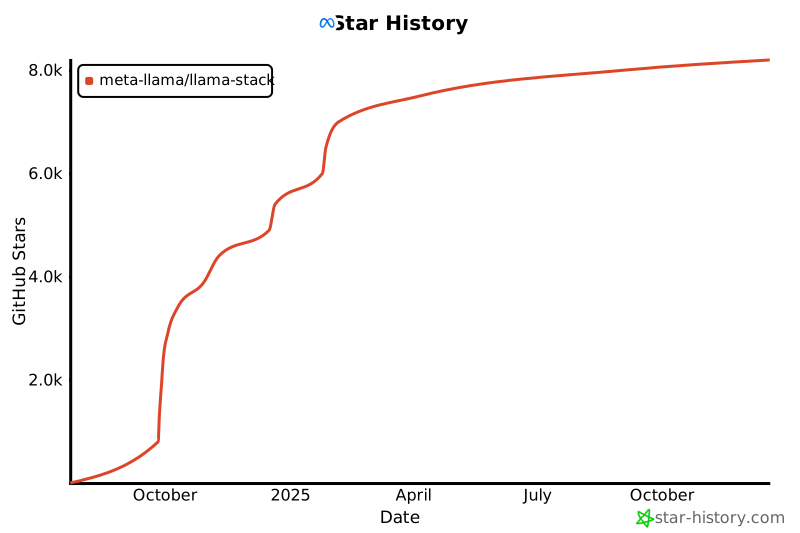](https://www.star-history.com/#meta-llama/llama-stack&Date)
|
|
||||||
|
|
||||||
## ✨ Contributors
|
|
||||||
|
|
||||||
Thanks to all of our amazing contributors!
|
|
||||||
|
|
||||||
<a href="https://github.com/meta-llama/llama-stack/graphs/contributors">
|
|
||||||
<img src="https://contrib.rocks/image?repo=meta-llama/llama-stack" />
|
|
||||||
</a>
|
|
||||||
|
|
|
||||||
|
|
@ -1,229 +0,0 @@
|
||||||
# Llama Stack Benchmark Suite on Kubernetes
|
|
||||||
|
|
||||||
## Motivation
|
|
||||||
|
|
||||||
Performance benchmarking is critical for understanding the overhead and characteristics of the Llama Stack abstraction layer compared to direct inference engines like vLLM.
|
|
||||||
|
|
||||||
### Why This Benchmark Suite Exists
|
|
||||||
|
|
||||||
**Performance Validation**: The Llama Stack provides a unified API layer across multiple inference providers, but this abstraction introduces potential overhead. This benchmark suite quantifies the performance impact by comparing:
|
|
||||||
- Llama Stack inference (with vLLM backend)
|
|
||||||
- Direct vLLM inference calls
|
|
||||||
- Both under identical Kubernetes deployment conditions
|
|
||||||
|
|
||||||
**Production Readiness Assessment**: Real-world deployments require understanding performance characteristics under load. This suite simulates concurrent user scenarios with configurable parameters (duration, concurrency, request patterns) to validate production readiness.
|
|
||||||
|
|
||||||
**Regression Detection (TODO)**: As the Llama Stack evolves, this benchmark provides automated regression detection for performance changes. CI/CD pipelines can leverage these benchmarks to catch performance degradations before production deployments.
|
|
||||||
|
|
||||||
**Resource Planning**: By measuring throughput, latency percentiles, and resource utilization patterns, teams can make informed decisions about:
|
|
||||||
- Kubernetes resource allocation (CPU, memory, GPU)
|
|
||||||
- Auto-scaling configurations
|
|
||||||
- Cost optimization strategies
|
|
||||||
|
|
||||||
### Key Metrics Captured
|
|
||||||
|
|
||||||
The benchmark suite measures critical performance indicators:
|
|
||||||
- **Throughput**: Requests per second under sustained load
|
|
||||||
- **Latency Distribution**: P50, P95, P99 response times
|
|
||||||
- **Time to First Token (TTFT)**: Critical for streaming applications
|
|
||||||
- **Inter-Token Latency (ITL)**: Token generation speed for streaming
|
|
||||||
- **Error Rates**: Request failures and timeout analysis
|
|
||||||
|
|
||||||
This data enables data-driven architectural decisions and performance optimization efforts.
|
|
||||||
|
|
||||||
## Setup
|
|
||||||
|
|
||||||
**1. Deploy base k8s infrastructure:**
|
|
||||||
```bash
|
|
||||||
cd ../../docs/source/distributions/k8s
|
|
||||||
./apply.sh
|
|
||||||
```
|
|
||||||
|
|
||||||
**2. Deploy benchmark components:**
|
|
||||||
```bash
|
|
||||||
./apply.sh
|
|
||||||
```
|
|
||||||
|
|
||||||
**3. Verify deployment:**
|
|
||||||
```bash
|
|
||||||
kubectl get pods
|
|
||||||
# Should see: llama-stack-benchmark-server, vllm-server, etc.
|
|
||||||
```
|
|
||||||
|
|
||||||
## Benchmark Results
|
|
||||||
|
|
||||||
We use [GuideLLM](https://github.com/neuralmagic/guidellm) against our k8s deployment for comprehensive performance testing.
|
|
||||||
|
|
||||||
|
|
||||||
### Performance - 1 vLLM Replica
|
|
||||||
|
|
||||||
We vary the number of Llama Stack replicas with 1 vLLM replica and compare performance below.
|
|
||||||
|
|
||||||

|
|
||||||
|
|
||||||
|
|
||||||
For full results see the `benchmarking/k8s-benchmark/results/` directory.
|
|
||||||
|
|
||||||
|
|
||||||
## Quick Start
|
|
||||||
|
|
||||||
Follow the instructions below to run benchmarks similar to the ones above.
|
|
||||||
|
|
||||||
### Comprehensive Benchmark Suite
|
|
||||||
|
|
||||||
**Run all benchmarks with different cluster configurations:**
|
|
||||||
```bash
|
|
||||||
./scripts/run-all-benchmarks.sh
|
|
||||||
```
|
|
||||||
|
|
||||||
This script will automatically:
|
|
||||||
- Scale deployments to different configurations
|
|
||||||
- Run benchmarks for each setup
|
|
||||||
- Generate output files with meaningful names that include setup information
|
|
||||||
|
|
||||||
### Individual Benchmarks
|
|
||||||
|
|
||||||
**Benchmark Llama Stack (runs against current cluster setup):**
|
|
||||||
```bash
|
|
||||||
./scripts/run-guidellm-benchmark.sh --target stack
|
|
||||||
```
|
|
||||||
|
|
||||||
**Benchmark vLLM direct (runs against current cluster setup):**
|
|
||||||
```bash
|
|
||||||
./scripts/run-guidellm-benchmark.sh --target vllm
|
|
||||||
```
|
|
||||||
|
|
||||||
**Benchmark with custom parameters:**
|
|
||||||
```bash
|
|
||||||
./scripts/run-guidellm-benchmark.sh --target stack --max-seconds 120 --prompt-tokens 1024 --output-tokens 512
|
|
||||||
```
|
|
||||||
|
|
||||||
**Benchmark with custom output file:**
|
|
||||||
```bash
|
|
||||||
./scripts/run-guidellm-benchmark.sh --target stack --output-file results/my-custom-benchmark.txt
|
|
||||||
```
|
|
||||||
|
|
||||||
### Generating Charts
|
|
||||||
|
|
||||||
Once the benchmarks are run, you can generate performance charts from benchmark results:
|
|
||||||
|
|
||||||
```bash
|
|
||||||
uv run ./scripts/generate_charts.py
|
|
||||||
```
|
|
||||||
|
|
||||||
This loads runs in the `results/` directory and creates visualizations comparing different configurations and replica counts.
|
|
||||||
|
|
||||||
## Benchmark Workflow
|
|
||||||
|
|
||||||
The benchmark suite is organized into two main scripts with distinct responsibilities:
|
|
||||||
|
|
||||||
### 1. `run-all-benchmarks.sh` - Orchestration & Scaling
|
|
||||||
- **Purpose**: Manages different cluster configurations and orchestrates benchmark runs
|
|
||||||
- **Responsibilities**:
|
|
||||||
- Scales Kubernetes deployments (vLLM replicas, Stack replicas, worker counts)
|
|
||||||
- Runs benchmarks for each configuration
|
|
||||||
- Generates meaningful output filenames with setup information
|
|
||||||
- **Use case**: Running comprehensive performance testing across multiple configurations
|
|
||||||
|
|
||||||
### 2. `run-guidellm-benchmark.sh` - Single Benchmark Execution
|
|
||||||
- **Purpose**: Executes a single benchmark against the current cluster state
|
|
||||||
- **Responsibilities**:
|
|
||||||
- Runs GuideLLM benchmark with configurable parameters
|
|
||||||
- Accepts custom output file paths
|
|
||||||
- No cluster scaling - benchmarks current deployment state
|
|
||||||
- **Use case**: Testing specific configurations or custom scenarios
|
|
||||||
|
|
||||||
### Typical Workflow
|
|
||||||
1. **Comprehensive Testing**: Use `run-all-benchmarks.sh` to automatically test multiple configurations
|
|
||||||
2. **Custom Testing**: Use `run-guidellm-benchmark.sh` for specific parameter testing or manual cluster configurations
|
|
||||||
3. **Analysis**: Use `generate_charts.py` to visualize results from either approach
|
|
||||||
|
|
||||||
## Command Reference
|
|
||||||
|
|
||||||
### run-all-benchmarks.sh
|
|
||||||
|
|
||||||
Orchestrates multiple benchmark runs with different cluster configurations. This script:
|
|
||||||
- Automatically scales deployments before each benchmark
|
|
||||||
- Runs benchmarks against the configured cluster setup
|
|
||||||
- Generates meaningfully named output files
|
|
||||||
|
|
||||||
```bash
|
|
||||||
./scripts/run-all-benchmarks.sh
|
|
||||||
```
|
|
||||||
|
|
||||||
**Configuration**: Edit the `configs` array in the script to customize benchmark configurations:
|
|
||||||
```bash
|
|
||||||
# Each line: (target, stack_replicas, vllm_replicas, stack_workers)
|
|
||||||
configs=(
|
|
||||||
"stack 1 1 1"
|
|
||||||
"stack 1 1 2"
|
|
||||||
"stack 1 1 4"
|
|
||||||
"vllm 1 1 -"
|
|
||||||
)
|
|
||||||
```
|
|
||||||
|
|
||||||
**Output files**: Generated with setup information in filename:
|
|
||||||
- Stack: `guidellm-benchmark-stack-s{replicas}-sw{workers}-v{vllm_replicas}-{timestamp}.txt`
|
|
||||||
- vLLM: `guidellm-benchmark-vllm-v{vllm_replicas}-{timestamp}.txt`
|
|
||||||
|
|
||||||
### run-guidellm-benchmark.sh Options
|
|
||||||
|
|
||||||
Runs a single benchmark against the current cluster setup (no scaling).
|
|
||||||
|
|
||||||
```bash
|
|
||||||
./scripts/run-guidellm-benchmark.sh [options]
|
|
||||||
|
|
||||||
Options:
|
|
||||||
-t, --target <stack|vllm> Target to benchmark (default: stack)
|
|
||||||
-s, --max-seconds <seconds> Maximum duration in seconds (default: 60)
|
|
||||||
-p, --prompt-tokens <tokens> Number of prompt tokens (default: 512)
|
|
||||||
-o, --output-tokens <tokens> Number of output tokens (default: 256)
|
|
||||||
-r, --rate-type <type> Rate type (default: concurrent)
|
|
||||||
-c, --rate Rate (default: 1,2,4,8,16,32,64,128)
|
|
||||||
--output-file <path> Output file path (default: auto-generated)
|
|
||||||
--stack-deployment <name> Name of the stack deployment (default: llama-stack-benchmark-server)
|
|
||||||
--vllm-deployment <name> Name of the vllm deployment (default: vllm-server)
|
|
||||||
--stack-url <url> URL of the stack service (default: http://llama-stack-benchmark-service:8323/v1/openai)
|
|
||||||
-h, --help Show help message
|
|
||||||
|
|
||||||
Examples:
|
|
||||||
./scripts/run-guidellm-benchmark.sh --target vllm # Benchmark vLLM direct
|
|
||||||
./scripts/run-guidellm-benchmark.sh --target stack # Benchmark Llama Stack (default)
|
|
||||||
./scripts/run-guidellm-benchmark.sh -t vllm -s 60 -p 512 -o 256 # vLLM with custom parameters
|
|
||||||
./scripts/run-guidellm-benchmark.sh --output-file results/my-benchmark.txt # Specify custom output file
|
|
||||||
./scripts/run-guidellm-benchmark.sh --stack-deployment my-stack-server # Use custom stack deployment name
|
|
||||||
```
|
|
||||||
|
|
||||||
## Local Testing
|
|
||||||
|
|
||||||
### Running Benchmark Locally
|
|
||||||
|
|
||||||
For local development without Kubernetes:
|
|
||||||
|
|
||||||
**1. (Optional) Start Mock OpenAI server:**
|
|
||||||
|
|
||||||
There is a simple mock OpenAI server if you don't have an inference provider available.
|
|
||||||
The `openai-mock-server.py` provides:
|
|
||||||
- **OpenAI-compatible API** for testing without real models
|
|
||||||
- **Configurable streaming delay** via `STREAM_DELAY_SECONDS` env var
|
|
||||||
- **Consistent responses** for reproducible benchmarks
|
|
||||||
- **Lightweight testing** without GPU requirements
|
|
||||||
|
|
||||||
```bash
|
|
||||||
uv run python openai-mock-server.py --port 8080
|
|
||||||
```
|
|
||||||
|
|
||||||
**2. Start Stack server:**
|
|
||||||
```bash
|
|
||||||
LLAMA_STACK_CONFIG=benchmarking/k8s-benchmark/stack_run_config.yaml uv run uvicorn llama_stack.core.server.server:create_app --port 8321 --workers 4 --factory
|
|
||||||
```
|
|
||||||
|
|
||||||
**3. Run GuideLLM benchmark:**
|
|
||||||
```bash
|
|
||||||
GUIDELLM__PREFERRED_ROUTE="chat_completions" uv run guidellm benchmark run \
|
|
||||||
--target "http://localhost:8321/v1/openai/v1" \
|
|
||||||
--model "meta-llama/Llama-3.2-3B-Instruct" \
|
|
||||||
--rate-type sweep \
|
|
||||||
--max-seconds 60 \
|
|
||||||
--data "prompt_tokens=256,output_tokens=128" --output-path='output.html'
|
|
||||||
```
|
|
||||||
|
|
@ -1,33 +0,0 @@
|
||||||
#!/usr/bin/env bash
|
|
||||||
|
|
||||||
# Copyright (c) Meta Platforms, Inc. and affiliates.
|
|
||||||
# All rights reserved.
|
|
||||||
#
|
|
||||||
# This source code is licensed under the terms described in the LICENSE file in
|
|
||||||
# the root directory of this source tree.
|
|
||||||
|
|
||||||
# Deploys the benchmark-specific components on top of the base k8s deployment (../k8s/apply.sh).
|
|
||||||
|
|
||||||
export STREAM_DELAY_SECONDS=0.005
|
|
||||||
|
|
||||||
export POSTGRES_USER=llamastack
|
|
||||||
export POSTGRES_DB=llamastack
|
|
||||||
export POSTGRES_PASSWORD=llamastack
|
|
||||||
|
|
||||||
export INFERENCE_MODEL=meta-llama/Llama-3.2-3B-Instruct
|
|
||||||
export SAFETY_MODEL=meta-llama/Llama-Guard-3-1B
|
|
||||||
|
|
||||||
export BENCHMARK_INFERENCE_MODEL=$INFERENCE_MODEL
|
|
||||||
export LLAMA_STACK_WORKERS=4
|
|
||||||
|
|
||||||
set -euo pipefail
|
|
||||||
set -x
|
|
||||||
|
|
||||||
# Deploy benchmark-specific components
|
|
||||||
kubectl create configmap llama-stack-config --from-file=stack_run_config.yaml \
|
|
||||||
--dry-run=client -o yaml > stack-configmap.yaml
|
|
||||||
|
|
||||||
kubectl apply --validate=false -f stack-configmap.yaml
|
|
||||||
|
|
||||||
# Deploy our custom llama stack server (overriding the base one)
|
|
||||||
envsubst < stack-k8s.yaml.template | kubectl apply --validate=false -f -
|
|
||||||
|
|
@ -1,202 +0,0 @@
|
||||||
#!/usr/bin/env python3
|
|
||||||
# Copyright (c) Meta Platforms, Inc. and affiliates.
|
|
||||||
# All rights reserved.
|
|
||||||
#
|
|
||||||
# This source code is licensed under the terms described in the LICENSE file in
|
|
||||||
# the root directory of this source tree.
|
|
||||||
|
|
||||||
"""
|
|
||||||
OpenAI-compatible mock server that returns:
|
|
||||||
- Hardcoded /models response for consistent validation
|
|
||||||
- Valid OpenAI-formatted chat completion responses with dynamic content
|
|
||||||
"""
|
|
||||||
|
|
||||||
import argparse
|
|
||||||
import json
|
|
||||||
import os
|
|
||||||
import random
|
|
||||||
import time
|
|
||||||
import uuid
|
|
||||||
|
|
||||||
from flask import Flask, Response, jsonify, request
|
|
||||||
|
|
||||||
app = Flask(__name__)
|
|
||||||
|
|
||||||
|
|
||||||
# Models from environment variables
|
|
||||||
def get_models():
|
|
||||||
models_str = os.getenv("MOCK_MODELS", "meta-llama/Llama-3.2-3B-Instruct")
|
|
||||||
model_ids = [m.strip() for m in models_str.split(",") if m.strip()]
|
|
||||||
|
|
||||||
return {
|
|
||||||
"object": "list",
|
|
||||||
"data": [
|
|
||||||
{"id": model_id, "object": "model", "created": 1234567890, "owned_by": "vllm"} for model_id in model_ids
|
|
||||||
],
|
|
||||||
}
|
|
||||||
|
|
||||||
|
|
||||||
def generate_random_text(length=50):
|
|
||||||
"""Generate random but coherent text for responses."""
|
|
||||||
words = [
|
|
||||||
"Hello",
|
|
||||||
"there",
|
|
||||||
"I'm",
|
|
||||||
"an",
|
|
||||||
"AI",
|
|
||||||
"assistant",
|
|
||||||
"ready",
|
|
||||||
"to",
|
|
||||||
"help",
|
|
||||||
"you",
|
|
||||||
"with",
|
|
||||||
"your",
|
|
||||||
"questions",
|
|
||||||
"and",
|
|
||||||
"tasks",
|
|
||||||
"today",
|
|
||||||
"Let",
|
|
||||||
"me",
|
|
||||||
"know",
|
|
||||||
"what",
|
|
||||||
"you'd",
|
|
||||||
"like",
|
|
||||||
"to",
|
|
||||||
"discuss",
|
|
||||||
"or",
|
|
||||||
"explore",
|
|
||||||
"together",
|
|
||||||
"I",
|
|
||||||
"can",
|
|
||||||
"assist",
|
|
||||||
"with",
|
|
||||||
"various",
|
|
||||||
"topics",
|
|
||||||
"including",
|
|
||||||
"coding",
|
|
||||||
"writing",
|
|
||||||
"analysis",
|
|
||||||
"and",
|
|
||||||
"more",
|
|
||||||
]
|
|
||||||
return " ".join(random.choices(words, k=length))
|
|
||||||
|
|
||||||
|
|
||||||
@app.route("/v1/models", methods=["GET"])
|
|
||||||
def list_models():
|
|
||||||
models = get_models()
|
|
||||||
print(f"[MOCK] Returning models: {[m['id'] for m in models['data']]}")
|
|
||||||
return jsonify(models)
|
|
||||||
|
|
||||||
|
|
||||||
@app.route("/v1/chat/completions", methods=["POST"])
|
|
||||||
def chat_completions():
|
|
||||||
"""Return OpenAI-formatted chat completion responses."""
|
|
||||||
data = request.get_json()
|
|
||||||
default_model = get_models()["data"][0]["id"]
|
|
||||||
model = data.get("model", default_model)
|
|
||||||
messages = data.get("messages", [])
|
|
||||||
stream = data.get("stream", False)
|
|
||||||
|
|
||||||
print(f"[MOCK] Chat completion request - model: {model}, stream: {stream}")
|
|
||||||
|
|
||||||
if stream:
|
|
||||||
return handle_streaming_completion(model, messages)
|
|
||||||
else:
|
|
||||||
return handle_non_streaming_completion(model, messages)
|
|
||||||
|
|
||||||
|
|
||||||
def handle_non_streaming_completion(model, messages):
|
|
||||||
response_text = generate_random_text(random.randint(20, 80))
|
|
||||||
|
|
||||||
# Calculate realistic token counts
|
|
||||||
prompt_tokens = sum(len(str(msg.get("content", "")).split()) for msg in messages)
|
|
||||||
completion_tokens = len(response_text.split())
|
|
||||||
|
|
||||||
response = {
|
|
||||||
"id": f"chatcmpl-{uuid.uuid4().hex[:8]}",
|
|
||||||
"object": "chat.completion",
|
|
||||||
"created": int(time.time()),
|
|
||||||
"model": model,
|
|
||||||
"choices": [{"index": 0, "message": {"role": "assistant", "content": response_text}, "finish_reason": "stop"}],
|
|
||||||
"usage": {
|
|
||||||
"prompt_tokens": prompt_tokens,
|
|
||||||
"completion_tokens": completion_tokens,
|
|
||||||
"total_tokens": prompt_tokens + completion_tokens,
|
|
||||||
},
|
|
||||||
}
|
|
||||||
|
|
||||||
return jsonify(response)
|
|
||||||
|
|
||||||
|
|
||||||
def handle_streaming_completion(model, messages):
|
|
||||||
def generate_stream():
|
|
||||||
# Generate response text
|
|
||||||
full_response = generate_random_text(random.randint(30, 100))
|
|
||||||
words = full_response.split()
|
|
||||||
|
|
||||||
# Send initial chunk
|
|
||||||
initial_chunk = {
|
|
||||||
"id": f"chatcmpl-{uuid.uuid4().hex[:8]}",
|
|
||||||
"object": "chat.completion.chunk",
|
|
||||||
"created": int(time.time()),
|
|
||||||
"model": model,
|
|
||||||
"choices": [{"index": 0, "delta": {"role": "assistant", "content": ""}}],
|
|
||||||
}
|
|
||||||
yield f"data: {json.dumps(initial_chunk)}\n\n"
|
|
||||||
|
|
||||||
# Send word by word
|
|
||||||
for i, word in enumerate(words):
|
|
||||||
chunk = {
|
|
||||||
"id": f"chatcmpl-{uuid.uuid4().hex[:8]}",
|
|
||||||
"object": "chat.completion.chunk",
|
|
||||||
"created": int(time.time()),
|
|
||||||
"model": model,
|
|
||||||
"choices": [{"index": 0, "delta": {"content": f"{word} " if i < len(words) - 1 else word}}],
|
|
||||||
}
|
|
||||||
yield f"data: {json.dumps(chunk)}\n\n"
|
|
||||||
# Configurable delay to simulate realistic streaming
|
|
||||||
stream_delay = float(os.getenv("STREAM_DELAY_SECONDS", "0.005"))
|
|
||||||
time.sleep(stream_delay)
|
|
||||||
|
|
||||||
# Send final chunk
|
|
||||||
final_chunk = {
|
|
||||||
"id": f"chatcmpl-{uuid.uuid4().hex[:8]}",
|
|
||||||
"object": "chat.completion.chunk",
|
|
||||||
"created": int(time.time()),
|
|
||||||
"model": model,
|
|
||||||
"choices": [{"index": 0, "delta": {"content": ""}, "finish_reason": "stop"}],
|
|
||||||
}
|
|
||||||
yield f"data: {json.dumps(final_chunk)}\n\n"
|
|
||||||
yield "data: [DONE]\n\n"
|
|
||||||
|
|
||||||
return Response(
|
|
||||||
generate_stream(),
|
|
||||||
mimetype="text/event-stream",
|
|
||||||
headers={
|
|
||||||
"Cache-Control": "no-cache",
|
|
||||||
"Connection": "keep-alive",
|
|
||||||
"Access-Control-Allow-Origin": "*",
|
|
||||||
},
|
|
||||||
)
|
|
||||||
|
|
||||||
|
|
||||||
@app.route("/health", methods=["GET"])
|
|
||||||
def health():
|
|
||||||
return jsonify({"status": "healthy", "type": "openai-mock"})
|
|
||||||
|
|
||||||
|
|
||||||
if __name__ == "__main__":
|
|
||||||
parser = argparse.ArgumentParser(description="OpenAI-compatible mock server")
|
|
||||||
parser.add_argument("--port", type=int, default=8081, help="Port to run the server on (default: 8081)")
|
|
||||||
args = parser.parse_args()
|
|
||||||
|
|
||||||
port = args.port
|
|
||||||
|
|
||||||
models = get_models()
|
|
||||||
print("Starting OpenAI-compatible mock server...")
|
|
||||||
print(f"- /models endpoint with: {[m['id'] for m in models['data']]}")
|
|
||||||
print("- OpenAI-formatted chat/completion responses with dynamic content")
|
|
||||||
print("- Streaming support with valid SSE format")
|
|
||||||
print(f"- Listening on: http://0.0.0.0:{port}")
|
|
||||||
app.run(host="0.0.0.0", port=port, debug=False)
|
|
||||||
|
|
@ -1,171 +0,0 @@
|
||||||
Collecting uv
|
|
||||||
Downloading uv-0.8.19-py3-none-manylinux_2_17_x86_64.manylinux2014_x86_64.whl.metadata (11 kB)
|
|
||||||
Downloading uv-0.8.19-py3-none-manylinux_2_17_x86_64.manylinux2014_x86_64.whl (20.9 MB)
|
|
||||||
━━━━━━━━━━━━━━━━━━━━━━━━━━━━━━━━━━━━━━━━ 20.9/20.9 MB 144.3 MB/s eta 0:00:00
|
|
||||||
Installing collected packages: uv
|
|
||||||
Successfully installed uv-0.8.19
|
|
||||||
WARNING: Running pip as the 'root' user can result in broken permissions and conflicting behaviour with the system package manager. It is recommended to use a virtual environment instead: https://pip.pypa.io/warnings/venv
|
|
||||||
|
|
||||||
[notice] A new release of pip is available: 24.0 -> 25.2
|
|
||||||
[notice] To update, run: pip install --upgrade pip
|
|
||||||
Using Python 3.11.13 environment at: /usr/local
|
|
||||||
Resolved 61 packages in 551ms
|
|
||||||
Downloading pillow (6.3MiB)
|
|
||||||
Downloading hf-xet (3.0MiB)
|
|
||||||
Downloading tokenizers (3.1MiB)
|
|
||||||
Downloading pygments (1.2MiB)
|
|
||||||
Downloading pandas (11.8MiB)
|
|
||||||
Downloading aiohttp (1.7MiB)
|
|
||||||
Downloading pydantic-core (1.9MiB)
|
|
||||||
Downloading numpy (16.2MiB)
|
|
||||||
Downloading transformers (11.1MiB)
|
|
||||||
Downloading pyarrow (40.8MiB)
|
|
||||||
Downloading pydantic-core
|
|
||||||
Downloading aiohttp
|
|
||||||
Downloading tokenizers
|
|
||||||
Downloading hf-xet
|
|
||||||
Downloading pygments
|
|
||||||
Downloading pillow
|
|
||||||
Downloading numpy
|
|
||||||
Downloading pandas
|
|
||||||
Downloading transformers
|
|
||||||
Downloading pyarrow
|
|
||||||
Prepared 61 packages in 1.23s
|
|
||||||
Installed 61 packages in 114ms
|
|
||||||
+ aiohappyeyeballs==2.6.1
|
|
||||||
+ aiohttp==3.12.15
|
|
||||||
+ aiosignal==1.4.0
|
|
||||||
+ annotated-types==0.7.0
|
|
||||||
+ anyio==4.10.0
|
|
||||||
+ attrs==25.3.0
|
|
||||||
+ certifi==2025.8.3
|
|
||||||
+ charset-normalizer==3.4.3
|
|
||||||
+ click==8.1.8
|
|
||||||
+ datasets==4.1.1
|
|
||||||
+ dill==0.4.0
|
|
||||||
+ filelock==3.19.1
|
|
||||||
+ frozenlist==1.7.0
|
|
||||||
+ fsspec==2025.9.0
|
|
||||||
+ ftfy==6.3.1
|
|
||||||
+ guidellm==0.3.0
|
|
||||||
+ h11==0.16.0
|
|
||||||
+ h2==4.3.0
|
|
||||||
+ hf-xet==1.1.10
|
|
||||||
+ hpack==4.1.0
|
|
||||||
+ httpcore==1.0.9
|
|
||||||
+ httpx==0.28.1
|
|
||||||
+ huggingface-hub==0.35.0
|
|
||||||
+ hyperframe==6.1.0
|
|
||||||
+ idna==3.10
|
|
||||||
+ loguru==0.7.3
|
|
||||||
+ markdown-it-py==4.0.0
|
|
||||||
+ mdurl==0.1.2
|
|
||||||
+ multidict==6.6.4
|
|
||||||
+ multiprocess==0.70.16
|
|
||||||
+ numpy==2.3.3
|
|
||||||
+ packaging==25.0
|
|
||||||
+ pandas==2.3.2
|
|
||||||
+ pillow==11.3.0
|
|
||||||
+ propcache==0.3.2
|
|
||||||
+ protobuf==6.32.1
|
|
||||||
+ pyarrow==21.0.0
|
|
||||||
+ pydantic==2.11.9
|
|
||||||
+ pydantic-core==2.33.2
|
|
||||||
+ pydantic-settings==2.10.1
|
|
||||||
+ pygments==2.19.2
|
|
||||||
+ python-dateutil==2.9.0.post0
|
|
||||||
+ python-dotenv==1.1.1
|
|
||||||
+ pytz==2025.2
|
|
||||||
+ pyyaml==6.0.2
|
|
||||||
+ regex==2025.9.18
|
|
||||||
+ requests==2.32.5
|
|
||||||
+ rich==14.1.0
|
|
||||||
+ safetensors==0.6.2
|
|
||||||
+ six==1.17.0
|
|
||||||
+ sniffio==1.3.1
|
|
||||||
+ tokenizers==0.22.1
|
|
||||||
+ tqdm==4.67.1
|
|
||||||
+ transformers==4.56.2
|
|
||||||
+ typing-extensions==4.15.0
|
|
||||||
+ typing-inspection==0.4.1
|
|
||||||
+ tzdata==2025.2
|
|
||||||
+ urllib3==2.5.0
|
|
||||||
+ wcwidth==0.2.14
|
|
||||||
+ xxhash==3.5.0
|
|
||||||
+ yarl==1.20.1
|
|
||||||
Using Python 3.11.13 environment at: /usr/local
|
|
||||||
Audited 1 package in 3ms
|
|
||||||
Note: Environment variable`HF_TOKEN` is set and is the current active token independently from the token you've just configured.
|
|
||||||
Creating backend...
|
|
||||||
Backend openai_http connected to http://llama-stack-benchmark-service:8323/v1/openai for model meta-llama/Llama-3.2-3B-Instruct.
|
|
||||||
Creating request loader...
|
|
||||||
Created loader with 1000 unique requests from prompt_tokens=512,output_tokens=256.
|
|
||||||
|
|
||||||
|
|
||||||
╭─ Benchmarks ─────────────────────────────────────────────────────────────────────────────────────────────────────────────────────────────────────────────────────────────────────────────────────────╮
|
|
||||||
│ [17:34:30] ⠋ 100% concurrent@1 (complete) Req: 0.3 req/s, 3.32s Lat, 1.0 Conc, 18 Comp, 1 Inc, 0 Err │
|
|
||||||
│ Tok: 74.0 gen/s, 238.6 tot/s, 40.2ms TTFT, 13.4ms ITL, 546 Prompt, 246 Gen │
|
|
||||||
│ [17:35:35] ⠋ 100% concurrent@2 (complete) Req: 0.6 req/s, 3.46s Lat, 2.0 Conc, 34 Comp, 2 Inc, 0 Err │
|
|
||||||
│ Tok: 139.6 gen/s, 454.0 tot/s, 48.0ms TTFT, 14.1ms ITL, 546 Prompt, 243 Gen │
|
|
||||||
│ [17:36:40] ⠋ 100% concurrent@4 (complete) Req: 1.1 req/s, 3.44s Lat, 3.9 Conc, 68 Comp, 4 Inc, 0 Err │
|
|
||||||
│ Tok: 273.2 gen/s, 900.4 tot/s, 50.7ms TTFT, 14.3ms ITL, 546 Prompt, 238 Gen │
|
|
||||||
│ [17:37:45] ⠋ 100% concurrent@8 (complete) Req: 2.2 req/s, 3.55s Lat, 7.7 Conc, 129 Comp, 8 Inc, 0 Err │
|
|
||||||
│ Tok: 519.1 gen/s, 1699.8 tot/s, 66.0ms TTFT, 14.6ms ITL, 547 Prompt, 240 Gen │
|
|
||||||
│ [17:38:50] ⠋ 100% concurrent@16 (complete) Req: 4.1 req/s, 3.76s Lat, 15.5 Conc, 247 Comp, 16 Inc, 0 Err │
|
|
||||||
│ Tok: 1005.5 gen/s, 3256.7 tot/s, 101.0ms TTFT, 15.0ms ITL, 547 Prompt, 244 Gen │
|
|
||||||
│ [17:39:56] ⠋ 100% concurrent@32 (complete) Req: 8.1 req/s, 3.84s Lat, 30.9 Conc, 483 Comp, 32 Inc, 0 Err │
|
|
||||||
│ Tok: 1926.3 gen/s, 6327.2 tot/s, 295.7ms TTFT, 14.8ms ITL, 547 Prompt, 239 Gen │
|
|
||||||
│ [17:41:03] ⠋ 100% concurrent@64 (complete) Req: 9.9 req/s, 6.05s Lat, 59.7 Conc, 576 Comp, 58 Inc, 0 Err │
|
|
||||||
│ Tok: 2381.0 gen/s, 7774.5 tot/s, 1196.2ms TTFT, 20.2ms ITL, 547 Prompt, 241 Gen │
|
|
||||||
│ [17:42:10] ⠋ 100% concurrent@128 (complete) Req: 9.2 req/s, 11.59s Lat, 107.2 Conc, 514 Comp, 117 Inc, 0 Err │
|
|
||||||
│ Tok: 2233.4 gen/s, 7286.3 tot/s, 2403.9ms TTFT, 38.2ms ITL, 547 Prompt, 242 Gen │
|
|
||||||
╰──────────────────────────────────────────────────────────────────────────────────────────────────────────────────────────────────────────────────────────────────────────────────────────────────────╯
|
|
||||||
Generating... ━━━━━━━━━━━━━━━━━━━━━━━━━━━━━━━━━━━━━━━━━━━━━━━━━━━━━━━━━━━━━━━━━━━━━━━━━━━━━━━━━━━━━━━━━━━━━━━━━━━━━━━━━━━━━━━━━━━━━━━━━━━━━━━━━━━━━━━━━━━━━━━━━━━━━━━━━━━━━━ (8/8) [ 0:08:41 < 0:00:00 ]
|
|
||||||
|
|
||||||
Benchmarks Metadata:
|
|
||||||
Run id:511a14fd-ba11-4ffa-92ef-7cc23db4dd38
|
|
||||||
Duration:528.5 seconds
|
|
||||||
Profile:type=concurrent, strategies=['concurrent', 'concurrent', 'concurrent', 'concurrent', 'concurrent', 'concurrent', 'concurrent', 'concurrent'], streams=[1, 2, 4, 8, 16, 32, 64, 128]
|
|
||||||
Args:max_number=None, max_duration=60.0, warmup_number=None, warmup_duration=3.0, cooldown_number=None, cooldown_duration=None
|
|
||||||
Worker:type_='generative_requests_worker' backend_type='openai_http' backend_target='http://llama-stack-benchmark-service:8323/v1/openai' backend_model='meta-llama/Llama-3.2-3B-Instruct'
|
|
||||||
backend_info={'max_output_tokens': 16384, 'timeout': 300, 'http2': True, 'follow_redirects': True, 'headers': {}, 'text_completions_path': '/v1/completions', 'chat_completions_path':
|
|
||||||
'/v1/chat/completions'}
|
|
||||||
Request Loader:type_='generative_request_loader' data='prompt_tokens=512,output_tokens=256' data_args=None processor='meta-llama/Llama-3.2-3B-Instruct' processor_args=None
|
|
||||||
Extras:None
|
|
||||||
|
|
||||||
|
|
||||||
Benchmarks Info:
|
|
||||||
===================================================================================================================================================
|
|
||||||
Metadata |||| Requests Made ||| Prompt Tok/Req ||| Output Tok/Req ||| Prompt Tok Total||| Output Tok Total||
|
|
||||||
Benchmark| Start Time| End Time| Duration (s)| Comp| Inc| Err| Comp| Inc| Err| Comp| Inc| Err| Comp| Inc| Err| Comp| Inc| Err
|
|
||||||
--------------|-----------|---------|-------------|------|-----|-----|------|------|----|------|------|----|-------|------|----|-------|------|----
|
|
||||||
concurrent@1| 17:34:35| 17:35:35| 60.0| 18| 1| 0| 546.4| 512.0| 0.0| 246.0| 14.0| 0.0| 9835| 512| 0| 4428| 14| 0
|
|
||||||
concurrent@2| 17:35:40| 17:36:40| 60.0| 34| 2| 0| 546.4| 512.0| 0.0| 242.7| 80.0| 0.0| 18577| 1024| 0| 8253| 160| 0
|
|
||||||
concurrent@4| 17:36:45| 17:37:45| 60.0| 68| 4| 0| 546.4| 512.0| 0.0| 238.1| 103.2| 0.0| 37156| 2048| 0| 16188| 413| 0
|
|
||||||
concurrent@8| 17:37:50| 17:38:50| 60.0| 129| 8| 0| 546.7| 512.0| 0.0| 240.3| 180.0| 0.0| 70518| 4096| 0| 31001| 1440| 0
|
|
||||||
concurrent@16| 17:38:55| 17:39:55| 60.0| 247| 16| 0| 546.6| 512.0| 0.0| 244.1| 142.6| 0.0| 135002| 8192| 0| 60300| 2281| 0
|
|
||||||
concurrent@32| 17:40:01| 17:41:01| 60.0| 483| 32| 0| 546.5| 512.0| 0.0| 239.2| 123.2| 0.0| 263972| 16384| 0| 115540| 3944| 0
|
|
||||||
concurrent@64| 17:41:08| 17:42:08| 60.0| 576| 58| 0| 546.6| 512.0| 0.0| 241.3| 13.9| 0.0| 314817| 29696| 0| 138976| 807| 0
|
|
||||||
concurrent@128| 17:42:15| 17:43:15| 60.0| 514| 117| 0| 546.5| 512.0| 0.0| 241.6| 143.9| 0.0| 280911| 59904| 0| 124160| 16832| 0
|
|
||||||
===================================================================================================================================================
|
|
||||||
|
|
||||||
|
|
||||||
Benchmarks Stats:
|
|
||||||
=======================================================================================================================================================
|
|
||||||
Metadata | Request Stats || Out Tok/sec| Tot Tok/sec| Req Latency (sec) ||| TTFT (ms) ||| ITL (ms) ||| TPOT (ms) ||
|
|
||||||
Benchmark| Per Second| Concurrency| mean| mean| mean| median| p99| mean| median| p99| mean| median| p99| mean| median| p99
|
|
||||||
--------------|-----------|------------|------------|------------|------|-------|------|-------|-------|-------|-----|-------|-----|-----|-------|-----
|
|
||||||
concurrent@1| 0.30| 1.00| 74.0| 238.6| 3.32| 3.43| 3.61| 40.2| 39.3| 51.2| 13.4| 13.3| 14.0| 13.3| 13.2| 13.9
|
|
||||||
concurrent@2| 0.58| 1.99| 139.6| 454.0| 3.46| 3.64| 3.74| 48.0| 45.8| 72.0| 14.1| 14.1| 14.5| 14.0| 14.0| 14.4
|
|
||||||
concurrent@4| 1.15| 3.95| 273.2| 900.4| 3.44| 3.69| 3.74| 50.7| 47.2| 118.6| 14.3| 14.3| 14.4| 14.2| 14.2| 14.4
|
|
||||||
concurrent@8| 2.16| 7.67| 519.1| 1699.8| 3.55| 3.76| 3.87| 66.0| 48.8| 208.2| 14.6| 14.5| 14.8| 14.5| 14.5| 14.8
|
|
||||||
concurrent@16| 4.12| 15.48| 1005.5| 3256.7| 3.76| 3.90| 4.18| 101.0| 65.6| 396.7| 15.0| 15.0| 15.9| 15.0| 15.0| 15.9
|
|
||||||
concurrent@32| 8.05| 30.89| 1926.3| 6327.2| 3.84| 4.04| 4.39| 295.7| 265.6| 720.4| 14.8| 14.9| 15.5| 14.8| 14.8| 15.3
|
|
||||||
concurrent@64| 9.87| 59.74| 2381.0| 7774.5| 6.05| 6.18| 9.94| 1196.2| 1122.5| 4295.3| 20.2| 20.0| 25.8| 20.1| 19.9| 25.8
|
|
||||||
concurrent@128| 9.25| 107.16| 2233.4| 7286.3| 11.59| 12.04| 14.46| 2403.9| 2322.3| 4001.5| 38.2| 38.5| 53.0| 38.0| 38.3| 52.7
|
|
||||||
=======================================================================================================================================================
|
|
||||||
|
|
||||||
Saving benchmarks report...
|
|
||||||
Benchmarks report saved to /benchmarks.json
|
|
||||||
|
|
||||||
Benchmarking complete.
|
|
||||||
|
|
@ -1,171 +0,0 @@
|
||||||
Collecting uv
|
|
||||||
Downloading uv-0.8.19-py3-none-manylinux_2_17_x86_64.manylinux2014_x86_64.whl.metadata (11 kB)
|
|
||||||
Downloading uv-0.8.19-py3-none-manylinux_2_17_x86_64.manylinux2014_x86_64.whl (20.9 MB)
|
|
||||||
━━━━━━━━━━━━━━━━━━━━━━━━━━━━━━━━━━━━━━━━ 20.9/20.9 MB 149.3 MB/s eta 0:00:00
|
|
||||||
Installing collected packages: uv
|
|
||||||
Successfully installed uv-0.8.19
|
|
||||||
WARNING: Running pip as the 'root' user can result in broken permissions and conflicting behaviour with the system package manager. It is recommended to use a virtual environment instead: https://pip.pypa.io/warnings/venv
|
|
||||||
|
|
||||||
[notice] A new release of pip is available: 24.0 -> 25.2
|
|
||||||
[notice] To update, run: pip install --upgrade pip
|
|
||||||
Using Python 3.11.13 environment at: /usr/local
|
|
||||||
Resolved 61 packages in 494ms
|
|
||||||
Downloading pandas (11.8MiB)
|
|
||||||
Downloading tokenizers (3.1MiB)
|
|
||||||
Downloading pygments (1.2MiB)
|
|
||||||
Downloading aiohttp (1.7MiB)
|
|
||||||
Downloading transformers (11.1MiB)
|
|
||||||
Downloading numpy (16.2MiB)
|
|
||||||
Downloading pillow (6.3MiB)
|
|
||||||
Downloading pydantic-core (1.9MiB)
|
|
||||||
Downloading hf-xet (3.0MiB)
|
|
||||||
Downloading pyarrow (40.8MiB)
|
|
||||||
Downloading pydantic-core
|
|
||||||
Downloading aiohttp
|
|
||||||
Downloading tokenizers
|
|
||||||
Downloading hf-xet
|
|
||||||
Downloading pillow
|
|
||||||
Downloading pygments
|
|
||||||
Downloading numpy
|
|
||||||
Downloading pandas
|
|
||||||
Downloading pyarrow
|
|
||||||
Downloading transformers
|
|
||||||
Prepared 61 packages in 1.24s
|
|
||||||
Installed 61 packages in 126ms
|
|
||||||
+ aiohappyeyeballs==2.6.1
|
|
||||||
+ aiohttp==3.12.15
|
|
||||||
+ aiosignal==1.4.0
|
|
||||||
+ annotated-types==0.7.0
|
|
||||||
+ anyio==4.10.0
|
|
||||||
+ attrs==25.3.0
|
|
||||||
+ certifi==2025.8.3
|
|
||||||
+ charset-normalizer==3.4.3
|
|
||||||
+ click==8.1.8
|
|
||||||
+ datasets==4.1.1
|
|
||||||
+ dill==0.4.0
|
|
||||||
+ filelock==3.19.1
|
|
||||||
+ frozenlist==1.7.0
|
|
||||||
+ fsspec==2025.9.0
|
|
||||||
+ ftfy==6.3.1
|
|
||||||
+ guidellm==0.3.0
|
|
||||||
+ h11==0.16.0
|
|
||||||
+ h2==4.3.0
|
|
||||||
+ hf-xet==1.1.10
|
|
||||||
+ hpack==4.1.0
|
|
||||||
+ httpcore==1.0.9
|
|
||||||
+ httpx==0.28.1
|
|
||||||
+ huggingface-hub==0.35.0
|
|
||||||
+ hyperframe==6.1.0
|
|
||||||
+ idna==3.10
|
|
||||||
+ loguru==0.7.3
|
|
||||||
+ markdown-it-py==4.0.0
|
|
||||||
+ mdurl==0.1.2
|
|
||||||
+ multidict==6.6.4
|
|
||||||
+ multiprocess==0.70.16
|
|
||||||
+ numpy==2.3.3
|
|
||||||
+ packaging==25.0
|
|
||||||
+ pandas==2.3.2
|
|
||||||
+ pillow==11.3.0
|
|
||||||
+ propcache==0.3.2
|
|
||||||
+ protobuf==6.32.1
|
|
||||||
+ pyarrow==21.0.0
|
|
||||||
+ pydantic==2.11.9
|
|
||||||
+ pydantic-core==2.33.2
|
|
||||||
+ pydantic-settings==2.10.1
|
|
||||||
+ pygments==2.19.2
|
|
||||||
+ python-dateutil==2.9.0.post0
|
|
||||||
+ python-dotenv==1.1.1
|
|
||||||
+ pytz==2025.2
|
|
||||||
+ pyyaml==6.0.2
|
|
||||||
+ regex==2025.9.18
|
|
||||||
+ requests==2.32.5
|
|
||||||
+ rich==14.1.0
|
|
||||||
+ safetensors==0.6.2
|
|
||||||
+ six==1.17.0
|
|
||||||
+ sniffio==1.3.1
|
|
||||||
+ tokenizers==0.22.1
|
|
||||||
+ tqdm==4.67.1
|
|
||||||
+ transformers==4.56.2
|
|
||||||
+ typing-extensions==4.15.0
|
|
||||||
+ typing-inspection==0.4.1
|
|
||||||
+ tzdata==2025.2
|
|
||||||
+ urllib3==2.5.0
|
|
||||||
+ wcwidth==0.2.14
|
|
||||||
+ xxhash==3.5.0
|
|
||||||
+ yarl==1.20.1
|
|
||||||
Using Python 3.11.13 environment at: /usr/local
|
|
||||||
Audited 1 package in 3ms
|
|
||||||
Note: Environment variable`HF_TOKEN` is set and is the current active token independently from the token you've just configured.
|
|
||||||
Creating backend...
|
|
||||||
Backend openai_http connected to http://llama-stack-benchmark-service:8323/v1/openai for model meta-llama/Llama-3.2-3B-Instruct.
|
|
||||||
Creating request loader...
|
|
||||||
Created loader with 1000 unique requests from prompt_tokens=512,output_tokens=256.
|
|
||||||
|
|
||||||
|
|
||||||
╭─ Benchmarks ─────────────────────────────────────────────────────────────────────────────────────────────────────────────────────────────────────────────────────────────────────────────────────────╮
|
|
||||||
│ [17:45:18] ⠋ 100% concurrent@1 (complete) Req: 0.3 req/s, 3.42s Lat, 1.0 Conc, 17 Comp, 1 Inc, 0 Err │
|
|
||||||
│ Tok: 73.9 gen/s, 233.7 tot/s, 50.2ms TTFT, 13.4ms ITL, 547 Prompt, 253 Gen │
|
|
||||||
│ [17:46:23] ⠋ 100% concurrent@2 (complete) Req: 0.6 req/s, 3.42s Lat, 2.0 Conc, 34 Comp, 2 Inc, 0 Err │
|
|
||||||
│ Tok: 134.7 gen/s, 447.4 tot/s, 50.8ms TTFT, 14.3ms ITL, 546 Prompt, 235 Gen │
|
|
||||||
│ [17:47:28] ⠋ 100% concurrent@4 (complete) Req: 1.1 req/s, 3.55s Lat, 3.9 Conc, 66 Comp, 4 Inc, 0 Err │
|
|
||||||
│ Tok: 268.7 gen/s, 873.1 tot/s, 54.9ms TTFT, 14.4ms ITL, 547 Prompt, 243 Gen │
|
|
||||||
│ [17:48:33] ⠋ 100% concurrent@8 (complete) Req: 2.2 req/s, 3.56s Lat, 7.8 Conc, 130 Comp, 8 Inc, 0 Err │
|
|
||||||
│ Tok: 526.1 gen/s, 1728.4 tot/s, 60.6ms TTFT, 14.7ms ITL, 547 Prompt, 239 Gen │
|
|
||||||
│ [17:49:38] ⠋ 100% concurrent@16 (complete) Req: 4.1 req/s, 3.79s Lat, 15.7 Conc, 246 Comp, 16 Inc, 0 Err │
|
|
||||||
│ Tok: 1006.9 gen/s, 3268.6 tot/s, 74.8ms TTFT, 15.3ms ITL, 547 Prompt, 243 Gen │
|
|
||||||
│ [17:50:44] ⠋ 100% concurrent@32 (complete) Req: 7.8 req/s, 3.95s Lat, 30.9 Conc, 467 Comp, 32 Inc, 0 Err │
|
|
||||||
│ Tok: 1912.0 gen/s, 6191.6 tot/s, 119.1ms TTFT, 15.7ms ITL, 547 Prompt, 244 Gen │
|
|
||||||
│ [17:51:50] ⠋ 100% concurrent@64 (complete) Req: 13.0 req/s, 4.75s Lat, 61.8 Conc, 776 Comp, 64 Inc, 0 Err │
|
|
||||||
│ Tok: 3154.3 gen/s, 10273.3 tot/s, 339.1ms TTFT, 18.3ms ITL, 547 Prompt, 242 Gen │
|
|
||||||
│ [17:52:58] ⠋ 100% concurrent@128 (complete) Req: 15.1 req/s, 7.82s Lat, 117.7 Conc, 898 Comp, 127 Inc, 0 Err │
|
|
||||||
│ Tok: 3617.4 gen/s, 11843.9 tot/s, 1393.8ms TTFT, 26.8ms ITL, 547 Prompt, 240 Gen │
|
|
||||||
╰──────────────────────────────────────────────────────────────────────────────────────────────────────────────────────────────────────────────────────────────────────────────────────────────────────╯
|
|
||||||
Generating... ━━━━━━━━━━━━━━━━━━━━━━━━━━━━━━━━━━━━━━━━━━━━━━━━━━━━━━━━━━━━━━━━━━━━━━━━━━━━━━━━━━━━━━━━━━━━━━━━━━━━━━━━━━━━━━━━━━━━━━━━━━━━━━━━━━━━━━━━━━━━━━━━━━━━━━━━━━━━━━ (8/8) [ 0:08:41 < 0:00:00 ]
|
|
||||||
|
|
||||||
Benchmarks Metadata:
|
|
||||||
Run id:f73d408e-256a-4c32-aa40-05e8d7098b66
|
|
||||||
Duration:529.2 seconds
|
|
||||||
Profile:type=concurrent, strategies=['concurrent', 'concurrent', 'concurrent', 'concurrent', 'concurrent', 'concurrent', 'concurrent', 'concurrent'], streams=[1, 2, 4, 8, 16, 32, 64, 128]
|
|
||||||
Args:max_number=None, max_duration=60.0, warmup_number=None, warmup_duration=3.0, cooldown_number=None, cooldown_duration=None
|
|
||||||
Worker:type_='generative_requests_worker' backend_type='openai_http' backend_target='http://llama-stack-benchmark-service:8323/v1/openai' backend_model='meta-llama/Llama-3.2-3B-Instruct'
|
|
||||||
backend_info={'max_output_tokens': 16384, 'timeout': 300, 'http2': True, 'follow_redirects': True, 'headers': {}, 'text_completions_path': '/v1/completions', 'chat_completions_path':
|
|
||||||
'/v1/chat/completions'}
|
|
||||||
Request Loader:type_='generative_request_loader' data='prompt_tokens=512,output_tokens=256' data_args=None processor='meta-llama/Llama-3.2-3B-Instruct' processor_args=None
|
|
||||||
Extras:None
|
|
||||||
|
|
||||||
|
|
||||||
Benchmarks Info:
|
|
||||||
=====================================================================================================================================================
|
|
||||||
Metadata |||| Requests Made ||| Prompt Tok/Req ||| Output Tok/Req ||| Prompt Tok Total||| Output Tok Total ||
|
|
||||||
Benchmark| Start Time| End Time| Duration (s)| Comp| Inc| Err| Comp| Inc| Err| Comp| Inc| Err| Comp| Inc| Err| Comp| Inc| Err
|
|
||||||
--------------|-----------|---------|-------------|------|-----|-----|------|------|----|------|------|----|-------|------|----|--------|------|-----
|
|
||||||
concurrent@1| 17:45:23| 17:46:23| 60.0| 17| 1| 0| 546.6| 512.0| 0.0| 252.8| 136.0| 0.0| 9292| 512| 0| 4298| 136| 0
|
|
||||||
concurrent@2| 17:46:28| 17:47:28| 60.0| 34| 2| 0| 546.4| 512.0| 0.0| 235.4| 130.0| 0.0| 18577| 1024| 0| 8003| 260| 0
|
|
||||||
concurrent@4| 17:47:33| 17:48:33| 60.0| 66| 4| 0| 546.5| 512.0| 0.0| 243.0| 97.5| 0.0| 36072| 2048| 0| 16035| 390| 0
|
|
||||||
concurrent@8| 17:48:38| 17:49:38| 60.0| 130| 8| 0| 546.6| 512.0| 0.0| 239.2| 146.0| 0.0| 71052| 4096| 0| 31090| 1168| 0
|
|
||||||
concurrent@16| 17:49:43| 17:50:43| 60.0| 246| 16| 0| 546.6| 512.0| 0.0| 243.3| 112.3| 0.0| 134456| 8192| 0| 59862| 1797| 0
|
|
||||||
concurrent@32| 17:50:49| 17:51:49| 60.0| 467| 32| 0| 546.6| 512.0| 0.0| 244.2| 147.3| 0.0| 255242| 16384| 0| 114038| 4714| 0
|
|
||||||
concurrent@64| 17:51:55| 17:52:55| 60.0| 776| 64| 0| 546.5| 512.0| 0.0| 242.2| 106.1| 0.0| 424115| 32768| 0| 187916| 6788| 0
|
|
||||||
concurrent@128| 17:53:03| 17:54:03| 60.0| 898| 127| 0| 546.5| 512.0| 0.0| 240.3| 69.8| 0.0| 490789| 65024| 0| 215810| 8864| 0
|
|
||||||
=====================================================================================================================================================
|
|
||||||
|
|
||||||
|
|
||||||
Benchmarks Stats:
|
|
||||||
======================================================================================================================================================
|
|
||||||
Metadata | Request Stats || Out Tok/sec| Tot Tok/sec| Req Latency (sec)||| TTFT (ms) ||| ITL (ms) ||| TPOT (ms) ||
|
|
||||||
Benchmark| Per Second| Concurrency| mean| mean| mean| median| p99| mean| median| p99| mean| median| p99| mean| median| p99
|
|
||||||
--------------|-----------|------------|------------|------------|-----|-------|------|-------|-------|-------|-----|-------|-----|-----|-------|-----
|
|
||||||
concurrent@1| 0.29| 1.00| 73.9| 233.7| 3.42| 3.45| 3.50| 50.2| 50.9| 62.5| 13.4| 13.4| 13.5| 13.3| 13.3| 13.5
|
|
||||||
concurrent@2| 0.57| 1.96| 134.7| 447.4| 3.42| 3.67| 4.12| 50.8| 49.2| 79.8| 14.3| 14.2| 15.9| 14.3| 14.2| 15.9
|
|
||||||
concurrent@4| 1.11| 3.92| 268.7| 873.1| 3.55| 3.72| 3.80| 54.9| 51.7| 101.3| 14.4| 14.4| 14.5| 14.4| 14.4| 14.5
|
|
||||||
concurrent@8| 2.20| 7.82| 526.1| 1728.4| 3.56| 3.78| 3.93| 60.6| 49.8| 189.5| 14.7| 14.7| 14.8| 14.6| 14.6| 14.8
|
|
||||||
concurrent@16| 4.14| 15.66| 1006.9| 3268.6| 3.79| 3.94| 4.25| 74.8| 54.3| 328.4| 15.3| 15.3| 16.1| 15.2| 15.2| 16.0
|
|
||||||
concurrent@32| 7.83| 30.91| 1912.0| 6191.6| 3.95| 4.07| 4.53| 119.1| 80.5| 674.0| 15.7| 15.6| 17.4| 15.7| 15.6| 17.3
|
|
||||||
concurrent@64| 13.03| 61.85| 3154.3| 10273.3| 4.75| 4.93| 5.43| 339.1| 321.1| 1146.6| 18.3| 18.4| 19.3| 18.2| 18.3| 19.2
|
|
||||||
concurrent@128| 15.05| 117.71| 3617.4| 11843.9| 7.82| 8.58| 13.35| 1393.8| 1453.0| 5232.2| 26.8| 26.7| 36.0| 26.7| 26.6| 35.9
|
|
||||||
======================================================================================================================================================
|
|
||||||
|
|
||||||
Saving benchmarks report...
|
|
||||||
Benchmarks report saved to /benchmarks.json
|
|
||||||
|
|
||||||
Benchmarking complete.
|
|
||||||
|
|
@ -1,171 +0,0 @@
|
||||||
Collecting uv
|
|
||||||
Downloading uv-0.8.19-py3-none-manylinux_2_17_x86_64.manylinux2014_x86_64.whl.metadata (11 kB)
|
|
||||||
Downloading uv-0.8.19-py3-none-manylinux_2_17_x86_64.manylinux2014_x86_64.whl (20.9 MB)
|
|
||||||
━━━━━━━━━━━━━━━━━━━━━━━━━━━━━━━━━━━━━━━━ 20.9/20.9 MB 156.8 MB/s eta 0:00:00
|
|
||||||
Installing collected packages: uv
|
|
||||||
Successfully installed uv-0.8.19
|
|
||||||
WARNING: Running pip as the 'root' user can result in broken permissions and conflicting behaviour with the system package manager. It is recommended to use a virtual environment instead: https://pip.pypa.io/warnings/venv
|
|
||||||
|
|
||||||
[notice] A new release of pip is available: 24.0 -> 25.2
|
|
||||||
[notice] To update, run: pip install --upgrade pip
|
|
||||||
Using Python 3.11.13 environment at: /usr/local
|
|
||||||
Resolved 61 packages in 480ms
|
|
||||||
Downloading pillow (6.3MiB)
|
|
||||||
Downloading pydantic-core (1.9MiB)
|
|
||||||
Downloading pyarrow (40.8MiB)
|
|
||||||
Downloading aiohttp (1.7MiB)
|
|
||||||
Downloading numpy (16.2MiB)
|
|
||||||
Downloading pygments (1.2MiB)
|
|
||||||
Downloading transformers (11.1MiB)
|
|
||||||
Downloading pandas (11.8MiB)
|
|
||||||
Downloading tokenizers (3.1MiB)
|
|
||||||
Downloading hf-xet (3.0MiB)
|
|
||||||
Downloading pydantic-core
|
|
||||||
Downloading aiohttp
|
|
||||||
Downloading tokenizers
|
|
||||||
Downloading hf-xet
|
|
||||||
Downloading pygments
|
|
||||||
Downloading pillow
|
|
||||||
Downloading numpy
|
|
||||||
Downloading pandas
|
|
||||||
Downloading pyarrow
|
|
||||||
Downloading transformers
|
|
||||||
Prepared 61 packages in 1.25s
|
|
||||||
Installed 61 packages in 126ms
|
|
||||||
+ aiohappyeyeballs==2.6.1
|
|
||||||
+ aiohttp==3.12.15
|
|
||||||
+ aiosignal==1.4.0
|
|
||||||
+ annotated-types==0.7.0
|
|
||||||
+ anyio==4.10.0
|
|
||||||
+ attrs==25.3.0
|
|
||||||
+ certifi==2025.8.3
|
|
||||||
+ charset-normalizer==3.4.3
|
|
||||||
+ click==8.1.8
|
|
||||||
+ datasets==4.1.1
|
|
||||||
+ dill==0.4.0
|
|
||||||
+ filelock==3.19.1
|
|
||||||
+ frozenlist==1.7.0
|
|
||||||
+ fsspec==2025.9.0
|
|
||||||
+ ftfy==6.3.1
|
|
||||||
+ guidellm==0.3.0
|
|
||||||
+ h11==0.16.0
|
|
||||||
+ h2==4.3.0
|
|
||||||
+ hf-xet==1.1.10
|
|
||||||
+ hpack==4.1.0
|
|
||||||
+ httpcore==1.0.9
|
|
||||||
+ httpx==0.28.1
|
|
||||||
+ huggingface-hub==0.35.0
|
|
||||||
+ hyperframe==6.1.0
|
|
||||||
+ idna==3.10
|
|
||||||
+ loguru==0.7.3
|
|
||||||
+ markdown-it-py==4.0.0
|
|
||||||
+ mdurl==0.1.2
|
|
||||||
+ multidict==6.6.4
|
|
||||||
+ multiprocess==0.70.16
|
|
||||||
+ numpy==2.3.3
|
|
||||||
+ packaging==25.0
|
|
||||||
+ pandas==2.3.2
|
|
||||||
+ pillow==11.3.0
|
|
||||||
+ propcache==0.3.2
|
|
||||||
+ protobuf==6.32.1
|
|
||||||
+ pyarrow==21.0.0
|
|
||||||
+ pydantic==2.11.9
|
|
||||||
+ pydantic-core==2.33.2
|
|
||||||
+ pydantic-settings==2.10.1
|
|
||||||
+ pygments==2.19.2
|
|
||||||
+ python-dateutil==2.9.0.post0
|
|
||||||
+ python-dotenv==1.1.1
|
|
||||||
+ pytz==2025.2
|
|
||||||
+ pyyaml==6.0.2
|
|
||||||
+ regex==2025.9.18
|
|
||||||
+ requests==2.32.5
|
|
||||||
+ rich==14.1.0
|
|
||||||
+ safetensors==0.6.2
|
|
||||||
+ six==1.17.0
|
|
||||||
+ sniffio==1.3.1
|
|
||||||
+ tokenizers==0.22.1
|
|
||||||
+ tqdm==4.67.1
|
|
||||||
+ transformers==4.56.2
|
|
||||||
+ typing-extensions==4.15.0
|
|
||||||
+ typing-inspection==0.4.1
|
|
||||||
+ tzdata==2025.2
|
|
||||||
+ urllib3==2.5.0
|
|
||||||
+ wcwidth==0.2.14
|
|
||||||
+ xxhash==3.5.0
|
|
||||||
+ yarl==1.20.1
|
|
||||||
Using Python 3.11.13 environment at: /usr/local
|
|
||||||
Audited 1 package in 4ms
|
|
||||||
Note: Environment variable`HF_TOKEN` is set and is the current active token independently from the token you've just configured.
|
|
||||||
Creating backend...
|
|
||||||
Backend openai_http connected to http://llama-stack-benchmark-service:8323/v1/openai for model meta-llama/Llama-3.2-3B-Instruct.
|
|
||||||
Creating request loader...
|
|
||||||
Created loader with 1000 unique requests from prompt_tokens=512,output_tokens=256.
|
|
||||||
|
|
||||||
|
|
||||||
╭─ Benchmarks ─────────────────────────────────────────────────────────────────────────────────────────────────────────────────────────────────────────────────────────────────────────────────────────╮
|
|
||||||
│ [17:55:59] ⠋ 100% concurrent@1 (complete) Req: 0.3 req/s, 3.33s Lat, 1.0 Conc, 18 Comp, 1 Inc, 0 Err │
|
|
||||||
│ Tok: 74.0 gen/s, 238.0 tot/s, 49.6ms TTFT, 13.4ms ITL, 546 Prompt, 246 Gen │
|
|
||||||
│ [17:57:04] ⠋ 100% concurrent@2 (complete) Req: 0.6 req/s, 3.32s Lat, 1.9 Conc, 35 Comp, 2 Inc, 0 Err │
|
|
||||||
│ Tok: 137.1 gen/s, 457.5 tot/s, 50.6ms TTFT, 14.0ms ITL, 546 Prompt, 234 Gen │
|
|
||||||
│ [17:58:09] ⠋ 100% concurrent@4 (complete) Req: 1.2 req/s, 3.42s Lat, 4.0 Conc, 69 Comp, 4 Inc, 0 Err │
|
|
||||||
│ Tok: 276.7 gen/s, 907.2 tot/s, 52.7ms TTFT, 14.1ms ITL, 547 Prompt, 240 Gen │
|
|
||||||
│ [17:59:14] ⠋ 100% concurrent@8 (complete) Req: 2.3 req/s, 3.47s Lat, 7.8 Conc, 134 Comp, 8 Inc, 0 Err │
|
|
||||||
│ Tok: 541.4 gen/s, 1775.4 tot/s, 57.3ms TTFT, 14.3ms ITL, 547 Prompt, 240 Gen │
|
|
||||||
│ [18:00:19] ⠋ 100% concurrent@16 (complete) Req: 4.3 req/s, 3.60s Lat, 15.6 Conc, 259 Comp, 16 Inc, 0 Err │
|
|
||||||
│ Tok: 1034.8 gen/s, 3401.7 tot/s, 72.3ms TTFT, 14.8ms ITL, 547 Prompt, 239 Gen │
|
|
||||||
│ [18:01:25] ⠋ 100% concurrent@32 (complete) Req: 8.4 req/s, 3.69s Lat, 31.1 Conc, 505 Comp, 32 Inc, 0 Err │
|
|
||||||
│ Tok: 2029.7 gen/s, 6641.5 tot/s, 91.6ms TTFT, 15.0ms ITL, 547 Prompt, 241 Gen │
|
|
||||||
│ [18:02:31] ⠋ 100% concurrent@64 (complete) Req: 13.6 req/s, 4.50s Lat, 61.4 Conc, 818 Comp, 64 Inc, 0 Err │
|
|
||||||
│ Tok: 3333.9 gen/s, 10787.0 tot/s, 171.3ms TTFT, 17.8ms ITL, 547 Prompt, 244 Gen │
|
|
||||||
│ [18:03:40] ⠋ 100% concurrent@128 (complete) Req: 16.1 req/s, 7.43s Lat, 119.5 Conc, 964 Comp, 122 Inc, 0 Err │
|
|
||||||
│ Tok: 3897.0 gen/s, 12679.4 tot/s, 446.4ms TTFT, 28.9ms ITL, 547 Prompt, 243 Gen │
|
|
||||||
╰──────────────────────────────────────────────────────────────────────────────────────────────────────────────────────────────────────────────────────────────────────────────────────────────────────╯
|
|
||||||
Generating... ━━━━━━━━━━━━━━━━━━━━━━━━━━━━━━━━━━━━━━━━━━━━━━━━━━━━━━━━━━━━━━━━━━━━━━━━━━━━━━━━━━━━━━━━━━━━━━━━━━━━━━━━━━━━━━━━━━━━━━━━━━━━━━━━━━━━━━━━━━━━━━━━━━━━━━━━━━━━━━ (8/8) [ 0:08:41 < 0:00:00 ]
|
|
||||||
|
|
||||||
Benchmarks Metadata:
|
|
||||||
Run id:5393e64f-d9f8-4548-95d8-da320bba1c24
|
|
||||||
Duration:530.1 seconds
|
|
||||||
Profile:type=concurrent, strategies=['concurrent', 'concurrent', 'concurrent', 'concurrent', 'concurrent', 'concurrent', 'concurrent', 'concurrent'], streams=[1, 2, 4, 8, 16, 32, 64, 128]
|
|
||||||
Args:max_number=None, max_duration=60.0, warmup_number=None, warmup_duration=3.0, cooldown_number=None, cooldown_duration=None
|
|
||||||
Worker:type_='generative_requests_worker' backend_type='openai_http' backend_target='http://llama-stack-benchmark-service:8323/v1/openai' backend_model='meta-llama/Llama-3.2-3B-Instruct'
|
|
||||||
backend_info={'max_output_tokens': 16384, 'timeout': 300, 'http2': True, 'follow_redirects': True, 'headers': {}, 'text_completions_path': '/v1/completions', 'chat_completions_path':
|
|
||||||
'/v1/chat/completions'}
|
|
||||||
Request Loader:type_='generative_request_loader' data='prompt_tokens=512,output_tokens=256' data_args=None processor='meta-llama/Llama-3.2-3B-Instruct' processor_args=None
|
|
||||||
Extras:None
|
|
||||||
|
|
||||||
|
|
||||||
Benchmarks Info:
|
|
||||||
===================================================================================================================================================
|
|
||||||
Metadata |||| Requests Made ||| Prompt Tok/Req ||| Output Tok/Req ||| Prompt Tok Total||| Output Tok Total||
|
|
||||||
Benchmark| Start Time| End Time| Duration (s)| Comp| Inc| Err| Comp| Inc| Err| Comp| Inc| Err| Comp| Inc| Err| Comp| Inc| Err
|
|
||||||
--------------|-----------|---------|-------------|------|-----|-----|------|------|----|------|------|----|-------|------|----|-------|------|----
|
|
||||||
concurrent@1| 17:56:04| 17:57:04| 60.0| 18| 1| 0| 546.4| 512.0| 0.0| 246.4| 256.0| 0.0| 9836| 512| 0| 4436| 256| 0
|
|
||||||
concurrent@2| 17:57:09| 17:58:09| 60.0| 35| 2| 0| 546.4| 512.0| 0.0| 233.9| 132.0| 0.0| 19124| 1024| 0| 8188| 264| 0
|
|
||||||
concurrent@4| 17:58:14| 17:59:14| 60.0| 69| 4| 0| 546.6| 512.0| 0.0| 239.9| 60.5| 0.0| 37715| 2048| 0| 16553| 242| 0
|
|
||||||
concurrent@8| 17:59:19| 18:00:19| 60.0| 134| 8| 0| 546.6| 512.0| 0.0| 239.8| 126.6| 0.0| 73243| 4096| 0| 32135| 1013| 0
|
|
||||||
concurrent@16| 18:00:24| 18:01:24| 60.0| 259| 16| 0| 546.6| 512.0| 0.0| 239.0| 115.7| 0.0| 141561| 8192| 0| 61889| 1851| 0
|
|
||||||
concurrent@32| 18:01:30| 18:02:30| 60.0| 505| 32| 0| 546.5| 512.0| 0.0| 240.5| 113.2| 0.0| 275988| 16384| 0| 121466| 3623| 0
|
|
||||||
concurrent@64| 18:02:37| 18:03:37| 60.0| 818| 64| 0| 546.6| 512.0| 0.0| 244.5| 132.4| 0.0| 447087| 32768| 0| 199988| 8475| 0
|
|
||||||
concurrent@128| 18:03:45| 18:04:45| 60.0| 964| 122| 0| 546.5| 512.0| 0.0| 242.5| 133.1| 0.0| 526866| 62464| 0| 233789| 16241| 0
|
|
||||||
===================================================================================================================================================
|
|
||||||
|
|
||||||
|
|
||||||
Benchmarks Stats:
|
|
||||||
=======================================================================================================================================================
|
|
||||||
Metadata | Request Stats || Out Tok/sec| Tot Tok/sec| Req Latency (sec) ||| TTFT (ms) ||| ITL (ms) ||| TPOT (ms) ||
|
|
||||||
Benchmark| Per Second| Concurrency| mean| mean| mean| median| p99| mean| median| p99| mean| median| p99| mean| median| p99
|
|
||||||
--------------|-----------|------------|------------|------------|------|--------|------|------|-------|-------|-----|-------|-----|-----|-------|-----
|
|
||||||
concurrent@1| 0.30| 1.00| 74.0| 238.0| 3.33| 3.44| 3.63| 49.6| 47.2| 66.1| 13.4| 13.3| 14.0| 13.3| 13.3| 14.0
|
|
||||||
concurrent@2| 0.59| 1.95| 137.1| 457.5| 3.32| 3.61| 3.67| 50.6| 48.6| 80.4| 14.0| 14.0| 14.2| 13.9| 13.9| 14.1
|
|
||||||
concurrent@4| 1.15| 3.95| 276.7| 907.2| 3.42| 3.61| 3.77| 52.7| 49.7| 106.9| 14.1| 14.0| 14.6| 14.0| 13.9| 14.5
|
|
||||||
concurrent@8| 2.26| 7.83| 541.4| 1775.4| 3.47| 3.70| 3.79| 57.3| 50.9| 171.3| 14.3| 14.3| 14.4| 14.2| 14.2| 14.4
|
|
||||||
concurrent@16| 4.33| 15.57| 1034.8| 3401.7| 3.60| 3.81| 4.22| 72.3| 52.0| 292.9| 14.8| 14.7| 16.3| 14.7| 14.7| 16.3
|
|
||||||
concurrent@32| 8.44| 31.12| 2029.7| 6641.5| 3.69| 3.89| 4.24| 91.6| 62.6| 504.6| 15.0| 15.0| 15.4| 14.9| 14.9| 15.4
|
|
||||||
concurrent@64| 13.64| 61.40| 3333.9| 10787.0| 4.50| 4.61| 5.67| 171.3| 101.2| 1165.6| 17.8| 17.7| 19.2| 17.7| 17.6| 19.1
|
|
||||||
concurrent@128| 16.07| 119.45| 3897.0| 12679.4| 7.43| 7.63| 9.74| 446.4| 195.8| 2533.1| 28.9| 28.9| 31.0| 28.8| 28.8| 30.9
|
|
||||||
=======================================================================================================================================================
|
|
||||||
|
|
||||||
Saving benchmarks report...
|
|
||||||
Benchmarks report saved to /benchmarks.json
|
|
||||||
|
|
||||||
Benchmarking complete.
|
|
||||||
|
|
@ -1,170 +0,0 @@
|
||||||
Collecting uv
|
|
||||||
Downloading uv-0.8.19-py3-none-manylinux_2_17_x86_64.manylinux2014_x86_64.whl.metadata (11 kB)
|
|
||||||
Downloading uv-0.8.19-py3-none-manylinux_2_17_x86_64.manylinux2014_x86_64.whl (20.9 MB)
|
|
||||||
━━━━━━━━━━━━━━━━━━━━━━━━━━━━━━━━━━━━━━━━ 20.9/20.9 MB 126.9 MB/s eta 0:00:00
|
|
||||||
Installing collected packages: uv
|
|
||||||
Successfully installed uv-0.8.19
|
|
||||||
WARNING: Running pip as the 'root' user can result in broken permissions and conflicting behaviour with the system package manager. It is recommended to use a virtual environment instead: https://pip.pypa.io/warnings/venv
|
|
||||||
|
|
||||||
[notice] A new release of pip is available: 24.0 -> 25.2
|
|
||||||
[notice] To update, run: pip install --upgrade pip
|
|
||||||
Using Python 3.11.13 environment at: /usr/local
|
|
||||||
Resolved 61 packages in 561ms
|
|
||||||
Downloading hf-xet (3.0MiB)
|
|
||||||
Downloading pillow (6.3MiB)
|
|
||||||
Downloading transformers (11.1MiB)
|
|
||||||
Downloading pyarrow (40.8MiB)
|
|
||||||
Downloading numpy (16.2MiB)
|
|
||||||
Downloading pandas (11.8MiB)
|
|
||||||
Downloading tokenizers (3.1MiB)
|
|
||||||
Downloading pydantic-core (1.9MiB)
|
|
||||||
Downloading pygments (1.2MiB)
|
|
||||||
Downloading aiohttp (1.7MiB)
|
|
||||||
Downloading pydantic-core
|
|
||||||
Downloading aiohttp
|
|
||||||
Downloading tokenizers
|
|
||||||
Downloading hf-xet
|
|
||||||
Downloading pygments
|
|
||||||
Downloading pillow
|
|
||||||
Downloading numpy
|
|
||||||
Downloading pandas
|
|
||||||
Downloading transformers
|
|
||||||
Downloading pyarrow
|
|
||||||
Prepared 61 packages in 1.25s
|
|
||||||
Installed 61 packages in 114ms
|
|
||||||
+ aiohappyeyeballs==2.6.1
|
|
||||||
+ aiohttp==3.12.15
|
|
||||||
+ aiosignal==1.4.0
|
|
||||||
+ annotated-types==0.7.0
|
|
||||||
+ anyio==4.10.0
|
|
||||||
+ attrs==25.3.0
|
|
||||||
+ certifi==2025.8.3
|
|
||||||
+ charset-normalizer==3.4.3
|
|
||||||
+ click==8.1.8
|
|
||||||
+ datasets==4.1.1
|
|
||||||
+ dill==0.4.0
|
|
||||||
+ filelock==3.19.1
|
|
||||||
+ frozenlist==1.7.0
|
|
||||||
+ fsspec==2025.9.0
|
|
||||||
+ ftfy==6.3.1
|
|
||||||
+ guidellm==0.3.0
|
|
||||||
+ h11==0.16.0
|
|
||||||
+ h2==4.3.0
|
|
||||||
+ hf-xet==1.1.10
|
|
||||||
+ hpack==4.1.0
|
|
||||||
+ httpcore==1.0.9
|
|
||||||
+ httpx==0.28.1
|
|
||||||
+ huggingface-hub==0.35.0
|
|
||||||
+ hyperframe==6.1.0
|
|
||||||
+ idna==3.10
|
|
||||||
+ loguru==0.7.3
|
|
||||||
+ markdown-it-py==4.0.0
|
|
||||||
+ mdurl==0.1.2
|
|
||||||
+ multidict==6.6.4
|
|
||||||
+ multiprocess==0.70.16
|
|
||||||
+ numpy==2.3.3
|
|
||||||
+ packaging==25.0
|
|
||||||
+ pandas==2.3.2
|
|
||||||
+ pillow==11.3.0
|
|
||||||
+ propcache==0.3.2
|
|
||||||
+ protobuf==6.32.1
|
|
||||||
+ pyarrow==21.0.0
|
|
||||||
+ pydantic==2.11.9
|
|
||||||
+ pydantic-core==2.33.2
|
|
||||||
+ pydantic-settings==2.10.1
|
|
||||||
+ pygments==2.19.2
|
|
||||||
+ python-dateutil==2.9.0.post0
|
|
||||||
+ python-dotenv==1.1.1
|
|
||||||
+ pytz==2025.2
|
|
||||||
+ pyyaml==6.0.2
|
|
||||||
+ regex==2025.9.18
|
|
||||||
+ requests==2.32.5
|
|
||||||
+ rich==14.1.0
|
|
||||||
+ safetensors==0.6.2
|
|
||||||
+ six==1.17.0
|
|
||||||
+ sniffio==1.3.1
|
|
||||||
+ tokenizers==0.22.1
|
|
||||||
+ tqdm==4.67.1
|
|
||||||
+ transformers==4.56.2
|
|
||||||
+ typing-extensions==4.15.0
|
|
||||||
+ typing-inspection==0.4.1
|
|
||||||
+ tzdata==2025.2
|
|
||||||
+ urllib3==2.5.0
|
|
||||||
+ wcwidth==0.2.14
|
|
||||||
+ xxhash==3.5.0
|
|
||||||
+ yarl==1.20.1
|
|
||||||
Using Python 3.11.13 environment at: /usr/local
|
|
||||||
Audited 1 package in 3ms
|
|
||||||
Note: Environment variable`HF_TOKEN` is set and is the current active token independently from the token you've just configured.
|
|
||||||
Creating backend...
|
|
||||||
Backend openai_http connected to http://vllm-server:8000 for model meta-llama/Llama-3.2-3B-Instruct.
|
|
||||||
Creating request loader...
|
|
||||||
Created loader with 1000 unique requests from prompt_tokens=512,output_tokens=256.
|
|
||||||
|
|
||||||
|
|
||||||
╭─ Benchmarks ─────────────────────────────────────────────────────────────────────────────────────────────────────────────────────────────────────────────────────────────────────────────────────────╮
|
|
||||||
│ [18:11:47] ⠋ 100% concurrent@1 (complete) Req: 0.3 req/s, 3.35s Lat, 1.0 Conc, 17 Comp, 1 Inc, 0 Err │
|
|
||||||
│ Tok: 76.4 gen/s, 239.4 tot/s, 29.6ms TTFT, 13.0ms ITL, 547 Prompt, 256 Gen │
|
|
||||||
│ [18:12:52] ⠋ 100% concurrent@2 (complete) Req: 0.6 req/s, 3.53s Lat, 2.0 Conc, 32 Comp, 2 Inc, 0 Err │
|
|
||||||
│ Tok: 145.0 gen/s, 454.5 tot/s, 36.9ms TTFT, 13.7ms ITL, 546 Prompt, 256 Gen │
|
|
||||||
│ [18:13:57] ⠋ 100% concurrent@4 (complete) Req: 1.1 req/s, 3.59s Lat, 4.0 Conc, 64 Comp, 4 Inc, 0 Err │
|
|
||||||
│ Tok: 284.8 gen/s, 892.7 tot/s, 59.0ms TTFT, 13.9ms ITL, 546 Prompt, 256 Gen │
|
|
||||||
│ [18:15:02] ⠋ 100% concurrent@8 (complete) Req: 2.2 req/s, 3.70s Lat, 8.0 Conc, 128 Comp, 7 Inc, 0 Err │
|
|
||||||
│ Tok: 553.5 gen/s, 1735.2 tot/s, 79.8ms TTFT, 14.2ms ITL, 547 Prompt, 256 Gen │
|
|
||||||
│ [18:16:08] ⠋ 100% concurrent@16 (complete) Req: 4.2 req/s, 3.83s Lat, 16.0 Conc, 240 Comp, 16 Inc, 0 Err │
|
|
||||||
│ Tok: 1066.9 gen/s, 3344.6 tot/s, 97.5ms TTFT, 14.6ms ITL, 547 Prompt, 256 Gen │
|
|
||||||
│ [18:17:13] ⠋ 100% concurrent@32 (complete) Req: 8.1 req/s, 3.94s Lat, 31.8 Conc, 480 Comp, 31 Inc, 0 Err │
|
|
||||||
│ Tok: 2069.7 gen/s, 6488.4 tot/s, 120.8ms TTFT, 15.0ms ITL, 547 Prompt, 256 Gen │
|
|
||||||
│ [18:18:20] ⠋ 100% concurrent@64 (complete) Req: 13.6 req/s, 4.60s Lat, 62.3 Conc, 813 Comp, 57 Inc, 0 Err │
|
|
||||||
│ Tok: 3472.1 gen/s, 10884.9 tot/s, 190.9ms TTFT, 17.3ms ITL, 547 Prompt, 256 Gen │
|
|
||||||
│ [18:19:28] ⠋ 100% concurrent@128 (complete) Req: 16.8 req/s, 7.37s Lat, 123.5 Conc, 1005 Comp, 126 Inc, 0 Err │
|
|
||||||
│ Tok: 4289.1 gen/s, 13445.8 tot/s, 356.4ms TTFT, 27.5ms ITL, 547 Prompt, 256 Gen │
|
|
||||||
╰──────────────────────────────────────────────────────────────────────────────────────────────────────────────────────────────────────────────────────────────────────────────────────────────────────╯
|
|
||||||
Generating... ━━━━━━━━━━━━━━━━━━━━━━━━━━━━━━━━━━━━━━━━━━━━━━━━━━━━━━━━━━━━━━━━━━━━━━━━━━━━━━━━━━━━━━━━━━━━━━━━━━━━━━━━━━━━━━━━━━━━━━━━━━━━━━━━━━━━━━━━━━━━━━━━━━━━━━━━━━━━━━ (8/8) [ 0:08:43 < 0:00:00 ]
|
|
||||||
|
|
||||||
Benchmarks Metadata:
|
|
||||||
Run id:8ccb6da1-83f4-4624-8d84-07c723b0b2a5
|
|
||||||
Duration:530.4 seconds
|
|
||||||
Profile:type=concurrent, strategies=['concurrent', 'concurrent', 'concurrent', 'concurrent', 'concurrent', 'concurrent', 'concurrent', 'concurrent'], streams=[1, 2, 4, 8, 16, 32, 64, 128]
|
|
||||||
Args:max_number=None, max_duration=60.0, warmup_number=None, warmup_duration=3.0, cooldown_number=None, cooldown_duration=None
|
|
||||||
Worker:type_='generative_requests_worker' backend_type='openai_http' backend_target='http://vllm-server:8000' backend_model='meta-llama/Llama-3.2-3B-Instruct' backend_info={'max_output_tokens':
|
|
||||||
16384, 'timeout': 300, 'http2': True, 'follow_redirects': True, 'headers': {}, 'text_completions_path': '/v1/completions', 'chat_completions_path': '/v1/chat/completions'}
|
|
||||||
Request Loader:type_='generative_request_loader' data='prompt_tokens=512,output_tokens=256' data_args=None processor='meta-llama/Llama-3.2-3B-Instruct' processor_args=None
|
|
||||||
Extras:None
|
|
||||||
|
|
||||||
|
|
||||||
Benchmarks Info:
|
|
||||||
=====================================================================================================================================================
|
|
||||||
Metadata |||| Requests Made ||| Prompt Tok/Req ||| Output Tok/Req ||| Prompt Tok Total||| Output Tok Total ||
|
|
||||||
Benchmark| Start Time| End Time| Duration (s)| Comp| Inc| Err| Comp| Inc| Err| Comp| Inc| Err| Comp| Inc| Err| Comp| Inc| Err
|
|
||||||
--------------|-----------|---------|-------------|------|-----|-----|------|------|----|------|------|----|-------|------|----|--------|------|-----
|
|
||||||
concurrent@1| 18:11:52| 18:12:52| 60.0| 17| 1| 0| 546.5| 512.0| 0.0| 256.0| 231.0| 0.0| 9291| 512| 0| 4352| 231| 0
|
|
||||||
concurrent@2| 18:12:57| 18:13:57| 60.0| 32| 2| 0| 546.5| 512.0| 0.0| 256.0| 251.0| 0.0| 17488| 1024| 0| 8192| 502| 0
|
|
||||||
concurrent@4| 18:14:02| 18:15:02| 60.0| 64| 4| 0| 546.4| 512.0| 0.0| 256.0| 175.2| 0.0| 34972| 2048| 0| 16384| 701| 0
|
|
||||||
concurrent@8| 18:15:07| 18:16:07| 60.0| 128| 7| 0| 546.6| 512.0| 0.0| 256.0| 50.7| 0.0| 69966| 3584| 0| 32768| 355| 0
|
|
||||||
concurrent@16| 18:16:13| 18:17:13| 60.0| 240| 16| 0| 546.5| 512.0| 0.0| 256.0| 166.0| 0.0| 131170| 8192| 0| 61440| 2656| 0
|
|
||||||
concurrent@32| 18:17:18| 18:18:18| 60.0| 480| 31| 0| 546.5| 512.0| 0.0| 256.0| 47.4| 0.0| 262339| 15872| 0| 122880| 1468| 0
|
|
||||||
concurrent@64| 18:18:25| 18:19:25| 60.0| 813| 57| 0| 546.5| 512.0| 0.0| 256.0| 110.7| 0.0| 444341| 29184| 0| 208128| 6311| 0
|
|
||||||
concurrent@128| 18:19:33| 18:20:33| 60.0| 1005| 126| 0| 546.5| 512.0| 0.0| 256.0| 65.8| 0.0| 549264| 64512| 0| 257280| 8296| 0
|
|
||||||
=====================================================================================================================================================
|
|
||||||
|
|
||||||
|
|
||||||
Benchmarks Stats:
|
|
||||||
=======================================================================================================================================================
|
|
||||||
Metadata | Request Stats || Out Tok/sec| Tot Tok/sec| Req Latency (sec) ||| TTFT (ms) ||| ITL (ms) ||| TPOT (ms) ||
|
|
||||||
Benchmark| Per Second| Concurrency| mean| mean| mean| median| p99| mean| median| p99| mean| median| p99| mean| median| p99
|
|
||||||
--------------|-----------|------------|------------|------------|------|--------|------|------|-------|-------|-----|-------|-----|-----|-------|-----
|
|
||||||
concurrent@1| 0.30| 1.00| 76.4| 239.4| 3.35| 3.35| 3.38| 29.6| 29.0| 38.9| 13.0| 13.0| 13.1| 13.0| 13.0| 13.0
|
|
||||||
concurrent@2| 0.57| 2.00| 145.0| 454.5| 3.53| 3.53| 3.55| 36.9| 39.0| 59.6| 13.7| 13.7| 13.8| 13.6| 13.7| 13.7
|
|
||||||
concurrent@4| 1.11| 4.00| 284.8| 892.7| 3.59| 3.59| 3.65| 59.0| 65.7| 88.2| 13.9| 13.8| 14.1| 13.8| 13.8| 14.0
|
|
||||||
concurrent@8| 2.16| 7.99| 553.5| 1735.2| 3.70| 3.69| 3.76| 79.8| 80.7| 152.6| 14.2| 14.2| 14.5| 14.1| 14.1| 14.4
|
|
||||||
concurrent@16| 4.17| 15.97| 1066.9| 3344.6| 3.83| 3.82| 3.99| 97.5| 96.3| 283.9| 14.6| 14.6| 14.9| 14.6| 14.6| 14.8
|
|
||||||
concurrent@32| 8.08| 31.84| 2069.7| 6488.4| 3.94| 3.90| 4.31| 120.8| 101.7| 564.3| 15.0| 14.9| 15.9| 14.9| 14.8| 15.9
|
|
||||||
concurrent@64| 13.56| 62.34| 3472.1| 10884.9| 4.60| 4.54| 5.43| 190.9| 133.9| 1113.2| 17.3| 17.2| 18.2| 17.2| 17.2| 18.2
|
|
||||||
concurrent@128| 16.75| 123.45| 4289.1| 13445.8| 7.37| 7.21| 9.21| 356.4| 161.9| 2319.9| 27.5| 27.5| 28.8| 27.4| 27.4| 28.7
|
|
||||||
=======================================================================================================================================================
|
|
||||||
|
|
||||||
Saving benchmarks report...
|
|
||||||
Benchmarks report saved to /benchmarks.json
|
|
||||||
|
|
||||||
Benchmarking complete.
|
|
||||||

|
Before Width: | Height: | Size: 562 KiB |
|
|
@ -1,294 +0,0 @@
|
||||||
#!/usr/bin/env python3
|
|
||||||
# Copyright (c) Meta Platforms, Inc. and affiliates.
|
|
||||||
# All rights reserved.
|
|
||||||
#
|
|
||||||
# This source code is licensed under the terms described in the LICENSE file in
|
|
||||||
# the root directory of this source tree.
|
|
||||||
|
|
||||||
# /// script
|
|
||||||
# dependencies = [
|
|
||||||
# "matplotlib",
|
|
||||||
# ]
|
|
||||||
# ///
|
|
||||||
"""
|
|
||||||
Script to generate benchmark charts from guidellm text results.
|
|
||||||
Creates 2x2 grid charts with RPS, Request Latency, TTFT, and ITL metrics against concurrent@x values.
|
|
||||||
Outputs one chart file per vLLM replica group, with each line representing one benchmark run.
|
|
||||||
"""
|
|
||||||
|
|
||||||
import glob
|
|
||||||
import os
|
|
||||||
import re
|
|
||||||
|
|
||||||
import matplotlib.pyplot as plt
|
|
||||||
|
|
||||||
|
|
||||||
def extract_setup_name(filename: str) -> str:
|
|
||||||
"""Extract setup name from filename and format legend appropriately."""
|
|
||||||
basename = os.path.basename(filename)
|
|
||||||
|
|
||||||
# Try new pattern: guidellm-benchmark-stack-s{stack_replicas}-sw{workers}-v{vllm_replicas}-{timestamp}.txt
|
|
||||||
match = re.search(r"guidellm-benchmark-stack-s(\d+)-sw(\d+)-v(\d+)-(\d{8})-(\d{6})\.txt", basename)
|
|
||||||
if match:
|
|
||||||
stack_replicas = match.group(1)
|
|
||||||
workers = match.group(2)
|
|
||||||
vllm_replicas = match.group(3)
|
|
||||||
date = match.group(4)
|
|
||||||
time = match.group(5)
|
|
||||||
return f"stack-s{stack_replicas}-sw{workers}-v{vllm_replicas}"
|
|
||||||
|
|
||||||
# Try new vLLM pattern: guidellm-benchmark-vllm-v{vllm_replicas}-{timestamp}.txt
|
|
||||||
match = re.search(r"guidellm-benchmark-vllm-v(\d+)-(\d{8})-(\d{6})\.txt", basename)
|
|
||||||
if match:
|
|
||||||
vllm_replicas = match.group(1)
|
|
||||||
date = match.group(2)
|
|
||||||
time = match.group(3)
|
|
||||||
return f"vllm-v{vllm_replicas}"
|
|
||||||
|
|
||||||
# Fall back to old pattern: guidellm-benchmark-{target}-{stack_replicas}-w{workers}-{vllm_replicas}-{timestamp}.txt
|
|
||||||
match = re.search(r"guidellm-benchmark-([^-]+)-(\d+)-w(\d+)-(\d+)-(\d+)-(\d+)\.txt", basename)
|
|
||||||
if match:
|
|
||||||
target = match.group(1)
|
|
||||||
stack_replicas = match.group(2)
|
|
||||||
workers = match.group(3)
|
|
||||||
vllm_replicas = match.group(4)
|
|
||||||
date = match.group(5)
|
|
||||||
time = match.group(6)
|
|
||||||
|
|
||||||
if target == "vllm":
|
|
||||||
return f"vllm-{vllm_replicas}-w{workers}-{vllm_replicas}"
|
|
||||||
else:
|
|
||||||
return f"stack-replicas{stack_replicas}-w{workers}-vllm-replicas{vllm_replicas}-{date}-{time}"
|
|
||||||
|
|
||||||
# Fall back to older pattern: guidellm-benchmark-{target}-{stack_replicas}-{vllm_replicas}-{timestamp}.txt
|
|
||||||
match = re.search(r"guidellm-benchmark-([^-]+)-(\d+)-(\d+)-(\d+)-(\d+)\.txt", basename)
|
|
||||||
if match:
|
|
||||||
target = match.group(1)
|
|
||||||
stack_replicas = match.group(2)
|
|
||||||
vllm_replicas = match.group(3)
|
|
||||||
date = match.group(4)
|
|
||||||
time = match.group(5)
|
|
||||||
|
|
||||||
if target == "vllm":
|
|
||||||
return f"vllm-{vllm_replicas}-w1-{vllm_replicas}"
|
|
||||||
else:
|
|
||||||
return f"stack-replicas{stack_replicas}-vllm-replicas{vllm_replicas}-{date}-{time}"
|
|
||||||
|
|
||||||
return basename.replace("guidellm-benchmark-", "").replace(".txt", "")
|
|
||||||
|
|
||||||
|
|
||||||
def parse_txt_file(filepath: str) -> list[tuple[float, float, float, float, float, str]]:
|
|
||||||
"""
|
|
||||||
Parse a text benchmark file and extract concurrent@x, RPS, TTFT, ITL, and request latency data.
|
|
||||||
Returns list of (concurrency, rps_mean, ttft_mean, itl_mean, req_latency_mean, setup_name) tuples.
|
|
||||||
"""
|
|
||||||
setup_name = extract_setup_name(filepath)
|
|
||||||
data_points = []
|
|
||||||
|
|
||||||
try:
|
|
||||||
with open(filepath) as f:
|
|
||||||
content = f.read()
|
|
||||||
|
|
||||||
# Find the benchmark stats table
|
|
||||||
lines = content.split("\n")
|
|
||||||
in_stats_table = False
|
|
||||||
header_lines_seen = 0
|
|
||||||
|
|
||||||
for line in lines:
|
|
||||||
line_stripped = line.strip()
|
|
||||||
|
|
||||||
# Look for the start of the stats table
|
|
||||||
if "Benchmarks Stats:" in line:
|
|
||||||
in_stats_table = True
|
|
||||||
continue
|
|
||||||
|
|
||||||
if in_stats_table:
|
|
||||||
# Skip the first few separator/header lines
|
|
||||||
if line_stripped.startswith("=") or line_stripped.startswith("-"):
|
|
||||||
header_lines_seen += 1
|
|
||||||
if header_lines_seen >= 3: # After seeing multiple header lines, look for concurrent@ data
|
|
||||||
if line_stripped.startswith("=") and "concurrent@" not in line_stripped:
|
|
||||||
break
|
|
||||||
continue
|
|
||||||
|
|
||||||
# Parse concurrent@ lines in the stats table (may have leading spaces)
|
|
||||||
if in_stats_table and "concurrent@" in line:
|
|
||||||
parts = [part.strip() for part in line.split("|")]
|
|
||||||
|
|
||||||
if len(parts) >= 12: # Make sure we have enough columns for new format
|
|
||||||
try:
|
|
||||||
# Extract concurrency from benchmark name (e.g., concurrent@1 -> 1)
|
|
||||||
concurrent_match = re.search(r"concurrent@(\d+)", parts[0])
|
|
||||||
if not concurrent_match:
|
|
||||||
continue
|
|
||||||
concurrency = float(concurrent_match.group(1))
|
|
||||||
|
|
||||||
# Extract metrics from the new table format
|
|
||||||
# From your image, the table has these columns with | separators:
|
|
||||||
# Benchmark | Per Second | Concurrency | Out Tok/sec | Tot Tok/sec | Req Latency (sec) | TTFT (ms) | ITL (ms) | TPOT (ms)
|
|
||||||
# Looking at the mean/median/p99 structure, need to find the mean columns
|
|
||||||
# The structure shows: mean | median | p99 for each metric
|
|
||||||
rps_mean = float(parts[1]) # Per Second (RPS)
|
|
||||||
req_latency_mean = float(parts[6]) * 1000 # Request latency mean (convert from sec to ms)
|
|
||||||
ttft_mean = float(parts[9]) # TTFT mean column
|
|
||||||
itl_mean = float(parts[12]) # ITL mean column
|
|
||||||
|
|
||||||
data_points.append((concurrency, rps_mean, ttft_mean, itl_mean, req_latency_mean, setup_name))
|
|
||||||
|
|
||||||
except (ValueError, IndexError) as e:
|
|
||||||
print(f"Warning: Could not parse line '{line}' in {filepath}: {e}")
|
|
||||||
continue
|
|
||||||
|
|
||||||
except (OSError, FileNotFoundError) as e:
|
|
||||||
print(f"Error reading {filepath}: {e}")
|
|
||||||
|
|
||||||
return data_points
|
|
||||||
|
|
||||||
|
|
||||||
def generate_charts(benchmark_dir: str = "results"):
|
|
||||||
"""Generate 2x2 grid charts (RPS, Request Latency, TTFT, ITL) from benchmark text files."""
|
|
||||||
# Find all text result files instead of JSON
|
|
||||||
txt_pattern = os.path.join(benchmark_dir, "guidellm-benchmark-*.txt")
|
|
||||||
txt_files = glob.glob(txt_pattern)
|
|
||||||
|
|
||||||
if not txt_files:
|
|
||||||
print(f"No text files found matching pattern: {txt_pattern}")
|
|
||||||
return
|
|
||||||
|
|
||||||
print(f"Found {len(txt_files)} text files")
|
|
||||||
|
|
||||||
# Parse all files and collect data
|
|
||||||
all_data = {} # setup_name -> [(concurrency, rps, ttft, itl, req_latency), ...]
|
|
||||||
|
|
||||||
for txt_file in txt_files:
|
|
||||||
print(f"Processing {txt_file}")
|
|
||||||
data_points = parse_txt_file(txt_file)
|
|
||||||
|
|
||||||
for concurrency, rps, ttft, itl, req_latency, setup_name in data_points:
|
|
||||||
if setup_name not in all_data:
|
|
||||||
all_data[setup_name] = []
|
|
||||||
all_data[setup_name].append((concurrency, rps, ttft, itl, req_latency))
|
|
||||||
|
|
||||||
if not all_data:
|
|
||||||
print("No data found to plot")
|
|
||||||
return
|
|
||||||
|
|
||||||
# Sort data points by concurrency for each setup
|
|
||||||
for setup_name in all_data:
|
|
||||||
all_data[setup_name].sort(key=lambda x: x[0]) # Sort by concurrency
|
|
||||||
|
|
||||||
# Group setups by vLLM replica number (original approach)
|
|
||||||
replica_groups = {} # vllm_replica_count -> {setup_name: points}
|
|
||||||
|
|
||||||
for setup_name, points in all_data.items():
|
|
||||||
# Extract vLLM replica number from setup name
|
|
||||||
# Expected formats:
|
|
||||||
# - New stack format: "stack-s{X}-sw{W}-v{Y}"
|
|
||||||
# - New vLLM format: "vllm-v{Y}"
|
|
||||||
# - Old formats: "stack-replicas{X}-w{W}-vllm-replicas{Y}" or "vllm-{Y}-w{W}-{Y}"
|
|
||||||
|
|
||||||
# Try new formats first
|
|
||||||
vllm_match = re.search(r"-v(\d+)$", setup_name) # Matches both "stack-s1-sw2-v3" and "vllm-v1"
|
|
||||||
if not vllm_match:
|
|
||||||
# Try old stack format
|
|
||||||
vllm_match = re.search(r"vllm-replicas(\d+)", setup_name)
|
|
||||||
if not vllm_match:
|
|
||||||
# Try old vLLM format: "vllm-{Y}-w{W}-{Y}"
|
|
||||||
vllm_match = re.search(r"vllm-(\d+)-w\d+-\d+", setup_name)
|
|
||||||
|
|
||||||
if vllm_match:
|
|
||||||
vllm_replica_num = int(vllm_match.group(1))
|
|
||||||
if vllm_replica_num not in replica_groups:
|
|
||||||
replica_groups[vllm_replica_num] = {}
|
|
||||||
replica_groups[vllm_replica_num][setup_name] = points
|
|
||||||
else:
|
|
||||||
print(f"Warning: Could not extract vLLM replica count from setup name: {setup_name}")
|
|
||||||
|
|
||||||
def create_charts(data_dict, prefix, title_prefix):
|
|
||||||
"""Create a 2x2 grid with RPS, Request Latency, TTFT, and ITL charts."""
|
|
||||||
if not data_dict:
|
|
||||||
print(f"No data found for {prefix}")
|
|
||||||
return
|
|
||||||
|
|
||||||
# Create 2x2 subplot grid
|
|
||||||
fig, ((ax1, ax2), (ax3, ax4)) = plt.subplots(2, 2, figsize=(16, 12))
|
|
||||||
fig.suptitle(f"{title_prefix} Benchmark Results", fontsize=16, fontweight="bold")
|
|
||||||
|
|
||||||
# Collect all unique concurrency values for tick setting
|
|
||||||
all_concurrency_values = set()
|
|
||||||
for points in data_dict.values():
|
|
||||||
all_concurrency_values.update([p[0] for p in points])
|
|
||||||
all_concurrency_values = sorted(all_concurrency_values)
|
|
||||||
|
|
||||||
# Plot data for each setup in alphabetical order
|
|
||||||
for setup_name in sorted(data_dict.keys()):
|
|
||||||
points = data_dict[setup_name]
|
|
||||||
if not points:
|
|
||||||
continue
|
|
||||||
|
|
||||||
concurrency_values = [p[0] for p in points]
|
|
||||||
rps_values = [p[1] for p in points]
|
|
||||||
ttft_values = [p[2] for p in points]
|
|
||||||
itl_values = [p[3] for p in points]
|
|
||||||
req_latency_values = [p[4] for p in points]
|
|
||||||
|
|
||||||
# RPS chart (top-left)
|
|
||||||
ax1.plot(concurrency_values, rps_values, marker="o", label=setup_name, linewidth=2, markersize=6)
|
|
||||||
|
|
||||||
# Request Latency chart (top-right)
|
|
||||||
ax2.plot(concurrency_values, req_latency_values, marker="o", label=setup_name, linewidth=2, markersize=6)
|
|
||||||
|
|
||||||
# TTFT chart (bottom-left)
|
|
||||||
ax3.plot(concurrency_values, ttft_values, marker="o", label=setup_name, linewidth=2, markersize=6)
|
|
||||||
|
|
||||||
# ITL chart (bottom-right)
|
|
||||||
ax4.plot(concurrency_values, itl_values, marker="o", label=setup_name, linewidth=2, markersize=6)
|
|
||||||
|
|
||||||
# Configure all charts after plotting data
|
|
||||||
axes = [ax1, ax2, ax3, ax4]
|
|
||||||
titles = ["RPS", "Request Latency", "TTFT", "ITL"]
|
|
||||||
ylabels = [
|
|
||||||
"Requests Per Second (RPS)",
|
|
||||||
"Request Latency (ms)",
|
|
||||||
"Time to First Token (ms)",
|
|
||||||
"Inter Token Latency (ms)",
|
|
||||||
]
|
|
||||||
|
|
||||||
for ax, title, ylabel in zip(axes, titles, ylabels, strict=False):
|
|
||||||
ax.set_xlabel("Concurrency", fontsize=12)
|
|
||||||
ax.set_ylabel(ylabel, fontsize=12)
|
|
||||||
ax.set_title(title, fontsize=14, fontweight="bold")
|
|
||||||
ax.set_xscale("log", base=2)
|
|
||||||
ax.set_xticks(all_concurrency_values)
|
|
||||||
ax.set_xticklabels([str(int(x)) for x in all_concurrency_values])
|
|
||||||
ax.grid(True, alpha=0.3)
|
|
||||||
|
|
||||||
# Add legend to the right-most subplot (top-right)
|
|
||||||
ax2.legend(bbox_to_anchor=(1.05, 1), loc="upper left")
|
|
||||||
|
|
||||||
plt.tight_layout()
|
|
||||||
|
|
||||||
# Save the combined chart
|
|
||||||
combined_filename = os.path.join(benchmark_dir, f"{prefix}_benchmark_results.png")
|
|
||||||
plt.savefig(combined_filename, dpi=300, bbox_inches="tight")
|
|
||||||
plt.close()
|
|
||||||
print(f"Combined benchmark chart saved to {combined_filename}")
|
|
||||||
|
|
||||||
# Print grouping information
|
|
||||||
for replica_count, data_dict in replica_groups.items():
|
|
||||||
print(f"vLLM Replica {replica_count} setups: {list(data_dict.keys())}")
|
|
||||||
|
|
||||||
# Create separate charts for each replica group
|
|
||||||
for replica_count, data_dict in replica_groups.items():
|
|
||||||
prefix = f"vllm_replica{replica_count}"
|
|
||||||
title = f"vLLM Replicas={replica_count}"
|
|
||||||
create_charts(data_dict, prefix, title)
|
|
||||||
|
|
||||||
# Print summary
|
|
||||||
print("\nSummary:")
|
|
||||||
for setup_name, points in all_data.items():
|
|
||||||
print(f"{setup_name}: {len(points)} data points")
|
|
||||||
|
|
||||||
|
|
||||||
if __name__ == "__main__":
|
|
||||||
generate_charts()
|
|
||||||
|
|
@ -1,103 +0,0 @@
|
||||||
#!/usr/bin/env bash
|
|
||||||
|
|
||||||
# Copyright (c) Meta Platforms, Inc. and affiliates.
|
|
||||||
# All rights reserved.
|
|
||||||
#
|
|
||||||
# This source code is licensed under the terms described in the LICENSE file in
|
|
||||||
# the root directory of this source tree.
|
|
||||||
|
|
||||||
# Define benchmark configurations: (target, stack_replicas, vllm_replicas, stack_workers)
|
|
||||||
configs=(
|
|
||||||
"stack 1 1 1"
|
|
||||||
"stack 1 1 2"
|
|
||||||
"stack 1 1 4"
|
|
||||||
"vllm 1 1 -"
|
|
||||||
)
|
|
||||||
|
|
||||||
set -euo pipefail
|
|
||||||
|
|
||||||
# Get the directory where this script is located
|
|
||||||
SCRIPT_DIR="$(cd "$(dirname "${BASH_SOURCE[0]}")" && pwd)"
|
|
||||||
|
|
||||||
echo "Running comprehensive GuideLL benchmark suite..."
|
|
||||||
echo "Start time: $(date)"
|
|
||||||
|
|
||||||
# Default deployment names
|
|
||||||
STACK_DEPLOYMENT="llama-stack-benchmark-server"
|
|
||||||
VLLM_DEPLOYMENT="vllm-server"
|
|
||||||
|
|
||||||
# Scaling function
|
|
||||||
scale_deployments() {
|
|
||||||
local stack_replicas=$1
|
|
||||||
local vllm_replicas=$2
|
|
||||||
local workers=$3
|
|
||||||
|
|
||||||
echo "Scaling deployments..."
|
|
||||||
|
|
||||||
if [[ "$vllm_replicas" != "-" ]]; then
|
|
||||||
echo "Scaling $VLLM_DEPLOYMENT to $vllm_replicas replicas..."
|
|
||||||
kubectl scale deployment $VLLM_DEPLOYMENT --replicas=$vllm_replicas
|
|
||||||
kubectl rollout status deployment $VLLM_DEPLOYMENT --timeout=600s
|
|
||||||
fi
|
|
||||||
|
|
||||||
if [[ "$target" == "stack" ]]; then
|
|
||||||
if [[ "$stack_replicas" != "-" ]]; then
|
|
||||||
echo "Scaling $STACK_DEPLOYMENT to $stack_replicas replicas..."
|
|
||||||
kubectl scale deployment $STACK_DEPLOYMENT --replicas=$stack_replicas
|
|
||||||
kubectl rollout status deployment $STACK_DEPLOYMENT --timeout=600s
|
|
||||||
fi
|
|
||||||
|
|
||||||
if [[ "$workers" != "-" ]]; then
|
|
||||||
echo "Updating $STACK_DEPLOYMENT to use $workers workers..."
|
|
||||||
kubectl set env deployment/$STACK_DEPLOYMENT LLAMA_STACK_WORKERS=$workers
|
|
||||||
kubectl rollout status deployment $STACK_DEPLOYMENT --timeout=600s
|
|
||||||
fi
|
|
||||||
fi
|
|
||||||
|
|
||||||
echo "All scaling operations completed. Waiting additional 30s for services to stabilize..."
|
|
||||||
sleep 30
|
|
||||||
}
|
|
||||||
|
|
||||||
|
|
||||||
for config in "${configs[@]}"; do
|
|
||||||
read -r target stack_replicas vllm_replicas workers <<< "$config"
|
|
||||||
|
|
||||||
echo ""
|
|
||||||
echo "=========================================="
|
|
||||||
if [[ "$workers" != "-" ]]; then
|
|
||||||
echo "Running benchmark: $target (stack=$stack_replicas, vllm=$vllm_replicas, workers=$workers)"
|
|
||||||
else
|
|
||||||
echo "Running benchmark: $target (stack=$stack_replicas, vllm=$vllm_replicas)"
|
|
||||||
fi
|
|
||||||
echo "Start: $(date)"
|
|
||||||
echo "=========================================="
|
|
||||||
|
|
||||||
# Scale deployments before running benchmark
|
|
||||||
scale_deployments "$stack_replicas" "$vllm_replicas" "$workers"
|
|
||||||
|
|
||||||
# Generate output filename with setup info
|
|
||||||
TIMESTAMP=$(date +%Y%m%d-%H%M%S)
|
|
||||||
if [[ "$target" == "stack" ]]; then
|
|
||||||
OUTPUT_FILE="results/guidellm-benchmark-${target}-s${stack_replicas}-sw${workers}-v${vllm_replicas}-${TIMESTAMP}.txt"
|
|
||||||
else
|
|
||||||
OUTPUT_FILE="results/guidellm-benchmark-${target}-v${vllm_replicas}-${TIMESTAMP}.txt"
|
|
||||||
fi
|
|
||||||
|
|
||||||
# Run the benchmark with the cluster as configured
|
|
||||||
"$SCRIPT_DIR/run-guidellm-benchmark.sh" \
|
|
||||||
--target "$target" \
|
|
||||||
--output-file "$OUTPUT_FILE"
|
|
||||||
|
|
||||||
echo "Completed: $(date)"
|
|
||||||
echo "Waiting 30 seconds before next benchmark..."
|
|
||||||
sleep 30
|
|
||||||
done
|
|
||||||
|
|
||||||
echo ""
|
|
||||||
echo "=========================================="
|
|
||||||
echo "All benchmarks completed!"
|
|
||||||
echo "End time: $(date)"
|
|
||||||
echo "=========================================="
|
|
||||||
echo ""
|
|
||||||
echo "Results files generated:"
|
|
||||||
ls -la results/guidellm-*.txt results/guidellm-*.json 2>/dev/null || echo "No result files found"
|
|
||||||
|
|
@ -1,219 +0,0 @@
|
||||||
#!/usr/bin/env bash
|
|
||||||
|
|
||||||
# Copyright (c) Meta Platforms, Inc. and affiliates.
|
|
||||||
# All rights reserved.
|
|
||||||
#
|
|
||||||
# This source code is licensed under the terms described in the LICENSE file in
|
|
||||||
# the root directory of this source tree.
|
|
||||||
|
|
||||||
set -euo pipefail
|
|
||||||
|
|
||||||
# Default values
|
|
||||||
TARGET="stack"
|
|
||||||
MAX_SECONDS=60
|
|
||||||
PROMPT_TOKENS=512
|
|
||||||
OUTPUT_TOKENS=256
|
|
||||||
RATE_TYPE="concurrent"
|
|
||||||
RATE="1,2,4,8,16,32,64,128"
|
|
||||||
STACK_DEPLOYMENT="llama-stack-benchmark-server"
|
|
||||||
STACK_URL="http://llama-stack-benchmark-service:8323/v1/openai"
|
|
||||||
VLLM_DEPLOYMENT="vllm-server"
|
|
||||||
OUTPUT_FILE=""
|
|
||||||
|
|
||||||
# Parse command line arguments
|
|
||||||
usage() {
|
|
||||||
echo "Usage: $0 [options]"
|
|
||||||
echo "Options:"
|
|
||||||
echo " -t, --target <stack|vllm> Target to benchmark (default: stack)"
|
|
||||||
echo " -s, --max-seconds <seconds> Maximum duration in seconds (default: 60)"
|
|
||||||
echo " -p, --prompt-tokens <tokens> Number of prompt tokens (default: 512)"
|
|
||||||
echo " -o, --output-tokens <tokens> Number of output tokens (default: 256)"
|
|
||||||
echo " -r, --rate-type <type> Rate type (default: concurrent)"
|
|
||||||
echo " -c, --rate Rate (default: 1,2,4,8,16,32,64,128)"
|
|
||||||
echo " --output-file <path> Output file path (default: auto-generated)"
|
|
||||||
echo " --stack-deployment <name> Name of the stack deployment (default: llama-stack-benchmark-server)"
|
|
||||||
echo " --vllm-deployment <name> Name of the vllm deployment (default: vllm-server)"
|
|
||||||
echo " --stack-url <url> URL of the stack service (default: http://llama-stack-benchmark-service:8323/v1/openai)"
|
|
||||||
echo " -h, --help Show this help message"
|
|
||||||
echo ""
|
|
||||||
echo "Examples:"
|
|
||||||
echo " $0 --target vllm # Benchmark vLLM direct"
|
|
||||||
echo " $0 --target stack # Benchmark Llama Stack (default)"
|
|
||||||
echo " $0 -t vllm -s 60 -p 512 -o 256 # vLLM with custom parameters"
|
|
||||||
echo " $0 --output-file results/my-benchmark.txt # Specify custom output file"
|
|
||||||
echo " $0 --stack-deployment my-stack-server # Use custom stack deployment name"
|
|
||||||
}
|
|
||||||
|
|
||||||
while [[ $# -gt 0 ]]; do
|
|
||||||
case $1 in
|
|
||||||
-t|--target)
|
|
||||||
TARGET="$2"
|
|
||||||
shift 2
|
|
||||||
;;
|
|
||||||
-s|--max-seconds)
|
|
||||||
MAX_SECONDS="$2"
|
|
||||||
shift 2
|
|
||||||
;;
|
|
||||||
-p|--prompt-tokens)
|
|
||||||
PROMPT_TOKENS="$2"
|
|
||||||
shift 2
|
|
||||||
;;
|
|
||||||
-o|--output-tokens)
|
|
||||||
OUTPUT_TOKENS="$2"
|
|
||||||
shift 2
|
|
||||||
;;
|
|
||||||
-r|--rate-type)
|
|
||||||
RATE_TYPE="$2"
|
|
||||||
shift 2
|
|
||||||
;;
|
|
||||||
-c|--rate)
|
|
||||||
RATE="$2"
|
|
||||||
shift 2
|
|
||||||
;;
|
|
||||||
--output-file)
|
|
||||||
OUTPUT_FILE="$2"
|
|
||||||
shift 2
|
|
||||||
;;
|
|
||||||
--stack-deployment)
|
|
||||||
STACK_DEPLOYMENT="$2"
|
|
||||||
shift 2
|
|
||||||
;;
|
|
||||||
--vllm-deployment)
|
|
||||||
VLLM_DEPLOYMENT="$2"
|
|
||||||
shift 2
|
|
||||||
;;
|
|
||||||
--stack-url)
|
|
||||||
STACK_URL="$2"
|
|
||||||
shift 2
|
|
||||||
;;
|
|
||||||
-h|--help)
|
|
||||||
usage
|
|
||||||
exit 0
|
|
||||||
;;
|
|
||||||
*)
|
|
||||||
echo "Unknown option: $1"
|
|
||||||
usage
|
|
||||||
exit 1
|
|
||||||
;;
|
|
||||||
esac
|
|
||||||
done
|
|
||||||
|
|
||||||
# Validate target
|
|
||||||
if [[ "$TARGET" != "stack" && "$TARGET" != "vllm" ]]; then
|
|
||||||
echo "Error: Target must be 'stack' or 'vllm'"
|
|
||||||
usage
|
|
||||||
exit 1
|
|
||||||
fi
|
|
||||||
|
|
||||||
# Set configuration based on target
|
|
||||||
if [[ "$TARGET" == "vllm" ]]; then
|
|
||||||
BASE_URL="http://${VLLM_DEPLOYMENT}:8000"
|
|
||||||
JOB_NAME="guidellm-vllm-benchmark-job"
|
|
||||||
echo "Benchmarking vLLM direct with GuideLLM..."
|
|
||||||
else
|
|
||||||
BASE_URL="$STACK_URL"
|
|
||||||
JOB_NAME="guidellm-stack-benchmark-job"
|
|
||||||
echo "Benchmarking Llama Stack with GuideLLM..."
|
|
||||||
fi
|
|
||||||
|
|
||||||
|
|
||||||
echo "Configuration:"
|
|
||||||
echo " Target: $TARGET"
|
|
||||||
echo " Base URL: $BASE_URL"
|
|
||||||
echo " Max seconds: ${MAX_SECONDS}s"
|
|
||||||
echo " Prompt tokens: $PROMPT_TOKENS"
|
|
||||||
echo " Output tokens: $OUTPUT_TOKENS"
|
|
||||||
echo " Rate type: $RATE_TYPE"
|
|
||||||
if [[ "$TARGET" == "vllm" ]]; then
|
|
||||||
echo " vLLM deployment: $VLLM_DEPLOYMENT"
|
|
||||||
else
|
|
||||||
echo " Stack deployment: $STACK_DEPLOYMENT"
|
|
||||||
fi
|
|
||||||
echo ""
|
|
||||||
|
|
||||||
# Create temporary job yaml
|
|
||||||
TEMP_YAML="/tmp/guidellm-benchmark-job-temp-$(date +%s).yaml"
|
|
||||||
cat > "$TEMP_YAML" << EOF
|
|
||||||
apiVersion: batch/v1
|
|
||||||
kind: Job
|
|
||||||
metadata:
|
|
||||||
name: $JOB_NAME
|
|
||||||
namespace: default
|
|
||||||
spec:
|
|
||||||
template:
|
|
||||||
spec:
|
|
||||||
containers:
|
|
||||||
- name: guidellm-benchmark
|
|
||||||
image: python:3.11-slim
|
|
||||||
command: ["/bin/bash"]
|
|
||||||
args:
|
|
||||||
- "-c"
|
|
||||||
- |
|
|
||||||
# Install uv and guidellm
|
|
||||||
pip install uv &&
|
|
||||||
uv pip install --system guidellm &&
|
|
||||||
|
|
||||||
# Login to HuggingFace
|
|
||||||
uv pip install --system huggingface_hub &&
|
|
||||||
python -c "from huggingface_hub import login; login(token='\$HF_TOKEN')" &&
|
|
||||||
|
|
||||||
# Run GuideLLM benchmark and save output
|
|
||||||
export COLUMNS=200
|
|
||||||
GUIDELLM__PREFERRED_ROUTE="chat_completions" uv run guidellm benchmark run \\
|
|
||||||
--target "$BASE_URL" \\
|
|
||||||
--rate-type "$RATE_TYPE" \\
|
|
||||||
--max-seconds $MAX_SECONDS \\
|
|
||||||
--data "prompt_tokens=$PROMPT_TOKENS,output_tokens=$OUTPUT_TOKENS" \\
|
|
||||||
--model "$INFERENCE_MODEL" \\
|
|
||||||
--rate "$RATE" \\
|
|
||||||
--warmup-percent 0.05 \\
|
|
||||||
2>&1
|
|
||||||
env:
|
|
||||||
- name: INFERENCE_MODEL
|
|
||||||
value: "meta-llama/Llama-3.2-3B-Instruct"
|
|
||||||
- name: HF_TOKEN
|
|
||||||
valueFrom:
|
|
||||||
secretKeyRef:
|
|
||||||
name: hf-token-secret
|
|
||||||
key: token
|
|
||||||
resources:
|
|
||||||
requests:
|
|
||||||
memory: "4Gi"
|
|
||||||
cpu: "500m"
|
|
||||||
limits:
|
|
||||||
memory: "8Gi"
|
|
||||||
cpu: "2000m"
|
|
||||||
restartPolicy: Never
|
|
||||||
backoffLimit: 3
|
|
||||||
EOF
|
|
||||||
|
|
||||||
echo "Cleaning up any existing GuideLLM benchmark job..."
|
|
||||||
kubectl delete job $JOB_NAME 2>/dev/null || true
|
|
||||||
|
|
||||||
echo "Deploying GuideLLM benchmark Job..."
|
|
||||||
kubectl apply -f "$TEMP_YAML"
|
|
||||||
|
|
||||||
echo "Waiting for job to start..."
|
|
||||||
kubectl wait --for=condition=Ready pod -l job-name=$JOB_NAME --timeout=120s
|
|
||||||
|
|
||||||
# Prepare file names and create results directory
|
|
||||||
mkdir -p results
|
|
||||||
if [[ -z "$OUTPUT_FILE" ]]; then
|
|
||||||
TIMESTAMP=$(date +%Y%m%d-%H%M%S)
|
|
||||||
OUTPUT_FILE="results/guidellm-benchmark-${TARGET}-${TIMESTAMP}.txt"
|
|
||||||
fi
|
|
||||||
|
|
||||||
echo "Following GuideLLM benchmark logs..."
|
|
||||||
kubectl logs -f job/$JOB_NAME
|
|
||||||
|
|
||||||
echo "Job completed. Checking final status..."
|
|
||||||
kubectl get job $JOB_NAME
|
|
||||||
|
|
||||||
# Save benchmark results using kubectl logs
|
|
||||||
echo "Saving benchmark results..."
|
|
||||||
kubectl logs job/$JOB_NAME > "$OUTPUT_FILE"
|
|
||||||
|
|
||||||
echo "Benchmark output saved to: $OUTPUT_FILE"
|
|
||||||
|
|
||||||
# Clean up temporary file
|
|
||||||
rm -f "$TEMP_YAML"
|
|
||||||
|
|
@ -1,142 +0,0 @@
|
||||||
apiVersion: v1
|
|
||||||
data:
|
|
||||||
stack_run_config.yaml: |
|
|
||||||
version: '2'
|
|
||||||
image_name: kubernetes-benchmark-demo
|
|
||||||
apis:
|
|
||||||
- agents
|
|
||||||
- files
|
|
||||||
- inference
|
|
||||||
- files
|
|
||||||
- safety
|
|
||||||
- tool_runtime
|
|
||||||
- vector_io
|
|
||||||
providers:
|
|
||||||
inference:
|
|
||||||
- provider_id: vllm-inference
|
|
||||||
provider_type: remote::vllm
|
|
||||||
config:
|
|
||||||
url: ${env.VLLM_URL:=http://localhost:8000/v1}
|
|
||||||
max_tokens: ${env.VLLM_MAX_TOKENS:=4096}
|
|
||||||
api_token: ${env.VLLM_API_TOKEN:=fake}
|
|
||||||
tls_verify: ${env.VLLM_TLS_VERIFY:=true}
|
|
||||||
- provider_id: sentence-transformers
|
|
||||||
provider_type: inline::sentence-transformers
|
|
||||||
config: {}
|
|
||||||
files:
|
|
||||||
- provider_id: meta-reference-files
|
|
||||||
provider_type: inline::localfs
|
|
||||||
config:
|
|
||||||
storage_dir: ${env.FILES_STORAGE_DIR:=~/.llama/distributions/starter/files}
|
|
||||||
metadata_store:
|
|
||||||
type: sqlite
|
|
||||||
db_path: ${env.SQLITE_STORE_DIR:=~/.llama/distributions/starter}/files_metadata.db
|
|
||||||
vector_io:
|
|
||||||
- provider_id: ${env.ENABLE_CHROMADB:+chromadb}
|
|
||||||
provider_type: remote::chromadb
|
|
||||||
config:
|
|
||||||
url: ${env.CHROMADB_URL:=}
|
|
||||||
kvstore:
|
|
||||||
type: postgres
|
|
||||||
host: ${env.POSTGRES_HOST:=localhost}
|
|
||||||
port: ${env.POSTGRES_PORT:=5432}
|
|
||||||
db: ${env.POSTGRES_DB:=llamastack}
|
|
||||||
user: ${env.POSTGRES_USER:=llamastack}
|
|
||||||
password: ${env.POSTGRES_PASSWORD:=llamastack}
|
|
||||||
safety:
|
|
||||||
- provider_id: llama-guard
|
|
||||||
provider_type: inline::llama-guard
|
|
||||||
config:
|
|
||||||
excluded_categories: []
|
|
||||||
agents:
|
|
||||||
- provider_id: meta-reference
|
|
||||||
provider_type: inline::meta-reference
|
|
||||||
config:
|
|
||||||
persistence_store:
|
|
||||||
type: postgres
|
|
||||||
host: ${env.POSTGRES_HOST:=localhost}
|
|
||||||
port: ${env.POSTGRES_PORT:=5432}
|
|
||||||
db: ${env.POSTGRES_DB:=llamastack}
|
|
||||||
user: ${env.POSTGRES_USER:=llamastack}
|
|
||||||
password: ${env.POSTGRES_PASSWORD:=llamastack}
|
|
||||||
responses_store:
|
|
||||||
type: postgres
|
|
||||||
host: ${env.POSTGRES_HOST:=localhost}
|
|
||||||
port: ${env.POSTGRES_PORT:=5432}
|
|
||||||
db: ${env.POSTGRES_DB:=llamastack}
|
|
||||||
user: ${env.POSTGRES_USER:=llamastack}
|
|
||||||
password: ${env.POSTGRES_PASSWORD:=llamastack}
|
|
||||||
tool_runtime:
|
|
||||||
- provider_id: brave-search
|
|
||||||
provider_type: remote::brave-search
|
|
||||||
config:
|
|
||||||
api_key: ${env.BRAVE_SEARCH_API_KEY:+}
|
|
||||||
max_results: 3
|
|
||||||
- provider_id: tavily-search
|
|
||||||
provider_type: remote::tavily-search
|
|
||||||
config:
|
|
||||||
api_key: ${env.TAVILY_SEARCH_API_KEY:+}
|
|
||||||
max_results: 3
|
|
||||||
- provider_id: rag-runtime
|
|
||||||
provider_type: inline::rag-runtime
|
|
||||||
config: {}
|
|
||||||
- provider_id: model-context-protocol
|
|
||||||
provider_type: remote::model-context-protocol
|
|
||||||
config: {}
|
|
||||||
storage:
|
|
||||||
backends:
|
|
||||||
kv_default:
|
|
||||||
type: kv_postgres
|
|
||||||
host: ${env.POSTGRES_HOST:=localhost}
|
|
||||||
port: ${env.POSTGRES_PORT:=5432}
|
|
||||||
db: ${env.POSTGRES_DB:=llamastack}
|
|
||||||
user: ${env.POSTGRES_USER:=llamastack}
|
|
||||||
password: ${env.POSTGRES_PASSWORD:=llamastack}
|
|
||||||
table_name: ${env.POSTGRES_TABLE_NAME:=llamastack_kvstore}
|
|
||||||
sql_default:
|
|
||||||
type: sql_postgres
|
|
||||||
host: ${env.POSTGRES_HOST:=localhost}
|
|
||||||
port: ${env.POSTGRES_PORT:=5432}
|
|
||||||
db: ${env.POSTGRES_DB:=llamastack}
|
|
||||||
user: ${env.POSTGRES_USER:=llamastack}
|
|
||||||
password: ${env.POSTGRES_PASSWORD:=llamastack}
|
|
||||||
stores:
|
|
||||||
metadata:
|
|
||||||
backend: kv_default
|
|
||||||
namespace: registry
|
|
||||||
inference:
|
|
||||||
backend: sql_default
|
|
||||||
table_name: inference_store
|
|
||||||
max_write_queue_size: 10000
|
|
||||||
num_writers: 4
|
|
||||||
conversations:
|
|
||||||
backend: sql_default
|
|
||||||
table_name: openai_conversations
|
|
||||||
prompts:
|
|
||||||
backend: kv_default
|
|
||||||
namespace: prompts
|
|
||||||
models:
|
|
||||||
- metadata:
|
|
||||||
embedding_dimension: 768
|
|
||||||
model_id: nomic-embed-text-v1.5
|
|
||||||
provider_id: sentence-transformers
|
|
||||||
model_type: embedding
|
|
||||||
- model_id: ${env.INFERENCE_MODEL}
|
|
||||||
provider_id: vllm-inference
|
|
||||||
model_type: llm
|
|
||||||
shields:
|
|
||||||
- shield_id: ${env.SAFETY_MODEL:=meta-llama/Llama-Guard-3-1B}
|
|
||||||
vector_dbs: []
|
|
||||||
datasets: []
|
|
||||||
scoring_fns: []
|
|
||||||
benchmarks: []
|
|
||||||
tool_groups:
|
|
||||||
- toolgroup_id: builtin::websearch
|
|
||||||
provider_id: tavily-search
|
|
||||||
- toolgroup_id: builtin::rag
|
|
||||||
provider_id: rag-runtime
|
|
||||||
server:
|
|
||||||
port: 8323
|
|
||||||
kind: ConfigMap
|
|
||||||
metadata:
|
|
||||||
name: llama-stack-config
|
|
||||||
|
|
@ -1,94 +0,0 @@
|
||||||
apiVersion: v1
|
|
||||||
kind: PersistentVolumeClaim
|
|
||||||
metadata:
|
|
||||||
name: llama-benchmark-pvc
|
|
||||||
spec:
|
|
||||||
accessModes:
|
|
||||||
- ReadWriteOnce
|
|
||||||
resources:
|
|
||||||
requests:
|
|
||||||
storage: 1Gi
|
|
||||||
---
|
|
||||||
apiVersion: apps/v1
|
|
||||||
kind: Deployment
|
|
||||||
metadata:
|
|
||||||
name: llama-stack-benchmark-server
|
|
||||||
spec:
|
|
||||||
replicas: 1
|
|
||||||
selector:
|
|
||||||
matchLabels:
|
|
||||||
app.kubernetes.io/name: llama-stack-benchmark
|
|
||||||
app.kubernetes.io/component: server
|
|
||||||
template:
|
|
||||||
metadata:
|
|
||||||
labels:
|
|
||||||
app.kubernetes.io/name: llama-stack-benchmark
|
|
||||||
app.kubernetes.io/component: server
|
|
||||||
spec:
|
|
||||||
containers:
|
|
||||||
- name: llama-stack-benchmark
|
|
||||||
image: llamastack/distribution-starter:latest
|
|
||||||
imagePullPolicy: Always # since we have specified latest instead of a version
|
|
||||||
env:
|
|
||||||
- name: ENABLE_CHROMADB
|
|
||||||
value: "true"
|
|
||||||
- name: CHROMADB_URL
|
|
||||||
value: http://chromadb.default.svc.cluster.local:6000
|
|
||||||
- name: POSTGRES_HOST
|
|
||||||
value: postgres-server.default.svc.cluster.local
|
|
||||||
- name: POSTGRES_PORT
|
|
||||||
value: "5432"
|
|
||||||
- name: INFERENCE_MODEL
|
|
||||||
value: "${INFERENCE_MODEL}"
|
|
||||||
- name: SAFETY_MODEL
|
|
||||||
value: "${SAFETY_MODEL}"
|
|
||||||
- name: TAVILY_SEARCH_API_KEY
|
|
||||||
value: "${TAVILY_SEARCH_API_KEY}"
|
|
||||||
- name: VLLM_URL
|
|
||||||
value: http://vllm-server.default.svc.cluster.local:8000/v1
|
|
||||||
- name: VLLM_MAX_TOKENS
|
|
||||||
value: "3072"
|
|
||||||
- name: VLLM_SAFETY_URL
|
|
||||||
value: http://vllm-server-safety.default.svc.cluster.local:8001/v1
|
|
||||||
- name: VLLM_TLS_VERIFY
|
|
||||||
value: "false"
|
|
||||||
- name: LLAMA_STACK_LOGGING
|
|
||||||
value: "all=WARNING"
|
|
||||||
- name: LLAMA_STACK_CONFIG
|
|
||||||
value: "/etc/config/stack_run_config.yaml"
|
|
||||||
- name: LLAMA_STACK_WORKERS
|
|
||||||
value: "${LLAMA_STACK_WORKERS}"
|
|
||||||
command: ["uvicorn", "llama_stack.core.server.server:create_app", "--host", "0.0.0.0", "--port", "8323", "--workers", "$(LLAMA_STACK_WORKERS)", "--factory"]
|
|
||||||
ports:
|
|
||||||
- containerPort: 8323
|
|
||||||
resources:
|
|
||||||
requests:
|
|
||||||
cpu: "4"
|
|
||||||
limits:
|
|
||||||
cpu: "4"
|
|
||||||
volumeMounts:
|
|
||||||
- name: llama-storage
|
|
||||||
mountPath: /root/.llama
|
|
||||||
- name: llama-config
|
|
||||||
mountPath: /etc/config
|
|
||||||
volumes:
|
|
||||||
- name: llama-storage
|
|
||||||
persistentVolumeClaim:
|
|
||||||
claimName: llama-benchmark-pvc
|
|
||||||
- name: llama-config
|
|
||||||
configMap:
|
|
||||||
name: llama-stack-config
|
|
||||||
---
|
|
||||||
apiVersion: v1
|
|
||||||
kind: Service
|
|
||||||
metadata:
|
|
||||||
name: llama-stack-benchmark-service
|
|
||||||
spec:
|
|
||||||
selector:
|
|
||||||
app.kubernetes.io/name: llama-stack-benchmark
|
|
||||||
app.kubernetes.io/component: server
|
|
||||||
ports:
|
|
||||||
- name: http
|
|
||||||
port: 8323
|
|
||||||
targetPort: 8323
|
|
||||||
type: ClusterIP
|
|
||||||
|
|
@ -1,133 +0,0 @@
|
||||||
version: '2'
|
|
||||||
image_name: kubernetes-benchmark-demo
|
|
||||||
apis:
|
|
||||||
- agents
|
|
||||||
- files
|
|
||||||
- inference
|
|
||||||
- files
|
|
||||||
- safety
|
|
||||||
- tool_runtime
|
|
||||||
- vector_io
|
|
||||||
providers:
|
|
||||||
inference:
|
|
||||||
- provider_id: vllm-inference
|
|
||||||
provider_type: remote::vllm
|
|
||||||
config:
|
|
||||||
url: ${env.VLLM_URL:=http://localhost:8000/v1}
|
|
||||||
max_tokens: ${env.VLLM_MAX_TOKENS:=4096}
|
|
||||||
api_token: ${env.VLLM_API_TOKEN:=fake}
|
|
||||||
tls_verify: ${env.VLLM_TLS_VERIFY:=true}
|
|
||||||
- provider_id: sentence-transformers
|
|
||||||
provider_type: inline::sentence-transformers
|
|
||||||
config: {}
|
|
||||||
files:
|
|
||||||
- provider_id: meta-reference-files
|
|
||||||
provider_type: inline::localfs
|
|
||||||
config:
|
|
||||||
storage_dir: ${env.FILES_STORAGE_DIR:=~/.llama/distributions/starter/files}
|
|
||||||
metadata_store:
|
|
||||||
table_name: files_metadata
|
|
||||||
backend: sql_default
|
|
||||||
vector_io:
|
|
||||||
- provider_id: ${env.ENABLE_CHROMADB:+chromadb}
|
|
||||||
provider_type: remote::chromadb
|
|
||||||
config:
|
|
||||||
url: ${env.CHROMADB_URL:=}
|
|
||||||
persistence:
|
|
||||||
namespace: vector_io::chroma_remote
|
|
||||||
backend: kv_default
|
|
||||||
safety:
|
|
||||||
- provider_id: llama-guard
|
|
||||||
provider_type: inline::llama-guard
|
|
||||||
config:
|
|
||||||
excluded_categories: []
|
|
||||||
agents:
|
|
||||||
- provider_id: meta-reference
|
|
||||||
provider_type: inline::meta-reference
|
|
||||||
config:
|
|
||||||
persistence:
|
|
||||||
agent_state:
|
|
||||||
namespace: agents
|
|
||||||
backend: kv_default
|
|
||||||
responses:
|
|
||||||
table_name: responses
|
|
||||||
backend: sql_default
|
|
||||||
max_write_queue_size: 10000
|
|
||||||
num_writers: 4
|
|
||||||
tool_runtime:
|
|
||||||
- provider_id: brave-search
|
|
||||||
provider_type: remote::brave-search
|
|
||||||
config:
|
|
||||||
api_key: ${env.BRAVE_SEARCH_API_KEY:+}
|
|
||||||
max_results: 3
|
|
||||||
- provider_id: tavily-search
|
|
||||||
provider_type: remote::tavily-search
|
|
||||||
config:
|
|
||||||
api_key: ${env.TAVILY_SEARCH_API_KEY:+}
|
|
||||||
max_results: 3
|
|
||||||
- provider_id: rag-runtime
|
|
||||||
provider_type: inline::rag-runtime
|
|
||||||
config: {}
|
|
||||||
- provider_id: model-context-protocol
|
|
||||||
provider_type: remote::model-context-protocol
|
|
||||||
config: {}
|
|
||||||
storage:
|
|
||||||
backends:
|
|
||||||
kv_default:
|
|
||||||
type: kv_postgres
|
|
||||||
host: ${env.POSTGRES_HOST:=localhost}
|
|
||||||
port: ${env.POSTGRES_PORT:=5432}
|
|
||||||
db: ${env.POSTGRES_DB:=llamastack}
|
|
||||||
user: ${env.POSTGRES_USER:=llamastack}
|
|
||||||
password: ${env.POSTGRES_PASSWORD:=llamastack}
|
|
||||||
table_name: ${env.POSTGRES_TABLE_NAME:=llamastack_kvstore}
|
|
||||||
sql_default:
|
|
||||||
type: sql_postgres
|
|
||||||
host: ${env.POSTGRES_HOST:=localhost}
|
|
||||||
port: ${env.POSTGRES_PORT:=5432}
|
|
||||||
db: ${env.POSTGRES_DB:=llamastack}
|
|
||||||
user: ${env.POSTGRES_USER:=llamastack}
|
|
||||||
password: ${env.POSTGRES_PASSWORD:=llamastack}
|
|
||||||
stores:
|
|
||||||
metadata:
|
|
||||||
namespace: registry
|
|
||||||
backend: kv_default
|
|
||||||
inference:
|
|
||||||
table_name: inference_store
|
|
||||||
backend: sql_default
|
|
||||||
max_write_queue_size: 10000
|
|
||||||
num_writers: 4
|
|
||||||
conversations:
|
|
||||||
table_name: openai_conversations
|
|
||||||
backend: sql_default
|
|
||||||
prompts:
|
|
||||||
namespace: prompts
|
|
||||||
backend: kv_default
|
|
||||||
registered_resources:
|
|
||||||
models:
|
|
||||||
- metadata:
|
|
||||||
embedding_dimension: 768
|
|
||||||
model_id: nomic-embed-text-v1.5
|
|
||||||
provider_id: sentence-transformers
|
|
||||||
model_type: embedding
|
|
||||||
- model_id: ${env.INFERENCE_MODEL}
|
|
||||||
provider_id: vllm-inference
|
|
||||||
model_type: llm
|
|
||||||
shields:
|
|
||||||
- shield_id: ${env.SAFETY_MODEL:=meta-llama/Llama-Guard-3-1B}
|
|
||||||
vector_dbs: []
|
|
||||||
datasets: []
|
|
||||||
scoring_fns: []
|
|
||||||
benchmarks: []
|
|
||||||
tool_groups:
|
|
||||||
- toolgroup_id: builtin::websearch
|
|
||||||
provider_id: tavily-search
|
|
||||||
- toolgroup_id: builtin::rag
|
|
||||||
provider_id: rag-runtime
|
|
||||||
server:
|
|
||||||
port: 8323
|
|
||||||
vector_stores:
|
|
||||||
default_provider_id: chromadb
|
|
||||||
default_embedding_model:
|
|
||||||
provider_id: sentence-transformers
|
|
||||||
model_id: nomic-ai/nomic-embed-text-v1.5
|
|
||||||
|
|
@ -1,11 +0,0 @@
|
||||||
These are the source-of-truth configuration files used to generate the Stainless client SDKs via Stainless.
|
|
||||||
|
|
||||||
- `openapi.yml`: this is the OpenAPI specification for the Llama Stack API.
|
|
||||||
- `config.yml`: this is the Stainless _configuration_ which instructs Stainless how to generate the client SDKs.
|
|
||||||
|
|
||||||
A small side note: notice the `.yml` suffixes since Stainless uses that suffix typically for its configuration files.
|
|
||||||
|
|
||||||
These files go hand-in-hand. Both `openapi.yml` and `config.yml` are generated by `scripts/run_openapi_generator.sh`:
|
|
||||||
|
|
||||||
- `openapi.yml` comes from the FastAPI-based generator.
|
|
||||||
- `config.yml` is rendered from `scripts/openapi_generator/stainless_config/config_data.py` so the Stainless config stays in lock-step with the spec.
|
|
||||||
|
|
@ -1,494 +0,0 @@
|
||||||
# yaml-language-server: $schema=https://app.stainlessapi.com/config-internal.schema.json
|
|
||||||
|
|
||||||
organization:
|
|
||||||
name: llama-stack-client
|
|
||||||
docs: https://llama-stack.readthedocs.io/en/latest/
|
|
||||||
contact: llamastack@meta.com
|
|
||||||
security:
|
|
||||||
- {}
|
|
||||||
- BearerAuth: []
|
|
||||||
security_schemes:
|
|
||||||
BearerAuth:
|
|
||||||
type: http
|
|
||||||
scheme: bearer
|
|
||||||
targets:
|
|
||||||
node:
|
|
||||||
package_name: llama-stack-client
|
|
||||||
production_repo: llamastack/llama-stack-client-typescript
|
|
||||||
publish:
|
|
||||||
npm: false
|
|
||||||
python:
|
|
||||||
package_name: llama_stack_client
|
|
||||||
production_repo: llamastack/llama-stack-client-python
|
|
||||||
options:
|
|
||||||
use_uv: true
|
|
||||||
publish:
|
|
||||||
pypi: true
|
|
||||||
project_name: llama_stack_client
|
|
||||||
kotlin:
|
|
||||||
reverse_domain: com.llama_stack_client.api
|
|
||||||
production_repo: null
|
|
||||||
publish:
|
|
||||||
maven: false
|
|
||||||
go:
|
|
||||||
package_name: llama-stack-client
|
|
||||||
production_repo: llamastack/llama-stack-client-go
|
|
||||||
options:
|
|
||||||
enable_v2: true
|
|
||||||
back_compat_use_shared_package: false
|
|
||||||
client_settings:
|
|
||||||
default_env_prefix: LLAMA_STACK_CLIENT
|
|
||||||
opts:
|
|
||||||
api_key:
|
|
||||||
type: string
|
|
||||||
read_env: LLAMA_STACK_CLIENT_API_KEY
|
|
||||||
auth:
|
|
||||||
security_scheme: BearerAuth
|
|
||||||
nullable: true
|
|
||||||
environments:
|
|
||||||
production: http://any-hosted-llama-stack.com
|
|
||||||
pagination:
|
|
||||||
- name: datasets_iterrows
|
|
||||||
type: offset
|
|
||||||
request:
|
|
||||||
dataset_id:
|
|
||||||
type: string
|
|
||||||
start_index:
|
|
||||||
type: integer
|
|
||||||
x-stainless-pagination-property:
|
|
||||||
purpose: offset_count_param
|
|
||||||
limit:
|
|
||||||
type: integer
|
|
||||||
response:
|
|
||||||
data:
|
|
||||||
type: array
|
|
||||||
items:
|
|
||||||
type: object
|
|
||||||
next_index:
|
|
||||||
type: integer
|
|
||||||
x-stainless-pagination-property:
|
|
||||||
purpose: offset_count_start_field
|
|
||||||
- name: openai_cursor_page
|
|
||||||
type: cursor
|
|
||||||
request:
|
|
||||||
limit:
|
|
||||||
type: integer
|
|
||||||
after:
|
|
||||||
type: string
|
|
||||||
x-stainless-pagination-property:
|
|
||||||
purpose: next_cursor_param
|
|
||||||
response:
|
|
||||||
data:
|
|
||||||
type: array
|
|
||||||
items: {}
|
|
||||||
has_more:
|
|
||||||
type: boolean
|
|
||||||
last_id:
|
|
||||||
type: string
|
|
||||||
x-stainless-pagination-property:
|
|
||||||
purpose: next_cursor_field
|
|
||||||
settings:
|
|
||||||
license: MIT
|
|
||||||
unwrap_response_fields:
|
|
||||||
- data
|
|
||||||
file_header: 'Copyright (c) Meta Platforms, Inc. and affiliates.
|
|
||||||
|
|
||||||
All rights reserved.
|
|
||||||
|
|
||||||
|
|
||||||
This source code is licensed under the terms described in the LICENSE file in
|
|
||||||
|
|
||||||
the root directory of this source tree.
|
|
||||||
|
|
||||||
'
|
|
||||||
openapi:
|
|
||||||
transformations:
|
|
||||||
- command: mergeObject
|
|
||||||
reason: Better return_type using enum
|
|
||||||
args:
|
|
||||||
target:
|
|
||||||
- $.components.schemas
|
|
||||||
object:
|
|
||||||
ReturnType:
|
|
||||||
additionalProperties: false
|
|
||||||
properties:
|
|
||||||
type:
|
|
||||||
enum:
|
|
||||||
- string
|
|
||||||
- number
|
|
||||||
- boolean
|
|
||||||
- array
|
|
||||||
- object
|
|
||||||
- json
|
|
||||||
- union
|
|
||||||
- chat_completion_input
|
|
||||||
- completion_input
|
|
||||||
- agent_turn_input
|
|
||||||
required:
|
|
||||||
- type
|
|
||||||
type: object
|
|
||||||
- command: replaceProperties
|
|
||||||
reason: Replace return type properties with better model (see above)
|
|
||||||
args:
|
|
||||||
filter:
|
|
||||||
only:
|
|
||||||
- $.components.schemas.ScoringFn.properties.return_type
|
|
||||||
- $.components.schemas.RegisterScoringFunctionRequest.properties.return_type
|
|
||||||
value:
|
|
||||||
$ref: '#/components/schemas/ReturnType'
|
|
||||||
- command: oneOfToAnyOf
|
|
||||||
reason: Prism (mock server) doesn't like one of our requests as it technically
|
|
||||||
matches multiple variants
|
|
||||||
readme:
|
|
||||||
example_requests:
|
|
||||||
default:
|
|
||||||
type: request
|
|
||||||
endpoint: post /v1/chat/completions
|
|
||||||
params: {}
|
|
||||||
headline:
|
|
||||||
type: request
|
|
||||||
endpoint: get /v1/models
|
|
||||||
params: {}
|
|
||||||
pagination:
|
|
||||||
type: request
|
|
||||||
endpoint: post /v1/chat/completions
|
|
||||||
params: {}
|
|
||||||
resources:
|
|
||||||
$shared:
|
|
||||||
models:
|
|
||||||
interleaved_content_item: InterleavedContentItem
|
|
||||||
interleaved_content: InterleavedContent
|
|
||||||
param_type: ParamType
|
|
||||||
safety_violation: SafetyViolation
|
|
||||||
sampling_params: SamplingParams
|
|
||||||
scoring_result: ScoringResult
|
|
||||||
system_message: SystemMessage
|
|
||||||
health_info: HealthInfo
|
|
||||||
provider_info: ProviderInfo
|
|
||||||
list_providers_response: ListProvidersResponse
|
|
||||||
route_info: RouteInfo
|
|
||||||
list_routes_response: ListRoutesResponse
|
|
||||||
version_info: VersionInfo
|
|
||||||
toolgroups:
|
|
||||||
models:
|
|
||||||
tool_group: ToolGroup
|
|
||||||
list_tool_groups_response: ListToolGroupsResponse
|
|
||||||
methods:
|
|
||||||
register: post /v1/toolgroups
|
|
||||||
get: get /v1/toolgroups/{toolgroup_id}
|
|
||||||
list: get /v1/toolgroups
|
|
||||||
unregister: delete /v1/toolgroups/{toolgroup_id}
|
|
||||||
tools:
|
|
||||||
methods:
|
|
||||||
get: get /v1/tools/{tool_name}
|
|
||||||
list:
|
|
||||||
paginated: false
|
|
||||||
endpoint: get /v1/tools
|
|
||||||
tool_runtime:
|
|
||||||
models:
|
|
||||||
tool_def: ToolDef
|
|
||||||
tool_invocation_result: ToolInvocationResult
|
|
||||||
methods:
|
|
||||||
list_tools:
|
|
||||||
paginated: false
|
|
||||||
endpoint: get /v1/tool-runtime/list-tools
|
|
||||||
invoke_tool: post /v1/tool-runtime/invoke
|
|
||||||
responses:
|
|
||||||
models:
|
|
||||||
response_object_stream: OpenAIResponseObjectStream
|
|
||||||
response_object: OpenAIResponseObject
|
|
||||||
methods:
|
|
||||||
create:
|
|
||||||
type: http
|
|
||||||
streaming:
|
|
||||||
stream_event_model: responses.response_object_stream
|
|
||||||
param_discriminator: stream
|
|
||||||
endpoint: post /v1/responses
|
|
||||||
retrieve: get /v1/responses/{response_id}
|
|
||||||
list:
|
|
||||||
type: http
|
|
||||||
endpoint: get /v1/responses
|
|
||||||
delete:
|
|
||||||
type: http
|
|
||||||
endpoint: delete /v1/responses/{response_id}
|
|
||||||
subresources:
|
|
||||||
input_items:
|
|
||||||
methods:
|
|
||||||
list:
|
|
||||||
type: http
|
|
||||||
paginated: false
|
|
||||||
endpoint: get /v1/responses/{response_id}/input_items
|
|
||||||
prompts:
|
|
||||||
models:
|
|
||||||
prompt: Prompt
|
|
||||||
list_prompts_response: ListPromptsResponse
|
|
||||||
methods:
|
|
||||||
create: post /v1/prompts
|
|
||||||
list:
|
|
||||||
paginated: false
|
|
||||||
endpoint: get /v1/prompts
|
|
||||||
retrieve: get /v1/prompts/{prompt_id}
|
|
||||||
update: post /v1/prompts/{prompt_id}
|
|
||||||
delete: delete /v1/prompts/{prompt_id}
|
|
||||||
set_default_version: post /v1/prompts/{prompt_id}/set-default-version
|
|
||||||
subresources:
|
|
||||||
versions:
|
|
||||||
methods:
|
|
||||||
list:
|
|
||||||
paginated: false
|
|
||||||
endpoint: get /v1/prompts/{prompt_id}/versions
|
|
||||||
conversations:
|
|
||||||
models:
|
|
||||||
conversation_object: Conversation
|
|
||||||
methods:
|
|
||||||
create:
|
|
||||||
type: http
|
|
||||||
endpoint: post /v1/conversations
|
|
||||||
retrieve: get /v1/conversations/{conversation_id}
|
|
||||||
update:
|
|
||||||
type: http
|
|
||||||
endpoint: post /v1/conversations/{conversation_id}
|
|
||||||
delete:
|
|
||||||
type: http
|
|
||||||
endpoint: delete /v1/conversations/{conversation_id}
|
|
||||||
subresources:
|
|
||||||
items:
|
|
||||||
methods:
|
|
||||||
get:
|
|
||||||
type: http
|
|
||||||
endpoint: get /v1/conversations/{conversation_id}/items/{item_id}
|
|
||||||
list:
|
|
||||||
type: http
|
|
||||||
endpoint: get /v1/conversations/{conversation_id}/items
|
|
||||||
create:
|
|
||||||
type: http
|
|
||||||
endpoint: post /v1/conversations/{conversation_id}/items
|
|
||||||
delete:
|
|
||||||
type: http
|
|
||||||
endpoint: delete /v1/conversations/{conversation_id}/items/{item_id}
|
|
||||||
inspect:
|
|
||||||
methods:
|
|
||||||
health: get /v1/health
|
|
||||||
version: get /v1/version
|
|
||||||
embeddings:
|
|
||||||
models:
|
|
||||||
create_embeddings_response: OpenAIEmbeddingsResponse
|
|
||||||
methods:
|
|
||||||
create: post /v1/embeddings
|
|
||||||
chat:
|
|
||||||
models:
|
|
||||||
chat_completion_chunk: OpenAIChatCompletionChunk
|
|
||||||
subresources:
|
|
||||||
completions:
|
|
||||||
methods:
|
|
||||||
create:
|
|
||||||
type: http
|
|
||||||
streaming:
|
|
||||||
stream_event_model: chat.chat_completion_chunk
|
|
||||||
param_discriminator: stream
|
|
||||||
endpoint: post /v1/chat/completions
|
|
||||||
list:
|
|
||||||
type: http
|
|
||||||
paginated: false
|
|
||||||
endpoint: get /v1/chat/completions
|
|
||||||
retrieve:
|
|
||||||
type: http
|
|
||||||
endpoint: get /v1/chat/completions/{completion_id}
|
|
||||||
completions:
|
|
||||||
methods:
|
|
||||||
create:
|
|
||||||
type: http
|
|
||||||
streaming:
|
|
||||||
param_discriminator: stream
|
|
||||||
endpoint: post /v1/completions
|
|
||||||
vector_io:
|
|
||||||
models:
|
|
||||||
queryChunksResponse: QueryChunksResponse
|
|
||||||
methods:
|
|
||||||
insert: post /v1/vector-io/insert
|
|
||||||
query: post /v1/vector-io/query
|
|
||||||
vector_stores:
|
|
||||||
models:
|
|
||||||
vector_store: VectorStoreObject
|
|
||||||
list_vector_stores_response: VectorStoreListResponse
|
|
||||||
vector_store_delete_response: VectorStoreDeleteResponse
|
|
||||||
vector_store_search_response: VectorStoreSearchResponsePage
|
|
||||||
methods:
|
|
||||||
create: post /v1/vector_stores
|
|
||||||
list: get /v1/vector_stores
|
|
||||||
retrieve: get /v1/vector_stores/{vector_store_id}
|
|
||||||
update: post /v1/vector_stores/{vector_store_id}
|
|
||||||
delete: delete /v1/vector_stores/{vector_store_id}
|
|
||||||
search: post /v1/vector_stores/{vector_store_id}/search
|
|
||||||
subresources:
|
|
||||||
files:
|
|
||||||
models:
|
|
||||||
vector_store_file: VectorStoreFileObject
|
|
||||||
methods:
|
|
||||||
list: get /v1/vector_stores/{vector_store_id}/files
|
|
||||||
retrieve: get /v1/vector_stores/{vector_store_id}/files/{file_id}
|
|
||||||
update: post /v1/vector_stores/{vector_store_id}/files/{file_id}
|
|
||||||
delete: delete /v1/vector_stores/{vector_store_id}/files/{file_id}
|
|
||||||
create: post /v1/vector_stores/{vector_store_id}/files
|
|
||||||
content: get /v1/vector_stores/{vector_store_id}/files/{file_id}/content
|
|
||||||
file_batches:
|
|
||||||
models:
|
|
||||||
vector_store_file_batches: VectorStoreFileBatchObject
|
|
||||||
list_vector_store_files_in_batch_response: VectorStoreFilesListInBatchResponse
|
|
||||||
methods:
|
|
||||||
create: post /v1/vector_stores/{vector_store_id}/file_batches
|
|
||||||
retrieve: get /v1/vector_stores/{vector_store_id}/file_batches/{batch_id}
|
|
||||||
list_files: get /v1/vector_stores/{vector_store_id}/file_batches/{batch_id}/files
|
|
||||||
cancel: post /v1/vector_stores/{vector_store_id}/file_batches/{batch_id}/cancel
|
|
||||||
models:
|
|
||||||
models:
|
|
||||||
model: OpenAIModel
|
|
||||||
list_models_response: OpenAIListModelsResponse
|
|
||||||
methods:
|
|
||||||
list:
|
|
||||||
paginated: false
|
|
||||||
endpoint: get /v1/models
|
|
||||||
retrieve: get /v1/models/{model_id}
|
|
||||||
register: post /v1/models
|
|
||||||
unregister: delete /v1/models/{model_id}
|
|
||||||
subresources:
|
|
||||||
openai:
|
|
||||||
methods:
|
|
||||||
list:
|
|
||||||
paginated: false
|
|
||||||
endpoint: get /v1/models
|
|
||||||
providers:
|
|
||||||
methods:
|
|
||||||
list:
|
|
||||||
paginated: false
|
|
||||||
endpoint: get /v1/providers
|
|
||||||
retrieve: get /v1/providers/{provider_id}
|
|
||||||
routes:
|
|
||||||
methods:
|
|
||||||
list:
|
|
||||||
paginated: false
|
|
||||||
endpoint: get /v1/inspect/routes
|
|
||||||
moderations:
|
|
||||||
models:
|
|
||||||
create_response: ModerationObject
|
|
||||||
methods:
|
|
||||||
create: post /v1/moderations
|
|
||||||
safety:
|
|
||||||
models:
|
|
||||||
run_shield_response: RunShieldResponse
|
|
||||||
methods:
|
|
||||||
run_shield: post /v1/safety/run-shield
|
|
||||||
shields:
|
|
||||||
models:
|
|
||||||
shield: Shield
|
|
||||||
list_shields_response: ListShieldsResponse
|
|
||||||
methods:
|
|
||||||
retrieve: get /v1/shields/{identifier}
|
|
||||||
list:
|
|
||||||
paginated: false
|
|
||||||
endpoint: get /v1/shields
|
|
||||||
register: post /v1/shields
|
|
||||||
delete: delete /v1/shields/{identifier}
|
|
||||||
scoring:
|
|
||||||
methods:
|
|
||||||
score: post /v1/scoring/score
|
|
||||||
score_batch: post /v1/scoring/score-batch
|
|
||||||
scoring_functions:
|
|
||||||
models:
|
|
||||||
scoring_fn: ScoringFn
|
|
||||||
scoring_fn_params: ScoringFnParams
|
|
||||||
list_scoring_functions_response: ListScoringFunctionsResponse
|
|
||||||
methods:
|
|
||||||
retrieve: get /v1/scoring-functions/{scoring_fn_id}
|
|
||||||
list:
|
|
||||||
paginated: false
|
|
||||||
endpoint: get /v1/scoring-functions
|
|
||||||
register: post /v1/scoring-functions
|
|
||||||
unregister: delete /v1/scoring-functions/{scoring_fn_id}
|
|
||||||
files:
|
|
||||||
models:
|
|
||||||
file: OpenAIFileObject
|
|
||||||
list_files_response: ListOpenAIFileResponse
|
|
||||||
delete_file_response: OpenAIFileDeleteResponse
|
|
||||||
methods:
|
|
||||||
create: post /v1/files
|
|
||||||
list: get /v1/files
|
|
||||||
retrieve: get /v1/files/{file_id}
|
|
||||||
delete: delete /v1/files/{file_id}
|
|
||||||
content: get /v1/files/{file_id}/content
|
|
||||||
batches:
|
|
||||||
methods:
|
|
||||||
create: post /v1/batches
|
|
||||||
list: get /v1/batches
|
|
||||||
retrieve: get /v1/batches/{batch_id}
|
|
||||||
cancel: post /v1/batches/{batch_id}/cancel
|
|
||||||
alpha:
|
|
||||||
subresources:
|
|
||||||
inference:
|
|
||||||
methods:
|
|
||||||
rerank: post /v1alpha/inference/rerank
|
|
||||||
post_training:
|
|
||||||
models:
|
|
||||||
algorithm_config: AlgorithmConfig
|
|
||||||
post_training_job: PostTrainingJob
|
|
||||||
list_post_training_jobs_response: ListPostTrainingJobsResponse
|
|
||||||
methods:
|
|
||||||
preference_optimize: post /v1alpha/post-training/preference-optimize
|
|
||||||
supervised_fine_tune: post /v1alpha/post-training/supervised-fine-tune
|
|
||||||
subresources:
|
|
||||||
job:
|
|
||||||
methods:
|
|
||||||
artifacts: get /v1alpha/post-training/job/artifacts
|
|
||||||
cancel: post /v1alpha/post-training/job/cancel
|
|
||||||
status: get /v1alpha/post-training/job/status
|
|
||||||
list:
|
|
||||||
paginated: false
|
|
||||||
endpoint: get /v1alpha/post-training/jobs
|
|
||||||
benchmarks:
|
|
||||||
models:
|
|
||||||
benchmark: Benchmark
|
|
||||||
list_benchmarks_response: ListBenchmarksResponse
|
|
||||||
methods:
|
|
||||||
retrieve: get /v1alpha/eval/benchmarks/{benchmark_id}
|
|
||||||
list:
|
|
||||||
paginated: false
|
|
||||||
endpoint: get /v1alpha/eval/benchmarks
|
|
||||||
register: post /v1alpha/eval/benchmarks
|
|
||||||
unregister: delete /v1alpha/eval/benchmarks/{benchmark_id}
|
|
||||||
eval:
|
|
||||||
models:
|
|
||||||
evaluate_response: EvaluateResponse
|
|
||||||
benchmark_config: BenchmarkConfig
|
|
||||||
job: Job
|
|
||||||
methods:
|
|
||||||
evaluate_rows: post /v1alpha/eval/benchmarks/{benchmark_id}/evaluations
|
|
||||||
run_eval: post /v1alpha/eval/benchmarks/{benchmark_id}/jobs
|
|
||||||
evaluate_rows_alpha: post /v1alpha/eval/benchmarks/{benchmark_id}/evaluations
|
|
||||||
run_eval_alpha: post /v1alpha/eval/benchmarks/{benchmark_id}/jobs
|
|
||||||
subresources:
|
|
||||||
jobs:
|
|
||||||
methods:
|
|
||||||
cancel: delete /v1alpha/eval/benchmarks/{benchmark_id}/jobs/{job_id}
|
|
||||||
status: get /v1alpha/eval/benchmarks/{benchmark_id}/jobs/{job_id}
|
|
||||||
retrieve: get /v1alpha/eval/benchmarks/{benchmark_id}/jobs/{job_id}/result
|
|
||||||
admin:
|
|
||||||
methods:
|
|
||||||
list_providers: get /v1alpha/admin/providers
|
|
||||||
inspect_provider: get /v1alpha/admin/providers/{provider_id}
|
|
||||||
list_routes: get /v1alpha/admin/inspect/routes
|
|
||||||
health: get /v1alpha/admin/health
|
|
||||||
version: get /v1alpha/admin/version
|
|
||||||
beta:
|
|
||||||
subresources:
|
|
||||||
datasets:
|
|
||||||
models:
|
|
||||||
list_datasets_response: ListDatasetsResponse
|
|
||||||
methods:
|
|
||||||
register: post /v1beta/datasets
|
|
||||||
retrieve: get /v1beta/datasets/{dataset_id}
|
|
||||||
list:
|
|
||||||
paginated: false
|
|
||||||
endpoint: get /v1beta/datasets
|
|
||||||
unregister: delete /v1beta/datasets/{dataset_id}
|
|
||||||
iterrows: get /v1beta/datasetio/iterrows/{dataset_id}
|
|
||||||
appendrows: post /v1beta/datasetio/append-rows/{dataset_id}
|
|
||||||
|
|
@ -1,163 +0,0 @@
|
||||||
# syntax=docker/dockerfile:1.6
|
|
||||||
#
|
|
||||||
# This Dockerfile is used to build the Llama Stack container image.
|
|
||||||
# Example:
|
|
||||||
# docker build \
|
|
||||||
# -f containers/Containerfile \
|
|
||||||
# --build-arg DISTRO_NAME=starter \
|
|
||||||
# --tag llama-stack:starter .
|
|
||||||
|
|
||||||
ARG BASE_IMAGE=python:3.12-slim
|
|
||||||
FROM ${BASE_IMAGE}
|
|
||||||
|
|
||||||
ARG INSTALL_MODE="pypi"
|
|
||||||
ARG LLAMA_STACK_DIR="/workspace"
|
|
||||||
ARG LLAMA_STACK_CLIENT_DIR=""
|
|
||||||
ARG PYPI_VERSION=""
|
|
||||||
ARG TEST_PYPI_VERSION=""
|
|
||||||
ARG KEEP_WORKSPACE=""
|
|
||||||
ARG DISTRO_NAME="starter"
|
|
||||||
ARG RUN_CONFIG_PATH=""
|
|
||||||
ARG UV_HTTP_TIMEOUT=500
|
|
||||||
ARG UV_EXTRA_INDEX_URL=""
|
|
||||||
ARG UV_INDEX_STRATEGY=""
|
|
||||||
ENV UV_HTTP_TIMEOUT=${UV_HTTP_TIMEOUT}
|
|
||||||
ENV PYTHONDONTWRITEBYTECODE=1
|
|
||||||
ENV PIP_DISABLE_PIP_VERSION_CHECK=1
|
|
||||||
WORKDIR /app
|
|
||||||
|
|
||||||
RUN set -eux; \
|
|
||||||
if command -v dnf >/dev/null 2>&1; then \
|
|
||||||
dnf -y update && \
|
|
||||||
dnf install -y iputils git net-tools wget \
|
|
||||||
vim-minimal python3.12 python3.12-pip python3.12-wheel \
|
|
||||||
python3.12-setuptools python3.12-devel gcc gcc-c++ make && \
|
|
||||||
ln -sf /usr/bin/pip3.12 /usr/local/bin/pip && \
|
|
||||||
ln -sf /usr/bin/python3.12 /usr/local/bin/python && \
|
|
||||||
dnf clean all; \
|
|
||||||
elif command -v apt-get >/dev/null 2>&1; then \
|
|
||||||
apt-get update && \
|
|
||||||
apt-get install -y --no-install-recommends \
|
|
||||||
iputils-ping net-tools iproute2 dnsutils telnet \
|
|
||||||
curl wget git procps psmisc lsof traceroute bubblewrap \
|
|
||||||
gcc g++ && \
|
|
||||||
rm -rf /var/lib/apt/lists/*; \
|
|
||||||
else \
|
|
||||||
echo "Unsupported base image: expected dnf or apt-get" >&2; \
|
|
||||||
exit 1; \
|
|
||||||
fi
|
|
||||||
|
|
||||||
RUN pip install --no-cache uv
|
|
||||||
ENV UV_SYSTEM_PYTHON=1
|
|
||||||
|
|
||||||
ENV INSTALL_MODE=${INSTALL_MODE}
|
|
||||||
ENV LLAMA_STACK_DIR=${LLAMA_STACK_DIR}
|
|
||||||
ENV LLAMA_STACK_CLIENT_DIR=${LLAMA_STACK_CLIENT_DIR}
|
|
||||||
ENV PYPI_VERSION=${PYPI_VERSION}
|
|
||||||
ENV TEST_PYPI_VERSION=${TEST_PYPI_VERSION}
|
|
||||||
ENV KEEP_WORKSPACE=${KEEP_WORKSPACE}
|
|
||||||
ENV DISTRO_NAME=${DISTRO_NAME}
|
|
||||||
ENV RUN_CONFIG_PATH=${RUN_CONFIG_PATH}
|
|
||||||
|
|
||||||
# Copy the repository so editable installs and run configurations are available.
|
|
||||||
COPY . /workspace
|
|
||||||
|
|
||||||
# Install the client package if it is provided
|
|
||||||
# NOTE: this is installed before llama-stack since llama-stack depends on llama-stack-client-python
|
|
||||||
# Unset UV index env vars to ensure we only use PyPI for the client
|
|
||||||
RUN set -eux; \
|
|
||||||
unset UV_EXTRA_INDEX_URL UV_INDEX_STRATEGY; \
|
|
||||||
if [ -n "$LLAMA_STACK_CLIENT_DIR" ]; then \
|
|
||||||
if [ ! -d "$LLAMA_STACK_CLIENT_DIR" ]; then \
|
|
||||||
echo "LLAMA_STACK_CLIENT_DIR is set but $LLAMA_STACK_CLIENT_DIR does not exist" >&2; \
|
|
||||||
exit 1; \
|
|
||||||
fi; \
|
|
||||||
uv pip install --no-cache -e "$LLAMA_STACK_CLIENT_DIR"; \
|
|
||||||
fi;
|
|
||||||
|
|
||||||
# Install llama-stack
|
|
||||||
# Use UV_EXTRA_INDEX_URL inline only for editable install with RC dependencies
|
|
||||||
RUN set -eux; \
|
|
||||||
SAVED_UV_EXTRA_INDEX_URL="${UV_EXTRA_INDEX_URL:-}"; \
|
|
||||||
SAVED_UV_INDEX_STRATEGY="${UV_INDEX_STRATEGY:-}"; \
|
|
||||||
unset UV_EXTRA_INDEX_URL UV_INDEX_STRATEGY; \
|
|
||||||
if [ "$INSTALL_MODE" = "editable" ]; then \
|
|
||||||
if [ ! -d "$LLAMA_STACK_DIR" ]; then \
|
|
||||||
echo "INSTALL_MODE=editable requires LLAMA_STACK_DIR to point to a directory inside the build context" >&2; \
|
|
||||||
exit 1; \
|
|
||||||
fi; \
|
|
||||||
if [ -n "$SAVED_UV_EXTRA_INDEX_URL" ] && [ -n "$SAVED_UV_INDEX_STRATEGY" ]; then \
|
|
||||||
UV_EXTRA_INDEX_URL="$SAVED_UV_EXTRA_INDEX_URL" UV_INDEX_STRATEGY="$SAVED_UV_INDEX_STRATEGY" \
|
|
||||||
uv pip install --no-cache -e "$LLAMA_STACK_DIR"; \
|
|
||||||
else \
|
|
||||||
uv pip install --no-cache -e "$LLAMA_STACK_DIR"; \
|
|
||||||
fi; \
|
|
||||||
elif [ "$INSTALL_MODE" = "test-pypi" ]; then \
|
|
||||||
uv pip install --no-cache fastapi libcst; \
|
|
||||||
if [ -n "$TEST_PYPI_VERSION" ]; then \
|
|
||||||
uv pip install --no-cache --extra-index-url https://test.pypi.org/simple/ --index-strategy unsafe-best-match "llama-stack==$TEST_PYPI_VERSION"; \
|
|
||||||
else \
|
|
||||||
uv pip install --no-cache --extra-index-url https://test.pypi.org/simple/ --index-strategy unsafe-best-match llama-stack; \
|
|
||||||
fi; \
|
|
||||||
else \
|
|
||||||
if [ -n "$PYPI_VERSION" ]; then \
|
|
||||||
uv pip install --no-cache "llama-stack==$PYPI_VERSION"; \
|
|
||||||
else \
|
|
||||||
uv pip install --no-cache llama-stack; \
|
|
||||||
fi; \
|
|
||||||
fi;
|
|
||||||
|
|
||||||
# Install the dependencies for the distribution
|
|
||||||
# Explicitly unset UV index env vars to ensure we only use PyPI for distribution deps
|
|
||||||
RUN set -eux; \
|
|
||||||
unset UV_EXTRA_INDEX_URL UV_INDEX_STRATEGY; \
|
|
||||||
if [ -z "$DISTRO_NAME" ]; then \
|
|
||||||
echo "DISTRO_NAME must be provided" >&2; \
|
|
||||||
exit 1; \
|
|
||||||
fi; \
|
|
||||||
deps="$(llama stack list-deps "$DISTRO_NAME")"; \
|
|
||||||
if [ -n "$deps" ]; then \
|
|
||||||
printf '%s\n' "$deps" | xargs -L1 uv pip install --no-cache; \
|
|
||||||
fi
|
|
||||||
|
|
||||||
# Install OpenTelemetry auto-instrumentation support
|
|
||||||
RUN set -eux; \
|
|
||||||
pip install --no-cache opentelemetry-distro opentelemetry-exporter-otlp; \
|
|
||||||
opentelemetry-bootstrap -a install
|
|
||||||
|
|
||||||
# Cleanup
|
|
||||||
RUN set -eux; \
|
|
||||||
pip uninstall -y uv; \
|
|
||||||
should_remove=1; \
|
|
||||||
if [ -n "$KEEP_WORKSPACE" ]; then should_remove=0; fi; \
|
|
||||||
if [ "$INSTALL_MODE" = "editable" ]; then should_remove=0; fi; \
|
|
||||||
case "$RUN_CONFIG_PATH" in \
|
|
||||||
/workspace*) should_remove=0 ;; \
|
|
||||||
esac; \
|
|
||||||
if [ "$should_remove" -eq 1 ] && [ -d /workspace ]; then rm -rf /workspace; fi
|
|
||||||
|
|
||||||
RUN cat <<'EOF' >/usr/local/bin/llama-stack-entrypoint.sh
|
|
||||||
#!/bin/sh
|
|
||||||
set -e
|
|
||||||
|
|
||||||
# Enable OpenTelemetry auto-instrumentation if any OTEL_* variable is set
|
|
||||||
CMD_PREFIX=""
|
|
||||||
if env | grep -q '^OTEL_'; then
|
|
||||||
CMD_PREFIX="opentelemetry-instrument"
|
|
||||||
fi
|
|
||||||
|
|
||||||
if [ -n "$RUN_CONFIG_PATH" ] && [ -f "$RUN_CONFIG_PATH" ]; then
|
|
||||||
exec $CMD_PREFIX llama stack run "$RUN_CONFIG_PATH" "$@"
|
|
||||||
fi
|
|
||||||
|
|
||||||
if [ -n "$DISTRO_NAME" ]; then
|
|
||||||
exec $CMD_PREFIX llama stack run "$DISTRO_NAME" "$@"
|
|
||||||
fi
|
|
||||||
|
|
||||||
exec $CMD_PREFIX llama stack run "$@"
|
|
||||||
EOF
|
|
||||||
RUN chmod +x /usr/local/bin/llama-stack-entrypoint.sh
|
|
||||||
|
|
||||||
RUN mkdir -p /.llama /.cache && chmod -R g+rw /app /.llama /.cache
|
|
||||||
|
|
||||||
ENTRYPOINT ["/usr/local/bin/llama-stack-entrypoint.sh"]
|
|
||||||
21
coverage.svg

|
|
@ -1,21 +0,0 @@
|
||||||
<?xml version="1.0" encoding="UTF-8"?>
|
|
||||||
<svg xmlns="http://www.w3.org/2000/svg" width="99" height="20">
|
|
||||||
<linearGradient id="b" x2="0" y2="100%">
|
|
||||||
<stop offset="0" stop-color="#bbb" stop-opacity=".1"/>
|
|
||||||
<stop offset="1" stop-opacity=".1"/>
|
|
||||||
</linearGradient>
|
|
||||||
<mask id="a">
|
|
||||||
<rect width="99" height="20" rx="3" fill="#fff"/>
|
|
||||||
</mask>
|
|
||||||
<g mask="url(#a)">
|
|
||||||
<path fill="#555" d="M0 0h63v20H0z"/>
|
|
||||||
<path fill="#fe7d37" d="M63 0h36v20H63z"/>
|
|
||||||
<path fill="url(#b)" d="M0 0h99v20H0z"/>
|
|
||||||
</g>
|
|
||||||
<g fill="#fff" text-anchor="middle" font-family="DejaVu Sans,Verdana,Geneva,sans-serif" font-size="11">
|
|
||||||
<text x="31.5" y="15" fill="#010101" fill-opacity=".3">coverage</text>
|
|
||||||
<text x="31.5" y="14">coverage</text>
|
|
||||||
<text x="80" y="15" fill="#010101" fill-opacity=".3">44%</text>
|
|
||||||
<text x="80" y="14">44%</text>
|
|
||||||
</g>
|
|
||||||
</svg>
|
|
||||||
|
Before Width: | Height: | Size: 904 B |
20
docs/Makefile
Normal file
|
|
@ -0,0 +1,20 @@
|
||||||
|
# Minimal makefile for Sphinx documentation
|
||||||
|
#
|
||||||
|
|
||||||
|
# You can set these variables from the command line, and also
|
||||||
|
# from the environment for the first two.
|
||||||
|
SPHINXOPTS ?=
|
||||||
|
SPHINXBUILD ?= sphinx-build
|
||||||
|
SOURCEDIR = source
|
||||||
|
BUILDDIR = _build
|
||||||
|
|
||||||
|
# Put it first so that "make" without argument is like "make help".
|
||||||
|
help:
|
||||||
|
@$(SPHINXBUILD) -M help "$(SOURCEDIR)" "$(BUILDDIR)" $(SPHINXOPTS) $(O)
|
||||||
|
|
||||||
|
.PHONY: help Makefile
|
||||||
|
|
||||||
|
# Catch-all target: route all unknown targets to Sphinx using the new
|
||||||
|
# "make mode" option. $(O) is meant as a shortcut for $(SPHINXOPTS).
|
||||||
|
%: Makefile
|
||||||
|
@$(SPHINXBUILD) -M $@ "$(SOURCEDIR)" "$(BUILDDIR)" $(SPHINXOPTS) $(O)
|
||||||
|
|
@ -1,58 +0,0 @@
|
||||||
# Llama Stack Documentation
|
|
||||||
|
|
||||||
Here's a collection of comprehensive guides, examples, and resources for building AI applications with Llama Stack. For the complete documentation, visit our [Github page](https://llamastack.github.io/getting_started/quickstart).
|
|
||||||
|
|
||||||
## Render locally
|
|
||||||
|
|
||||||
From the llama-stack `docs/` directory, run the following commands to render the docs locally:
|
|
||||||
```bash
|
|
||||||
npm install
|
|
||||||
npm run gen-api-docs all
|
|
||||||
npm run build
|
|
||||||
npm run serve
|
|
||||||
```
|
|
||||||
You can open up the docs in your browser at http://localhost:3000
|
|
||||||
|
|
||||||
## File Import System
|
|
||||||
|
|
||||||
This documentation uses `remark-code-import` to import files directly from the repository, eliminating copy-paste maintenance. Files are automatically embedded during build time.
|
|
||||||
|
|
||||||
### Importing Code Files
|
|
||||||
|
|
||||||
To import Python code (or any code files) with syntax highlighting, use this syntax in `.mdx` files:
|
|
||||||
|
|
||||||
```markdown
|
|
||||||
```python file=./demo_script.py title="demo_script.py"
|
|
||||||
```
|
|
||||||
```
|
|
||||||
|
|
||||||
This automatically imports the file content and displays it as a formatted code block with Python syntax highlighting.
|
|
||||||
|
|
||||||
**Note:** Paths are relative to the current `.mdx` file location, not the repository root.
|
|
||||||
|
|
||||||
### Importing Markdown Files as Content
|
|
||||||
|
|
||||||
For importing and rendering markdown files (like CONTRIBUTING.md), use the raw-loader approach:
|
|
||||||
|
|
||||||
```jsx
|
|
||||||
import Contributing from '!!raw-loader!../../../CONTRIBUTING.md';
|
|
||||||
import ReactMarkdown from 'react-markdown';
|
|
||||||
|
|
||||||
<ReactMarkdown>{Contributing}</ReactMarkdown>
|
|
||||||
```
|
|
||||||
|
|
||||||
**Requirements:**
|
|
||||||
- Install dependencies: `npm install --save-dev raw-loader react-markdown`
|
|
||||||
|
|
||||||
**Path Resolution:**
|
|
||||||
- For `remark-code-import`: Paths are relative to the current `.mdx` file location
|
|
||||||
- For `raw-loader`: Paths are relative to the current `.mdx` file location
|
|
||||||
- Use `../` to navigate up directories as needed
|
|
||||||
|
|
||||||
## Content
|
|
||||||
|
|
||||||
Try out Llama Stack's capabilities through our detailed Jupyter notebooks:
|
|
||||||
|
|
||||||
* [Building AI Applications Notebook](./getting_started.ipynb) - A comprehensive guide to building production-ready AI applications using Llama Stack
|
|
||||||
* [Benchmark Evaluations Notebook](./notebooks/Llama_Stack_Benchmark_Evals.ipynb) - Detailed performance evaluations and benchmarking results
|
|
||||||
* [Zero-to-Hero Guide](./zero_to_hero_guide) - Step-by-step guide for getting started with Llama Stack
|
|
||||||
35
docs/_static/css/my_theme.css
vendored
Normal file
|
|
@ -0,0 +1,35 @@
|
||||||
|
@import url("theme.css");
|
||||||
|
|
||||||
|
.wy-nav-content {
|
||||||
|
max-width: 90%;
|
||||||
|
}
|
||||||
|
|
||||||
|
.wy-nav-side {
|
||||||
|
/* background: linear-gradient(45deg, #2980B9, #16A085); */
|
||||||
|
background: linear-gradient(90deg, #332735, #1b263c);
|
||||||
|
}
|
||||||
|
|
||||||
|
.wy-side-nav-search {
|
||||||
|
background-color: transparent !important;
|
||||||
|
}
|
||||||
|
|
||||||
|
.hide-title h1 {
|
||||||
|
display: none;
|
||||||
|
}
|
||||||
|
|
||||||
|
h2, h3, h4 {
|
||||||
|
font-weight: normal;
|
||||||
|
}
|
||||||
|
html[data-theme="dark"] .rst-content div[class^="highlight"] {
|
||||||
|
background-color: #0b0b0b;
|
||||||
|
}
|
||||||
|
pre {
|
||||||
|
white-space: pre-wrap !important;
|
||||||
|
word-break: break-all;
|
||||||
|
}
|
||||||
|
|
||||||
|
[data-theme="dark"] .mermaid {
|
||||||
|
background-color: #f4f4f6 !important;
|
||||||
|
border-radius: 6px;
|
||||||
|
padding: 0.5em;
|
||||||
|
}
|
||||||
32
docs/_static/js/detect_theme.js
vendored
Normal file
|
|
@ -0,0 +1,32 @@
|
||||||
|
document.addEventListener("DOMContentLoaded", function () {
|
||||||
|
const prefersDark = window.matchMedia("(prefers-color-scheme: dark)").matches;
|
||||||
|
const htmlElement = document.documentElement;
|
||||||
|
|
||||||
|
// Check if theme is saved in localStorage
|
||||||
|
const savedTheme = localStorage.getItem("sphinx-rtd-theme");
|
||||||
|
|
||||||
|
if (savedTheme) {
|
||||||
|
// Use the saved theme preference
|
||||||
|
htmlElement.setAttribute("data-theme", savedTheme);
|
||||||
|
document.body.classList.toggle("dark", savedTheme === "dark");
|
||||||
|
} else {
|
||||||
|
// Fall back to system preference
|
||||||
|
const theme = prefersDark ? "dark" : "light";
|
||||||
|
htmlElement.setAttribute("data-theme", theme);
|
||||||
|
document.body.classList.toggle("dark", theme === "dark");
|
||||||
|
// Save initial preference
|
||||||
|
localStorage.setItem("sphinx-rtd-theme", theme);
|
||||||
|
}
|
||||||
|
|
||||||
|
// Listen for theme changes from the existing toggle
|
||||||
|
const observer = new MutationObserver(function(mutations) {
|
||||||
|
mutations.forEach(function(mutation) {
|
||||||
|
if (mutation.attributeName === "data-theme") {
|
||||||
|
const currentTheme = htmlElement.getAttribute("data-theme");
|
||||||
|
localStorage.setItem("sphinx-rtd-theme", currentTheme);
|
||||||
|
}
|
||||||
|
});
|
||||||
|
});
|
||||||
|
|
||||||
|
observer.observe(htmlElement, { attributes: true });
|
||||||
|
});
|
||||||
BIN
docs/_static/llama-stack-logo.png
vendored
Normal file

|
After Width: | Height: | Size: 70 KiB |
15608
docs/_static/llama-stack-spec.html
vendored
Normal file
10871
docs/_static/llama-stack-spec.yaml
vendored
Normal file
BIN
docs/_static/llama-stack.png
vendored
Normal file

|
After Width: | Height: | Size: 196 KiB |

|
Before Width: | Height: | Size: 33 KiB After Width: | Height: | Size: 33 KiB |

|
Before Width: | Height: | Size: 37 KiB After Width: | Height: | Size: 37 KiB |

|
Before Width: | Height: | Size: 56 KiB After Width: | Height: | Size: 56 KiB |

|
Before Width: | Height: | Size: 204 KiB After Width: | Height: | Size: 204 KiB |

|
Before Width: | Height: | Size: 31 KiB After Width: | Height: | Size: 31 KiB |
24
docs/conftest.py
Normal file
|
|
@ -0,0 +1,24 @@
|
||||||
|
# Copyright (c) Meta Platforms, Inc. and affiliates.
|
||||||
|
# All rights reserved.
|
||||||
|
#
|
||||||
|
# This source code is licensed under the terms described in the LICENSE file in
|
||||||
|
# the root directory of this source tree.
|
||||||
|
|
||||||
|
import os
|
||||||
|
import time
|
||||||
|
|
||||||
|
|
||||||
|
def pytest_collection_modifyitems(items):
|
||||||
|
for item in items:
|
||||||
|
item.name = item.name.replace(' ', '_')
|
||||||
|
|
||||||
|
|
||||||
|
def pytest_runtest_teardown(item):
|
||||||
|
interval_seconds = os.getenv("LLAMA_STACK_TEST_INTERVAL_SECONDS")
|
||||||
|
if interval_seconds:
|
||||||
|
time.sleep(float(interval_seconds))
|
||||||
|
|
||||||
|
|
||||||
|
def pytest_configure(config):
|
||||||
|
config.option.tbstyle = "short"
|
||||||
|
config.option.disable_warnings = True
|
||||||
7
docs/contbuild.sh
Normal file
|
|
@ -0,0 +1,7 @@
|
||||||
|
# Copyright (c) Meta Platforms, Inc. and affiliates.
|
||||||
|
# All rights reserved.
|
||||||
|
#
|
||||||
|
# This source code is licensed under the terms described in the LICENSE file in
|
||||||
|
# the root directory of this source tree.
|
||||||
|
|
||||||
|
sphinx-autobuild --write-all source build/html --watch source/
|
||||||
|
|
@ -1,163 +0,0 @@
|
||||||
# Evaluation
|
|
||||||
|
|
||||||
## Evaluation Concepts
|
|
||||||
|
|
||||||
The Llama Stack Evaluation flow allows you to run evaluations on your GenAI application datasets or pre-registered benchmarks.
|
|
||||||
|
|
||||||
We introduce a set of APIs in Llama Stack for supporting running evaluations of LLM applications:
|
|
||||||
- `/datasetio` + `/datasets` API
|
|
||||||
- `/scoring` + `/scoring_functions` API
|
|
||||||
- `/eval` + `/benchmarks` API
|
|
||||||
|
|
||||||
This guide goes over the sets of APIs and developer experience flow of using Llama Stack to run evaluations for different use cases. Checkout our Colab notebook on working examples with evaluations [here](https://colab.research.google.com/drive/10CHyykee9j2OigaIcRv47BKG9mrNm0tJ?usp=sharing).
|
|
||||||
|
|
||||||
The Evaluation APIs are associated with a set of Resources. Please visit the Resources section in our [Core Concepts](../concepts/index.mdx) guide for better high-level understanding.
|
|
||||||
|
|
||||||
- **DatasetIO**: defines interface with datasets and data loaders.
|
|
||||||
- Associated with `Dataset` resource.
|
|
||||||
- **Scoring**: evaluate outputs of the system.
|
|
||||||
- Associated with `ScoringFunction` resource. We provide a suite of out-of-the box scoring functions and also the ability for you to add custom evaluators. These scoring functions are the core part of defining an evaluation task to output evaluation metrics.
|
|
||||||
- **Eval**: generate outputs (via Inference or Agents) and perform scoring.
|
|
||||||
- Associated with `Benchmark` resource.
|
|
||||||
|
|
||||||
## Evaluation Providers
|
|
||||||
|
|
||||||
Llama Stack provides multiple evaluation providers:
|
|
||||||
|
|
||||||
- **Meta Reference** (`inline::meta-reference`) - Meta's reference implementation with multi-language support
|
|
||||||
- **NVIDIA** (`remote::nvidia`) - NVIDIA's evaluation platform integration
|
|
||||||
|
|
||||||
### Meta Reference
|
|
||||||
|
|
||||||
Meta's reference implementation of evaluation tasks with support for multiple languages and evaluation metrics.
|
|
||||||
|
|
||||||
#### Configuration
|
|
||||||
|
|
||||||
| Field | Type | Required | Default | Description |
|
|
||||||
|-------|------|----------|---------|-------------|
|
|
||||||
| `kvstore` | `RedisKVStoreConfig \| SqliteKVStoreConfig \| PostgresKVStoreConfig \| MongoDBKVStoreConfig` | No | sqlite | Key-value store configuration |
|
|
||||||
|
|
||||||
#### Sample Configuration
|
|
||||||
|
|
||||||
```yaml
|
|
||||||
kvstore:
|
|
||||||
type: sqlite
|
|
||||||
db_path: ${env.SQLITE_STORE_DIR:=~/.llama/dummy}/meta_reference_eval.db
|
|
||||||
```
|
|
||||||
|
|
||||||
#### Features
|
|
||||||
|
|
||||||
- Multi-language evaluation support
|
|
||||||
- Comprehensive evaluation metrics
|
|
||||||
- Integration with various key-value stores (SQLite, Redis, PostgreSQL, MongoDB)
|
|
||||||
- Built-in support for popular benchmarks
|
|
||||||
|
|
||||||
### NVIDIA
|
|
||||||
|
|
||||||
NVIDIA's evaluation provider for running evaluation tasks on NVIDIA's platform.
|
|
||||||
|
|
||||||
#### Configuration
|
|
||||||
|
|
||||||
| Field | Type | Required | Default | Description |
|
|
||||||
|-------|------|----------|---------|-------------|
|
|
||||||
| `evaluator_url` | `str` | No | http://0.0.0.0:7331 | The url for accessing the evaluator service |
|
|
||||||
|
|
||||||
#### Sample Configuration
|
|
||||||
|
|
||||||
```yaml
|
|
||||||
evaluator_url: ${env.NVIDIA_EVALUATOR_URL:=http://localhost:7331}
|
|
||||||
```
|
|
||||||
|
|
||||||
#### Features
|
|
||||||
|
|
||||||
- Integration with NVIDIA's evaluation platform
|
|
||||||
- Remote evaluation capabilities
|
|
||||||
- Scalable evaluation processing
|
|
||||||
|
|
||||||
## Open-benchmark Eval
|
|
||||||
|
|
||||||
### List of open-benchmarks Llama Stack support
|
|
||||||
|
|
||||||
Llama stack pre-registers several popular open-benchmarks to easily evaluate model performance via CLI.
|
|
||||||
|
|
||||||
The list of open-benchmarks we currently support:
|
|
||||||
- [MMLU-COT](https://arxiv.org/abs/2009.03300) (Measuring Massive Multitask Language Understanding): Benchmark designed to comprehensively evaluate the breadth and depth of a model's academic and professional understanding
|
|
||||||
- [GPQA-COT](https://arxiv.org/abs/2311.12022) (A Graduate-Level Google-Proof Q&A Benchmark): A challenging benchmark of 448 multiple-choice questions written by domain experts in biology, physics, and chemistry.
|
|
||||||
- [SimpleQA](https://openai.com/index/introducing-simpleqa/): Benchmark designed to access models to answer short, fact-seeking questions.
|
|
||||||
- [MMMU](https://arxiv.org/abs/2311.16502) (A Massive Multi-discipline Multimodal Understanding and Reasoning Benchmark for Expert AGI): Benchmark designed to evaluate multimodal models.
|
|
||||||
|
|
||||||
You can follow this [contributing guide](../references/evals_reference/index.mdx#open-benchmark-contributing-guide) to add more open-benchmarks to Llama Stack
|
|
||||||
|
|
||||||
### Run evaluation on open-benchmarks via CLI
|
|
||||||
|
|
||||||
We have built-in functionality to run the supported open-benchmarks using llama-stack-client CLI
|
|
||||||
|
|
||||||
#### Spin up Llama Stack server
|
|
||||||
|
|
||||||
Spin up llama stack server with 'open-benchmark' template
|
|
||||||
```
|
|
||||||
llama stack run llama_stack/distributions/open-benchmark/config.yaml
|
|
||||||
|
|
||||||
```
|
|
||||||
|
|
||||||
#### Run eval CLI
|
|
||||||
There are 3 necessary inputs to run a benchmark eval
|
|
||||||
- `list of benchmark_ids`: The list of benchmark ids to run evaluation on
|
|
||||||
- `model-id`: The model id to evaluate on
|
|
||||||
- `output_dir`: Path to store the evaluate results
|
|
||||||
```
|
|
||||||
llama-stack-client eval run-benchmark <benchmark_id_1> <benchmark_id_2> ... \
|
|
||||||
--model_id <model id to evaluate on> \
|
|
||||||
--output_dir <directory to store the evaluate results>
|
|
||||||
```
|
|
||||||
|
|
||||||
You can run
|
|
||||||
```
|
|
||||||
llama-stack-client eval run-benchmark help
|
|
||||||
```
|
|
||||||
to see the description of all the flags that eval run-benchmark has
|
|
||||||
|
|
||||||
In the output log, you can find the file path that has your evaluation results. Open that file and you can see you aggregate evaluation results over there.
|
|
||||||
|
|
||||||
## Usage Example
|
|
||||||
|
|
||||||
Here's a basic example of using the evaluation API:
|
|
||||||
|
|
||||||
```python
|
|
||||||
from llama_stack_client import LlamaStackClient
|
|
||||||
|
|
||||||
client = LlamaStackClient(base_url="http://localhost:8321")
|
|
||||||
|
|
||||||
# Register a dataset for evaluation
|
|
||||||
client.datasets.register(
|
|
||||||
purpose="evaluation",
|
|
||||||
source={
|
|
||||||
"type": "uri",
|
|
||||||
"uri": "huggingface://datasets/llamastack/evaluation_dataset"
|
|
||||||
},
|
|
||||||
dataset_id="my_eval_dataset"
|
|
||||||
)
|
|
||||||
|
|
||||||
# Run evaluation
|
|
||||||
eval_result = client.eval.run_evaluation(
|
|
||||||
dataset_id="my_eval_dataset",
|
|
||||||
scoring_functions=["accuracy", "bleu"],
|
|
||||||
model_id="my_model"
|
|
||||||
)
|
|
||||||
|
|
||||||
print(f"Evaluation completed: {eval_result}")
|
|
||||||
```
|
|
||||||
|
|
||||||
## Best Practices
|
|
||||||
|
|
||||||
- **Choose appropriate providers**: Use Meta Reference for comprehensive evaluation, NVIDIA for platform-specific needs
|
|
||||||
- **Configure storage properly**: Ensure your key-value store configuration matches your performance requirements
|
|
||||||
- **Monitor evaluation progress**: Large evaluations can take time - implement proper monitoring
|
|
||||||
- **Use appropriate scoring functions**: Select scoring metrics that align with your evaluation goals
|
|
||||||
|
|
||||||
## What's Next?
|
|
||||||
|
|
||||||
- Check out our Colab notebook on working examples with running benchmark evaluations [here](https://colab.research.google.com/github/meta-llama/llama-stack/blob/main/docs/notebooks/Llama_Stack_Benchmark_Evals.ipynb#scrollTo=mxLCsP4MvFqP).
|
|
||||||
- Check out our [Building Applications - Evaluation](../building_applications/evals.mdx) guide for more details on how to use the Evaluation APIs to evaluate your applications.
|
|
||||||
- Check out our [Evaluation Reference](../references/evals_reference/index.mdx) for more details on the APIs.
|
|
||||||
- Explore the [Scoring](./scoring.mdx) documentation for available scoring functions.
|
|
||||||
|
|
@ -1,305 +0,0 @@
|
||||||
# Post-Training
|
|
||||||
|
|
||||||
Post-training in Llama Stack allows you to fine-tune models using various providers and frameworks. This section covers all available post-training providers and how to use them effectively.
|
|
||||||
|
|
||||||
## Overview
|
|
||||||
|
|
||||||
Llama Stack provides multiple post-training providers:
|
|
||||||
|
|
||||||
- **HuggingFace SFTTrainer** (`inline::huggingface`) - Fine-tuning using HuggingFace ecosystem
|
|
||||||
- **TorchTune** (`inline::torchtune`) - Fine-tuning using Meta's TorchTune framework
|
|
||||||
- **NVIDIA** (`remote::nvidia`) - Fine-tuning using NVIDIA's platform
|
|
||||||
|
|
||||||
## HuggingFace SFTTrainer
|
|
||||||
|
|
||||||
[HuggingFace SFTTrainer](https://huggingface.co/docs/trl/en/sft_trainer) is an inline post training provider for Llama Stack. It allows you to run supervised fine tuning on a variety of models using many datasets.
|
|
||||||
|
|
||||||
### Features
|
|
||||||
|
|
||||||
- Simple access through the post_training API
|
|
||||||
- Fully integrated with Llama Stack
|
|
||||||
- GPU support, CPU support, and MPS support (MacOS Metal Performance Shaders)
|
|
||||||
|
|
||||||
### Configuration
|
|
||||||
|
|
||||||
| Field | Type | Required | Default | Description |
|
|
||||||
|-------|------|----------|---------|-------------|
|
|
||||||
| `device` | `str` | No | cuda | |
|
|
||||||
| `distributed_backend` | `Literal['fsdp', 'deepspeed']` | No | | |
|
|
||||||
| `checkpoint_format` | `Literal['full_state', 'huggingface']` | No | huggingface | |
|
|
||||||
| `chat_template` | `str` | No | |
|
|
||||||
| `model_specific_config` | `dict` | No | `{'trust_remote_code': True, 'attn_implementation': 'sdpa'}` | |
|
|
||||||
| `max_seq_length` | `int` | No | 2048 | |
|
|
||||||
| `gradient_checkpointing` | `bool` | No | False | |
|
|
||||||
| `save_total_limit` | `int` | No | 3 | |
|
|
||||||
| `logging_steps` | `int` | No | 10 | |
|
|
||||||
| `warmup_ratio` | `float` | No | 0.1 | |
|
|
||||||
| `weight_decay` | `float` | No | 0.01 | |
|
|
||||||
| `dataloader_num_workers` | `int` | No | 4 | |
|
|
||||||
| `dataloader_pin_memory` | `bool` | No | True | |
|
|
||||||
|
|
||||||
### Sample Configuration
|
|
||||||
|
|
||||||
```yaml
|
|
||||||
checkpoint_format: huggingface
|
|
||||||
distributed_backend: null
|
|
||||||
device: cpu
|
|
||||||
```
|
|
||||||
|
|
||||||
### Setup
|
|
||||||
|
|
||||||
You can access the HuggingFace trainer via the `starter` distribution:
|
|
||||||
|
|
||||||
```bash
|
|
||||||
llama stack list-deps starter | xargs -L1 uv pip install
|
|
||||||
llama stack run starter
|
|
||||||
```
|
|
||||||
|
|
||||||
### Usage Example
|
|
||||||
|
|
||||||
```python
|
|
||||||
import time
|
|
||||||
import uuid
|
|
||||||
|
|
||||||
from llama_stack_client.types import (
|
|
||||||
post_training_supervised_fine_tune_params,
|
|
||||||
algorithm_config_param,
|
|
||||||
)
|
|
||||||
|
|
||||||
def create_http_client():
|
|
||||||
from llama_stack_client import LlamaStackClient
|
|
||||||
return LlamaStackClient(base_url="http://localhost:8321")
|
|
||||||
|
|
||||||
client = create_http_client()
|
|
||||||
|
|
||||||
# Example Dataset
|
|
||||||
client.datasets.register(
|
|
||||||
purpose="post-training/messages",
|
|
||||||
source={
|
|
||||||
"type": "uri",
|
|
||||||
"uri": "huggingface://datasets/llamastack/simpleqa?split=train",
|
|
||||||
},
|
|
||||||
dataset_id="simpleqa",
|
|
||||||
)
|
|
||||||
|
|
||||||
training_config = post_training_supervised_fine_tune_params.TrainingConfig(
|
|
||||||
data_config=post_training_supervised_fine_tune_params.TrainingConfigDataConfig(
|
|
||||||
batch_size=32,
|
|
||||||
data_format="instruct",
|
|
||||||
dataset_id="simpleqa",
|
|
||||||
shuffle=True,
|
|
||||||
),
|
|
||||||
gradient_accumulation_steps=1,
|
|
||||||
max_steps_per_epoch=0,
|
|
||||||
max_validation_steps=1,
|
|
||||||
n_epochs=4,
|
|
||||||
)
|
|
||||||
|
|
||||||
algorithm_config = algorithm_config_param.LoraFinetuningConfig(
|
|
||||||
alpha=1,
|
|
||||||
apply_lora_to_mlp=True,
|
|
||||||
apply_lora_to_output=False,
|
|
||||||
lora_attn_modules=["q_proj"],
|
|
||||||
rank=1,
|
|
||||||
type="LoRA",
|
|
||||||
)
|
|
||||||
|
|
||||||
job_uuid = f"test-job{uuid.uuid4()}"
|
|
||||||
|
|
||||||
# Example Model
|
|
||||||
training_model = "ibm-granite/granite-3.3-8b-instruct"
|
|
||||||
|
|
||||||
start_time = time.time()
|
|
||||||
response = client.post_training.supervised_fine_tune(
|
|
||||||
job_uuid=job_uuid,
|
|
||||||
logger_config={},
|
|
||||||
model=training_model,
|
|
||||||
hyperparam_search_config={},
|
|
||||||
training_config=training_config,
|
|
||||||
algorithm_config=algorithm_config,
|
|
||||||
checkpoint_dir="output",
|
|
||||||
)
|
|
||||||
print("Job: ", job_uuid)
|
|
||||||
|
|
||||||
# Wait for the job to complete!
|
|
||||||
while True:
|
|
||||||
status = client.post_training.job.status(job_uuid=job_uuid)
|
|
||||||
if not status:
|
|
||||||
print("Job not found")
|
|
||||||
break
|
|
||||||
|
|
||||||
print(status)
|
|
||||||
if status.status == "completed":
|
|
||||||
break
|
|
||||||
|
|
||||||
print("Waiting for job to complete...")
|
|
||||||
time.sleep(5)
|
|
||||||
|
|
||||||
end_time = time.time()
|
|
||||||
print("Job completed in", end_time - start_time, "seconds!")
|
|
||||||
|
|
||||||
print("Artifacts:")
|
|
||||||
print(client.post_training.job.artifacts(job_uuid=job_uuid))
|
|
||||||
```
|
|
||||||
|
|
||||||
## TorchTune
|
|
||||||
|
|
||||||
[TorchTune](https://github.com/pytorch/torchtune) is an inline post training provider for Llama Stack. It provides a simple and efficient way to fine-tune language models using PyTorch.
|
|
||||||
|
|
||||||
### Features
|
|
||||||
|
|
||||||
- Simple access through the post_training API
|
|
||||||
- Fully integrated with Llama Stack
|
|
||||||
- GPU support and single device capabilities
|
|
||||||
- Support for LoRA
|
|
||||||
|
|
||||||
### Configuration
|
|
||||||
|
|
||||||
| Field | Type | Required | Default | Description |
|
|
||||||
|-------|------|----------|---------|-------------|
|
|
||||||
| `torch_seed` | `int \| None` | No | | |
|
|
||||||
| `checkpoint_format` | `Literal['meta', 'huggingface']` | No | meta | |
|
|
||||||
|
|
||||||
### Sample Configuration
|
|
||||||
|
|
||||||
```yaml
|
|
||||||
checkpoint_format: meta
|
|
||||||
```
|
|
||||||
|
|
||||||
### Setup
|
|
||||||
|
|
||||||
You can access the TorchTune trainer by writing your own yaml pointing to the provider:
|
|
||||||
|
|
||||||
```yaml
|
|
||||||
post_training:
|
|
||||||
- provider_id: torchtune
|
|
||||||
provider_type: inline::torchtune
|
|
||||||
config: {}
|
|
||||||
```
|
|
||||||
|
|
||||||
You can then build and run your own stack with this provider.
|
|
||||||
|
|
||||||
### Usage Example
|
|
||||||
|
|
||||||
```python
|
|
||||||
import time
|
|
||||||
import uuid
|
|
||||||
|
|
||||||
from llama_stack_client.types import (
|
|
||||||
post_training_supervised_fine_tune_params,
|
|
||||||
algorithm_config_param,
|
|
||||||
)
|
|
||||||
|
|
||||||
def create_http_client():
|
|
||||||
from llama_stack_client import LlamaStackClient
|
|
||||||
return LlamaStackClient(base_url="http://localhost:8321")
|
|
||||||
|
|
||||||
client = create_http_client()
|
|
||||||
|
|
||||||
# Example Dataset
|
|
||||||
client.datasets.register(
|
|
||||||
purpose="post-training/messages",
|
|
||||||
source={
|
|
||||||
"type": "uri",
|
|
||||||
"uri": "huggingface://datasets/llamastack/simpleqa?split=train",
|
|
||||||
},
|
|
||||||
dataset_id="simpleqa",
|
|
||||||
)
|
|
||||||
|
|
||||||
training_config = post_training_supervised_fine_tune_params.TrainingConfig(
|
|
||||||
data_config=post_training_supervised_fine_tune_params.TrainingConfigDataConfig(
|
|
||||||
batch_size=32,
|
|
||||||
data_format="instruct",
|
|
||||||
dataset_id="simpleqa",
|
|
||||||
shuffle=True,
|
|
||||||
),
|
|
||||||
gradient_accumulation_steps=1,
|
|
||||||
max_steps_per_epoch=0,
|
|
||||||
max_validation_steps=1,
|
|
||||||
n_epochs=4,
|
|
||||||
)
|
|
||||||
|
|
||||||
algorithm_config = algorithm_config_param.LoraFinetuningConfig(
|
|
||||||
alpha=1,
|
|
||||||
apply_lora_to_mlp=True,
|
|
||||||
apply_lora_to_output=False,
|
|
||||||
lora_attn_modules=["q_proj"],
|
|
||||||
rank=1,
|
|
||||||
type="LoRA",
|
|
||||||
)
|
|
||||||
|
|
||||||
job_uuid = f"test-job{uuid.uuid4()}"
|
|
||||||
|
|
||||||
# Example Model
|
|
||||||
training_model = "meta-llama/Llama-2-7b-hf"
|
|
||||||
|
|
||||||
start_time = time.time()
|
|
||||||
response = client.post_training.supervised_fine_tune(
|
|
||||||
job_uuid=job_uuid,
|
|
||||||
logger_config={},
|
|
||||||
model=training_model,
|
|
||||||
hyperparam_search_config={},
|
|
||||||
training_config=training_config,
|
|
||||||
algorithm_config=algorithm_config,
|
|
||||||
checkpoint_dir="output",
|
|
||||||
)
|
|
||||||
print("Job: ", job_uuid)
|
|
||||||
|
|
||||||
# Wait for the job to complete!
|
|
||||||
while True:
|
|
||||||
status = client.post_training.job.status(job_uuid=job_uuid)
|
|
||||||
if not status:
|
|
||||||
print("Job not found")
|
|
||||||
break
|
|
||||||
|
|
||||||
print(status)
|
|
||||||
if status.status == "completed":
|
|
||||||
break
|
|
||||||
|
|
||||||
print("Waiting for job to complete...")
|
|
||||||
time.sleep(5)
|
|
||||||
|
|
||||||
end_time = time.time()
|
|
||||||
print("Job completed in", end_time - start_time, "seconds!")
|
|
||||||
|
|
||||||
print("Artifacts:")
|
|
||||||
print(client.post_training.job.artifacts(job_uuid=job_uuid))
|
|
||||||
```
|
|
||||||
|
|
||||||
## NVIDIA
|
|
||||||
|
|
||||||
NVIDIA's post-training provider for fine-tuning models on NVIDIA's platform.
|
|
||||||
|
|
||||||
### Configuration
|
|
||||||
|
|
||||||
| Field | Type | Required | Default | Description |
|
|
||||||
|-------|------|----------|---------|-------------|
|
|
||||||
| `api_key` | `str \| None` | No | | The NVIDIA API key. |
|
|
||||||
| `dataset_namespace` | `str \| None` | No | default | The NVIDIA dataset namespace. |
|
|
||||||
| `project_id` | `str \| None` | No | test-example-model@v1 | The NVIDIA project ID. |
|
|
||||||
| `customizer_url` | `str \| None` | No | | Base URL for the NeMo Customizer API |
|
|
||||||
| `timeout` | `int` | No | 300 | Timeout for the NVIDIA Post Training API |
|
|
||||||
| `max_retries` | `int` | No | 3 | Maximum number of retries for the NVIDIA Post Training API |
|
|
||||||
| `output_model_dir` | `str` | No | test-example-model@v1 | Directory to save the output model |
|
|
||||||
|
|
||||||
### Sample Configuration
|
|
||||||
|
|
||||||
```yaml
|
|
||||||
api_key: ${env.NVIDIA_API_KEY:=}
|
|
||||||
dataset_namespace: ${env.NVIDIA_DATASET_NAMESPACE:=default}
|
|
||||||
project_id: ${env.NVIDIA_PROJECT_ID:=test-project}
|
|
||||||
customizer_url: ${env.NVIDIA_CUSTOMIZER_URL:=http://nemo.test}
|
|
||||||
```
|
|
||||||
|
|
||||||
## Best Practices
|
|
||||||
|
|
||||||
- **Choose the right provider**: Use HuggingFace for broader compatibility, TorchTune for Meta models, or NVIDIA for their ecosystem
|
|
||||||
- **Configure hardware appropriately**: Ensure your configuration matches your available hardware (CPU, GPU, MPS)
|
|
||||||
- **Monitor jobs**: Always monitor job status and handle completion appropriately
|
|
||||||
- **Use appropriate datasets**: Ensure your dataset format matches the expected input format for your chosen provider
|
|
||||||
|
|
||||||
## Next Steps
|
|
||||||
|
|
||||||
- Check out the [Building Applications - Fine-tuning](../building_applications/index.mdx) guide for application-level examples
|
|
||||||
- See the [Providers](../providers/post_training/index.mdx) section for detailed provider documentation
|
|
||||||
- Review the [API Reference](../advanced_apis/post_training.mdx) for complete API documentation
|
|
||||||
|
|
@ -1,193 +0,0 @@
|
||||||
# Scoring
|
|
||||||
|
|
||||||
The Scoring API in Llama Stack allows you to evaluate outputs of your GenAI system using various scoring functions and metrics. This section covers all available scoring providers and their configuration.
|
|
||||||
|
|
||||||
## Overview
|
|
||||||
|
|
||||||
Llama Stack provides multiple scoring providers:
|
|
||||||
|
|
||||||
- **Basic** (`inline::basic`) - Simple evaluation metrics and scoring functions
|
|
||||||
- **Braintrust** (`inline::braintrust`) - Advanced evaluation using the Braintrust platform
|
|
||||||
- **LLM-as-Judge** (`inline::llm-as-judge`) - Uses language models to evaluate responses
|
|
||||||
|
|
||||||
The Scoring API is associated with `ScoringFunction` resources and provides a suite of out-of-the-box scoring functions. You can also add custom evaluators to meet specific evaluation needs.
|
|
||||||
|
|
||||||
## Basic Scoring
|
|
||||||
|
|
||||||
Basic scoring provider for simple evaluation metrics and scoring functions. This provider offers fundamental scoring capabilities without external dependencies.
|
|
||||||
|
|
||||||
### Configuration
|
|
||||||
|
|
||||||
No configuration required - this provider works out of the box.
|
|
||||||
|
|
||||||
```yaml
|
|
||||||
{}
|
|
||||||
```
|
|
||||||
|
|
||||||
### Features
|
|
||||||
|
|
||||||
- Simple evaluation metrics (accuracy, precision, recall, F1-score)
|
|
||||||
- String matching and similarity metrics
|
|
||||||
- Basic statistical scoring functions
|
|
||||||
- No external dependencies required
|
|
||||||
- Fast execution for standard metrics
|
|
||||||
|
|
||||||
### Use Cases
|
|
||||||
|
|
||||||
- Quick evaluation of basic accuracy metrics
|
|
||||||
- String similarity comparisons
|
|
||||||
- Statistical analysis of model outputs
|
|
||||||
- Development and testing scenarios
|
|
||||||
|
|
||||||
## Braintrust
|
|
||||||
|
|
||||||
Braintrust scoring provider for evaluation and scoring using the [Braintrust platform](https://braintrustdata.com/). Braintrust provides advanced evaluation capabilities and experiment tracking.
|
|
||||||
|
|
||||||
### Configuration
|
|
||||||
|
|
||||||
| Field | Type | Required | Default | Description |
|
|
||||||
|-------|------|----------|---------|-------------|
|
|
||||||
| `openai_api_key` | `str \| None` | No | | The OpenAI API Key for LLM-powered evaluations |
|
|
||||||
|
|
||||||
### Sample Configuration
|
|
||||||
|
|
||||||
```yaml
|
|
||||||
openai_api_key: ${env.OPENAI_API_KEY:=}
|
|
||||||
```
|
|
||||||
|
|
||||||
### Features
|
|
||||||
|
|
||||||
- Advanced evaluation metrics
|
|
||||||
- Experiment tracking and comparison
|
|
||||||
- LLM-powered evaluation functions
|
|
||||||
- Integration with Braintrust's evaluation suite
|
|
||||||
- Detailed scoring analytics and insights
|
|
||||||
|
|
||||||
### Use Cases
|
|
||||||
|
|
||||||
- Production evaluation pipelines
|
|
||||||
- A/B testing of model versions
|
|
||||||
- Advanced scoring with custom metrics
|
|
||||||
- Detailed evaluation reporting and analysis
|
|
||||||
|
|
||||||
## LLM-as-Judge
|
|
||||||
|
|
||||||
LLM-as-judge scoring provider that uses language models to evaluate and score responses. This approach leverages the reasoning capabilities of large language models to assess quality, relevance, and other subjective metrics.
|
|
||||||
|
|
||||||
### Configuration
|
|
||||||
|
|
||||||
No configuration required - this provider works out of the box.
|
|
||||||
|
|
||||||
```yaml
|
|
||||||
{}
|
|
||||||
```
|
|
||||||
|
|
||||||
### Features
|
|
||||||
|
|
||||||
- Subjective quality evaluation using LLMs
|
|
||||||
- Flexible evaluation criteria definition
|
|
||||||
- Natural language evaluation explanations
|
|
||||||
- Support for complex evaluation scenarios
|
|
||||||
- Contextual understanding of responses
|
|
||||||
|
|
||||||
### Use Cases
|
|
||||||
|
|
||||||
- Evaluating response quality and relevance
|
|
||||||
- Assessing creativity and coherence
|
|
||||||
- Subjective metric evaluation
|
|
||||||
- Human-like judgment for complex tasks
|
|
||||||
|
|
||||||
## Usage Examples
|
|
||||||
|
|
||||||
### Basic Scoring Example
|
|
||||||
|
|
||||||
```python
|
|
||||||
from llama_stack_client import LlamaStackClient
|
|
||||||
|
|
||||||
client = LlamaStackClient(base_url="http://localhost:8321")
|
|
||||||
|
|
||||||
# Register a basic accuracy scoring function
|
|
||||||
client.scoring_functions.register(
|
|
||||||
scoring_function_id="basic_accuracy",
|
|
||||||
provider_id="basic",
|
|
||||||
provider_scoring_function_id="accuracy"
|
|
||||||
)
|
|
||||||
|
|
||||||
# Use the scoring function
|
|
||||||
result = client.scoring.score(
|
|
||||||
input_rows=[
|
|
||||||
{"expected": "Paris", "actual": "Paris"},
|
|
||||||
{"expected": "London", "actual": "Paris"}
|
|
||||||
],
|
|
||||||
scoring_function_id="basic_accuracy"
|
|
||||||
)
|
|
||||||
print(f"Accuracy: {result.results[0].score}")
|
|
||||||
```
|
|
||||||
|
|
||||||
### LLM-as-Judge Example
|
|
||||||
|
|
||||||
```python
|
|
||||||
# Register an LLM-as-judge scoring function
|
|
||||||
client.scoring_functions.register(
|
|
||||||
scoring_function_id="quality_judge",
|
|
||||||
provider_id="llm_judge",
|
|
||||||
provider_scoring_function_id="response_quality",
|
|
||||||
params={
|
|
||||||
"criteria": "Evaluate response quality, relevance, and helpfulness",
|
|
||||||
"scale": "1-10"
|
|
||||||
}
|
|
||||||
)
|
|
||||||
|
|
||||||
# Score responses using LLM judgment
|
|
||||||
result = client.scoring.score(
|
|
||||||
input_rows=[{
|
|
||||||
"query": "What is machine learning?",
|
|
||||||
"response": "Machine learning is a subset of AI that enables computers to learn patterns from data..."
|
|
||||||
}],
|
|
||||||
scoring_function_id="quality_judge"
|
|
||||||
)
|
|
||||||
```
|
|
||||||
|
|
||||||
### Braintrust Integration Example
|
|
||||||
|
|
||||||
```python
|
|
||||||
# Register a Braintrust scoring function
|
|
||||||
client.scoring_functions.register(
|
|
||||||
scoring_function_id="braintrust_eval",
|
|
||||||
provider_id="braintrust",
|
|
||||||
provider_scoring_function_id="semantic_similarity"
|
|
||||||
)
|
|
||||||
|
|
||||||
# Run evaluation with Braintrust
|
|
||||||
result = client.scoring.score(
|
|
||||||
input_rows=[{
|
|
||||||
"reference": "The capital of France is Paris",
|
|
||||||
"candidate": "Paris is the capital city of France"
|
|
||||||
}],
|
|
||||||
scoring_function_id="braintrust_eval"
|
|
||||||
)
|
|
||||||
```
|
|
||||||
|
|
||||||
## Best Practices
|
|
||||||
|
|
||||||
- **Choose appropriate providers**: Use Basic for simple metrics, Braintrust for advanced analytics, LLM-as-Judge for subjective evaluation
|
|
||||||
- **Define clear criteria**: When using LLM-as-Judge, provide specific evaluation criteria and scales
|
|
||||||
- **Validate scoring functions**: Test your scoring functions with known examples before production use
|
|
||||||
- **Monitor performance**: Track scoring performance and adjust thresholds based on results
|
|
||||||
- **Combine multiple metrics**: Use different scoring providers together for comprehensive evaluation
|
|
||||||
|
|
||||||
## Integration with Evaluation
|
|
||||||
|
|
||||||
The Scoring API works closely with the [Evaluation](./evaluation.mdx) API to provide comprehensive evaluation workflows:
|
|
||||||
|
|
||||||
1. **Datasets** are loaded via the DatasetIO API
|
|
||||||
2. **Evaluation** generates model outputs using the Eval API
|
|
||||||
3. **Scoring** evaluates the quality of outputs using various scoring functions
|
|
||||||
4. **Results** are aggregated and reported for analysis
|
|
||||||
|
|
||||||
## Next Steps
|
|
||||||
|
|
||||||
- Check out the [Evaluation](./evaluation.mdx) guide for running complete evaluations
|
|
||||||
- See the [Building Applications - Evaluation](../building_applications/evals.mdx) guide for application examples
|
|
||||||
- Review the [Evaluation Reference](../references/evals_reference/) for comprehensive scoring function usage
|
|
||||||
- Explore the [Evaluation Concepts](../concepts/evaluation_concepts) for detailed conceptual information
|
|
||||||
|
|
@ -1,62 +0,0 @@
|
||||||
---
|
|
||||||
title: Deprecated APIs
|
|
||||||
description: Legacy APIs that are being phased out
|
|
||||||
sidebar_label: Deprecated
|
|
||||||
sidebar_position: 1
|
|
||||||
---
|
|
||||||
|
|
||||||
# Deprecated APIs
|
|
||||||
|
|
||||||
This section contains APIs that are being phased out in favor of newer, more standardized implementations. These APIs are maintained for backward compatibility but are not recommended for new projects.
|
|
||||||
|
|
||||||
:::warning Deprecation Notice
|
|
||||||
These APIs are deprecated and will be removed in future versions. Please migrate to the recommended alternatives listed below.
|
|
||||||
:::
|
|
||||||
|
|
||||||
## Migration Guide
|
|
||||||
|
|
||||||
When using deprecated APIs, please refer to the migration guides provided for each API to understand how to transition to the supported alternatives.
|
|
||||||
|
|
||||||
## Deprecated API List
|
|
||||||
|
|
||||||
### Legacy Inference APIs
|
|
||||||
Some older inference endpoints that have been superseded by the standardized Inference API.
|
|
||||||
|
|
||||||
**Migration Path:** Use the [Inference API](../api/) instead.
|
|
||||||
|
|
||||||
### Legacy Vector Operations
|
|
||||||
Older vector database operations that have been replaced by the Vector IO API.
|
|
||||||
|
|
||||||
**Migration Path:** Use the [Vector IO API](../api/) instead.
|
|
||||||
|
|
||||||
### Legacy File Operations
|
|
||||||
Older file management endpoints that have been replaced by the Files API.
|
|
||||||
|
|
||||||
**Migration Path:** Use the [Files API](../api/) instead.
|
|
||||||
|
|
||||||
## Support Timeline
|
|
||||||
|
|
||||||
Deprecated APIs will be supported according to the following timeline:
|
|
||||||
|
|
||||||
- **Current Version**: Full support with deprecation warnings
|
|
||||||
- **Next Major Version**: Limited support with migration notices
|
|
||||||
- **Following Major Version**: Removal of deprecated APIs
|
|
||||||
|
|
||||||
## Getting Help
|
|
||||||
|
|
||||||
If you need assistance migrating from deprecated APIs:
|
|
||||||
|
|
||||||
1. Check the specific migration guides for each API
|
|
||||||
2. Review the [API Reference](../api/) for current alternatives
|
|
||||||
3. Consult the [Community Forums](https://github.com/llamastack/llama-stack/discussions) for migration support
|
|
||||||
4. Open an issue on GitHub for specific migration questions
|
|
||||||
|
|
||||||
## Contributing
|
|
||||||
|
|
||||||
If you find issues with deprecated APIs or have suggestions for improving the migration process, please contribute by:
|
|
||||||
|
|
||||||
1. Opening an issue describing the problem
|
|
||||||
2. Submitting a pull request with improvements
|
|
||||||
3. Updating migration documentation
|
|
||||||
|
|
||||||
For more information on contributing, see our [Contributing Guide](../contributing/).
|
|
||||||
|
|
@ -1,128 +0,0 @@
|
||||||
---
|
|
||||||
title: Experimental APIs
|
|
||||||
description: APIs in development with limited support
|
|
||||||
sidebar_label: Experimental
|
|
||||||
sidebar_position: 1
|
|
||||||
---
|
|
||||||
|
|
||||||
# Experimental APIs
|
|
||||||
|
|
||||||
This section contains APIs that are currently in development and may have limited support or stability. These APIs are available for testing and feedback but should not be used in production environments.
|
|
||||||
|
|
||||||
:::warning Experimental Notice
|
|
||||||
These APIs are experimental and may change without notice. Use with caution and provide feedback to help improve them.
|
|
||||||
:::
|
|
||||||
|
|
||||||
## Current Experimental APIs
|
|
||||||
|
|
||||||
### Batch Inference API
|
|
||||||
Run inference on a dataset of inputs in batch mode for improved efficiency.
|
|
||||||
|
|
||||||
**Status:** In Development
|
|
||||||
**Provider Support:** Limited
|
|
||||||
**Use Case:** Large-scale inference operations
|
|
||||||
|
|
||||||
**Features:**
|
|
||||||
- Batch processing of multiple inputs
|
|
||||||
- Optimized resource utilization
|
|
||||||
- Progress tracking and monitoring
|
|
||||||
|
|
||||||
### Batch Agents API
|
|
||||||
Run agentic workflows on a dataset of inputs in batch mode.
|
|
||||||
|
|
||||||
**Status:** In Development
|
|
||||||
**Provider Support:** Limited
|
|
||||||
**Use Case:** Large-scale agent operations
|
|
||||||
|
|
||||||
**Features:**
|
|
||||||
- Batch agent execution
|
|
||||||
- Parallel processing capabilities
|
|
||||||
- Result aggregation and analysis
|
|
||||||
|
|
||||||
### Synthetic Data Generation API
|
|
||||||
Generate synthetic data for model development and testing.
|
|
||||||
|
|
||||||
**Status:** Early Development
|
|
||||||
**Provider Support:** Very Limited
|
|
||||||
**Use Case:** Training data augmentation
|
|
||||||
|
|
||||||
**Features:**
|
|
||||||
- Automated data generation
|
|
||||||
- Quality control mechanisms
|
|
||||||
- Customizable generation parameters
|
|
||||||
|
|
||||||
### Batches API (OpenAI-compatible)
|
|
||||||
OpenAI-compatible batch management for inference operations.
|
|
||||||
|
|
||||||
**Status:** In Development
|
|
||||||
**Provider Support:** Limited
|
|
||||||
**Use Case:** OpenAI batch processing compatibility
|
|
||||||
|
|
||||||
**Features:**
|
|
||||||
- OpenAI batch API compatibility
|
|
||||||
- Job scheduling and management
|
|
||||||
- Status tracking and monitoring
|
|
||||||
|
|
||||||
## Getting Started with Experimental APIs
|
|
||||||
|
|
||||||
### Prerequisites
|
|
||||||
- Llama Stack server running with experimental features enabled
|
|
||||||
- Appropriate provider configurations
|
|
||||||
- Understanding of API limitations
|
|
||||||
|
|
||||||
### Configuration
|
|
||||||
Experimental APIs may require special configuration flags or provider settings. Check the specific API documentation for setup requirements.
|
|
||||||
|
|
||||||
### Usage Guidelines
|
|
||||||
1. **Testing Only**: Use experimental APIs for testing and development only
|
|
||||||
2. **Monitor Changes**: Watch for updates and breaking changes
|
|
||||||
3. **Provide Feedback**: Report issues and suggest improvements
|
|
||||||
4. **Backup Data**: Always backup important data when using experimental features
|
|
||||||
|
|
||||||
## Feedback and Contribution
|
|
||||||
|
|
||||||
We encourage feedback on experimental APIs to help improve them:
|
|
||||||
|
|
||||||
### Reporting Issues
|
|
||||||
- Use GitHub issues with the "experimental" label
|
|
||||||
- Include detailed error messages and reproduction steps
|
|
||||||
- Specify the API version and provider being used
|
|
||||||
|
|
||||||
### Feature Requests
|
|
||||||
- Submit feature requests through GitHub discussions
|
|
||||||
- Provide use cases and expected behavior
|
|
||||||
- Consider contributing implementations
|
|
||||||
|
|
||||||
### Testing
|
|
||||||
- Test experimental APIs in your environment
|
|
||||||
- Report performance issues and optimization opportunities
|
|
||||||
- Share success stories and use cases
|
|
||||||
|
|
||||||
## Migration to Stable APIs
|
|
||||||
|
|
||||||
As experimental APIs mature, they will be moved to the stable API section. When this happens:
|
|
||||||
|
|
||||||
1. **Announcement**: We'll announce the promotion in release notes
|
|
||||||
2. **Migration Guide**: Detailed migration instructions will be provided
|
|
||||||
3. **Deprecation Timeline**: Experimental versions will be deprecated with notice
|
|
||||||
4. **Support**: Full support will be available for stable versions
|
|
||||||
|
|
||||||
## Provider Support
|
|
||||||
|
|
||||||
Experimental APIs may have limited provider support. Check the specific API documentation for:
|
|
||||||
|
|
||||||
- Supported providers
|
|
||||||
- Configuration requirements
|
|
||||||
- Known limitations
|
|
||||||
- Performance characteristics
|
|
||||||
|
|
||||||
## Roadmap
|
|
||||||
|
|
||||||
Experimental APIs are part of our ongoing development roadmap:
|
|
||||||
|
|
||||||
- **Q1 2024**: Batch Inference API stabilization
|
|
||||||
- **Q2 2024**: Batch Agents API improvements
|
|
||||||
- **Q3 2024**: Synthetic Data Generation API expansion
|
|
||||||
- **Q4 2024**: Batches API full OpenAI compatibility
|
|
||||||
|
|
||||||
For the latest updates, follow our [GitHub releases](https://github.com/llamastack/llama-stack/releases) and [roadmap discussions](https://github.com/llamastack/llama-stack/discussions).
|
|
||||||
|
|
@ -1,287 +0,0 @@
|
||||||
---
|
|
||||||
title: OpenAI API Compatibility
|
|
||||||
description: OpenAI-compatible APIs and features in Llama Stack
|
|
||||||
sidebar_label: OpenAI Compatibility
|
|
||||||
sidebar_position: 1
|
|
||||||
---
|
|
||||||
|
|
||||||
# OpenAI API Compatibility
|
|
||||||
|
|
||||||
Llama Stack provides comprehensive OpenAI API compatibility, allowing you to use existing OpenAI API clients and tools with Llama Stack providers. This compatibility layer ensures seamless migration and interoperability.
|
|
||||||
|
|
||||||
## Overview
|
|
||||||
|
|
||||||
OpenAI API compatibility in Llama Stack includes:
|
|
||||||
|
|
||||||
- **OpenAI-compatible endpoints** for all major APIs
|
|
||||||
- **Request/response format compatibility** with OpenAI standards
|
|
||||||
- **Authentication and authorization** using OpenAI-style API keys
|
|
||||||
- **Error handling** with OpenAI-compatible error codes and messages
|
|
||||||
- **Rate limiting** and usage tracking compatible with OpenAI patterns
|
|
||||||
|
|
||||||
## Supported OpenAI APIs
|
|
||||||
|
|
||||||
### Chat Completions API
|
|
||||||
OpenAI-compatible chat completions for conversational AI applications.
|
|
||||||
|
|
||||||
**Endpoint:** `/v1/chat/completions`
|
|
||||||
**Compatibility:** Full OpenAI API compatibility
|
|
||||||
**Providers:** All inference providers
|
|
||||||
|
|
||||||
**Features:**
|
|
||||||
- Message-based conversations
|
|
||||||
- System prompts and user messages
|
|
||||||
- Function calling support
|
|
||||||
- Streaming responses
|
|
||||||
- Temperature and other parameter controls
|
|
||||||
|
|
||||||
### Completions API
|
|
||||||
OpenAI-compatible text completions for general text generation.
|
|
||||||
|
|
||||||
**Endpoint:** `/v1/completions`
|
|
||||||
**Compatibility:** Full OpenAI API compatibility
|
|
||||||
**Providers:** All inference providers
|
|
||||||
|
|
||||||
**Features:**
|
|
||||||
- Text completion generation
|
|
||||||
- Prompt engineering support
|
|
||||||
- Customizable parameters
|
|
||||||
- Batch processing capabilities
|
|
||||||
|
|
||||||
### Embeddings API
|
|
||||||
OpenAI-compatible embeddings for vector operations.
|
|
||||||
|
|
||||||
**Endpoint:** `/v1/embeddings`
|
|
||||||
**Compatibility:** Full OpenAI API compatibility
|
|
||||||
**Providers:** All embedding providers
|
|
||||||
|
|
||||||
**Features:**
|
|
||||||
- Text embedding generation
|
|
||||||
- Multiple embedding models
|
|
||||||
- Batch embedding processing
|
|
||||||
- Vector similarity operations
|
|
||||||
|
|
||||||
### Files API
|
|
||||||
OpenAI-compatible file management for document processing.
|
|
||||||
|
|
||||||
**Endpoint:** `/v1/files`
|
|
||||||
**Compatibility:** Full OpenAI API compatibility
|
|
||||||
**Providers:** Local Filesystem, S3
|
|
||||||
|
|
||||||
**Features:**
|
|
||||||
- File upload and management
|
|
||||||
- Document processing
|
|
||||||
- File metadata tracking
|
|
||||||
- Secure file access
|
|
||||||
|
|
||||||
### Vector Store Files API
|
|
||||||
OpenAI-compatible vector store file operations for RAG applications.
|
|
||||||
|
|
||||||
**Endpoint:** `/v1/vector_stores/{vector_store_id}/files`
|
|
||||||
**Compatibility:** Full OpenAI API compatibility
|
|
||||||
**Providers:** FAISS, SQLite-vec, Milvus, ChromaDB, Qdrant, Weaviate, Postgres (PGVector)
|
|
||||||
|
|
||||||
**Features:**
|
|
||||||
- Automatic document processing
|
|
||||||
- Vector store integration
|
|
||||||
- File chunking and indexing
|
|
||||||
- Search and retrieval operations
|
|
||||||
|
|
||||||
### Batches API
|
|
||||||
OpenAI-compatible batch processing for large-scale operations.
|
|
||||||
|
|
||||||
**Endpoint:** `/v1/batches`
|
|
||||||
**Compatibility:** OpenAI API compatibility (experimental)
|
|
||||||
**Providers:** Limited support
|
|
||||||
|
|
||||||
**Features:**
|
|
||||||
- Batch job creation and management
|
|
||||||
- Progress tracking
|
|
||||||
- Result retrieval
|
|
||||||
- Error handling
|
|
||||||
|
|
||||||
## Migration from OpenAI
|
|
||||||
|
|
||||||
### Step 1: Update API Endpoint
|
|
||||||
Change your API endpoint from OpenAI to your Llama Stack server:
|
|
||||||
|
|
||||||
```python
|
|
||||||
# Before (OpenAI)
|
|
||||||
import openai
|
|
||||||
client = openai.OpenAI(api_key="your-openai-key")
|
|
||||||
|
|
||||||
# After (Llama Stack)
|
|
||||||
import openai
|
|
||||||
client = openai.OpenAI(
|
|
||||||
api_key="your-llama-stack-key",
|
|
||||||
base_url="http://localhost:8000/v1" # Your Llama Stack server
|
|
||||||
)
|
|
||||||
```
|
|
||||||
|
|
||||||
### Step 2: Configure Providers
|
|
||||||
Set up your preferred providers in the Llama Stack configuration:
|
|
||||||
|
|
||||||
```yaml
|
|
||||||
# stack-config.yaml
|
|
||||||
inference:
|
|
||||||
providers:
|
|
||||||
- name: "meta-reference"
|
|
||||||
type: "inline"
|
|
||||||
model: "llama-3.1-8b"
|
|
||||||
```
|
|
||||||
|
|
||||||
### Step 3: Test Compatibility
|
|
||||||
Verify that your existing code works with Llama Stack:
|
|
||||||
|
|
||||||
```python
|
|
||||||
# Test chat completions
|
|
||||||
response = client.chat.completions.create(
|
|
||||||
model="llama-3.1-8b",
|
|
||||||
messages=[
|
|
||||||
{"role": "user", "content": "Hello, world!"}
|
|
||||||
]
|
|
||||||
)
|
|
||||||
print(response.choices[0].message.content)
|
|
||||||
```
|
|
||||||
|
|
||||||
## Provider-Specific Features
|
|
||||||
|
|
||||||
### Meta Reference Provider
|
|
||||||
- Full OpenAI API compatibility
|
|
||||||
- Local model execution
|
|
||||||
- Custom model support
|
|
||||||
|
|
||||||
### Remote Providers
|
|
||||||
- OpenAI API compatibility
|
|
||||||
- Cloud-based execution
|
|
||||||
- Scalable infrastructure
|
|
||||||
|
|
||||||
### Vector Store Providers
|
|
||||||
- OpenAI vector store API compatibility
|
|
||||||
- Automatic document processing
|
|
||||||
- Advanced search capabilities
|
|
||||||
|
|
||||||
## Authentication
|
|
||||||
|
|
||||||
Llama Stack supports OpenAI-style authentication:
|
|
||||||
|
|
||||||
### API Key Authentication
|
|
||||||
```python
|
|
||||||
client = openai.OpenAI(
|
|
||||||
api_key="your-api-key",
|
|
||||||
base_url="http://localhost:8000/v1"
|
|
||||||
)
|
|
||||||
```
|
|
||||||
|
|
||||||
### Environment Variables
|
|
||||||
```bash
|
|
||||||
export OPENAI_API_KEY="your-api-key"
|
|
||||||
export OPENAI_BASE_URL="http://localhost:8000/v1"
|
|
||||||
```
|
|
||||||
|
|
||||||
## Error Handling
|
|
||||||
|
|
||||||
Llama Stack provides OpenAI-compatible error responses:
|
|
||||||
|
|
||||||
```python
|
|
||||||
try:
|
|
||||||
response = client.chat.completions.create(...)
|
|
||||||
except openai.APIError as e:
|
|
||||||
print(f"API Error: {e}")
|
|
||||||
except openai.RateLimitError as e:
|
|
||||||
print(f"Rate Limit Error: {e}")
|
|
||||||
except openai.APIConnectionError as e:
|
|
||||||
print(f"Connection Error: {e}")
|
|
||||||
```
|
|
||||||
|
|
||||||
## Rate Limiting
|
|
||||||
|
|
||||||
OpenAI-compatible rate limiting is supported:
|
|
||||||
|
|
||||||
- **Requests per minute** limits
|
|
||||||
- **Tokens per minute** limits
|
|
||||||
- **Concurrent request** limits
|
|
||||||
- **Usage tracking** and monitoring
|
|
||||||
|
|
||||||
## Monitoring and Observability
|
|
||||||
|
|
||||||
Track your API usage with OpenAI-compatible monitoring:
|
|
||||||
|
|
||||||
- **Request/response logging**
|
|
||||||
- **Usage metrics** and analytics
|
|
||||||
- **Performance monitoring**
|
|
||||||
- **Error tracking** and alerting
|
|
||||||
|
|
||||||
## Best Practices
|
|
||||||
|
|
||||||
### 1. Provider Selection
|
|
||||||
Choose providers based on your requirements:
|
|
||||||
- **Local development**: Meta Reference, Ollama
|
|
||||||
- **Production**: Cloud providers (Fireworks, Together, NVIDIA)
|
|
||||||
- **Specialized use cases**: Custom providers
|
|
||||||
|
|
||||||
### 2. Model Configuration
|
|
||||||
Configure models for optimal performance:
|
|
||||||
- **Model selection** based on task requirements
|
|
||||||
- **Parameter tuning** for specific use cases
|
|
||||||
- **Resource allocation** for performance
|
|
||||||
|
|
||||||
### 3. Error Handling
|
|
||||||
Implement robust error handling:
|
|
||||||
- **Retry logic** for transient failures
|
|
||||||
- **Fallback providers** for high availability
|
|
||||||
- **Monitoring** and alerting for issues
|
|
||||||
|
|
||||||
### 4. Security
|
|
||||||
Follow security best practices:
|
|
||||||
- **API key management** and rotation
|
|
||||||
- **Access control** and authorization
|
|
||||||
- **Data privacy** and compliance
|
|
||||||
|
|
||||||
## Implementation Examples
|
|
||||||
|
|
||||||
For detailed code examples and implementation guides, see our [OpenAI Implementation Guide](../providers/openai.mdx).
|
|
||||||
|
|
||||||
## Known Limitations
|
|
||||||
|
|
||||||
### Responses API Limitations
|
|
||||||
The Responses API is still in active development. For detailed information about current limitations and implementation status, see our [OpenAI Responses API Limitations](../providers/openai_responses_limitations.mdx).
|
|
||||||
|
|
||||||
## Troubleshooting
|
|
||||||
|
|
||||||
### Common Issues
|
|
||||||
|
|
||||||
**Connection Errors**
|
|
||||||
- Verify server is running
|
|
||||||
- Check network connectivity
|
|
||||||
- Validate API endpoint URL
|
|
||||||
|
|
||||||
**Authentication Errors**
|
|
||||||
- Verify API key is correct
|
|
||||||
- Check key permissions
|
|
||||||
- Ensure proper authentication headers
|
|
||||||
|
|
||||||
**Model Errors**
|
|
||||||
- Verify model is available
|
|
||||||
- Check provider configuration
|
|
||||||
- Validate model parameters
|
|
||||||
|
|
||||||
### Getting Help
|
|
||||||
|
|
||||||
For OpenAI compatibility issues:
|
|
||||||
|
|
||||||
1. **Check Documentation**: Review provider-specific documentation
|
|
||||||
2. **Community Support**: Ask questions in GitHub discussions
|
|
||||||
3. **Issue Reporting**: Open GitHub issues for bugs
|
|
||||||
4. **Professional Support**: Contact support for enterprise issues
|
|
||||||
|
|
||||||
## Roadmap
|
|
||||||
|
|
||||||
Upcoming OpenAI compatibility features:
|
|
||||||
|
|
||||||
- **Enhanced batch processing** support
|
|
||||||
- **Advanced function calling** capabilities
|
|
||||||
- **Improved error handling** and diagnostics
|
|
||||||
- **Performance optimizations** for large-scale deployments
|
|
||||||
|
|
||||||
For the latest updates, follow our [GitHub releases](https://github.com/llamastack/llama-stack/releases) and [roadmap discussions](https://github.com/llamastack/llama-stack/discussions).
|
|
||||||
|
|
@ -1,49 +0,0 @@
|
||||||
# API Reference Overview
|
|
||||||
|
|
||||||
The Llama Stack provides a comprehensive set of APIs organized by stability level to help you choose the right endpoints for your use case.
|
|
||||||
|
|
||||||
## 🟢 Stable APIs
|
|
||||||
|
|
||||||
**Production-ready APIs with backward compatibility guarantees.**
|
|
||||||
|
|
||||||
These APIs are fully tested, documented, and stable. They follow semantic versioning principles and maintain backward compatibility within major versions. Recommended for production applications.
|
|
||||||
|
|
||||||
[**Browse Stable APIs →**](./api/llama-stack-specification)
|
|
||||||
|
|
||||||
**Key Features:**
|
|
||||||
- ✅ Backward compatibility guaranteed
|
|
||||||
- ✅ Comprehensive testing and validation
|
|
||||||
- ✅ Production-ready reliability
|
|
||||||
- ✅ Long-term support
|
|
||||||
|
|
||||||
---
|
|
||||||
|
|
||||||
## 🟡 Experimental APIs
|
|
||||||
|
|
||||||
**Preview APIs that may change before becoming stable.**
|
|
||||||
|
|
||||||
These APIs include v1alpha and v1beta endpoints that are feature-complete but may undergo changes based on feedback. Great for exploring new capabilities and providing feedback.
|
|
||||||
|
|
||||||
[**Browse Experimental APIs →**](./api-experimental/llama-stack-specification-experimental-apis)
|
|
||||||
|
|
||||||
**Key Features:**
|
|
||||||
- 🧪 Latest features and capabilities
|
|
||||||
- 🧪 May change based on user feedback
|
|
||||||
- 🧪 Active development and iteration
|
|
||||||
- 🧪 Opportunity to influence final design
|
|
||||||
|
|
||||||
---
|
|
||||||
|
|
||||||
## 🔴 Deprecated APIs
|
|
||||||
|
|
||||||
**Legacy APIs for migration reference.**
|
|
||||||
|
|
||||||
These APIs are deprecated and will be removed in future versions. They are provided for migration purposes and to help transition to newer, stable alternatives.
|
|
||||||
|
|
||||||
[**Browse Deprecated APIs →**](./api-deprecated/llama-stack-specification-deprecated-apis)
|
|
||||||
|
|
||||||
**Key Features:**
|
|
||||||
- ⚠️ Will be removed in future versions
|
|
||||||
- ⚠️ Migration guidance provided
|
|
||||||
- ⚠️ Use for compatibility during transition
|
|
||||||
- ⚠️ Not recommended for new projects
|
|
||||||
|
|
@ -1,144 +0,0 @@
|
||||||
---
|
|
||||||
title: API Reference
|
|
||||||
description: Complete reference for Llama Stack APIs
|
|
||||||
sidebar_label: Overview
|
|
||||||
sidebar_position: 1
|
|
||||||
---
|
|
||||||
|
|
||||||
# API Reference
|
|
||||||
|
|
||||||
Llama Stack provides a comprehensive set of APIs for building generative AI applications. All APIs follow OpenAI-compatible standards and can be used interchangeably across different providers.
|
|
||||||
|
|
||||||
## Core APIs
|
|
||||||
|
|
||||||
### Inference API
|
|
||||||
Run inference with Large Language Models (LLMs) and embedding models.
|
|
||||||
|
|
||||||
**Supported Providers:**
|
|
||||||
- Meta Reference (Single Node)
|
|
||||||
- Ollama (Single Node)
|
|
||||||
- Fireworks (Hosted)
|
|
||||||
- Together (Hosted)
|
|
||||||
- NVIDIA NIM (Hosted and Single Node)
|
|
||||||
- vLLM (Hosted and Single Node)
|
|
||||||
- TGI (Hosted and Single Node)
|
|
||||||
- AWS Bedrock (Hosted)
|
|
||||||
- Cerebras (Hosted)
|
|
||||||
- Groq (Hosted)
|
|
||||||
- SambaNova (Hosted)
|
|
||||||
- PyTorch ExecuTorch (On-device iOS, Android)
|
|
||||||
- OpenAI (Hosted)
|
|
||||||
- Anthropic (Hosted)
|
|
||||||
- Gemini (Hosted)
|
|
||||||
- WatsonX (Hosted)
|
|
||||||
|
|
||||||
### Agents API
|
|
||||||
Run multi-step agentic workflows with LLMs, including tool usage, memory (RAG), and complex reasoning.
|
|
||||||
|
|
||||||
**Supported Providers:**
|
|
||||||
- Meta Reference (Single Node)
|
|
||||||
- Fireworks (Hosted)
|
|
||||||
- Together (Hosted)
|
|
||||||
- PyTorch ExecuTorch (On-device iOS)
|
|
||||||
|
|
||||||
### Vector IO API
|
|
||||||
Perform operations on vector stores, including adding documents, searching, and deleting documents.
|
|
||||||
|
|
||||||
**Supported Providers:**
|
|
||||||
- FAISS (Single Node)
|
|
||||||
- SQLite-Vec (Single Node)
|
|
||||||
- Chroma (Hosted and Single Node)
|
|
||||||
- Milvus (Hosted and Single Node)
|
|
||||||
- Postgres (PGVector) (Hosted and Single Node)
|
|
||||||
- Weaviate (Hosted)
|
|
||||||
- Qdrant (Hosted and Single Node)
|
|
||||||
|
|
||||||
### Files API (OpenAI-compatible)
|
|
||||||
Manage file uploads, storage, and retrieval with OpenAI-compatible endpoints.
|
|
||||||
|
|
||||||
**Supported Providers:**
|
|
||||||
- Local Filesystem (Single Node)
|
|
||||||
- S3 (Hosted)
|
|
||||||
|
|
||||||
### Vector Store Files API (OpenAI-compatible)
|
|
||||||
Integrate file operations with vector stores for automatic document processing and search.
|
|
||||||
|
|
||||||
**Supported Providers:**
|
|
||||||
- FAISS (Single Node)
|
|
||||||
- SQLite-vec (Single Node)
|
|
||||||
- Milvus (Single Node)
|
|
||||||
- ChromaDB (Hosted and Single Node)
|
|
||||||
- Qdrant (Hosted and Single Node)
|
|
||||||
- Weaviate (Hosted)
|
|
||||||
- Postgres (PGVector) (Hosted and Single Node)
|
|
||||||
|
|
||||||
### Safety API
|
|
||||||
Apply safety policies to outputs at a systems level, not just model level.
|
|
||||||
|
|
||||||
**Supported Providers:**
|
|
||||||
- Llama Guard (Depends on Inference Provider)
|
|
||||||
- Prompt Guard (Single Node)
|
|
||||||
- Code Scanner (Single Node)
|
|
||||||
- AWS Bedrock (Hosted)
|
|
||||||
|
|
||||||
### Post Training API
|
|
||||||
Fine-tune models for specific use cases and domains.
|
|
||||||
|
|
||||||
**Supported Providers:**
|
|
||||||
- Meta Reference (Single Node)
|
|
||||||
- HuggingFace (Single Node)
|
|
||||||
- TorchTune (Single Node)
|
|
||||||
- NVIDIA NEMO (Hosted)
|
|
||||||
|
|
||||||
### Eval API
|
|
||||||
Generate outputs and perform scoring to evaluate system performance.
|
|
||||||
|
|
||||||
**Supported Providers:**
|
|
||||||
- Meta Reference (Single Node)
|
|
||||||
- NVIDIA NEMO (Hosted)
|
|
||||||
|
|
||||||
### Telemetry API
|
|
||||||
Collect telemetry data from the system for monitoring and observability.
|
|
||||||
|
|
||||||
**Supported Providers:**
|
|
||||||
- Meta Reference (Single Node)
|
|
||||||
|
|
||||||
### Tool Runtime API
|
|
||||||
Interact with various tools and protocols to extend LLM capabilities.
|
|
||||||
|
|
||||||
**Supported Providers:**
|
|
||||||
- Brave Search (Hosted)
|
|
||||||
- RAG Runtime (Single Node)
|
|
||||||
|
|
||||||
## API Compatibility
|
|
||||||
|
|
||||||
All Llama Stack APIs are designed to be OpenAI-compatible, allowing you to:
|
|
||||||
- Use existing OpenAI API clients and tools
|
|
||||||
- Migrate from OpenAI to other providers seamlessly
|
|
||||||
- Maintain consistent API contracts across different environments
|
|
||||||
|
|
||||||
## Getting Started
|
|
||||||
|
|
||||||
To get started with Llama Stack APIs:
|
|
||||||
|
|
||||||
1. **Choose a Distribution**: Select a pre-configured distribution that matches your environment
|
|
||||||
2. **Configure Providers**: Set up the providers you want to use for each API
|
|
||||||
3. **Start the Server**: Launch the Llama Stack server with your configuration
|
|
||||||
4. **Use the APIs**: Make requests to the API endpoints using your preferred client
|
|
||||||
|
|
||||||
For detailed setup instructions, see our [Getting Started Guide](../getting_started/quickstart).
|
|
||||||
|
|
||||||
## Provider Details
|
|
||||||
|
|
||||||
For complete provider compatibility and setup instructions, see our [Providers Documentation](../providers/).
|
|
||||||
|
|
||||||
## API Stability
|
|
||||||
|
|
||||||
Llama Stack APIs are organized by stability level:
|
|
||||||
- **[Stable APIs](./index.mdx)** - Production-ready APIs with full support
|
|
||||||
- **[Experimental APIs](../api-experimental/)** - APIs in development with limited support
|
|
||||||
- **[Deprecated APIs](../api-deprecated/)** - Legacy APIs being phased out
|
|
||||||
|
|
||||||
## OpenAI Integration
|
|
||||||
|
|
||||||
For specific OpenAI API compatibility features, see our [OpenAI Compatibility Guide](../api-openai/).
|
|
||||||
|
|
@ -1,112 +0,0 @@
|
||||||
---
|
|
||||||
title: Agents
|
|
||||||
description: Build powerful AI applications with the Llama Stack agent framework
|
|
||||||
sidebar_label: Agents
|
|
||||||
sidebar_position: 3
|
|
||||||
---
|
|
||||||
|
|
||||||
import Tabs from '@theme/Tabs';
|
|
||||||
import TabItem from '@theme/TabItem';
|
|
||||||
|
|
||||||
# Agents
|
|
||||||
|
|
||||||
An Agent in Llama Stack is a powerful abstraction that allows you to build complex AI applications.
|
|
||||||
|
|
||||||
The Llama Stack agent framework is built on a modular architecture that allows for flexible and powerful AI applications. This document explains the key components and how they work together.
|
|
||||||
|
|
||||||
## Core Concepts
|
|
||||||
|
|
||||||
### 1. Agent Configuration
|
|
||||||
|
|
||||||
Agents are configured using the `AgentConfig` class, which includes:
|
|
||||||
|
|
||||||
- **Model**: The underlying LLM to power the agent
|
|
||||||
- **Instructions**: System prompt that defines the agent's behavior
|
|
||||||
- **Tools**: Capabilities the agent can use to interact with external systems
|
|
||||||
- **Safety Shields**: Guardrails to ensure responsible AI behavior
|
|
||||||
|
|
||||||
```python
|
|
||||||
from llama_stack_client import Agent
|
|
||||||
|
|
||||||
# Create the agent
|
|
||||||
agent = Agent(
|
|
||||||
llama_stack_client,
|
|
||||||
model="meta-llama/Llama-3-70b-chat",
|
|
||||||
instructions="You are a helpful assistant that can use tools to answer questions.",
|
|
||||||
tools=["builtin::code_interpreter", "builtin::rag/knowledge_search"],
|
|
||||||
)
|
|
||||||
```
|
|
||||||
|
|
||||||
### 2. Sessions
|
|
||||||
|
|
||||||
Agents maintain state through sessions, which represent a conversation thread:
|
|
||||||
|
|
||||||
```python
|
|
||||||
# Create a session
|
|
||||||
session_id = agent.create_session(session_name="My conversation")
|
|
||||||
```
|
|
||||||
|
|
||||||
### 3. Turns
|
|
||||||
|
|
||||||
Each interaction with an agent is called a "turn" and consists of:
|
|
||||||
|
|
||||||
- **Input Messages**: What the user sends to the agent
|
|
||||||
- **Steps**: The agent's internal processing (inference, tool execution, etc.)
|
|
||||||
- **Output Message**: The agent's response
|
|
||||||
|
|
||||||
<Tabs>
|
|
||||||
<TabItem value="streaming" label="Streaming Response">
|
|
||||||
|
|
||||||
```python
|
|
||||||
from llama_stack_client import AgentEventLogger
|
|
||||||
|
|
||||||
# Create a turn with streaming response
|
|
||||||
turn_response = agent.create_turn(
|
|
||||||
session_id=session_id,
|
|
||||||
messages=[{"role": "user", "content": "Tell me about Llama models"}],
|
|
||||||
)
|
|
||||||
for log in AgentEventLogger().log(turn_response):
|
|
||||||
log.print()
|
|
||||||
```
|
|
||||||
|
|
||||||
</TabItem>
|
|
||||||
<TabItem value="non-streaming" label="Non-Streaming Response">
|
|
||||||
|
|
||||||
```python
|
|
||||||
from rich.pretty import pprint
|
|
||||||
|
|
||||||
# Non-streaming API
|
|
||||||
response = agent.create_turn(
|
|
||||||
session_id=session_id,
|
|
||||||
messages=[{"role": "user", "content": "Tell me about Llama models"}],
|
|
||||||
stream=False,
|
|
||||||
)
|
|
||||||
print("Inputs:")
|
|
||||||
pprint(response.input_messages)
|
|
||||||
print("Output:")
|
|
||||||
pprint(response.output_message.content)
|
|
||||||
print("Steps:")
|
|
||||||
pprint(response.steps)
|
|
||||||
```
|
|
||||||
|
|
||||||
</TabItem>
|
|
||||||
</Tabs>
|
|
||||||
|
|
||||||
### 4. Steps
|
|
||||||
|
|
||||||
Each turn consists of multiple steps that represent the agent's thought process:
|
|
||||||
|
|
||||||
- **Inference Steps**: The agent generating text responses
|
|
||||||
- **Tool Execution Steps**: The agent using tools to gather information
|
|
||||||
- **Shield Call Steps**: Safety checks being performed
|
|
||||||
|
|
||||||
## Agent Execution Loop
|
|
||||||
|
|
||||||
Refer to the [Agent Execution Loop](./agent_execution_loop) for more details on what happens within an agent turn.
|
|
||||||
|
|
||||||
## Related Resources
|
|
||||||
|
|
||||||
- **[Agent Execution Loop](./agent_execution_loop)** - Understanding the internal processing flow
|
|
||||||
- **[RAG (Retrieval Augmented Generation)](./rag)** - Building knowledge-enhanced agents
|
|
||||||
- **[Tools Integration](./tools)** - Extending agent capabilities with external tools
|
|
||||||
- **[Safety Guardrails](./safety)** - Implementing responsible AI practices
|
|
||||||
|
|
@ -1,185 +0,0 @@
|
||||||
---
|
|
||||||
title: Agent Execution Loop
|
|
||||||
description: Understanding the internal processing flow of Llama Stack agents
|
|
||||||
sidebar_label: Agent Execution Loop
|
|
||||||
sidebar_position: 4
|
|
||||||
---
|
|
||||||
|
|
||||||
import Tabs from '@theme/Tabs';
|
|
||||||
import TabItem from '@theme/TabItem';
|
|
||||||
|
|
||||||
# Agent Execution Loop
|
|
||||||
|
|
||||||
Agents are the heart of Llama Stack applications. They combine inference, memory, safety, and tool usage into coherent workflows. At its core, an agent follows a sophisticated execution loop that enables multi-step reasoning, tool usage, and safety checks.
|
|
||||||
|
|
||||||
## Steps in the Agent Workflow
|
|
||||||
|
|
||||||
Each agent turn follows these key steps:
|
|
||||||
|
|
||||||
1. **Initial Safety Check**: The user's input is first screened through configured safety shields
|
|
||||||
|
|
||||||
2. **Context Retrieval**:
|
|
||||||
- If RAG is enabled, the agent can choose to query relevant documents from memory banks. You can use the `instructions` field to steer the agent.
|
|
||||||
- For new documents, they are first inserted into the memory bank.
|
|
||||||
- Retrieved context is provided to the LLM as a tool response in the message history.
|
|
||||||
|
|
||||||
3. **Inference Loop**: The agent enters its main execution loop:
|
|
||||||
- The LLM receives a user prompt (with previous tool outputs)
|
|
||||||
- The LLM generates a response, potentially with [tool calls](./tools)
|
|
||||||
- If tool calls are present:
|
|
||||||
- Tool inputs are safety-checked
|
|
||||||
- Tools are executed (e.g., web search, code execution)
|
|
||||||
- Tool responses are fed back to the LLM for synthesis
|
|
||||||
- The loop continues until:
|
|
||||||
- The LLM provides a final response without tool calls
|
|
||||||
- Maximum iterations are reached
|
|
||||||
- Token limit is exceeded
|
|
||||||
|
|
||||||
4. **Final Safety Check**: The agent's final response is screened through safety shields
|
|
||||||
|
|
||||||
## Execution Flow Diagram
|
|
||||||
|
|
||||||
```mermaid
|
|
||||||
sequenceDiagram
|
|
||||||
participant U as User
|
|
||||||
participant E as Executor
|
|
||||||
participant M as Memory Bank
|
|
||||||
participant L as LLM
|
|
||||||
participant T as Tools
|
|
||||||
participant S as Safety Shield
|
|
||||||
|
|
||||||
Note over U,S: Agent Turn Start
|
|
||||||
U->>S: 1. Submit Prompt
|
|
||||||
activate S
|
|
||||||
S->>E: Input Safety Check
|
|
||||||
deactivate S
|
|
||||||
|
|
||||||
loop Inference Loop
|
|
||||||
E->>L: 2.1 Augment with Context
|
|
||||||
L-->>E: 2.2 Response (with/without tool calls)
|
|
||||||
|
|
||||||
alt Has Tool Calls
|
|
||||||
E->>S: Check Tool Input
|
|
||||||
S->>T: 3.1 Execute Tool
|
|
||||||
T-->>E: 3.2 Tool Response
|
|
||||||
E->>L: 4.1 Tool Response
|
|
||||||
L-->>E: 4.2 Synthesized Response
|
|
||||||
end
|
|
||||||
|
|
||||||
opt Stop Conditions
|
|
||||||
Note over E: Break if:
|
|
||||||
Note over E: - No tool calls
|
|
||||||
Note over E: - Max iterations reached
|
|
||||||
Note over E: - Token limit exceeded
|
|
||||||
end
|
|
||||||
end
|
|
||||||
|
|
||||||
E->>S: Output Safety Check
|
|
||||||
S->>U: 5. Final Response
|
|
||||||
```
|
|
||||||
|
|
||||||
Each step in this process can be monitored and controlled through configurations.
|
|
||||||
|
|
||||||
## Agent Execution Example
|
|
||||||
|
|
||||||
Here's an example that demonstrates monitoring the agent's execution:
|
|
||||||
|
|
||||||
<Tabs>
|
|
||||||
<TabItem value="streaming" label="Streaming Execution">
|
|
||||||
|
|
||||||
```python
|
|
||||||
from llama_stack_client import LlamaStackClient, Agent, AgentEventLogger
|
|
||||||
|
|
||||||
# Replace host and port
|
|
||||||
client = LlamaStackClient(base_url=f"http://{HOST}:{PORT}")
|
|
||||||
|
|
||||||
agent = Agent(
|
|
||||||
client,
|
|
||||||
# Check with `llama-stack-client models list`
|
|
||||||
model="Llama3.2-3B-Instruct",
|
|
||||||
instructions="You are a helpful assistant",
|
|
||||||
# Enable both RAG and tool usage
|
|
||||||
tools=[
|
|
||||||
{
|
|
||||||
"name": "builtin::rag/knowledge_search",
|
|
||||||
"args": {"vector_db_ids": ["my_docs"]},
|
|
||||||
},
|
|
||||||
"builtin::code_interpreter",
|
|
||||||
],
|
|
||||||
# Configure safety (optional)
|
|
||||||
input_shields=["llama_guard"],
|
|
||||||
output_shields=["llama_guard"],
|
|
||||||
# Control the inference loop
|
|
||||||
max_infer_iters=5,
|
|
||||||
sampling_params={
|
|
||||||
"strategy": {"type": "top_p", "temperature": 0.7, "top_p": 0.95},
|
|
||||||
"max_tokens": 2048,
|
|
||||||
},
|
|
||||||
)
|
|
||||||
session_id = agent.create_session("monitored_session")
|
|
||||||
|
|
||||||
# Stream the agent's execution steps
|
|
||||||
response = agent.create_turn(
|
|
||||||
messages=[{"role": "user", "content": "Analyze this code and run it"}],
|
|
||||||
documents=[
|
|
||||||
{
|
|
||||||
"content": "https://raw.githubusercontent.com/example/code.py",
|
|
||||||
"mime_type": "text/plain",
|
|
||||||
}
|
|
||||||
],
|
|
||||||
session_id=session_id,
|
|
||||||
)
|
|
||||||
|
|
||||||
# Monitor each step of execution
|
|
||||||
for log in AgentEventLogger().log(response):
|
|
||||||
log.print()
|
|
||||||
```
|
|
||||||
|
|
||||||
</TabItem>
|
|
||||||
<TabItem value="non-streaming" label="Non-Streaming Execution">
|
|
||||||
|
|
||||||
```python
|
|
||||||
from rich.pretty import pprint
|
|
||||||
|
|
||||||
# Using non-streaming API, the response contains input, steps, and output.
|
|
||||||
response = agent.create_turn(
|
|
||||||
messages=[{"role": "user", "content": "Analyze this code and run it"}],
|
|
||||||
documents=[
|
|
||||||
{
|
|
||||||
"content": "https://raw.githubusercontent.com/example/code.py",
|
|
||||||
"mime_type": "text/plain",
|
|
||||||
}
|
|
||||||
],
|
|
||||||
session_id=session_id,
|
|
||||||
stream=False,
|
|
||||||
)
|
|
||||||
|
|
||||||
pprint(f"Input: {response.input_messages}")
|
|
||||||
pprint(f"Output: {response.output_message.content}")
|
|
||||||
pprint(f"Steps: {response.steps}")
|
|
||||||
```
|
|
||||||
|
|
||||||
</TabItem>
|
|
||||||
</Tabs>
|
|
||||||
|
|
||||||
## Key Configuration Options
|
|
||||||
|
|
||||||
### Loop Control
|
|
||||||
- **max_infer_iters**: Maximum number of inference iterations (default: 5)
|
|
||||||
- **max_tokens**: Token limit for responses
|
|
||||||
- **temperature**: Controls response randomness
|
|
||||||
|
|
||||||
### Safety Configuration
|
|
||||||
- **input_shields**: Safety checks for user input
|
|
||||||
- **output_shields**: Safety checks for agent responses
|
|
||||||
|
|
||||||
### Tool Integration
|
|
||||||
- **tools**: List of available tools for the agent
|
|
||||||
- **tool_choice**: Control over when tools are used
|
|
||||||
|
|
||||||
## Related Resources
|
|
||||||
|
|
||||||
- **[Agents](./agent)** - Understanding agent fundamentals
|
|
||||||
- **[Tools Integration](./tools)** - Adding capabilities to agents
|
|
||||||
- **[Safety Guardrails](./safety)** - Implementing safety measures
|
|
||||||
- **[RAG (Retrieval Augmented Generation)](./rag)** - Building knowledge-enhanced workflows
|
|
||||||
|
|
@ -1,256 +0,0 @@
|
||||||
---
|
|
||||||
title: Evaluations
|
|
||||||
description: Evaluate LLM applications with Llama Stack's comprehensive evaluation framework
|
|
||||||
sidebar_label: Evaluations
|
|
||||||
sidebar_position: 7
|
|
||||||
---
|
|
||||||
|
|
||||||
import Tabs from '@theme/Tabs';
|
|
||||||
import TabItem from '@theme/TabItem';
|
|
||||||
|
|
||||||
This guide walks you through the process of evaluating an LLM application built using Llama Stack. For detailed API reference, check out the [Evaluation Reference](../references/evals_reference/) guide that covers the complete set of APIs and developer experience flow.
|
|
||||||
|
|
||||||
:::tip[Interactive Examples]
|
|
||||||
Check out our [Colab notebook](https://colab.research.google.com/drive/10CHyykee9j2OigaIcRv47BKG9mrNm0tJ?usp=sharing) for working examples with evaluations, or try the [Getting Started notebook](https://colab.research.google.com/github/meta-llama/llama-stack/blob/main/docs/getting_started.ipynb).
|
|
||||||
:::
|
|
||||||
|
|
||||||
## Application Evaluation Example
|
|
||||||
|
|
||||||
[](https://colab.research.google.com/github/meta-llama/llama-stack/blob/main/docs/getting_started.ipynb)
|
|
||||||
|
|
||||||
Llama Stack offers a library of scoring functions and the `/scoring` API, allowing you to run evaluations on your pre-annotated AI application datasets.
|
|
||||||
|
|
||||||
In this example, we will show you how to:
|
|
||||||
1. **Build an Agent** with Llama Stack
|
|
||||||
2. **Query the agent's sessions, turns, and steps** to analyze execution
|
|
||||||
3. **Evaluate the results** using scoring functions
|
|
||||||
|
|
||||||
## Step-by-Step Evaluation Process
|
|
||||||
|
|
||||||
### 1. Building a Search Agent
|
|
||||||
|
|
||||||
First, let's create an agent that can search the web to answer questions:
|
|
||||||
|
|
||||||
```python
|
|
||||||
from llama_stack_client import LlamaStackClient, Agent, AgentEventLogger
|
|
||||||
|
|
||||||
client = LlamaStackClient(base_url=f"http://{HOST}:{PORT}")
|
|
||||||
|
|
||||||
agent = Agent(
|
|
||||||
client,
|
|
||||||
model="meta-llama/Llama-3.3-70B-Instruct",
|
|
||||||
instructions="You are a helpful assistant. Use search tool to answer the questions.",
|
|
||||||
tools=["builtin::websearch"],
|
|
||||||
)
|
|
||||||
|
|
||||||
# Test prompts for evaluation
|
|
||||||
user_prompts = [
|
|
||||||
"Which teams played in the NBA Western Conference Finals of 2024. Search the web for the answer.",
|
|
||||||
"In which episode and season of South Park does Bill Cosby (BSM-471) first appear? Give me the number and title. Search the web for the answer.",
|
|
||||||
"What is the British-American kickboxer Andrew Tate's kickboxing name? Search the web for the answer.",
|
|
||||||
]
|
|
||||||
|
|
||||||
session_id = agent.create_session("test-session")
|
|
||||||
|
|
||||||
# Execute all prompts in the session
|
|
||||||
for prompt in user_prompts:
|
|
||||||
response = agent.create_turn(
|
|
||||||
messages=[
|
|
||||||
{
|
|
||||||
"role": "user",
|
|
||||||
"content": prompt,
|
|
||||||
}
|
|
||||||
],
|
|
||||||
session_id=session_id,
|
|
||||||
)
|
|
||||||
|
|
||||||
for log in AgentEventLogger().log(response):
|
|
||||||
log.print()
|
|
||||||
```
|
|
||||||
|
|
||||||
### 2. Query Agent Execution Steps
|
|
||||||
|
|
||||||
Now, let's analyze the agent's execution steps to understand its performance:
|
|
||||||
|
|
||||||
<Tabs>
|
|
||||||
<TabItem value="session-analysis" label="Session Analysis">
|
|
||||||
|
|
||||||
```python
|
|
||||||
from rich.pretty import pprint
|
|
||||||
|
|
||||||
# Query the agent's session to get detailed execution data
|
|
||||||
session_response = client.agents.session.retrieve(
|
|
||||||
session_id=session_id,
|
|
||||||
agent_id=agent.agent_id,
|
|
||||||
)
|
|
||||||
|
|
||||||
pprint(session_response)
|
|
||||||
```
|
|
||||||
|
|
||||||
</TabItem>
|
|
||||||
<TabItem value="tool-validation" label="Tool Usage Validation">
|
|
||||||
|
|
||||||
```python
|
|
||||||
# Sanity check: Verify that all user prompts are followed by tool calls
|
|
||||||
num_tool_call = 0
|
|
||||||
for turn in session_response.turns:
|
|
||||||
for step in turn.steps:
|
|
||||||
if (
|
|
||||||
step.step_type == "tool_execution"
|
|
||||||
and step.tool_calls[0].tool_name == "brave_search"
|
|
||||||
):
|
|
||||||
num_tool_call += 1
|
|
||||||
|
|
||||||
print(
|
|
||||||
f"{num_tool_call}/{len(session_response.turns)} user prompts are followed by a tool call to `brave_search`"
|
|
||||||
)
|
|
||||||
```
|
|
||||||
|
|
||||||
</TabItem>
|
|
||||||
</Tabs>
|
|
||||||
|
|
||||||
### 3. Evaluate Agent Responses
|
|
||||||
|
|
||||||
Now we'll evaluate the agent's responses using Llama Stack's scoring API:
|
|
||||||
|
|
||||||
<Tabs>
|
|
||||||
<TabItem value="data-preparation" label="Data Preparation">
|
|
||||||
|
|
||||||
```python
|
|
||||||
# Process agent execution history into evaluation rows
|
|
||||||
eval_rows = []
|
|
||||||
|
|
||||||
# Define expected answers for our test prompts
|
|
||||||
expected_answers = [
|
|
||||||
"Dallas Mavericks and the Minnesota Timberwolves",
|
|
||||||
"Season 4, Episode 12",
|
|
||||||
"King Cobra",
|
|
||||||
]
|
|
||||||
|
|
||||||
# Create evaluation dataset from agent responses
|
|
||||||
for i, turn in enumerate(session_response.turns):
|
|
||||||
eval_rows.append(
|
|
||||||
{
|
|
||||||
"input_query": turn.input_messages[0].content,
|
|
||||||
"generated_answer": turn.output_message.content,
|
|
||||||
"expected_answer": expected_answers[i],
|
|
||||||
}
|
|
||||||
)
|
|
||||||
|
|
||||||
pprint(eval_rows)
|
|
||||||
```
|
|
||||||
|
|
||||||
</TabItem>
|
|
||||||
<TabItem value="scoring" label="Scoring & Evaluation">
|
|
||||||
|
|
||||||
```python
|
|
||||||
# Configure scoring parameters
|
|
||||||
scoring_params = {
|
|
||||||
"basic::subset_of": None, # Check if generated answer contains expected answer
|
|
||||||
}
|
|
||||||
|
|
||||||
# Run evaluation using Llama Stack's scoring API
|
|
||||||
scoring_response = client.scoring.score(
|
|
||||||
input_rows=eval_rows,
|
|
||||||
scoring_functions=scoring_params
|
|
||||||
)
|
|
||||||
|
|
||||||
pprint(scoring_response)
|
|
||||||
|
|
||||||
# Analyze results
|
|
||||||
for i, result in enumerate(scoring_response.results):
|
|
||||||
print(f"Query {i+1}: {result.score}")
|
|
||||||
print(f" Generated: {eval_rows[i]['generated_answer'][:100]}...")
|
|
||||||
print(f" Expected: {expected_answers[i]}")
|
|
||||||
print(f" Score: {result.score}")
|
|
||||||
print()
|
|
||||||
```
|
|
||||||
|
|
||||||
</TabItem>
|
|
||||||
</Tabs>
|
|
||||||
|
|
||||||
## Available Scoring Functions
|
|
||||||
|
|
||||||
Llama Stack provides several built-in scoring functions:
|
|
||||||
|
|
||||||
### Basic Scoring Functions
|
|
||||||
- **`basic::subset_of`**: Checks if the expected answer is contained in the generated response
|
|
||||||
- **`basic::exact_match`**: Performs exact string matching between expected and generated answers
|
|
||||||
- **`basic::regex_match`**: Uses regular expressions to match patterns in responses
|
|
||||||
|
|
||||||
### Advanced Scoring Functions
|
|
||||||
- **`llm_as_judge::accuracy`**: Uses an LLM to judge response accuracy
|
|
||||||
- **`llm_as_judge::helpfulness`**: Evaluates how helpful the response is
|
|
||||||
- **`llm_as_judge::safety`**: Assesses response safety and appropriateness
|
|
||||||
|
|
||||||
### Custom Scoring Functions
|
|
||||||
You can also create custom scoring functions for domain-specific evaluation needs.
|
|
||||||
|
|
||||||
## Evaluation Workflow Best Practices
|
|
||||||
|
|
||||||
### 🎯 **Dataset Preparation**
|
|
||||||
- Use diverse test cases that cover edge cases and common scenarios
|
|
||||||
- Include clear expected answers or success criteria
|
|
||||||
- Balance your dataset across different difficulty levels
|
|
||||||
|
|
||||||
### 📊 **Metrics Selection**
|
|
||||||
- Choose appropriate scoring functions for your use case
|
|
||||||
- Combine multiple metrics for comprehensive evaluation
|
|
||||||
- Consider both automated and human evaluation metrics
|
|
||||||
|
|
||||||
### 🔄 **Iterative Improvement**
|
|
||||||
- Run evaluations regularly during development
|
|
||||||
- Use evaluation results to identify areas for improvement
|
|
||||||
- Track performance changes over time
|
|
||||||
|
|
||||||
### 📈 **Analysis & Reporting**
|
|
||||||
- Analyze failures to understand model limitations
|
|
||||||
- Generate comprehensive evaluation reports
|
|
||||||
- Share results with stakeholders for informed decision-making
|
|
||||||
|
|
||||||
## Advanced Evaluation Scenarios
|
|
||||||
|
|
||||||
### Batch Evaluation
|
|
||||||
For evaluating large datasets efficiently:
|
|
||||||
|
|
||||||
```python
|
|
||||||
# Prepare large evaluation dataset
|
|
||||||
large_eval_dataset = [
|
|
||||||
{"input_query": query, "expected_answer": answer}
|
|
||||||
for query, answer in zip(queries, expected_answers)
|
|
||||||
]
|
|
||||||
|
|
||||||
# Run batch evaluation
|
|
||||||
batch_results = client.scoring.score(
|
|
||||||
input_rows=large_eval_dataset,
|
|
||||||
scoring_functions={
|
|
||||||
"basic::subset_of": None,
|
|
||||||
"llm_as_judge::accuracy": {"judge_model": "meta-llama/Llama-3.3-70B-Instruct"},
|
|
||||||
}
|
|
||||||
)
|
|
||||||
```
|
|
||||||
|
|
||||||
### Multi-Metric Evaluation
|
|
||||||
Combining different scoring approaches:
|
|
||||||
|
|
||||||
```python
|
|
||||||
comprehensive_scoring = {
|
|
||||||
"exact_match": "basic::exact_match",
|
|
||||||
"subset_match": "basic::subset_of",
|
|
||||||
"llm_judge": "llm_as_judge::accuracy",
|
|
||||||
"safety_check": "llm_as_judge::safety",
|
|
||||||
}
|
|
||||||
|
|
||||||
results = client.scoring.score(
|
|
||||||
input_rows=eval_rows,
|
|
||||||
scoring_functions=comprehensive_scoring
|
|
||||||
)
|
|
||||||
```
|
|
||||||
|
|
||||||
## Related Resources
|
|
||||||
|
|
||||||
- **[Agents](./agent)** - Building agents for evaluation
|
|
||||||
- **[Tools Integration](./tools)** - Using tools in evaluated agents
|
|
||||||
- **[Evaluation Reference](../references/evals_reference/)** - Complete API reference for evaluations
|
|
||||||
- **[Getting Started Notebook](https://colab.research.google.com/github/meta-llama/llama-stack/blob/main/docs/getting_started.ipynb)** - Interactive examples
|
|
||||||
- **[Evaluation Examples](https://colab.research.google.com/drive/10CHyykee9j2OigaIcRv47BKG9mrNm0tJ?usp=sharing)** - Additional evaluation scenarios
|
|
||||||
|
|
@ -1,80 +0,0 @@
|
||||||
---
|
|
||||||
title: Building Applications
|
|
||||||
description: Comprehensive guides for building AI applications with Llama Stack
|
|
||||||
sidebar_label: Overview
|
|
||||||
sidebar_position: 5
|
|
||||||
---
|
|
||||||
|
|
||||||
# AI Application Examples
|
|
||||||
|
|
||||||
Llama Stack provides all the building blocks needed to create sophisticated AI applications.
|
|
||||||
|
|
||||||
## Getting Started
|
|
||||||
|
|
||||||
The best way to get started is to look at this comprehensive notebook which walks through the various APIs (from basic inference, to RAG agents) and how to use them.
|
|
||||||
|
|
||||||
**📓 [Building AI Applications Notebook](https://github.com/meta-llama/llama-stack/blob/main/docs/getting_started.ipynb)**
|
|
||||||
|
|
||||||
## Core Topics
|
|
||||||
|
|
||||||
Here are the key topics that will help you build effective AI applications:
|
|
||||||
|
|
||||||
### 🤖 **Agent Development**
|
|
||||||
- **[Agent Framework](./agent.mdx)** - Understand the components and design patterns of the Llama Stack agent framework
|
|
||||||
- **[Agent Execution Loop](./agent_execution_loop.mdx)** - How agents process information, make decisions, and execute actions
|
|
||||||
- **[Agents vs Responses API](./responses_vs_agents.mdx)** - Learn when to use each API for different use cases
|
|
||||||
|
|
||||||
### 📚 **Knowledge Integration**
|
|
||||||
- **[RAG (Retrieval-Augmented Generation)](./rag.mdx)** - Enhance your agents with external knowledge through retrieval mechanisms
|
|
||||||
|
|
||||||
### 🛠️ **Capabilities & Extensions**
|
|
||||||
- **[Tools](./tools.mdx)** - Extend your agents' capabilities by integrating with external tools and APIs
|
|
||||||
|
|
||||||
### 📊 **Quality & Monitoring**
|
|
||||||
- **[Evaluations](./evals.mdx)** - Evaluate your agents' effectiveness and identify areas for improvement
|
|
||||||
- **[Telemetry](./telemetry.mdx)** - Monitor and analyze your agents' performance and behavior
|
|
||||||
- **[Safety](./safety.mdx)** - Implement guardrails and safety measures to ensure responsible AI behavior
|
|
||||||
|
|
||||||
## Application Patterns
|
|
||||||
|
|
||||||
### 🤖 **Conversational Agents**
|
|
||||||
Build intelligent chatbots and assistants that can:
|
|
||||||
- Maintain context across conversations
|
|
||||||
- Access external knowledge bases
|
|
||||||
- Execute actions through tool integrations
|
|
||||||
- Apply safety filters and guardrails
|
|
||||||
|
|
||||||
### 📖 **RAG Applications**
|
|
||||||
Create knowledge-augmented applications that:
|
|
||||||
- Retrieve relevant information from documents
|
|
||||||
- Generate contextually accurate responses
|
|
||||||
- Handle large knowledge bases efficiently
|
|
||||||
- Provide source attribution
|
|
||||||
|
|
||||||
### 🔧 **Tool-Enhanced Systems**
|
|
||||||
Develop applications that can:
|
|
||||||
- Search the web for real-time information
|
|
||||||
- Interact with databases and APIs
|
|
||||||
- Perform calculations and analysis
|
|
||||||
- Execute complex multi-step workflows
|
|
||||||
|
|
||||||
### 🛡️ **Enterprise Applications**
|
|
||||||
Build production-ready systems with:
|
|
||||||
- Comprehensive safety measures
|
|
||||||
- Performance monitoring and analytics
|
|
||||||
- Scalable deployment configurations
|
|
||||||
- Evaluation and quality assurance
|
|
||||||
|
|
||||||
## Next Steps
|
|
||||||
|
|
||||||
1. **📖 Start with the Notebook** - Work through the complete tutorial
|
|
||||||
2. **🎯 Choose Your Pattern** - Pick the application type that matches your needs
|
|
||||||
3. **🏗️ Build Your Foundation** - Set up your [providers](/docs/providers/) and [distributions](/docs/distributions/)
|
|
||||||
4. **🚀 Deploy & Monitor** - Use our [deployment guides](/docs/deploying/) for production
|
|
||||||
|
|
||||||
## Related Resources
|
|
||||||
|
|
||||||
- **[Getting Started](/docs/getting_started/quickstart)** - Basic setup and concepts
|
|
||||||
- **[Providers](/docs/providers/)** - Available AI service providers
|
|
||||||
- **[Distributions](/docs/distributions/)** - Pre-configured deployment packages
|
|
||||||
- **[API Reference](/docs/api/llama-stack-specification)** - Complete API documentation
|
|
||||||
|
|
@ -1,87 +0,0 @@
|
||||||
---
|
|
||||||
title: Admin UI & Chat Playground
|
|
||||||
description: Web-based admin interface and chat playground for Llama Stack
|
|
||||||
sidebar_label: Playground
|
|
||||||
sidebar_position: 10
|
|
||||||
---
|
|
||||||
|
|
||||||
# Admin UI & Chat Playground
|
|
||||||
|
|
||||||
The Llama Stack UI provides a comprehensive web-based admin interface for managing your Llama Stack server, with an integrated chat playground for interactive testing. This admin interface is the primary way to monitor, manage, and debug your Llama Stack applications.
|
|
||||||
|
|
||||||
## Quick Start
|
|
||||||
|
|
||||||
Launch the admin UI with:
|
|
||||||
|
|
||||||
```bash
|
|
||||||
npx llama-stack-ui
|
|
||||||
```
|
|
||||||
|
|
||||||
Then visit `http://localhost:8322` to access the interface.
|
|
||||||
|
|
||||||
## Admin Interface Features
|
|
||||||
|
|
||||||
The Llama Stack UI is organized into three main sections:
|
|
||||||
|
|
||||||
### 🎯 Create
|
|
||||||
**Chat Playground** - Interactive testing environment
|
|
||||||
- Real-time chat interface for testing agents and models
|
|
||||||
- Multi-turn conversations with tool calling support
|
|
||||||
- Agent SDK integration (will be migrated to Responses API)
|
|
||||||
- Custom system prompts and model parameter adjustment
|
|
||||||
|
|
||||||
### 📊 Manage
|
|
||||||
**Logs & Resource Management** - Monitor and manage your stack
|
|
||||||
- **Responses Logs**: View and analyze agent responses and interactions
|
|
||||||
- **Chat Completions Logs**: Monitor chat completion requests and responses
|
|
||||||
- **Vector Stores**: Create, manage, and monitor vector databases for RAG workflows
|
|
||||||
- **Prompts**: Full CRUD operations for prompt templates and management
|
|
||||||
- **Files**: Forthcoming file management capabilities
|
|
||||||
|
|
||||||
## Key Capabilities for Application Development
|
|
||||||
|
|
||||||
### Real-time Monitoring
|
|
||||||
- **Response Tracking**: Monitor all agent responses and tool calls
|
|
||||||
- **Completion Analysis**: View chat completion performance and patterns
|
|
||||||
- **Vector Store Activity**: Track RAG operations and document processing
|
|
||||||
- **Prompt Usage**: Analyze prompt template performance
|
|
||||||
|
|
||||||
### Resource Management
|
|
||||||
- **Vector Store CRUD**: Create, update, and delete vector databases
|
|
||||||
- **Prompt Library**: Organize and version control your prompts
|
|
||||||
- **File Operations**: Manage documents and assets (forthcoming)
|
|
||||||
|
|
||||||
### Interactive Testing
|
|
||||||
- **Chat Playground**: Test conversational flows before production deployment
|
|
||||||
- **Agent Prototyping**: Validate agent behaviors and tool integrations
|
|
||||||
|
|
||||||
## Development Workflow Integration
|
|
||||||
|
|
||||||
The admin UI supports your development lifecycle:
|
|
||||||
|
|
||||||
1. **Development**: Use chat playground to prototype and test features
|
|
||||||
2. **Monitoring**: Track system performance through logs and metrics
|
|
||||||
3. **Management**: Organize prompts, vector stores, and other resources
|
|
||||||
4. **Debugging**: Analyze logs to identify and resolve issues
|
|
||||||
|
|
||||||
## Architecture Notes
|
|
||||||
|
|
||||||
- **Current**: Chat playground uses Agents SDK
|
|
||||||
- **Future**: Migration to Responses API for improved performance and consistency
|
|
||||||
- **Admin Focus**: Primary emphasis on monitoring, logging, and resource management
|
|
||||||
|
|
||||||
## Getting Started
|
|
||||||
|
|
||||||
1. **Launch the UI**: Run `npx llama-stack-ui`
|
|
||||||
2. **Explore Logs**: Start with Responses and Chat Completions logs to understand your system activity
|
|
||||||
3. **Test in Playground**: Use the chat interface to validate your agent configurations
|
|
||||||
4. **Manage Resources**: Create vector stores and organize prompts through the UI
|
|
||||||
|
|
||||||
For detailed setup and configuration, see the [Llama Stack UI documentation](/docs/distributions/llama_stack_ui).
|
|
||||||
|
|
||||||
## Next Steps
|
|
||||||
|
|
||||||
- Set up your [first agent](/docs/building_applications/agent)
|
|
||||||
- Implement [RAG functionality](/docs/building_applications/rag)
|
|
||||||
- Add [evaluation metrics](/docs/building_applications/evals)
|
|
||||||
- Configure [safety measures](/docs/building_applications/safety)
|
|
||||||
|
|
@ -1,222 +0,0 @@
|
||||||
---
|
|
||||||
title: Retrieval Augmented Generation (RAG)
|
|
||||||
description: Build knowledge-enhanced AI applications with external document retrieval
|
|
||||||
sidebar_label: RAG (Retrieval Augmented Generation)
|
|
||||||
sidebar_position: 2
|
|
||||||
---
|
|
||||||
|
|
||||||
import Tabs from '@theme/Tabs';
|
|
||||||
import TabItem from '@theme/TabItem';
|
|
||||||
|
|
||||||
# Retrieval Augmented Generation (RAG)
|
|
||||||
|
|
||||||
|
|
||||||
RAG enables your applications to reference and recall information from external documents. Llama Stack makes Agentic RAG available through OpenAI's Responses API.
|
|
||||||
|
|
||||||
## Quick Start
|
|
||||||
|
|
||||||
### 1. Start the Server
|
|
||||||
|
|
||||||
In one terminal, start the Llama Stack server:
|
|
||||||
|
|
||||||
```bash
|
|
||||||
llama stack list-deps starter | xargs -L1 uv pip install
|
|
||||||
llama stack run starter
|
|
||||||
```
|
|
||||||
|
|
||||||
### 2. Choose Your Approach
|
|
||||||
|
|
||||||
Llama Stack supports various approaches for building RAG applications. The server provides two APIs (Responses and Chat Completions), plus a high-level client wrapper (Agent class):
|
|
||||||
|
|
||||||
#### Approach 1: Agent Class (Client-Side)
|
|
||||||
|
|
||||||
The **Agent class** is a high-level client wrapper around the Responses API with automatic tool execution and session management. Best for conversational agents and multi-turn RAG.
|
|
||||||
|
|
||||||
```python
|
|
||||||
from llama_stack_client import Agent, AgentEventLogger, LlamaStackClient
|
|
||||||
import requests
|
|
||||||
from io import BytesIO
|
|
||||||
|
|
||||||
client = LlamaStackClient(base_url="http://localhost:8321")
|
|
||||||
|
|
||||||
# Create vector store
|
|
||||||
vs = client.vector_stores.create(name="my_vector_db")
|
|
||||||
|
|
||||||
# Upload document
|
|
||||||
url = "https://www.paulgraham.com/greatwork.html"
|
|
||||||
response = requests.get(url)
|
|
||||||
file_buffer = BytesIO(response.content)
|
|
||||||
file_buffer.name = "greatwork.html"
|
|
||||||
|
|
||||||
file = client.files.create(file=file_buffer, purpose="assistants")
|
|
||||||
client.vector_stores.files.create(vector_store_id=vs.id, file_id=file.id)
|
|
||||||
|
|
||||||
# Create agent with file_search tool (client-side wrapper)
|
|
||||||
agent = Agent(
|
|
||||||
client,
|
|
||||||
model="ollama/llama3.2:3b",
|
|
||||||
instructions="You are a helpful assistant",
|
|
||||||
tools=[
|
|
||||||
{
|
|
||||||
"type": "file_search",
|
|
||||||
"vector_store_ids": [vs.id], # Agent searches this automatically
|
|
||||||
}
|
|
||||||
],
|
|
||||||
)
|
|
||||||
|
|
||||||
# Just ask - agent handles retrieval automatically
|
|
||||||
response = agent.create_turn(
|
|
||||||
messages=[{"role": "user", "content": "How do you do great work?"}],
|
|
||||||
session_id=agent.create_session("my_session"),
|
|
||||||
stream=True,
|
|
||||||
)
|
|
||||||
|
|
||||||
for log in AgentEventLogger().log(response):
|
|
||||||
print(log, end="")
|
|
||||||
```
|
|
||||||
|
|
||||||
**How it works:**
|
|
||||||
- Client-side `Agent` class wraps the Responses API
|
|
||||||
- Agent automatically decides when to search the vector store
|
|
||||||
- Uses internal Python API for vector search (no HTTP overhead)
|
|
||||||
- Maintains conversation context across turns
|
|
||||||
- Best for: Interactive applications, chatbots, multi-turn conversations
|
|
||||||
|
|
||||||
#### Approach 2: Responses API
|
|
||||||
|
|
||||||
|
|
||||||
```python
|
|
||||||
import io, requests
|
|
||||||
from openai import OpenAI
|
|
||||||
|
|
||||||
url = "https://www.paulgraham.com/greatwork.html"
|
|
||||||
client = OpenAI(base_url="http://localhost:8321/v1/", api_key="none")
|
|
||||||
|
|
||||||
# Create vector store
|
|
||||||
vs = client.vector_stores.create()
|
|
||||||
|
|
||||||
response = requests.get(url)
|
|
||||||
pseudo_file = io.BytesIO(str(response.content).encode('utf-8'))
|
|
||||||
file_id = client.files.create(file=(url, pseudo_file, "text/html"), purpose="assistants").id
|
|
||||||
client.vector_stores.files.create(vector_store_id=vs.id, file_id=file_id)
|
|
||||||
|
|
||||||
# Automatic tool calling (calls Responses API directly)
|
|
||||||
resp = client.responses.create(
|
|
||||||
model="gpt-4o",
|
|
||||||
input="How do you do great work?",
|
|
||||||
tools=[{"type": "file_search", "vector_store_ids": [vs.id]}],
|
|
||||||
include=["file_search_call.results"],
|
|
||||||
)
|
|
||||||
|
|
||||||
print(resp.output[-1].content[-1].text)
|
|
||||||
```
|
|
||||||
|
|
||||||
**How it works:**
|
|
||||||
- Server-side API with automatic tool calling
|
|
||||||
- Uses internal Python API for vector search
|
|
||||||
- No built-in session management (stateless by default)
|
|
||||||
- Best for: Single-turn queries, OpenAI-compatible applications
|
|
||||||
|
|
||||||
#### Approach 3: Chat Completions API
|
|
||||||
|
|
||||||
The **Chat Completions API** is a server-side API that gives you explicit control over retrieval and generation. Best for custom RAG pipelines and batch processing.
|
|
||||||
|
|
||||||
```python
|
|
||||||
import io, requests
|
|
||||||
from openai import OpenAI
|
|
||||||
|
|
||||||
client = OpenAI(base_url="http://localhost:8321/v1/", api_key="none")
|
|
||||||
|
|
||||||
# Create vector store and add documents
|
|
||||||
vs = client.vector_stores.create()
|
|
||||||
# ... upload and add files ...
|
|
||||||
|
|
||||||
# Explicitly search vector store via REST API
|
|
||||||
query = "How do you do great work?"
|
|
||||||
search_results = client.vector_stores.search(
|
|
||||||
vector_store_id=vs.id,
|
|
||||||
query=query,
|
|
||||||
limit=3
|
|
||||||
)
|
|
||||||
|
|
||||||
# Manually extract context
|
|
||||||
context = "\n\n".join([r.content for r in search_results.data if r.content])
|
|
||||||
|
|
||||||
# Manually construct prompt with context
|
|
||||||
completion = client.chat.completions.create(
|
|
||||||
model="gpt-4o",
|
|
||||||
messages=[
|
|
||||||
{"role": "system", "content": "Use the provided context to answer questions."},
|
|
||||||
{"role": "user", "content": f"Context:\n{context}\n\nQuestion: {query}"}
|
|
||||||
]
|
|
||||||
)
|
|
||||||
|
|
||||||
print(completion.choices[0].message.content)
|
|
||||||
|
|
||||||
Doing great work is about more than just hard work and ambition; it involves combining several elements:
|
|
||||||
|
|
||||||
1. **Pursue What Excites You**: Engage in projects that are both ambitious and exciting to you. It's important to work on something you have a natural aptitude for and a deep interest in.
|
|
||||||
|
|
||||||
2. **Explore and Discover**: Great work often feels like a blend of discovery and creation. Focus on seeing possibilities and let ideas take their natural shape, rather than just executing a plan.
|
|
||||||
|
|
||||||
3. **Be Bold Yet Flexible**: Take bold steps in your work without over-planning. An adaptable approach that evolves with new ideas can often lead to breakthroughs.
|
|
||||||
|
|
||||||
4. **Work on Your Own Projects**: Develop a habit of working on projects of your own choosing, as these often lead to great achievements. These should be projects you find exciting and that challenge you intellectually.
|
|
||||||
|
|
||||||
5. **Be Earnest and Authentic**: Approach your work with earnestness and authenticity. Trying to impress others with affectation can be counterproductive, as genuine effort and intellectual honesty lead to better work outcomes.
|
|
||||||
|
|
||||||
6. **Build a Supportive Environment**: Work alongside great colleagues who inspire you and enhance your work. Surrounding yourself with motivating individuals creates a fertile environment for great work.
|
|
||||||
|
|
||||||
7. **Maintain High Morale**: High morale significantly impacts your ability to do great work. Stay optimistic and protect your mental well-being to maintain progress and momentum.
|
|
||||||
|
|
||||||
8. **Balance**: While hard work is essential, overworking can lead to diminishing returns. Balance periods of intensive work with rest to sustain productivity over time.
|
|
||||||
|
|
||||||
This approach shows that great work is less about following a strict formula and more about aligning your interests, ambition, and environment to foster creativity and innovation.
|
|
||||||
```
|
|
||||||
|
|
||||||
## Architecture Overview
|
|
||||||
|
|
||||||
Llama Stack provides OpenAI-compatible RAG capabilities through:
|
|
||||||
|
|
||||||
- **Vector Stores API**: OpenAI-compatible vector storage with automatic embedding model detection
|
|
||||||
- **Files API**: Document upload and processing using OpenAI's file format
|
|
||||||
- **Responses API**: Enhanced chat completions with agentic tool calling via file search
|
|
||||||
|
|
||||||
## Configuring Default Embedding Models
|
|
||||||
|
|
||||||
To enable automatic vector store creation without specifying embedding models, configure a default embedding model in your config.yaml like so:
|
|
||||||
|
|
||||||
```yaml
|
|
||||||
vector_stores:
|
|
||||||
default_provider_id: faiss
|
|
||||||
default_embedding_model:
|
|
||||||
provider_id: sentence-transformers
|
|
||||||
model_id: nomic-ai/nomic-embed-text-v1.5
|
|
||||||
```
|
|
||||||
|
|
||||||
With this configuration:
|
|
||||||
- `client.vector_stores.create()` works without requiring embedding model or provider parameters
|
|
||||||
- The system automatically uses the default vector store provider (`faiss`) when multiple providers are available
|
|
||||||
- The system automatically uses the default embedding model (`sentence-transformers/nomic-ai/nomic-embed-text-v1.5`) for any newly created vector store
|
|
||||||
- The `default_provider_id` specifies which vector storage backend to use
|
|
||||||
- The `default_embedding_model` specifies both the inference provider and model for embeddings
|
|
||||||
|
|
||||||
## Vector Store Operations
|
|
||||||
|
|
||||||
### Creating Vector Stores
|
|
||||||
|
|
||||||
You can create vector stores with automatic or explicit embedding model selection:
|
|
||||||
|
|
||||||
```python
|
|
||||||
# Automatic - uses default configured embedding model and vector store provider
|
|
||||||
vs = client.vector_stores.create()
|
|
||||||
|
|
||||||
# Explicit - specify embedding model and/or provider when you need specific ones
|
|
||||||
vs = client.vector_stores.create(
|
|
||||||
extra_body={
|
|
||||||
"provider_id": "faiss", # Optional: specify vector store provider
|
|
||||||
"embedding_model": "sentence-transformers/nomic-ai/nomic-embed-text-v1.5",
|
|
||||||
"embedding_dimension": 768 # Optional: will be auto-detected if not provided
|
|
||||||
}
|
|
||||||
)
|
|
||||||
```
|
|
||||||
|
|
@ -1,221 +0,0 @@
|
||||||
---
|
|
||||||
title: Agents vs OpenAI Responses API
|
|
||||||
description: Compare the Agents API and OpenAI Responses API for building AI applications with tool calling capabilities
|
|
||||||
sidebar_label: Agents vs Responses API
|
|
||||||
sidebar_position: 5
|
|
||||||
---
|
|
||||||
|
|
||||||
import Tabs from '@theme/Tabs';
|
|
||||||
import TabItem from '@theme/TabItem';
|
|
||||||
|
|
||||||
# Agents vs OpenAI Responses API
|
|
||||||
|
|
||||||
Llama Stack (LLS) provides two different APIs for building AI applications with tool calling capabilities: the **Agents API** and the **OpenAI Responses API**. While both enable AI systems to use tools, and maintain full conversation history, they serve different use cases and have distinct characteristics.
|
|
||||||
|
|
||||||
:::note
|
|
||||||
**Note:** For simple and basic inferencing, you may want to use the [Chat Completions API](../providers/openai#chat-completions) directly, before progressing to Agents or Responses API.
|
|
||||||
:::
|
|
||||||
|
|
||||||
## Overview
|
|
||||||
|
|
||||||
### LLS Agents API
|
|
||||||
The Agents API is a full-featured, stateful system designed for complex, multi-turn conversations. It maintains conversation state through persistent sessions identified by a unique session ID. The API supports comprehensive agent lifecycle management, detailed execution tracking, and rich metadata about each interaction through a structured session/turn/step hierarchy. The API can orchestrate multiple tool calls within a single turn.
|
|
||||||
|
|
||||||
### OpenAI Responses API
|
|
||||||
The OpenAI Responses API is a full-featured, stateful system designed for complex, multi-turn conversations, with direct compatibility with OpenAI's conversational patterns enhanced by LLama Stack's tool calling capabilities. It maintains conversation state by chaining responses through a `previous_response_id`, allowing interactions to branch or continue from any prior point. Each response can perform multiple tool calls within a single turn.
|
|
||||||
|
|
||||||
### Key Differences
|
|
||||||
The LLS Agents API uses the Chat Completions API on the backend for inference as it's the industry standard for building AI applications and most LLM providers are compatible with this API. For a detailed comparison between Responses and Chat Completions, see [OpenAI's documentation](https://platform.openai.com/docs/guides/responses-vs-chat-completions).
|
|
||||||
|
|
||||||
Additionally, Agents let you specify input/output shields whereas Responses do not (though support is planned). Agents use a linear conversation model referenced by a single session ID. Responses, on the other hand, support branching, where each response can serve as a fork point, and conversations are tracked by the latest response ID. Responses also lets you dynamically choose the model, vector store, files, MCP servers, and more on each inference call, enabling more complex workflows. Agents require a static configuration for these components at the start of the session.
|
|
||||||
|
|
||||||
Today the Agents and Responses APIs can be used independently depending on the use case. But, it is also productive to treat the APIs as complementary. It is not currently supported, but it is planned for the LLS Agents API to alternatively use the Responses API as its backend instead of the default Chat Completions API, i.e., enabling a combination of the safety features of Agents with the dynamic configuration and branching capabilities of Responses.
|
|
||||||
|
|
||||||
## Feature Comparison
|
|
||||||
|
|
||||||
| Feature | LLS Agents API | OpenAI Responses API |
|
|
||||||
|---------|------------|---------------------|
|
|
||||||
| **Conversation Management** | Linear persistent sessions | Can branch from any previous response ID |
|
|
||||||
| **Input/Output Safety Shields** | Supported | Not yet supported |
|
|
||||||
| **Per-call Flexibility** | Static per-session configuration | Dynamic per-call configuration |
|
|
||||||
|
|
||||||
## Use Case Example: Research with Multiple Search Methods
|
|
||||||
|
|
||||||
Let's compare how both APIs handle a research task where we need to:
|
|
||||||
1. Search for current information and examples
|
|
||||||
2. Access different information sources dynamically
|
|
||||||
3. Continue the conversation based on search results
|
|
||||||
|
|
||||||
<Tabs>
|
|
||||||
<TabItem value="agents" label="Agents API">
|
|
||||||
|
|
||||||
### Session-based Configuration with Safety Shields
|
|
||||||
|
|
||||||
```python
|
|
||||||
# Create agent with static session configuration
|
|
||||||
agent = Agent(
|
|
||||||
client,
|
|
||||||
model="Llama3.2-3B-Instruct",
|
|
||||||
instructions="You are a helpful coding assistant",
|
|
||||||
tools=[
|
|
||||||
{
|
|
||||||
"name": "builtin::rag/knowledge_search",
|
|
||||||
"args": {"vector_db_ids": ["code_docs"]},
|
|
||||||
},
|
|
||||||
"builtin::code_interpreter",
|
|
||||||
],
|
|
||||||
input_shields=["llama_guard"],
|
|
||||||
output_shields=["llama_guard"],
|
|
||||||
)
|
|
||||||
|
|
||||||
session_id = agent.create_session("code_session")
|
|
||||||
|
|
||||||
# First turn: Search and execute
|
|
||||||
response1 = agent.create_turn(
|
|
||||||
messages=[
|
|
||||||
{
|
|
||||||
"role": "user",
|
|
||||||
"content": "Find examples of sorting algorithms and run a bubble sort on [3,1,4,1,5]",
|
|
||||||
},
|
|
||||||
],
|
|
||||||
session_id=session_id,
|
|
||||||
)
|
|
||||||
|
|
||||||
# Continue conversation in same session
|
|
||||||
response2 = agent.create_turn(
|
|
||||||
messages=[
|
|
||||||
{
|
|
||||||
"role": "user",
|
|
||||||
"content": "Now optimize that code and test it with a larger dataset",
|
|
||||||
},
|
|
||||||
],
|
|
||||||
session_id=session_id, # Same session, maintains full context
|
|
||||||
)
|
|
||||||
|
|
||||||
# Agents API benefits:
|
|
||||||
# ✅ Safety shields protect against malicious code execution
|
|
||||||
# ✅ Session maintains context between code executions
|
|
||||||
# ✅ Consistent tool configuration throughout conversation
|
|
||||||
print(f"First result: {response1.output_message.content}")
|
|
||||||
print(f"Optimization: {response2.output_message.content}")
|
|
||||||
```
|
|
||||||
|
|
||||||
</TabItem>
|
|
||||||
<TabItem value="responses" label="Responses API">
|
|
||||||
|
|
||||||
### Dynamic Per-call Configuration with Branching
|
|
||||||
|
|
||||||
```python
|
|
||||||
# First response: Use web search for latest algorithms
|
|
||||||
response1 = client.responses.create(
|
|
||||||
model="Llama3.2-3B-Instruct",
|
|
||||||
input="Search for the latest efficient sorting algorithms and their performance comparisons",
|
|
||||||
tools=[
|
|
||||||
{
|
|
||||||
"type": "web_search",
|
|
||||||
},
|
|
||||||
], # Web search for current information
|
|
||||||
)
|
|
||||||
|
|
||||||
# Continue conversation: Switch to file search for local docs
|
|
||||||
response2 = client.responses.create(
|
|
||||||
model="Llama3.2-1B-Instruct", # Switch to faster model
|
|
||||||
input="Now search my uploaded files for existing sorting implementations",
|
|
||||||
tools=[
|
|
||||||
{ # Using Responses API built-in tools
|
|
||||||
"type": "file_search",
|
|
||||||
"vector_store_ids": ["vs_abc123"], # Vector store containing uploaded files
|
|
||||||
},
|
|
||||||
],
|
|
||||||
previous_response_id=response1.id,
|
|
||||||
)
|
|
||||||
|
|
||||||
# Branch from first response: Try different search approach
|
|
||||||
response3 = client.responses.create(
|
|
||||||
model="Llama3.2-3B-Instruct",
|
|
||||||
input="Instead, search the web for Python-specific sorting best practices",
|
|
||||||
tools=[{"type": "web_search"}], # Different web search query
|
|
||||||
previous_response_id=response1.id, # Branch from response1
|
|
||||||
)
|
|
||||||
|
|
||||||
# Responses API benefits:
|
|
||||||
# ✅ Dynamic tool switching (web search ↔ file search per call)
|
|
||||||
# ✅ OpenAI-compatible tool patterns (web_search, file_search)
|
|
||||||
# ✅ Branch conversations to explore different information sources
|
|
||||||
# ✅ Model flexibility per search type
|
|
||||||
print(f"Web search results: {response1.output_message.content}")
|
|
||||||
print(f"File search results: {response2.output_message.content}")
|
|
||||||
print(f"Alternative web search: {response3.output_message.content}")
|
|
||||||
```
|
|
||||||
|
|
||||||
</TabItem>
|
|
||||||
</Tabs>
|
|
||||||
|
|
||||||
Both APIs demonstrate distinct strengths that make them valuable on their own for different scenarios. The Agents API excels in providing structured, safety-conscious workflows with persistent session management, while the Responses API offers flexibility through dynamic configuration and OpenAI compatible tool patterns.
|
|
||||||
|
|
||||||
## Use Case Examples
|
|
||||||
|
|
||||||
### 1. Research and Analysis with Safety Controls
|
|
||||||
**Best Choice: Agents API**
|
|
||||||
|
|
||||||
**Scenario:** You're building a research assistant for a financial institution that needs to analyze market data, execute code to process financial models, and search through internal compliance documents. The system must ensure all interactions are logged for regulatory compliance and protected by safety shields to prevent malicious code execution or data leaks.
|
|
||||||
|
|
||||||
**Why Agents API?** The Agents API provides persistent session management for iterative research workflows, built-in safety shields to protect against malicious code in financial models, and structured execution logs (session/turn/step) required for regulatory compliance. The static tool configuration ensures consistent access to your knowledge base and code interpreter throughout the entire research session.
|
|
||||||
|
|
||||||
### 2. Dynamic Information Gathering with Branching Exploration
|
|
||||||
**Best Choice: Responses API**
|
|
||||||
|
|
||||||
**Scenario:** You're building a competitive intelligence tool that helps businesses research market trends. Users need to dynamically switch between web search for current market data and file search through uploaded industry reports. They also want to branch conversations to explore different market segments simultaneously and experiment with different models for various analysis types.
|
|
||||||
|
|
||||||
**Why Responses API?** The Responses API's branching capability lets users explore multiple market segments from any research point. Dynamic per-call configuration allows switching between web search and file search as needed, while experimenting with different models (faster models for quick searches, more powerful models for deep analysis). The OpenAI-compatible tool patterns make integration straightforward.
|
|
||||||
|
|
||||||
### 3. OpenAI Migration with Advanced Tool Capabilities
|
|
||||||
**Best Choice: Responses API**
|
|
||||||
|
|
||||||
**Scenario:** You have an existing application built with OpenAI's Assistants API that uses file search and web search capabilities. You want to migrate to Llama Stack for better performance and cost control while maintaining the same tool calling patterns and adding new capabilities like dynamic vector store selection.
|
|
||||||
|
|
||||||
**Why Responses API?** The Responses API provides full OpenAI tool compatibility (`web_search`, `file_search`) with identical syntax, making migration seamless. The dynamic per-call configuration enables advanced features like switching vector stores per query or changing models based on query complexity - capabilities that extend beyond basic OpenAI functionality while maintaining compatibility.
|
|
||||||
|
|
||||||
### 4. Educational Programming Tutor
|
|
||||||
**Best Choice: Agents API**
|
|
||||||
|
|
||||||
**Scenario:** You're building a programming tutor that maintains student context across multiple sessions, safely executes code exercises, and tracks learning progress with audit trails for educators.
|
|
||||||
|
|
||||||
**Why Agents API?** Persistent sessions remember student progress across multiple interactions, safety shields prevent malicious code execution while allowing legitimate programming exercises, and structured execution logs help educators track learning patterns.
|
|
||||||
|
|
||||||
### 5. Advanced Software Debugging Assistant
|
|
||||||
**Best Choice: Agents API with Responses Backend**
|
|
||||||
|
|
||||||
**Scenario:** You're building a debugging assistant that helps developers troubleshoot complex issues. It needs to maintain context throughout a debugging session, safely execute diagnostic code, switch between different analysis tools dynamically, and branch conversations to explore multiple potential causes simultaneously.
|
|
||||||
|
|
||||||
**Why Agents + Responses?** The Agent provides safety shields for code execution and session management for the overall debugging workflow. The underlying Responses API enables dynamic model selection and flexible tool configuration per query, while branching lets you explore different theories (memory leak vs. concurrency issue) from the same debugging point and compare results.
|
|
||||||
|
|
||||||
:::info[Future Enhancement]
|
|
||||||
The ability to use Responses API as the backend for Agents is not yet implemented but is planned for a future release. Currently, Agents use Chat Completions API as their backend by default.
|
|
||||||
:::
|
|
||||||
|
|
||||||
## Decision Framework
|
|
||||||
|
|
||||||
Use this framework to choose the right API for your use case:
|
|
||||||
|
|
||||||
### Choose Agents API when:
|
|
||||||
- ✅ You need **safety shields** for input/output validation
|
|
||||||
- ✅ Your application requires **linear conversation flow** with persistent context
|
|
||||||
- ✅ You need **audit trails** and structured execution logs
|
|
||||||
- ✅ Your tool configuration is **static** throughout the session
|
|
||||||
- ✅ You're building **educational, financial, or enterprise** applications with compliance requirements
|
|
||||||
|
|
||||||
### Choose Responses API when:
|
|
||||||
- ✅ You need **conversation branching** to explore multiple paths
|
|
||||||
- ✅ You want **dynamic per-call configuration** (models, tools, vector stores)
|
|
||||||
- ✅ You're **migrating from OpenAI** and want familiar tool patterns
|
|
||||||
- ✅ You need **OpenAI compatibility** for existing workflows
|
|
||||||
- ✅ Your application benefits from **flexible, experimental** interactions
|
|
||||||
|
|
||||||
## Related Resources
|
|
||||||
|
|
||||||
- **[Agents](./agent)** - Understanding the Agents API fundamentals
|
|
||||||
- **[Agent Execution Loop](./agent_execution_loop)** - How agents process turns and steps
|
|
||||||
- **[Tools Integration](./tools)** - Adding capabilities to both APIs
|
|
||||||
- **[OpenAI Compatibility](../providers/openai)** - Using OpenAI-compatible endpoints
|
|
||||||
- **[Safety Guardrails](./safety)** - Implementing safety measures in agents
|
|
||||||
|
|
@ -1,394 +0,0 @@
|
||||||
---
|
|
||||||
title: Safety Guardrails
|
|
||||||
description: Implement safety measures and content moderation in Llama Stack applications
|
|
||||||
sidebar_label: Safety
|
|
||||||
sidebar_position: 9
|
|
||||||
---
|
|
||||||
|
|
||||||
import Tabs from '@theme/Tabs';
|
|
||||||
import TabItem from '@theme/TabItem';
|
|
||||||
|
|
||||||
# Safety Guardrails
|
|
||||||
|
|
||||||
Safety is a critical component of any AI application. Llama Stack provides a comprehensive Shield system that can be applied at multiple touchpoints to ensure responsible AI behavior and content moderation.
|
|
||||||
|
|
||||||
## Shield System Overview
|
|
||||||
|
|
||||||
The Shield system in Llama Stack provides:
|
|
||||||
- **Content filtering** for both input and output messages
|
|
||||||
- **Multi-touchpoint protection** across your application flow
|
|
||||||
- **Configurable safety policies** tailored to your use case
|
|
||||||
- **Integration with agents** for automated safety enforcement
|
|
||||||
|
|
||||||
## Basic Shield Usage
|
|
||||||
|
|
||||||
### Registering a Safety Shield
|
|
||||||
|
|
||||||
<Tabs>
|
|
||||||
<TabItem value="registration" label="Shield Registration">
|
|
||||||
|
|
||||||
```python
|
|
||||||
# Register a safety shield
|
|
||||||
shield_id = "content_safety"
|
|
||||||
client.shields.register(
|
|
||||||
shield_id=shield_id,
|
|
||||||
provider_shield_id="llama-guard-basic"
|
|
||||||
)
|
|
||||||
```
|
|
||||||
|
|
||||||
</TabItem>
|
|
||||||
<TabItem value="manual-check" label="Manual Safety Check">
|
|
||||||
|
|
||||||
```python
|
|
||||||
# Run content through shield manually
|
|
||||||
response = client.safety.run_shield(
|
|
||||||
shield_id=shield_id,
|
|
||||||
messages=[{"role": "user", "content": "User message here"}]
|
|
||||||
)
|
|
||||||
|
|
||||||
if response.violation:
|
|
||||||
print(f"Safety violation detected: {response.violation.user_message}")
|
|
||||||
# Handle violation appropriately
|
|
||||||
else:
|
|
||||||
print("Content passed safety checks")
|
|
||||||
```
|
|
||||||
|
|
||||||
</TabItem>
|
|
||||||
</Tabs>
|
|
||||||
|
|
||||||
## Agent Integration
|
|
||||||
|
|
||||||
Shields can be automatically applied to agent interactions for seamless safety enforcement:
|
|
||||||
|
|
||||||
<Tabs>
|
|
||||||
<TabItem value="input-shields" label="Input Shields">
|
|
||||||
|
|
||||||
```python
|
|
||||||
from llama_stack_client import Agent
|
|
||||||
|
|
||||||
# Create agent with input safety shields
|
|
||||||
agent = Agent(
|
|
||||||
client,
|
|
||||||
model="meta-llama/Llama-3.2-3B-Instruct",
|
|
||||||
instructions="You are a helpful assistant",
|
|
||||||
input_shields=["content_safety"], # Shield user inputs
|
|
||||||
tools=["builtin::websearch"],
|
|
||||||
)
|
|
||||||
|
|
||||||
session_id = agent.create_session("safe_session")
|
|
||||||
|
|
||||||
# All user inputs will be automatically screened
|
|
||||||
response = agent.create_turn(
|
|
||||||
messages=[{"role": "user", "content": "Tell me about AI safety"}],
|
|
||||||
session_id=session_id,
|
|
||||||
)
|
|
||||||
```
|
|
||||||
|
|
||||||
</TabItem>
|
|
||||||
<TabItem value="output-shields" label="Output Shields">
|
|
||||||
|
|
||||||
```python
|
|
||||||
# Create agent with output safety shields
|
|
||||||
agent = Agent(
|
|
||||||
client,
|
|
||||||
model="meta-llama/Llama-3.2-3B-Instruct",
|
|
||||||
instructions="You are a helpful assistant",
|
|
||||||
output_shields=["content_safety"], # Shield agent outputs
|
|
||||||
tools=["builtin::websearch"],
|
|
||||||
)
|
|
||||||
|
|
||||||
session_id = agent.create_session("safe_session")
|
|
||||||
|
|
||||||
# All agent responses will be automatically screened
|
|
||||||
response = agent.create_turn(
|
|
||||||
messages=[{"role": "user", "content": "Help me with my research"}],
|
|
||||||
session_id=session_id,
|
|
||||||
)
|
|
||||||
```
|
|
||||||
|
|
||||||
</TabItem>
|
|
||||||
<TabItem value="both-shields" label="Input & Output Shields">
|
|
||||||
|
|
||||||
```python
|
|
||||||
# Create agent with comprehensive safety coverage
|
|
||||||
agent = Agent(
|
|
||||||
client,
|
|
||||||
model="meta-llama/Llama-3.2-3B-Instruct",
|
|
||||||
instructions="You are a helpful assistant",
|
|
||||||
input_shields=["content_safety"], # Screen user inputs
|
|
||||||
output_shields=["content_safety"], # Screen agent outputs
|
|
||||||
tools=["builtin::websearch"],
|
|
||||||
)
|
|
||||||
|
|
||||||
session_id = agent.create_session("fully_protected_session")
|
|
||||||
|
|
||||||
# Both input and output are automatically protected
|
|
||||||
response = agent.create_turn(
|
|
||||||
messages=[{"role": "user", "content": "Research question here"}],
|
|
||||||
session_id=session_id,
|
|
||||||
)
|
|
||||||
```
|
|
||||||
|
|
||||||
</TabItem>
|
|
||||||
</Tabs>
|
|
||||||
|
|
||||||
## Available Shield Types
|
|
||||||
|
|
||||||
### Llama Guard Shields
|
|
||||||
|
|
||||||
Llama Guard provides state-of-the-art content safety classification:
|
|
||||||
|
|
||||||
<Tabs>
|
|
||||||
<TabItem value="basic" label="Basic Llama Guard">
|
|
||||||
|
|
||||||
```python
|
|
||||||
# Basic Llama Guard for general content safety
|
|
||||||
client.shields.register(
|
|
||||||
shield_id="llama_guard_basic",
|
|
||||||
provider_shield_id="llama-guard-basic"
|
|
||||||
)
|
|
||||||
```
|
|
||||||
|
|
||||||
**Use Cases:**
|
|
||||||
- General content moderation
|
|
||||||
- Harmful content detection
|
|
||||||
- Basic safety compliance
|
|
||||||
|
|
||||||
</TabItem>
|
|
||||||
<TabItem value="advanced" label="Advanced Llama Guard">
|
|
||||||
|
|
||||||
```python
|
|
||||||
# Advanced Llama Guard with custom categories
|
|
||||||
client.shields.register(
|
|
||||||
shield_id="llama_guard_advanced",
|
|
||||||
provider_shield_id="llama-guard-advanced",
|
|
||||||
config={
|
|
||||||
"categories": [
|
|
||||||
"violence", "hate_speech", "sexual_content",
|
|
||||||
"self_harm", "illegal_activity"
|
|
||||||
],
|
|
||||||
"threshold": 0.8
|
|
||||||
}
|
|
||||||
)
|
|
||||||
```
|
|
||||||
|
|
||||||
**Use Cases:**
|
|
||||||
- Fine-tuned safety policies
|
|
||||||
- Domain-specific content filtering
|
|
||||||
- Enterprise compliance requirements
|
|
||||||
|
|
||||||
</TabItem>
|
|
||||||
</Tabs>
|
|
||||||
|
|
||||||
### Custom Safety Shields
|
|
||||||
|
|
||||||
Create domain-specific safety shields for specialized use cases:
|
|
||||||
|
|
||||||
```python
|
|
||||||
# Register custom safety shield
|
|
||||||
client.shields.register(
|
|
||||||
shield_id="financial_compliance",
|
|
||||||
provider_shield_id="custom-financial-shield",
|
|
||||||
config={
|
|
||||||
"detect_pii": True,
|
|
||||||
"financial_advice_warning": True,
|
|
||||||
"regulatory_compliance": "FINRA"
|
|
||||||
}
|
|
||||||
)
|
|
||||||
```
|
|
||||||
|
|
||||||
## Safety Response Handling
|
|
||||||
|
|
||||||
When safety violations are detected, handle them appropriately:
|
|
||||||
|
|
||||||
<Tabs>
|
|
||||||
<TabItem value="basic-handling" label="Basic Handling">
|
|
||||||
|
|
||||||
```python
|
|
||||||
response = client.safety.run_shield(
|
|
||||||
shield_id="content_safety",
|
|
||||||
messages=[{"role": "user", "content": "Potentially harmful content"}]
|
|
||||||
)
|
|
||||||
|
|
||||||
if response.violation:
|
|
||||||
violation = response.violation
|
|
||||||
print(f"Violation Type: {violation.violation_type}")
|
|
||||||
print(f"User Message: {violation.user_message}")
|
|
||||||
print(f"Metadata: {violation.metadata}")
|
|
||||||
|
|
||||||
# Log the violation for audit purposes
|
|
||||||
logger.warning(f"Safety violation detected: {violation.violation_type}")
|
|
||||||
|
|
||||||
# Provide appropriate user feedback
|
|
||||||
return "I can't help with that request. Please try asking something else."
|
|
||||||
```
|
|
||||||
|
|
||||||
</TabItem>
|
|
||||||
<TabItem value="advanced-handling" label="Advanced Handling">
|
|
||||||
|
|
||||||
```python
|
|
||||||
def handle_safety_response(safety_response, user_message):
|
|
||||||
"""Advanced safety response handling with logging and user feedback"""
|
|
||||||
|
|
||||||
if not safety_response.violation:
|
|
||||||
return {"safe": True, "message": "Content passed safety checks"}
|
|
||||||
|
|
||||||
violation = safety_response.violation
|
|
||||||
|
|
||||||
# Log violation details
|
|
||||||
audit_log = {
|
|
||||||
"timestamp": datetime.now().isoformat(),
|
|
||||||
"violation_type": violation.violation_type,
|
|
||||||
"original_message": user_message,
|
|
||||||
"shield_response": violation.user_message,
|
|
||||||
"metadata": violation.metadata
|
|
||||||
}
|
|
||||||
logger.warning(f"Safety violation: {audit_log}")
|
|
||||||
|
|
||||||
# Determine appropriate response based on violation type
|
|
||||||
if violation.violation_type == "hate_speech":
|
|
||||||
user_feedback = "I can't engage with content that contains hate speech. Let's keep our conversation respectful."
|
|
||||||
elif violation.violation_type == "violence":
|
|
||||||
user_feedback = "I can't provide information that could promote violence. How else can I help you today?"
|
|
||||||
else:
|
|
||||||
user_feedback = "I can't help with that request. Please try asking something else."
|
|
||||||
|
|
||||||
return {
|
|
||||||
"safe": False,
|
|
||||||
"user_feedback": user_feedback,
|
|
||||||
"violation_details": audit_log
|
|
||||||
}
|
|
||||||
|
|
||||||
# Usage
|
|
||||||
safety_result = handle_safety_response(response, user_input)
|
|
||||||
if not safety_result["safe"]:
|
|
||||||
return safety_result["user_feedback"]
|
|
||||||
```
|
|
||||||
|
|
||||||
</TabItem>
|
|
||||||
</Tabs>
|
|
||||||
|
|
||||||
## Safety Configuration Best Practices
|
|
||||||
|
|
||||||
### 🛡️ **Multi-Layer Protection**
|
|
||||||
- Use both input and output shields for comprehensive coverage
|
|
||||||
- Combine multiple shield types for different threat categories
|
|
||||||
- Implement fallback mechanisms when shields fail
|
|
||||||
|
|
||||||
### 📊 **Monitoring & Auditing**
|
|
||||||
- Log all safety violations for compliance and analysis
|
|
||||||
- Monitor false positive rates to tune shield sensitivity
|
|
||||||
- Track safety metrics across different use cases
|
|
||||||
|
|
||||||
### ⚙️ **Configuration Management**
|
|
||||||
- Use environment-specific safety configurations
|
|
||||||
- Implement A/B testing for shield effectiveness
|
|
||||||
- Regularly update shield models and policies
|
|
||||||
|
|
||||||
### 🔧 **Integration Patterns**
|
|
||||||
- Integrate shields early in the development process
|
|
||||||
- Test safety measures with adversarial inputs
|
|
||||||
- Provide clear user feedback for violations
|
|
||||||
|
|
||||||
## Advanced Safety Scenarios
|
|
||||||
|
|
||||||
### Context-Aware Safety
|
|
||||||
|
|
||||||
```python
|
|
||||||
# Safety shields that consider conversation context
|
|
||||||
agent = Agent(
|
|
||||||
client,
|
|
||||||
model="meta-llama/Llama-3.2-3B-Instruct",
|
|
||||||
instructions="You are a healthcare assistant",
|
|
||||||
input_shields=["medical_safety"],
|
|
||||||
output_shields=["medical_safety"],
|
|
||||||
# Context helps shields make better decisions
|
|
||||||
safety_context={
|
|
||||||
"domain": "healthcare",
|
|
||||||
"user_type": "patient",
|
|
||||||
"compliance_level": "HIPAA"
|
|
||||||
}
|
|
||||||
)
|
|
||||||
```
|
|
||||||
|
|
||||||
### Dynamic Shield Selection
|
|
||||||
|
|
||||||
```python
|
|
||||||
def select_shield_for_user(user_profile):
|
|
||||||
"""Select appropriate safety shield based on user context"""
|
|
||||||
if user_profile.age < 18:
|
|
||||||
return "child_safety_shield"
|
|
||||||
elif user_profile.context == "enterprise":
|
|
||||||
return "enterprise_compliance_shield"
|
|
||||||
else:
|
|
||||||
return "general_safety_shield"
|
|
||||||
|
|
||||||
# Use dynamic shield selection
|
|
||||||
shield_id = select_shield_for_user(current_user)
|
|
||||||
response = client.safety.run_shield(
|
|
||||||
shield_id=shield_id,
|
|
||||||
messages=messages
|
|
||||||
)
|
|
||||||
```
|
|
||||||
|
|
||||||
## Compliance and Regulations
|
|
||||||
|
|
||||||
### Industry-Specific Safety
|
|
||||||
|
|
||||||
<Tabs>
|
|
||||||
<TabItem value="healthcare" label="Healthcare (HIPAA)">
|
|
||||||
|
|
||||||
```python
|
|
||||||
# Healthcare-specific safety configuration
|
|
||||||
client.shields.register(
|
|
||||||
shield_id="hipaa_compliance",
|
|
||||||
provider_shield_id="healthcare-safety-shield",
|
|
||||||
config={
|
|
||||||
"detect_phi": True, # Protected Health Information
|
|
||||||
"medical_advice_warning": True,
|
|
||||||
"regulatory_framework": "HIPAA"
|
|
||||||
}
|
|
||||||
)
|
|
||||||
```
|
|
||||||
|
|
||||||
</TabItem>
|
|
||||||
<TabItem value="financial" label="Financial (FINRA)">
|
|
||||||
|
|
||||||
```python
|
|
||||||
# Financial services safety configuration
|
|
||||||
client.shields.register(
|
|
||||||
shield_id="finra_compliance",
|
|
||||||
provider_shield_id="financial-safety-shield",
|
|
||||||
config={
|
|
||||||
"detect_financial_advice": True,
|
|
||||||
"investment_disclaimers": True,
|
|
||||||
"regulatory_framework": "FINRA"
|
|
||||||
}
|
|
||||||
)
|
|
||||||
```
|
|
||||||
|
|
||||||
</TabItem>
|
|
||||||
<TabItem value="education" label="Education (COPPA)">
|
|
||||||
|
|
||||||
```python
|
|
||||||
# Educational platform safety for minors
|
|
||||||
client.shields.register(
|
|
||||||
shield_id="coppa_compliance",
|
|
||||||
provider_shield_id="educational-safety-shield",
|
|
||||||
config={
|
|
||||||
"child_protection": True,
|
|
||||||
"educational_content_only": True,
|
|
||||||
"regulatory_framework": "COPPA"
|
|
||||||
}
|
|
||||||
)
|
|
||||||
```
|
|
||||||
|
|
||||||
</TabItem>
|
|
||||||
</Tabs>
|
|
||||||
|
|
||||||
## Related Resources
|
|
||||||
|
|
||||||
- **[Agents](./agent)** - Integrating safety shields with intelligent agents
|
|
||||||
- **[Agent Execution Loop](./agent_execution_loop)** - Understanding safety in the execution flow
|
|
||||||
- **[Evaluations](./evals)** - Evaluating safety shield effectiveness
|
|
||||||
- **[Llama Guard Documentation](https://github.com/meta-llama/PurpleLlama/tree/main/Llama-Guard3)** - Advanced safety model details
|
|
||||||
|
|
@ -1,43 +0,0 @@
|
||||||
---
|
|
||||||
title: Telemetry
|
|
||||||
description: Monitor and observe Llama Stack applications with comprehensive telemetry capabilities
|
|
||||||
sidebar_label: Telemetry
|
|
||||||
sidebar_position: 8
|
|
||||||
---
|
|
||||||
|
|
||||||
import Tabs from '@theme/Tabs';
|
|
||||||
import TabItem from '@theme/TabItem';
|
|
||||||
|
|
||||||
# Telemetry
|
|
||||||
|
|
||||||
The preferred way to instrument Llama Stack is with OpenTelemetry. Llama Stack enriches the data
|
|
||||||
collected by OpenTelemetry to capture helpful information about the performance and behavior of your
|
|
||||||
application. Here is an example of how to forward your telemetry to an OTLP collector from Llama Stack:
|
|
||||||
|
|
||||||
```sh
|
|
||||||
export OTEL_EXPORTER_OTLP_ENDPOINT="http://127.0.0.1:4318"
|
|
||||||
export OTEL_EXPORTER_OTLP_PROTOCOL=http/protobuf
|
|
||||||
export OTEL_SERVICE_NAME="llama-stack-server"
|
|
||||||
|
|
||||||
uv pip install opentelemetry-distro opentelemetry-exporter-otlp
|
|
||||||
uv run opentelemetry-bootstrap -a requirements | uv pip install --requirement -
|
|
||||||
|
|
||||||
uv run opentelemetry-instrument llama stack run config.yaml
|
|
||||||
```
|
|
||||||
|
|
||||||
|
|
||||||
### Known issues
|
|
||||||
|
|
||||||
Some database instrumentation libraries have a known bug where spans get wrapped twice, or do not get connected to a trace.
|
|
||||||
To prevent this, you can disable database specific tracing, and rely just on the SQLAlchemy tracing. If you are using
|
|
||||||
`sqlite3` as your database, for example, you can disable the additional tracing like this:
|
|
||||||
|
|
||||||
```sh
|
|
||||||
export OTEL_PYTHON_DISABLED_INSTRUMENTATIONS="sqlite3"
|
|
||||||
```
|
|
||||||
|
|
||||||
|
|
||||||
## Related Resources
|
|
||||||
|
|
||||||
- **[OpenTelemetry Documentation](https://opentelemetry.io/)** - Comprehensive observability framework
|
|
||||||
- **[Jaeger Documentation](https://www.jaegertracing.io/)** - Distributed tracing visualization
|
|
||||||
|
|
@ -1,333 +0,0 @@
|
||||||
---
|
|
||||||
title: Tools
|
|
||||||
description: Extend agent capabilities with external tools and function calling
|
|
||||||
sidebar_label: Tools
|
|
||||||
sidebar_position: 6
|
|
||||||
---
|
|
||||||
|
|
||||||
import Tabs from '@theme/Tabs';
|
|
||||||
import TabItem from '@theme/TabItem';
|
|
||||||
|
|
||||||
# Tools
|
|
||||||
|
|
||||||
Tools are functions that can be invoked by an agent to perform tasks. They are organized into tool groups and registered with specific providers. Each tool group represents a collection of related tools from a single provider. They are organized into groups so that state can be externalized: the collection operates on the same state typically.
|
|
||||||
|
|
||||||
An example of this would be a "db_access" tool group that contains tools for interacting with a database. "list_tables", "query_table", "insert_row" could be examples of tools in this group.
|
|
||||||
|
|
||||||
Tools are treated as any other resource in llama stack like models. You can register them, have providers for them etc.
|
|
||||||
|
|
||||||
When instantiating an agent, you can provide it a list of tool groups that it has access to. Agent gets the corresponding tool definitions for the specified tool groups and passes them along to the model.
|
|
||||||
|
|
||||||
Refer to the [Building AI Applications](https://github.com/meta-llama/llama-stack/blob/main/docs/getting_started.ipynb) notebook for more examples on how to use tools.
|
|
||||||
|
|
||||||
## Server-side vs. Client-side Tool Execution
|
|
||||||
|
|
||||||
Llama Stack allows you to use both server-side and client-side tools. With server-side tools, `agent.create_turn` can perform execution of the tool calls emitted by the model transparently giving the user the final answer desired. If client-side tools are provided, the tool call is sent back to the user for execution and optional continuation using the `agent.resume_turn` method.
|
|
||||||
|
|
||||||
## Server-side Tools
|
|
||||||
|
|
||||||
Llama Stack provides built-in providers for some common tools. These include web search, math, and RAG capabilities.
|
|
||||||
|
|
||||||
### Web Search
|
|
||||||
|
|
||||||
You have three providers to execute the web search tool calls generated by a model: Brave Search, Bing Search, and Tavily Search.
|
|
||||||
|
|
||||||
To indicate that the web search tool calls should be executed by brave-search, you can point the "builtin::websearch" toolgroup to the "brave-search" provider.
|
|
||||||
|
|
||||||
```python
|
|
||||||
client.toolgroups.register(
|
|
||||||
toolgroup_id="builtin::websearch",
|
|
||||||
provider_id="brave-search",
|
|
||||||
args={"max_results": 5},
|
|
||||||
)
|
|
||||||
```
|
|
||||||
|
|
||||||
The tool requires an API key which can be provided either in the configuration or through the request header `X-LlamaStack-Provider-Data`. The format of the header is:
|
|
||||||
```
|
|
||||||
{"<provider_name>_api_key": <your api key>}
|
|
||||||
```
|
|
||||||
|
|
||||||
### Math
|
|
||||||
|
|
||||||
The WolframAlpha tool provides access to computational knowledge through the WolframAlpha API.
|
|
||||||
|
|
||||||
```python
|
|
||||||
client.toolgroups.register(
|
|
||||||
toolgroup_id="builtin::wolfram_alpha",
|
|
||||||
provider_id="wolfram-alpha"
|
|
||||||
)
|
|
||||||
```
|
|
||||||
|
|
||||||
Example usage:
|
|
||||||
```python
|
|
||||||
result = client.tool_runtime.invoke_tool(
|
|
||||||
tool_name="wolfram_alpha",
|
|
||||||
args={"query": "solve x^2 + 2x + 1 = 0"}
|
|
||||||
)
|
|
||||||
```
|
|
||||||
|
|
||||||
### RAG
|
|
||||||
|
|
||||||
The RAG tool enables retrieval of context from various types of memory banks (vector, key-value, keyword, and graph).
|
|
||||||
|
|
||||||
```python
|
|
||||||
# Register Memory tool group
|
|
||||||
client.toolgroups.register(
|
|
||||||
toolgroup_id="builtin::rag",
|
|
||||||
provider_id="faiss",
|
|
||||||
args={"max_chunks": 5, "max_tokens_in_context": 4096},
|
|
||||||
)
|
|
||||||
```
|
|
||||||
|
|
||||||
Features:
|
|
||||||
- Support for multiple memory bank types
|
|
||||||
- Configurable query generation
|
|
||||||
- Context retrieval with token limits
|
|
||||||
|
|
||||||
:::note[Default Configuration]
|
|
||||||
By default, llama stack config.yaml defines toolgroups for web search, wolfram alpha and rag, that are provided by tavily-search, wolfram-alpha and rag providers.
|
|
||||||
:::
|
|
||||||
|
|
||||||
## Model Context Protocol (MCP)
|
|
||||||
|
|
||||||
[MCP](https://github.com/modelcontextprotocol) is an upcoming, popular standard for tool discovery and execution. It is a protocol that allows tools to be dynamically discovered from an MCP endpoint and can be used to extend the agent's capabilities.
|
|
||||||
|
|
||||||
### Using Remote MCP Servers
|
|
||||||
|
|
||||||
You can find some popular remote MCP servers [here](https://github.com/jaw9c/awesome-remote-mcp-servers). You can register them as toolgroups in the same way as local providers.
|
|
||||||
|
|
||||||
```python
|
|
||||||
client.toolgroups.register(
|
|
||||||
toolgroup_id="mcp::deepwiki",
|
|
||||||
provider_id="model-context-protocol",
|
|
||||||
mcp_endpoint=URL(uri="https://mcp.deepwiki.com/sse"),
|
|
||||||
)
|
|
||||||
```
|
|
||||||
|
|
||||||
Note that most of the more useful MCP servers need you to authenticate with them. Many of them use OAuth2.0 for authentication. You can provide the authorization token when creating the Agent:
|
|
||||||
|
|
||||||
```python
|
|
||||||
agent = Agent(
|
|
||||||
...,
|
|
||||||
tools=[
|
|
||||||
{
|
|
||||||
"type": "mcp",
|
|
||||||
"server_url": "https://mcp.deepwiki.com/sse",
|
|
||||||
"server_label": "mcp::deepwiki",
|
|
||||||
"authorization": "<your_access_token>", # OAuth token (without "Bearer " prefix)
|
|
||||||
}
|
|
||||||
],
|
|
||||||
)
|
|
||||||
agent.create_turn(...)
|
|
||||||
```
|
|
||||||
|
|
||||||
### Running Your Own MCP Server
|
|
||||||
|
|
||||||
Here's an example of how to run a simple MCP server that exposes a File System as a set of tools to the Llama Stack agent.
|
|
||||||
|
|
||||||
<Tabs>
|
|
||||||
<TabItem value="setup" label="Server Setup">
|
|
||||||
|
|
||||||
```shell
|
|
||||||
# Start your MCP server
|
|
||||||
mkdir /tmp/content
|
|
||||||
touch /tmp/content/foo
|
|
||||||
touch /tmp/content/bar
|
|
||||||
npx -y supergateway --port 8000 --stdio 'npx -y @modelcontextprotocol/server-filesystem /tmp/content'
|
|
||||||
```
|
|
||||||
|
|
||||||
</TabItem>
|
|
||||||
<TabItem value="register" label="Registration">
|
|
||||||
|
|
||||||
```python
|
|
||||||
# Register the MCP server as a tool group
|
|
||||||
client.toolgroups.register(
|
|
||||||
toolgroup_id="mcp::filesystem",
|
|
||||||
provider_id="model-context-protocol",
|
|
||||||
mcp_endpoint=URL(uri="http://localhost:8000/sse"),
|
|
||||||
)
|
|
||||||
```
|
|
||||||
|
|
||||||
</TabItem>
|
|
||||||
</Tabs>
|
|
||||||
|
|
||||||
## Adding Custom (Client-side) Tools
|
|
||||||
|
|
||||||
When you want to use tools other than the built-in tools, you just need to implement a python function with a docstring. The content of the docstring will be used to describe the tool and the parameters and passed along to the generative model.
|
|
||||||
|
|
||||||
```python
|
|
||||||
# Example tool definition
|
|
||||||
def my_tool(input: int) -> int:
|
|
||||||
"""
|
|
||||||
Runs my awesome tool.
|
|
||||||
|
|
||||||
:param input: some int parameter
|
|
||||||
"""
|
|
||||||
return input * 2
|
|
||||||
```
|
|
||||||
|
|
||||||
:::tip[Documentation Best Practices]
|
|
||||||
We employ python docstrings to describe the tool and the parameters. It is important to document the tool and the parameters so that the model can use the tool correctly. It is recommended to experiment with different docstrings to see how they affect the model's behavior.
|
|
||||||
:::
|
|
||||||
|
|
||||||
Once defined, simply pass the tool to the agent config. `Agent` will take care of the rest (calling the model with the tool definition, executing the tool, and returning the result to the model for the next iteration).
|
|
||||||
|
|
||||||
```python
|
|
||||||
# Example agent config with client provided tools
|
|
||||||
agent = Agent(client, ..., tools=[my_tool])
|
|
||||||
```
|
|
||||||
|
|
||||||
Refer to [llama-stack-apps](https://github.com/meta-llama/llama-stack-apps/) for an example of how to use client provided tools.
|
|
||||||
|
|
||||||
## Tool Invocation
|
|
||||||
|
|
||||||
Tools can be invoked using the `invoke_tool` method:
|
|
||||||
|
|
||||||
```python
|
|
||||||
result = client.tool_runtime.invoke_tool(
|
|
||||||
tool_name="web_search",
|
|
||||||
kwargs={"query": "What is the capital of France?"}
|
|
||||||
)
|
|
||||||
```
|
|
||||||
|
|
||||||
The result contains:
|
|
||||||
- `content`: The tool's output
|
|
||||||
- `error_message`: Optional error message if the tool failed
|
|
||||||
- `error_code`: Optional error code if the tool failed
|
|
||||||
|
|
||||||
## Listing Available Tools
|
|
||||||
|
|
||||||
You can list all available tools or filter by tool group:
|
|
||||||
|
|
||||||
```python
|
|
||||||
# List all tools
|
|
||||||
all_tools = client.tools.list_tools()
|
|
||||||
|
|
||||||
# List tools in a specific group
|
|
||||||
group_tools = client.tools.list_tools(toolgroup_id="search_tools")
|
|
||||||
```
|
|
||||||
|
|
||||||
## Complete Examples
|
|
||||||
|
|
||||||
### Web Search Agent
|
|
||||||
|
|
||||||
<Tabs>
|
|
||||||
<TabItem value="setup" label="Setup & Configuration">
|
|
||||||
|
|
||||||
1. Start by registering a Tavily API key at [Tavily](https://tavily.com/).
|
|
||||||
2. [Optional] Set the API key in your environment before starting the Llama Stack server
|
|
||||||
```bash
|
|
||||||
export TAVILY_SEARCH_API_KEY="your key"
|
|
||||||
```
|
|
||||||
|
|
||||||
</TabItem>
|
|
||||||
<TabItem value="implementation" label="Implementation">
|
|
||||||
|
|
||||||
```python
|
|
||||||
from llama_stack_client.lib.agents.agent import Agent
|
|
||||||
from llama_stack_client.types.agent_create_params import AgentConfig
|
|
||||||
from llama_stack_client.lib.agents.event_logger import EventLogger
|
|
||||||
from llama_stack_client import LlamaStackClient
|
|
||||||
|
|
||||||
client = LlamaStackClient(
|
|
||||||
base_url=f"http://localhost:8321",
|
|
||||||
provider_data={
|
|
||||||
"tavily_search_api_key": "your_TAVILY_SEARCH_API_KEY"
|
|
||||||
}, # Set this from the client side. No need to provide it if it has already been configured on the Llama Stack server.
|
|
||||||
)
|
|
||||||
|
|
||||||
agent = Agent(
|
|
||||||
client,
|
|
||||||
model="meta-llama/Llama-3.2-3B-Instruct",
|
|
||||||
instructions=(
|
|
||||||
"You are a web search assistant, must use websearch tool to look up the most current and precise information available. "
|
|
||||||
),
|
|
||||||
tools=["builtin::websearch"],
|
|
||||||
)
|
|
||||||
|
|
||||||
session_id = agent.create_session("websearch-session")
|
|
||||||
|
|
||||||
response = agent.create_turn(
|
|
||||||
messages=[
|
|
||||||
{"role": "user", "content": "How did the USA perform in the last Olympics?"}
|
|
||||||
],
|
|
||||||
session_id=session_id,
|
|
||||||
)
|
|
||||||
for log in EventLogger().log(response):
|
|
||||||
log.print()
|
|
||||||
```
|
|
||||||
|
|
||||||
</TabItem>
|
|
||||||
</Tabs>
|
|
||||||
|
|
||||||
### WolframAlpha Math Agent
|
|
||||||
|
|
||||||
<Tabs>
|
|
||||||
<TabItem value="setup" label="Setup & Configuration">
|
|
||||||
|
|
||||||
1. Start by registering for a WolframAlpha API key at [WolframAlpha Developer Portal](https://developer.wolframalpha.com/access).
|
|
||||||
2. Provide the API key either by setting it in your environment before starting the Llama Stack server:
|
|
||||||
```bash
|
|
||||||
export WOLFRAM_ALPHA_API_KEY="your key"
|
|
||||||
```
|
|
||||||
or from the client side:
|
|
||||||
```python
|
|
||||||
client = LlamaStackClient(
|
|
||||||
base_url="http://localhost:8321",
|
|
||||||
provider_data={"wolfram_alpha_api_key": wolfram_api_key},
|
|
||||||
)
|
|
||||||
```
|
|
||||||
|
|
||||||
</TabItem>
|
|
||||||
<TabItem value="implementation" label="Implementation">
|
|
||||||
|
|
||||||
```python
|
|
||||||
# Configure the tools in the Agent by setting tools=["builtin::wolfram_alpha"]
|
|
||||||
agent = Agent(
|
|
||||||
client,
|
|
||||||
model="meta-llama/Llama-3.2-3B-Instruct",
|
|
||||||
instructions="You are a mathematical assistant that can solve complex equations.",
|
|
||||||
tools=["builtin::wolfram_alpha"],
|
|
||||||
)
|
|
||||||
|
|
||||||
session_id = agent.create_session("math-session")
|
|
||||||
|
|
||||||
# Example user query
|
|
||||||
response = agent.create_turn(
|
|
||||||
messages=[{"role": "user", "content": "Solve x^2 + 2x + 1 = 0 using WolframAlpha"}],
|
|
||||||
session_id=session_id,
|
|
||||||
)
|
|
||||||
```
|
|
||||||
|
|
||||||
</TabItem>
|
|
||||||
</Tabs>
|
|
||||||
|
|
||||||
## Best Practices
|
|
||||||
|
|
||||||
### 🛠️ **Tool Selection**
|
|
||||||
- Use **server-side tools** for production applications requiring reliability and security
|
|
||||||
- Use **client-side tools** for development, prototyping, or specialized integrations
|
|
||||||
- Combine multiple tool types for comprehensive functionality
|
|
||||||
|
|
||||||
### 📝 **Documentation**
|
|
||||||
- Write clear, detailed docstrings for custom tools
|
|
||||||
- Include parameter descriptions and expected return types
|
|
||||||
- Test tool descriptions with the model to ensure proper usage
|
|
||||||
|
|
||||||
### 🔐 **Security**
|
|
||||||
- Store API keys securely using environment variables or secure configuration
|
|
||||||
- Use the `X-LlamaStack-Provider-Data` header for dynamic authentication
|
|
||||||
- Validate tool inputs and outputs for security
|
|
||||||
|
|
||||||
### 🔄 **Error Handling**
|
|
||||||
- Implement proper error handling in custom tools
|
|
||||||
- Use structured error responses with meaningful messages
|
|
||||||
- Monitor tool performance and reliability
|
|
||||||
|
|
||||||
## Related Resources
|
|
||||||
|
|
||||||
- **[Agents](./agent)** - Building intelligent agents with tools
|
|
||||||
- **[RAG (Retrieval Augmented Generation)](./rag)** - Using knowledge retrieval tools
|
|
||||||
- **[Agent Execution Loop](./agent_execution_loop)** - Understanding tool execution flow
|
|
||||||
- **[Building AI Applications Notebook](https://github.com/meta-llama/llama-stack/blob/main/docs/getting_started.ipynb)** - Comprehensive examples
|
|
||||||
- **[Llama Stack Apps Examples](https://github.com/meta-llama/llama-stack-apps)** - Real-world tool implementations
|
|
||||||